
Notezilla
Colorful & powerful sticky notes app for Windows & Phones.
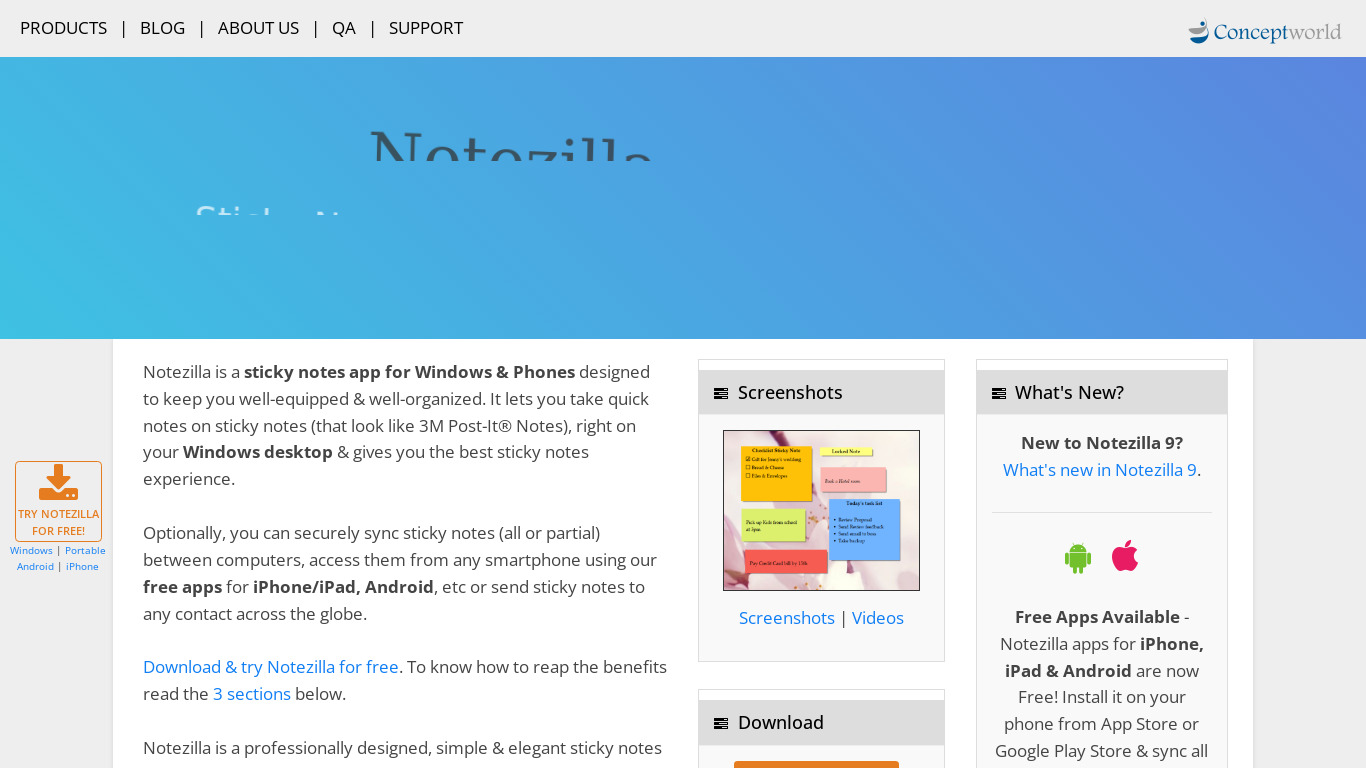
Notezilla is a colorful and powerful sticky notes app built for Windows and phones, designed for users who want to keep sticky notes always on top of other apps, set reminders to sticky notes, and move sticky notes into folders called memoboards. It allows you to stick notes to webpages, documents, programs, apps, folders, or any window, and features checklist sticky notes for to-do-lists, picture insertion, and unlimited paper-like skins and textures.
For pricing, Notezilla costs $29.95 as a one-off payment, and a single license is allowed to be in use on up to 2 computers. It supports paid access with a free trial, and you can restore all your sticky notes from the cloud on a newly purchased PC. Known alternatives include Workflowy, Simplenote, OneNote, Evernote, and Laverna, which you might prefer depending on your specific note-taking and platform needs.
Features
Keep sticky notes always on top of other apps
Set reminders to sticky notes.
Move your sticky notes into folders called memoboards
Stick notes to webpages, documents, programs, apps, folders, or any window.
checklist sticky notes allow you to create a to-do-list
Insert pictures inside sticky notes.
Assign tags/labels to sticky notes
Paint beautiful paper-like skins & textures to sticky notes with unlimited colors
end sticky notes across local network (LAN), exchange notes between computers.
automatically sync sticky notes between your computers
access them from any smartphone like iPhone, Android, Windows Phone, iPad, Blackberry, or access from a Mac from an Internet Browser.
Send sticky notes to any contact across the world
Restore all your sticky notes from the cloud on your newly purchased PC.
Screenshots
Notezilla vs. its alternatives
| Notezilla |  Workflowy Workflowy |  Simplenote Simplenote |  OneNote OneNote |  Evernote Evernote | |
|---|---|---|---|---|---|
| Pricing | USD29.95/mo | USD4.99/mo | Open source | — | — |
| Platforms | — | ||||
| Listed features | 13 | 16 | 6 | 6 | 5 |
Frequently asked questions
How much does Notezilla cost?
Notezilla costs $29.95 as a one-off payment, and a single license is allowed to be in use on up to 2 computers.
Is Notezilla free?
Notezilla is a paid product with a free trial available, priced at $29.95 for a one-off license.
What is Notezilla used for?
Notezilla is used as a sticky notes app for Windows and phones to create to-do lists, set reminders, organize notes in memoboards, and attach notes to webpages, programs, and windows.
What platforms does Notezilla support?
Notezilla supports Android, iOS, Web, and Desktop platforms, allowing access from smartphones like iPhone, Android, Windows Phone, iPad, Blackberry, and Macs via an internet browser.
Can I use checklist sticky notes in Notezilla?
Yes, checklist sticky notes allow you to create a to-do-list within the app.
What are the best alternatives to Notezilla?
Top alternatives to Notezilla include Workflowy, Simplenote, OneNote, Evernote, and Laverna. You might prefer these alternatives if you are looking for different note-taking workflows or alternative pricing structures.
Alternatives to Notezilla
Read the full comparison →Workflowy
A better way to organize your mind.
Simplenote
The simplest way to keep notes. Light, clean, and free. Simplenote is now available for iOS, Android, Mac, and the web.
OneNote
Get the OneNote app for free on your tablet, phone, and computer, so you can capture your ideas and to-do lists in one place wherever you are. Or try OneNote with Office for free.
Evernote
Bring your life's work together in one digital workspace. Evernote is the place to collect inspirational ideas, write meaningful words, and move your important projects forward.

Laverna
Laverna is a JavaScript note taking application with Markdown editor and encryption support.

CintaNotes
CintaNotes is a note taking application for Windows.



OmniFocus
Put your life in perspective and get things done
