Category Focus/categories/api
API AI Tools
Discover and compare the best api AI tools and software. Browse 112+ curated tools with reviews and rankings.
Projects tracked
112
Sort mode
RECENT
Page
1
Discover and compare the best api AI tools and software. Browse 112+ curated tools with reviews and rankings.
Projects tracked
112
Sort mode
RECENT
Page
1
withHuman is the approval layer for AI agents. It lets teams put their most consequential agent actions behind human approvals, so their agents can do real work while someone accountable stays in the loop. Rather than blocking agents entirely or letting them run unchecked, withHuman intercepts the tool calls an agent wants to make and holds the risky ones until a person has looked at them. It is framework-agnostic, open source, and built on open standards, and it is aimed at teams running agents in production — support, payments, SRE, finance, sales and marketing — where an action such as a refund, a payment, a merge or a data deletion cannot simply be taken back. Agents are increasingly capable of taking real action: calling Stripe, merging pull requests, rolling back deployments, updating CRM records or paying invoices. The problem is that a tool call is a real-world event. Once a refund is issued, a payment goes out or a table is dropped, there is no undo. Teams therefore face an uncomfortable choice: keep agents on a short leash and lose the value of autonomous work, or let them run and accept that some actions will be wrong. withHuman exists for the actions you can't take back. Its stated approach is to let agents draft everything and ship nothing until someone accountable has looked at it, while still allowing the routine majority of calls to pass without a human ever being bothered. Everything starts with interception. Each tool call an agent makes is intercepted by AAP, the Agent Approval Protocol, and sent to withHuman for approval. If the agent supports AAP, withHuman just works. Coverage spans coding agents through hooks — Claude Code and Codex among them — and agent frameworks through SDKs for LangGraph, CrewAI, Mastra and others. There is also an MCP gateway, and for teams building their own agents the open Agent Approval Protocol is available directly. In the product's own illustration, a support agent's stripe.refund call is held by withHuman before it reaches Stripe, with the arguments captured as a structured request. Approval pipelines are how withHuman avoids approval fatigue. Instead of sending every single call to a person, teams write policy rules that approve or deny routine requests automatically, and only the tough stuff goes to humans. Rules can be conditioned on the agent, the tool, the arguments and the agent context. A simple example from the site: refunds under $20 approve automatically, while a $75 refund that exceeds the $20 threshold skips the automatic rule and is escalated. For calls that rules can't describe — such as judging whether a support reply is routine — there is an AI judge. Teams can also use webhooks to their own policy service, so existing policy logic can participate in the pipeline. In the demo, three of four calls are decided without a person touching them. Escalation paths make sure the request reaches the right human rather than a generic queue. Teams write rules that decide which requests go to which team or person, routing by agent, tool, arguments or team. Teams then set their own escalation order and on-call flows, and requests escalate when nobody answers in time. The example on the site shows a $2,400 refund held because it is over $1,000: it goes to Sam Alvarez, the finance lead, while under-$1,000 refunds go to the support team and out-of-hours requests go to the on-call person. Reviewers are met where they already work — Slack and Discord, iPhone and Android apps with push, plus email, text message and WhatsApp — and each reviewer's own notification rules pick the channels. Every decision is kept on the record. withHuman maintains an append-only audit log of run history for production, capturing each request, the decision and any notes, with reviewer identity attached to every decision and the full request retained alongside it. Entries such as db.delete_rows approved by d.chen, stripe.refund approved by s.alvarez with a note that it was verified with finance, or k8s.apply denied by m.okafor are all recorded. The point is straightforward: when someone later asks who approved this, the answer is available, with the identity of the person who said yes and the exact request they saw. withHuman's distinctive approach is that it is a protocol, not a walled garden. Your agents speak to withHuman via AAP, the Agent Approval Protocol, an open spec started by withHuman to let agents wait on human decisions. That means integrations are made with AAP, not with withHuman specifically, so one integration works with any provider. The spec is built in the open, with issues, proposals and changes happening in public, and the aim is stated plainly: to be the best provider, never the only one. The spec, SDKs, adapters and conformance tests are open source, so teams can swap providers without rewriting a single agent. The withHuman core — the queue, the audit trail and the web UI — is also open source and self-hostable, so it can run on your own infrastructure or be run for you. Following a single consequential action end to end shows how the pieces fit together. A customer asks for a refund; the support agent finds a duplicate charge and decides to refund it; the agent's tool call is intercepted and held by withHuman before it reaches Stripe. The rules check it: the approval pipeline approves or denies the call automatically, or asks a human to take a look. In the example, a $75.00 refund exceeds the automatic $20 threshold, so the request goes to the Payments team, where Chris is on call. Chris is notified on his preferred platform, sees the tool call and the request context — amount, reason, customer — and approves or denies. The approved refund then reaches Stripe and the agent carries on, with the resulting stripe.refund reference recorded. Getting started is done through a CLI that connects every supported agent on a machine. A single curl-and-sh install command onboards coding agents such as Claude Code, Codex, OpenClaw, Pi, Hermes and DeepSeek, places the hooks in position, and finishes in the browser where the request appears for approval or denial. Supported integrations listed on the site include coding agents, an MCP gateway, LangGraph, Deep Agents, Pydantic AI, OpenAI Agents, Claude Agent SDK, Google ADK, CrewAI, AI SDK, Mastra and an HTTP API. Setup examples use pip installs for the Python frameworks, npm packages for the TypeScript ones, and a simple POST to /api/aap/v1/requests for anything else, with a timeout field so a call does not wait forever. Use cases are framed around the actions you can't take back. An AI SRE can request approval for kubernetes.rollout_undo before rolling payments-api back after a 5xx rate spike. Coding agents surface Bash commands. Customer support routes stripe.refund. Finance and accounting routes bill.pay. Sales routes docusign.send. Marketing routes campaign.send. Personal assistants can route calendar.create_event. In every case the agent can draft the work — the refund, the rollback, the payment, the contract send — and nothing ships until someone accountable has approved it. withHuman is aimed at companies running AI agents, not hobby projects — the kind that want one set of rules for every agent the company runs. The reviewer experience is built for team members who are on call for a particular domain, whether that is the Payments team, a finance lead or an SRE. On availability, the project is open source with a hosted version; teams can self-host the core or let withHuman run it for them. The Product Hunt launch notes an offer of three months of Scale free using the code PRODUCTHUNT. In short, withHuman gives agents the freedom to do real work while keeping humans accountable for the decisions that matter. By intercepting tool calls, deciding routine requests automatically, routing risky ones to the right person, and recording every decision, it turns human approval from a blocker into a workable layer that sits underneath every agent a company runs.
PostNitro for Agents is a social media API for AI agents that designs the post and publishes it, not just writes the caption. It gives an agent a design engine: on-brand carousels, single-image posts and animated video built from over 100 templates and the user's brand kit, then scheduled and published natively to LinkedIn, Instagram, TikTok, Threads, Facebook and Pinterest. The product is aimed at creators, marketing teams and developers who want their AI agent to carry a social post from a raw idea to a finished, on-brand publication in one chain, with no human in the loop unless they want one. Most social APIs an agent can reach will publish text and pre-made media — they assume the design already exists and that a person made it. That leaves the hardest and most time-consuming part of social publishing untouched: producing the artwork, keeping it on brand, sizing it for each network and turning a long article or thread into a readable visual format. PostNitro addresses that gap by putting the design engine itself behind the API, so an agent can convert a topic, article or X thread into a carousel, image post or video and then schedule it. The company frames this as giving an agent a design engine rather than just a publishing API. The creation tools cover carousels, single-image posts and short video, generated from a topic, raw text, an article URL or an X post. Agents can also add AI-generated images and bake them straight into slides, so the artwork appears inside the post rather than alongside it. Alongside generation, there is an import path: a user can bring their own slide content and let PostNitro design it, using the same templates and the same brand kit with no AI writing step involved. That distinction matters for teams that already have approved copy and only need a consistent visual treatment applied to it. Brand is handled through brand kits that agents can list, read, create and update. A brand kit holds fonts, colours, logos and headshots, which means the output stays on-brand without anyone having to describe the brand in a prompt. Because the agent works from the kit rather than from a text description, results are consistent across posts and across sessions. A browsing set of tools rounds this out: agents can list templates, AI presets and audio tracks, then pick deliberately instead of accepting a default. That gives an agent or its operator a way to steer the look and sound of the output before anything is generated. Scheduling and publishing tools let an agent create, read, update and delete scheduled posts, connect and inspect social accounts, and publish natively to six networks: LinkedIn, Instagram, TikTok, Threads, Facebook and Pinterest. Output can take the form of PNG, PDF, MP4 or an editable design, depending on what the caller asks for. X (Twitter) is supported as a content source and as an export format, but not as a publishing destination. Recently PostNitro added direct publishing to Facebook Pages and Pinterest boards, extending where an agent can deliver without a manual upload step. Operating the product follows a simple three-step flow. First, connect the agent: add PostNitro to Claude or ChatGPT in one click with no API key, or point any MCP client, the CLI or the REST API at it. Second, ask for a post — for example, turn an article into a six-slide LinkedIn carousel on the brand kit and schedule it for Thursday at 9am. Third, approve it or let it run: the post is designed on the brand kit and then scheduled, or it is saved as a draft on the calendar so a person can review it and hit schedule. That choice between full automation and human review is available on every job. There are six documented ways into the same engine, all sharing one account, one brand kit and one template library. Claude connects in one click via Claude's Connector Directory using OAuth, so there is no API key to fetch. ChatGPT installs in one click from its plugin directory with the same OAuth sign-in. The MCP server exposes 35 tools at mcp.postnitro.ai for any MCP client. The CLI, installed with npm i -g @postnitro/cli, takes JSON in and returns a designed post out, and is built to be script-safe for CI and automations. The REST API, the layer the others are built on, designs and publishes in one chain. A Skill for OpenClaw and Claude Code lets an agent drive PostNitro end to end. Long-running work is handled explicitly: every generator has a fire-and-forget form and an and-wait form, plus status and output polling, so an agent can choose between streaming and blocking depending on its own architecture. Authentication is unified across the MCP server, CLI and REST API, which all use the same PostNitro API key, so moving between interfaces needs no new setup. Claude and ChatGPT are the exception and the easier case — they connect through their respective directories with OAuth, so there is no key to fetch at all. The MCP server implements OAuth 2.1 with dynamic client registration, which is what removes the key step. A distinctive part of the product is the handoff between agent and human. If the caller asks for the DESIGN output, PostNitro returns an editable design instead of a rendered file. An agent can produce the work at 3am, and a person can then open it in the editor, change the headline and publish. PostNitro contrasts this with publish-only APIs, which return something that cannot be edited, describing its own approach as the one place where the human and the agent share a workspace rather than a handover. For teams that want oversight without slowing the agent down, this makes review a matter of light editing rather than rebuilding. PostNitro is explicit about one boundary: video output is not AI-generated. The video that an agent produces is the carousel slides rendered as an MP4, with animated slide text and audio chosen from the available tracks. It is a design feature rather than a generative video model, and the company notes that this is how carousels reach TikTok, which static-export tools cannot do. Being clear about that distinction helps set expectations for anyone comparing the product with generative video tools, and it keeps the output tied to the brand kit that the slides were built on. Agent access is priced separately from the broader product. It is included in Creator+ at $30 per month with 200 credits per month, and in Team+ at $60 per month with 500 credits per month. On the Starter plan, agent access is a $10 per month add-on with 250 credits. Credit volume can be increased, and the cost per output is stated plainly: an imported slide costs 1 credit and an AI-generated slide costs 2. There is no free tier for the API, so teams evaluating agent-driven publishing should plan for a paid plan or the Starter add-on from the start. Typical uses are described through the prompts the product suggests pasting into an agent. A user might ask it to turn a latest blog post into a LinkedIn carousel, which returns a carousel PDF. Another might announce a launch as an Instagram post on the brand kit, producing an image post. A third might request a 20-second TikTok video from five tips, producing an MP4. A planner-style prompt can ask for next week's schedule — three carousels, Monday to Wednesday at 9am — saved as drafts for review. Each of these maps directly onto the create, schedule and publish tools the agent can call. PostNitro says the product is used by more than 85,000 creators, with its editor embedded in over 200 platforms and a 4.9-star rating on Product Hunt. On the technical side, supported clients include anything that speaks MCP: Claude (Desktop, Code and the web app), Cursor, ChatGPT, VS Code and agent frameworks that support MCP servers. Anything that can run a command works with the CLI, including OpenClaw through the Skill, n8n, Make and CI pipelines, while anything that can make an HTTP request works with the REST API. That breadth means the same engine can be driven from a chat window, a script or a scheduled job. The core value proposition is a design engine and a publishing pipeline in one chain. Rather than handing an agent a caption it can already write and a media file someone else had to produce, PostNitro lets the agent build the carousel, image post or video on the brand kit and then schedule it natively to six networks — six ways in, 35 MCP tools, editable design output when a human wants to finish the job, and paid agent access that starts with Creator+, Team+ or a Starter add-on.
Manifold MCP is a hosted marketing MCP server that gives AI agents live marketing data across SEO, AI answers, social, ads and lead research, inside the AI app the user already works in. According to the website, Manifold "gives your agent the tools to grow on every channel" and covers SEO, AEO, social, ads and lead research in Claude, ChatGPT, Cursor and other MCP apps. Connect it once in a minute and the agent can look things up on every channel whenever it needs to. Every client uses a single URL, https://mcp.manifoldmcp.com/mcp, and a single credit balance, and the product states there are no API keys to set up. New workspaces get 250 free credits, so marketers, growth teams and founders can start asking questions in plain words immediately. The problem Manifold is built around is channel fragmentation. Marketing research normally means jumping between an SEO tool for rankings, a separate dashboard for AI visibility, another tool for TikTok and YouTube creators, ad libraries for competitor creative, Reddit for community threads, and a data provider for contact emails. The site describes the alternative as "no pile of tabs": instead of opening each tool itself, the user asks their agent a question and the agent picks the right tools and brings back the answer. Manifold is explicitly positioned as the data your agent works from rather than a scheduler or an autoposter, which matters because it lets teams keep using the AI clients they already pay for and trust while gaining live marketing data they would otherwise have to collect by hand. For SEO, Manifold lets an agent see every keyword a site ranks for, who outranks it and why, and what to fix on the site. The workflow example on the site asks the agent which keywords rank between positions 5 and 15 that could reach page one, with volumes such as "crm for startups" at 72,900 and "simple crm" at 96,600. The underlying tool is exposed as seo_get_ranked_keywords. For AI answers, the aeo_run_ai_answers tool lets an agent ask ChatGPT, Claude, Gemini, Perplexity and Google's AI Overviews any prompt on demand and report which brands each answer names, in what position, and which pages it cites. This is billed per prompt and engine rather than as a monthly fee for tracked prompts, and a free check shows whether a site lets AI crawlers read it, so teams can see whether AI assistants recommend them for the questions their buyers actually ask. Manifold's social coverage finds the TikTok, YouTube and Instagram creators a brand's buyers watch, their audience, and their top videos with transcripts, so the agent can answer questions like which sales creators on TikTok and YouTube get the most views and what their top videos are. The site shows YouTube Shorts and TikToks from named creators as examples of what the data surfaces, along with view and like counts. Alongside social, the ad libraries capability returns competitors' live ads on Meta and Google, including what each ad says and how long it has run, for example three live Attio ads on Meta, an image ad live 47 days and two creator videos live 76 and 42 days. Being able to see creative that is already running, and for how long, gives teams a factual basis for writing their own ads. The People capability spots posts on LinkedIn and X about the problem a product solves and then returns each author's verified work email, so an agent can answer questions like who posted about leaving their CRM this week and hand back a contactable list. Reddit coverage finds every thread that asks for what the product makes, reads the replies, and helps draft an answer, with example queries such as finding threads this month asking for a CRM and example communities such as r/CRM and r/CRMSoftware. The site lists tools including reddit_search_posts, linkedin_search_posts and aeo_run_ai_answers to illustrate how the agent calls these capabilities on demand. Manifold works in three steps. First, the user connects their agent by adding Manifold to the AI app they already use; the site says it takes a minute with no API keys to set up. Second, the user asks for what they need in plain words and the agent picks the tools, with Manifold reading live data from Google, AI answers, Reddit, social, ads and leads. Third, the agent returns answers you can act on, such as what to fix on a page, who to reach out to, or which threads to join, and can take the next steps itself. Because Manifold is hosted, the agent signs in once and uses Manifold's own provider accounts; there is no need for a Reddit API app, a LinkedIn login or a DataForSEO deposit, and clients without OAuth use a Manifold API key instead. Data is fetched live from specialist providers when the agent asks: search, keyword, backlink and AI answer data come from DataForSEO, while Reddit, TikTok, Instagram, YouTube, Facebook, LinkedIn, X and the ad libraries come from the platforms' public data. Results are cached briefly, most for a day to a week, so a repeat question comes back fast and costs less. The stated outcome is answers built on real data rather than guesses. Your agent writes from Manifold's data, drafting blog posts, Reddit replies, ad copy and outreach emails in the chat with real numbers behind them, and the user checks the drafts and uses them where they want. Cost control is part of the design: every call is paid from one credit balance, each tool states its price before it runs, and the agent can cap what a call spends. A three-step example on the site shows an agent answering what to fix on a /pricing page, namely to put "crm for startups" in the title because the site ranks 7th for it, to answer "is there a free plan?" on the page because ChatGPT gets it wrong, and to link to it from the four best-ranking posts, which illustrates how concrete the output is. Concrete workflows follow the same pattern of asking in plain words and letting the agent choose the tools. A SEO lead might ask which keywords the site ranks 5 to 15 for that could reach page one, then ask what to fix on a specific page, and finally have the agent draft the changes or an outreach email about them. A growth marketer might check whether ChatGPT and Gemini recommend the brand for "best CRM for startups", then look at what competitors are running on Meta this week, then ask which TikTok and YouTube creators in the niche get the most views. A founder doing outbound might ask who posted on LinkedIn about leaving their CRM this week, request verified work emails for those authors, and then ask the agent to draft the outreach. In each case the agent returns real numbers and drafts the follow-up content in the chat. Manifold is aimed at marketers, growth teams and founders who already work inside AI clients and want marketing data there rather than in another dashboard. It works with Claude, ChatGPT, Cursor, Claude Code, Codex, Gemini CLI, Grok, OpenCode and any other client that supports remote MCP servers, all through one URL and one credit balance; in Claude you add the URL as a custom connector and sign in, and in Claude Code you run claude mcp add --transport http manifold followed by the URL, with per-client steps in the docs. Pricing is free to start with 250 free credits per new workspace, then a Pro plan from $20 a month for 2,500 credits or a Max plan at a lower rate per credit, with top-ups from $10 between renewals. Manifold is a marketing data MCP server founded in London in September 2026 by Jesse Sibley, and the site notes it is unrelated to Manifold Markets, the prediction market. Manifold MCP's value proposition is simple: connect your agent once and it can pull live SEO, AI answer, social, ad and lead data on demand, then turn that data into drafts and decisions in the same chat. It replaces a pile of tabs with plain-language questions, keeps costs visible through a single credit balance with per-tool pricing, and gives marketers real numbers to act on rather than estimates. Free credits make it easy to test what the agent can answer before committing to a paid plan.
Microsoft-Decision-1 is a new decision-scoring model from Microsoft, available in Microsoft Foundry and through OpenRouter. It is purpose-built to deliver structured outputs that software can immediately act on, and it is designed for routing, classification, prioritization, verification, and workflow control. The model is intended to make it easier to incorporate decision intelligence into existing applications, agents, and workflows in a secure, trusted environment. Give Microsoft-Decision-1 a set of fixed options and it returns a calibrated probability for each option in a single pass, as structured output that software can act on directly. It is positioned as a model for fast decision-making, delivering top performance in latency and quality on structured decision tasks to outperform both LLMs and other decision models. Decision models are quickly emerging as an important new category in AI. Unlike LLMs, which are designed to generate text or reason through complex problems, decision models are purpose-built to deliver structured outputs that software can immediately act on. Microsoft frames this as a shift: once you understand the capability of making decisions and classifying things at very low cost with high performance, all kinds of useful tasks get unlocked. Traditional large language models are oriented toward generation and reasoning rather than acting as reliable decision engines, and Microsoft-Decision-1 is designed specifically for that gap. By focusing on structured decision tasks rather than open-ended text generation, the model aims to outperform both LLMs and other decision models on latency and quality, so teams do not have to choose between the flexibility of a general model and the reliability of a purpose-built decision component. Accuracy is a central claim for Microsoft-Decision-1. Microsoft reports that the model achieved the highest accuracy in its 36-benchmark comparison, spanning nearly 150,000 questions across benchmarks kept blind from training. The accuracy figure is reported as a mean score across 36 benchmarks, covering 147,137 questions. This breadth — dozens of separate benchmarks and well over a hundred thousand questions — is intended to demonstrate that the model's strength is not limited to a single task type but holds across a wide range of structured decision problems. For teams evaluating a model for routing or classification, that breadth matters because it suggests the model can be trusted across varied inputs rather than only on a narrow distribution of examples. Microsoft also notes that Strands-Decider 2B was scored as the average of the 23 of 36 benchmarks it could answer, illustrating how comparisons were handled for models that could not complete the full benchmark set. Latency is the second headline capability. Microsoft states that in its benchmarking, Microsoft-Decision-1 was the fastest measured, running 2.5 times quicker than H2O-Lightning-4B v1.1, the runner-up, and 35 times quicker than GPT-6 Sol. The latency figures are described as JevBench v1.6.1 adjusted median (p50), checked on October 7, 2026, with Microsoft-Decision-1 measured through Foundry in the same region. The Product Hunt listing echoes this with the claim that the model is about 35 times faster than GPT-6 Sol at median latency. Speed matters for decision tasks because routing, classification, verification, and workflow control often sit directly in the critical path of an application or agent loop. When a decision must be made on every request, a model that returns answers in a fraction of the time can change what is practical to build — for example, making it feasible to score many inputs cheaply and quickly instead of batching decisions or skipping them altogether. Calibration is the third dimension Microsoft highlights. In the benchmark comparison, Microsoft-Decision-1 placed third on calibration, 1.5 behind Jev. Calibration is defined in the source material as a measure where 100 means a model's confidence exactly matches how often it is right — in other words, a well-calibrated model's stated probability reflects its true likelihood of being correct. Because Microsoft-Decision-1 returns a calibrated probability for each fixed option in a single pass, downstream software can act on those probabilities directly, for example by applying thresholds, comparing options, or routing based on confidence. The model produces structured output that software can act on directly, rather than free-form text that must be parsed or interpreted. That combination — calibrated probabilities delivered as structured output in a single pass — is what makes the model suitable for use as a decision component inside larger systems. How Microsoft-Decision-1 works overall can be summarized from the source material: it is a decision-scoring model that is post-trained from Qwen3.5-9B. Rather than generating prose, it is given a fixed set of options and returns a calibrated probability for each option in a single pass, as structured output. This single-pass, fixed-option approach is the model's distinctive methodology. The model is available in Microsoft Foundry and through OpenRouter, so teams can access it through those platforms rather than deploying a bespoke system. Microsoft describes it as delivering top performance in latency and quality on structured decision tasks, and the benchmarking data presented alongside the launch compares it against both LLMs and dedicated decision models on accuracy, median latency, and calibration. For users, the stated benefits center on speed, cost, and reliability of decisions. Microsoft says the model makes it easier to incorporate decision intelligence into existing applications, agents, and workflows in a secure, trusted environment. Because it returns calibrated probabilities that software can act on directly, it reduces the need to translate model output into actionable signals. The combination of high accuracy across a broad benchmark set, the fastest measured median latency, and calibrated confidence is intended to give teams confidence when embedding the model in automated decision paths. Microsoft also emphasizes low cost: making decisions and classifying things at very low cost with high performance is framed as the capability that unlocks useful tasks. On Product Hunt, the model is listed at $0.042 per million input tokens, with free output. The source material names specific use cases for Microsoft-Decision-1: routing, classification, prioritization, verification, and workflow control. It is also described as a model for agents and workflows, and more broadly as a decision model for agent control. These use cases share a common shape — they are structured decision tasks where a system needs to choose among a fixed set of options and act on the result. Routing describes directing a request, item, or task to the right destination or handler. Classification describes assigning items to categories. Prioritization describes ranking or ordering work. Verification describes checking whether something meets a condition. Workflow control describes deciding how a process should proceed. In each case, the model returns calibrated probabilities for the available options in a single pass, giving the surrounding application or agent a structured signal it can act on. Microsoft-Decision-1 is aimed at teams that want to incorporate decision intelligence into existing applications, agents, and workflows. Its intended environments are those where a secure, trusted model of this kind is valuable. It is available in Microsoft Foundry and through OpenRouter, giving teams two routes to access it. The model is post-trained from Qwen3.5-9B, which is the base model identified in the source material. Pricing is described on Product Hunt as $0.042 per million input tokens, with free output, and the model is presented as making decisions and classifying at very low cost. The benchmarking in the launch material reports accuracy as a mean score across 36 benchmarks (147,137 questions), latency as JevBench v1.6.1 adjusted median (p50) checked October 7, 2026, and calibration on a scale where 100 means confidence exactly matches how often the model is right. Taken together, Microsoft-Decision-1 represents Microsoft's entry into the emerging category of decision models — models purpose-built to deliver structured outputs that software can immediately act on. Its value proposition rests on three measured dimensions: the highest accuracy in Microsoft's 36-benchmark comparison spanning nearly 150,000 questions, the fastest measured latency (2.5 times quicker than the runner-up H2O-Lightning-4B v1.1 and 35 times quicker than GPT-6 Sol), and competitive calibration (third, 1.5 behind Jev). By returning calibrated probabilities for fixed options in a single pass as structured output, and by being available in Microsoft Foundry and through OpenRouter, it gives teams a practical way to add fast, reliable decision-making to their applications, agents, and workflows.
Pine Computer is a cloud computer built for AI to use. Rather than pointing an AI agent at an ordinary desktop, you hand Pine Computer a job — research, forms, spreadsheets, or portals that have no API — and the finished work comes back to your product. It exists so that software products can complete real work on the web rather than merely describe it. A single SDK lets you spin up a computer per customer, you can bring your own model or use Pine's, and a person can take over whenever a sign-in or approval is required. Pine Computer is invite-only while in beta. The starting point is that today's agents are usually run on computers built for humans. A human looking at a screen sees pixels; a human has to keep checking that screen for change; and a human works on one or two screens at a time. An AI agent driving that same machine inherits every one of those constraints, which makes long, real-world tasks across many apps slow and expensive. Pine Computer also targets a specific and widespread gap: the many portals, seller sites, city systems and insurer forms that have no API at all, so the only way to get work done on them is to actually use them. On the same long, real-world tasks across apps, Pine reports that its preliminary tests ran 2–5× faster than AI agents on ordinary computers, at 1/25 the model API cost. Two of Pine Computer's core ideas are reading structure and sensing change. Because humans see pixels but AI can read what each thing on a screen is and what it can do, Pine's AI works from the structure of an app rather than from images. In the examples shown on the site, that structure looks like a heading called Invoices, a field labelled Email that is empty, a field for PO number, a Submit button that can be clicked, a table with 12 rows and 3 columns, or a link that downloads a PDF. Working from that structure means the agent does not have to guess at coordinates or recognise pictures of buttons — it knows what a control is and what it can do with it. The second idea is sense: humans keep checking the screen, while Pine's AI is told what changed the moment it does. Notifications such as a completed download, or a window gaining focus, arrive as events rather than requiring the agent to poll and re-inspect the page. The third idea is seeing: humans work on one or two screens, but Pine's AI gets many screens, rendered in memory and only when it needs to look. That is what allows an agent to fill a basket at three shops at the same moment, or to renew permits on three different city portals at once, without needing physical displays to exist the whole time. The fourth idea is access: the computer is sealed off on its own and reached through your code, and your keys stay with you. Together these four ideas — read, sense, see, access — describe how Pine Computer differs from running an agent on a machine designed for a person. Pine Computer is designed to be embedded in your product. You spin up a computer per customer through one SDK, so each customer's work runs on its own machine rather than sharing a queue. You can bring your own model or use Pine's, which lets teams keep the model relationships, credentials and evaluation setups they already have. And a person can take over for sign-ins or approvals: where a portal asks for a login that only the account owner can provide, the human signs in on the live screen and hands the computer back to the AI. The site shows this in several examples — a property owner signing into a city portal for a permit, an analyst signing into a subscription research source, a shop owner signing into a marketplace, and a shopper approving a purchase before anything is spent. The developer experience starts with code. The Ruby example on the site creates a computer with a location and an ephemeral flag, opens a browser session on it, and then runs a job written in plain language: pull last month's invoices from the supplier portals into the ledger. From the outside, Pine Computer behaves like a machine your product can hand a job to: the product submits the task, the AI drives the apps it needs, and the finished work comes back. Because each computer is sealed off and reached through your code, the integration boundary stays inside your own system rather than in a shared browsing environment, and because each customer gets their own computer, work can run in parallel instead of one task waiting behind another. The stated benefits are speed and cost. In Pine's preliminary tests, on the same long, real-world tasks across apps, Pine Computer ran 2–5× faster than an ordinary computer driven by AI agents, and used 1/25 of the model API cost — model API cost only, with results varying by task. Beyond the headline numbers, the four design ideas produce practical outcomes: reading structure instead of pixels reduces the guessing that makes agents brittle; being told what changed removes the constant re-checking that burns time and tokens; virtual screens let one job fan out across several apps at once; and the sealed, code-reached design keeps access limited to you and your code. The site lists 26 use cases, grouped into sites with no API, research, documents, assistants, sales and marketing, and engineering. Six are shown in detail. Renew permits: a customer clicks Renew once, and every permit due this quarter is renewed on its own city's portal, with each city's receipt returning to its permit's row as a PDF. Research a market: an analyst names a market and gets a report in which every figure carries the number of its source, including both figures where two sources size the market differently. Fill PDF forms: each client's row on a broker's sheet becomes a filled copy of the insurer's current PDF form, read back field by field, and nothing goes to the insurer until the broker has read each copy. Compare and buy: an assistant checks three shops at once, fills a basket in each, stops before payment, returns a comparison with delivery included in every total, and only places the order once the person approves. Update marketplace listings: a spring range is updated on Larkspur Market, Harbour Lane and Ferrow in turn, with each change recorded once the live listing reads back right. Test a web app: users write test steps in plain English, and each run follows them in a real browser on a fresh computer and screenshots every step. Pine Computer is built for teams that are putting AI to work inside their own products — the examples describe property software, research software, broker software, an assistant, commerce software and a testing platform handing jobs to Pine. Access is currently invite-only while in beta; interested teams leave an email address, join the last step of an application, and request access. The site documents an SDK with a Ruby example, plus developer docs, and a create-computer call that takes a location such as country US and an ephemeral flag. There is no published pricing on the page, and no list of third-party integrations beyond the choice to bring your own model or use Pine's. The takeaway is that Pine Computer turns the hard, human-shaped parts of web work into something your product can delegate. Read structure, sense change, see many virtual screens, and stay sealed off behind your own code — you hand it a job, and the finished work comes back, 2–5× faster and at 1/25 the model cost in Pine's preliminary tests.
Busabase is an open-source (MIT) database and workspace for AI agents, described in its own words as the general system of record for AI agents. It gives people and AI agents one shared base where business records, docs, skills, and apps live in the same place, so the next task can build on whatever the previous one produced. Instead of letting agent output sit in a chat window, Busabase keeps it as data, docs, skills, and apps that a team can reuse. It is aimed at teams that already work with agents such as Claude Code, Codex, Cursor, Hermes, OpenClaw, WorkBuddy, and Buda AI, and it can be run on your own machine, self-hosted inside your network, or used through Busabase Cloud. The problem Busabase addresses is that agent work keeps evaporating. A team already uses AI and the work does get done, but it scatters across personal chat windows: one person drafts a quote in ChatGPT, another cleans up a customer list in Claude, a third finishes a data cleanup script in Cursor, and someone else records a pricing decision in Gemini. The site states the consequences plainly: results stay in a chat log nobody finds again, every session starts from zero, and when someone leaves the company, their work goes too. Busabase takes the opposite position: the work lands in one workspace and stays after people leave, so the next agent reads what the last one wrote and the work stays with the company. Busabase organizes that shared work into bases. The Data Base holds customers, projects, and inventory in tables with fixed columns, and because the columns are typed, every agent reads and writes the same fields rather than inventing its own shape for the data. The Knowledge Base is described as the team's shared memory: answers you can find, with a source, that someone checked. A record there carries its body, its sources, and its review history, so a fact can be traced back to where it came from and to whoever verified it. Together these two bases give agents a stable place to read from and write to, and give people a place to check the result. Three more bases extend the same idea. The Apps Base holds internal tools, called AirApps, built on the same data, so every screen shows the latest version — the site shows Busa CRM, a pipeline with deals and follow-ups that reads the same records. The Skills Base lets you save a workflow once as a skill, and any agent can run it next time. Playbooks are where a team writes down how it does things: agents check the playbook before every task and follow it instead of improvising. The site's summary of the workspace is Data, Knowledge, Apps, Skills, Playbooks, and External Agents, all in one place for people and agents. Agents connect to Busabase from wherever they already run. You can talk to a connected agent right inside Busabase, or connect 40+ external agents over Agent Skills, MCP, and more — Claude Code, Codex, and OpenClaw are named. Either way, those agents read and write the same workspace. The connection options listed are Agent Skills, MCP, OpenAPI, and the CLI, and the FAQ broadens this to any agent that can call a REST API, naming Claude Code, Codex, Gemini CLI, n8n, Zapier, LangChain, or your own agent; for that route the instruction is to paste the SKILL.md and go. Because the same structured data sits underneath, an agent does not have to be told the shape of the business each time it starts. The workflow Busabase describes has three steps. First, connect your agents: nothing to switch, your agents keep working the way they do today and simply write here. Second, every write is on the record: each change carries who made it, what changed, and a full history, and for the writes that matter you can hold the change for a person to review. Third, reuse it next time: the next agent, a teammate, or an AirApp reads the same data, so nobody starts from zero. Underneath, Busabase is open source under the MIT license, and the same engine runs on your laptop, on your own server, or in Busabase Cloud. Busabase Desktop keeps data in a folder on your computer with no usage tracking and keeps working offline; the Docker image is deployed inside your company network so data never has to leave it; Cloud needs nothing installed. The benefits the site claims follow from that structure. Work that would otherwise sit in personal chat windows lands in tables, docs, and apps you can open tomorrow, and it stays with the company after people leave. Knowledge comes with a source that someone checked, rather than as an unsourced answer. Every change keeps its history, so the record remains explainable later — approve, request changes, and reject decisions all stay attached, and rejected work never enters the canonical data. And because the same data feeds agents, people, and internal apps, a new session does not begin from nothing. For teams with a security review coming up, Busabase points to its self-hosting documentation about keeping data inside your network. The website lists eight kinds of work you can start keeping today. Customer support stores Q&A and product facts so agents draft the reply and a person approves it. Marketing keeps CRM contacts, campaign records, social posts, and creative assets in one place. Content moves briefs, drafts, and published pieces through a single pipeline. Team memory captures decisions, meeting notes, and context the next agent can read. Operations tracks projects, to-dos, and supplier details. Research collects market signals and monitored sources, verified and adding up over time. Product catalog holds SKUs, specs, pricing, and relations, searchable and managed in one place. Compliance covers access reviews, vendor checks, and a complete audit log. A demo on the site shows a content board where scheduled posts carry visual, platform, copy, scheduled status, and read-from relations, with the price pulled from the Products base. Busabase is built for teams and individuals who want agent output to accumulate somewhere shared. Named agent integrations are Claude Code, Codex, Cursor, Hermes, OpenClaw, WorkBuddy, and Buda AI, with n8n, Zapier, LangChain, and Gemini CLI mentioned in the FAQ, and connection surfaces including Agent Skills, MCP, OpenAPI, webhooks, a CLI, and REST APIs. Pricing has three tiers. Free costs $0 for one person keeping what their agents produce, with 1 space you own, 3 seats per space, 5,000 records per space, 1 GB of attachment storage, and 1 self-hosted connection online. Plus is $10 per seat per month, billed $120 per seat annually, with 3 spaces you own, 10 seats per space, 20 GB of attachment storage, and OpenAPI, webhooks, and MCP. Pro is $20 per seat per month, billed $240 per seat annually, with unlimited spaces you own, unlimited seats, 100 GB of attachment storage, and priority support over WhatsApp, WeChat, or email. The open source engine is free forever, and Cloud starts free and grows per seat. Taken together, Busabase's value proposition is simple: give your agents a workspace worth building in. The work they produce becomes typed data, sourced docs, saved skills, and internal apps that the next agent, the next teammate, or an AirApp can read; every change keeps its source and its full history; and sensitive work can stay on your machine, on your own server, or in Busabase Cloud. You can start local for free and add Cloud when your team is ready.
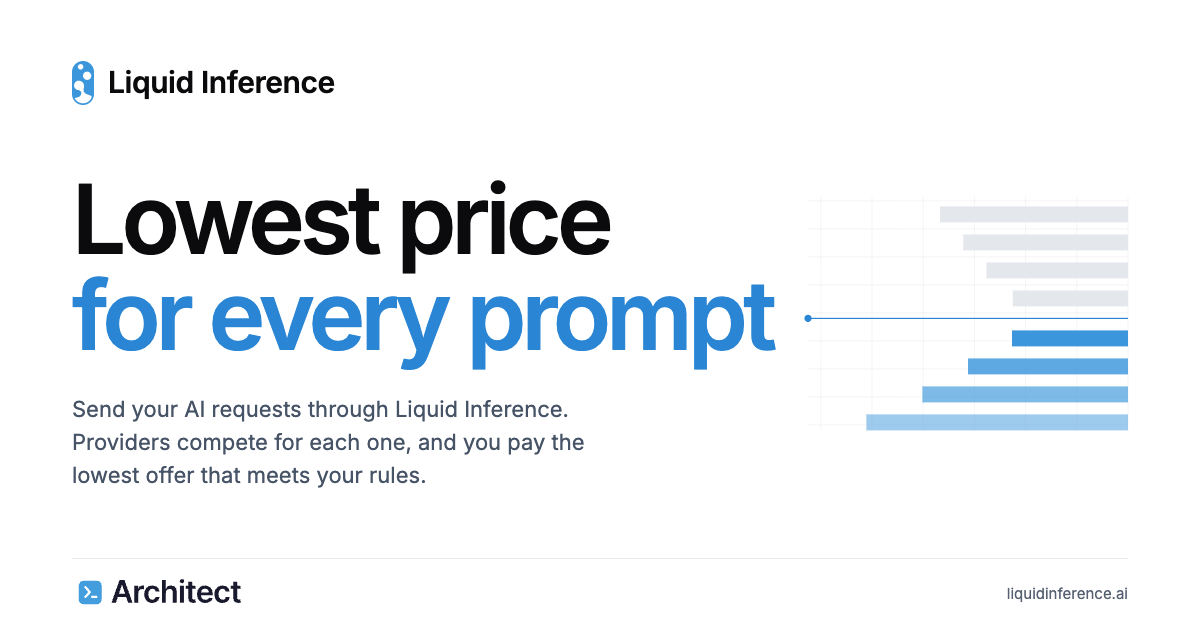
Liquid Inference is an LLM router that runs an instant auction for every AI request. You send an ordinary chat request, and providers compete to answer it at the lowest price that meets the rules you set. Instead of committing to one vendor's rate card, you describe what the request needs — model, region, speed and minimum quality — and the cheapest provider that satisfies those requirements answers. The product is built for developers and teams already working with large language models through coding agents, SDKs or direct API calls, and who want access to hundreds of open- and closed-weight models without managing a separate account, key and billing relationship for each one. Choosing a model provider has usually meant accepting a published, fixed rate and paying it whether or not cheaper capacity exists somewhere else at that exact moment. Inference capacity fluctuates with supply and demand, so providers often hold spare capacity they would be willing to sell at a lower price, but buyers have had no practical way to discover and capture that price request by request. Liquid Inference turns every prompt into a small auction to close that gap. Providers publish a price per token for each model and can change it at any time, lowering it when they have spare capacity. The result is that a buyer pays the lowest marginal cost available for that request while still getting the model, region, speed and quality constraints they specified. The auction runs in three steps. First, providers set their prices: each provider sets a price per token for each model and may change it whenever they like, so the offers on the book move with supply and demand. Second, the cheapest match answers: you set the rules — model, region, speed and minimum quality — and the cheapest provider that meets them answers your request. Third, you pay for what you use: before the model starts, you know the most a request can cost, and you are billed only for the tokens it produces. Because the cap is fixed before the first token is generated, the price of a request is known up front rather than discovered later on the invoice. Control over routing is explicit. A price limit is placed on every request before the first token, so you know the maximum a request can cost and pay only for the tokens produced. Routing rules let you choose the model, region, speed and minimum quality, and only providers that meet those requirements compete for the work. To support trust in the marketplace, Liquid Inference tests every provider regularly with standard benchmarks and publishes the results, so the speed and measured quality of providers are visible and the same rules apply to everyone. Billing is itemized, showing what every request cost line by line, and public price history lets you download live and past prices for every model so you can send work when prices are low. Liquid Inference covers hundreds of open- and closed-weight models, spanning families such as GPT, Qwen, Gemini, GLM, Deepseek, Gemma, Kimi, Grok, Claude, Mistral, O, Nemotron, Ernie, Mimo, Llama, Phi, Nova, Command, Hermes, Granite, Sonar and many more. Model counts per family are listed on the site alongside the lowest current offer in USD per million output tokens, which ranged from $0.01 for Nemotron to $4.62 for O at the time of capture. Compatibility is deliberately simple: one key covers both OpenAI Chat Completions and Anthropic Messages on a single base URL, so existing code works unchanged, and getting started requires changing one URL. The product also supports full multi-modal requests. The overall approach is to treat inference as a live market rather than a static catalogue. Providers compete dynamically on price for every single prompt, offering the lowest marginal cost at the moment the request is made. You can create routing rule presets or use the Auto routing algorithms to decide how requests are matched, and the rules you set determine which offers are allowed to compete. Because providers can raise or lower prices at will and stop quoting when they are full, the offers on the book reflect current capacity. The buyer's side of the market is equally concrete: a single base URL, one API key, and code that already speaks the OpenAI or Anthropic API continues to work. Practically, this means a lower cost per request for equivalent work, because you are matched to the cheapest provider that meets your stated requirements rather than paying a fixed published rate. It means more predictable spend, since a price limit is fixed before the first token and you are billed only for produced tokens, with itemized billing showing what each request cost. It gives you leverage over supplier choice — model, region, speed and quality are yours to specify — while independent benchmark results keep providers comparable. And because prices move with supply and demand, public price history gives you the information needed to time workloads when prices are low. Concrete workflows follow from those capabilities. A developer using an agentic coding tool such as Claude Code, Codex, Cursor, OpenCode, Cline or Pi can point the tool at Liquid Inference by changing the base URL, keeping their existing client while gaining access to every listed model. A team planning spend can pick a model and a monthly output volume in the cost estimator and see the lowest offer now and the estimated cost per month. A workload that is price-sensitive rather than latency-sensitive can be scheduled using public price history when prices are low. A user who needs multi-modal support can send those requests through the same single key. And anyone already running inference on their own models can join as a provider, post a price and be paid for the tokens they serve. For buyers, sign-up is free with email and the first 500 users receive $20 of free inference; referring others earns 20% of referred fees as free inference, with 10% for second-level referrals. Access is through an API key and the base URL https://router.inference.ai.exchange/v1. The documented list of compatible clients and SDKs includes Claude Code, Codex, Pi, Oh My Pi, Cursor, OpenCode, Cline, Roo Code, Kilo Code, Goose, Open WebUI, Cherry Studio, n8n, the OpenAI SDK, the Anthropic SDK, the Claude Agent SDK, the OpenAI Agents SDK, the Vercel AI SDK, LiteLLM, LangChain and curl. On the supply side, anyone running models can create an account, register the deployment they want to serve, have an operator review and list it, then connect their agent and start quoting. Registration as a provider is free, and Liquid Inference charges its fee to the customer, not to the provider. In short, Liquid Inference replaces fixed inference pricing with a per-prompt auction in which providers compete to serve your request at the lowest price that still satisfies your rules. You keep the models and tools you already use, gain a price cap before the first token, itemized and predictable billing, benchmark-backed provider trust and public price history, while providers gain a live market for their spare capacity. The value proposition is straightforward: complete your AI requests and pay the lowest offer that meets your requirements.
Maisters TalentIQ™ is an AI-powered recruitment platform designed for government agencies and public-sector organizations that need to modernize hiring without sacrificing transparency, fairness, or compliance.The platform automates time-consuming recruitment activities including candidate screening, qualification checks, structured first-round interviews, candidate scoring, interview documentation, and compliance recordkeeping. AI-powered structured interviews give every candidate consistent questions and evaluate responses against agency-defined competencies and scoring rubrics.TalentIQ™ is designed with government hiring requirements in mind. It provides explainable candidate scoring, bias monitoring, veteran preference handling, compliance documentation, configurable records retention, and complete audit trails that help HR teams prepare for reviews, public-records requests, and internal oversight.Hiring managers receive ranked candidate shortlists supported by interview transcripts, scoring details, evaluation criteria, and decision evidence. Human staff retain final hiring authority throughout the process.The platform also provides workforce analytics for monitoring time-to-fill, candidate sources, hiring patterns, pipeline diversity, and recruitment performance. It can integrate with existing applicant tracking systems, HRIS platforms, background screening providers, credential verification services, identity providers, and agency-specific workflows through APIs.Maisters TalentIQ™ helps public-sector HR teams reduce administrative workload, accelerate recruitment, improve consistency in candidate evaluation, and maintain documented, audit-ready hiring processes.
Mega Jell-EEZ Peelable Mango is a fun and flavorful jelly candy made for mango lovers. Its peelable design adds an enjoyable way to eat the soft, chewy candy while delivering a sweet and fruity mango flavor in every bite. The playful texture and easy-to-peel format make it a fun choice for candy lovers, parties, sharing, and everyday snacking. Perfect for retailers and wholesale buyers looking to add an eye-catching mango treat to their candy selection. Visit us for more information!
AUDR (Agent Usage Detail Record) is an open standard for recording who initiated your agent runs and how much each cost, across every system a run passes through. It defines a common JSON schema that any harness, router, or billing system can emit and ingest. The goal is to help businesses make sense of the economics at the run level, giving every team building or monetizing agents a reliable record of what an agent run consumed and who or what it was associated with. It was drafted at Chargebee and is being improved with collaboration across the ecosystem, stewarded by Chargebee under the Apache 2.0 license. The problem AUDR addresses is that a run can be fully observable at every individual layer and still leave you without a single end-to-end record of who ran it and what it cost. A single agent run touches multiple systems: the application knows the customer and the feature, the router knows the tokens and the cost, and the tools know what they executed. Without a shared way to join these, usage data is orphaned from the business context that gives it meaning. The telecom industry solved a similar problem with the Call Detail Record, an open standard carriers converged on so a call's attributes could be captured and exchanged in a common format, independent of any single carrier's systems. AUDR is built on the same principle: a common record for agent runs that any harness, router, or billing system can emit and ingest. AUDR adds three core rules that let reports from different layers come together into one record. The first is a shared run ID, minted by the harness, passed to the router in request metadata, and echoed back, so every system that touches the run carries the same ID. The second is clear authority per field: the harness owns attribution such as customer, environment, and initiator, while the router owns usage such as tokens and provider. Each fact has exactly one source. This ensures that a record can carry raw counts that drive cost—tokens, tool calls, seconds of compute—alongside the business context that says whose cost it is. The record structure includes a run block with run ID and span ID, an attribution block sourced from the harness, a usage block sourced from the router, and an emitter block that identifies the component that produced the record. The third rule is strict merge rules. The sink assembles records sharing a run and span ID, and no component rewrites another's block. Conflicts are rejected, and a correction is a new record, never a mutation. This makes the record durable and reliable, and ensures that retries remain idempotent. The example in the spec shows a run with a run ID minted by the harness, attribution sourced from the harness, usage sourced from the router, and the emitter identified as the router. Because each field has exactly one authoritative source, the merged record is consistent and auditable, and any correction is preserved as a new record rather than silently overwriting history. AUDR provides adapters for runtimes you already use, so you can register an adapter and get a usage record for every model and tool call, including the customer it belongs to. Available adapters include NVIDIA NeMo Relay, LiteLLM, Merge Gateway, Vercel AI SDK, and Mastra. The core SDK builds, validates, and delivers records straight from your own code, with Python and TypeScript packages. Sinks deliver records to destinations you already use: Chargebee and Lago for usage-based billing. Adapters read identifiers, usage, and timings, never prompts or outputs. Every package is Apache 2.0 and published to PyPI or npm. The architecture is runtime → adapter → core client → sink → destination. Support for OpenRouter is in development. You can write records to a local file to start, with no account, hosted backend, or pricing configuration needed. AUDR is designed to sit on top of OpenTelemetry, not compete with it. OTel's GenAI semantic conventions provide the foundation for describing model calls and usage, and AUDR reuses them. An AUDR record can be emitted as an OTel span, and the OTel collector is a first-class sink. What OTel does not define is the set of rules needed when usage becomes a durable record: which attributes are required, how attribution is handled when it's missing, how retries remain idempotent, or how corrections are made. Observability can tolerate a dropped span, but a usage record cannot. AUDR adds those requirements and delivery semantics on top of OTel. It also complements standards like FOCUS, which standardizes billing data received from providers; AUDR standardizes the usage emitted when an agent run happens, before that usage is priced. The benefits are practical. With AUDR, you can answer questions like: How much does this agentic feature cost? What does this customer's agent usage look like, and how much does it cost? What are the unit economics and margins per customer for my agentic features? Which workflows or models are driving our costs? Which power users are driving our costs? Because records are emitted asynchronously and out of band, recording usage adds no synchronous work to inference in the normal request path. The only exception is optional pre-flight budget gating, which makes a single check before a run starts. You can store records locally, send them to a warehouse, feed them into an observability system, or use them for internal cost analysis or future projections. Use cases include usage-based billing, where records are delivered to a Chargebee site's usage-ingest batch endpoint or Lago's batch event endpoint. Teams can also use AUDR for internal cost analysis, to understand unit economics and margins, to identify which workflows or models drive costs, and to track power users. It supports cost governance by providing a common record that any system can emit and ingest. You can write records to a local file to start, with no account, hosted backend, or pricing configuration needed. For observability, the OTel collector acts as a first-class sink, and records can be used for future projections. AUDR is aimed at teams building or monetizing agents, developers, platform engineers, and billing teams. It does not assume what you do with the data after it is emitted; a billing system is just one possible consumer. It carries no prices or rating logic, and the SDK has no concept of plans, invoices, or how a customer should be charged. It records what happened and who it happened for. You can point the records at Chargebee, a competing rating engine, your own, or a warehouse for analytics. The spec is Apache 2.0, stewarded by Chargebee, and the goal is to move cost governance to an independent foundation as adoption grows. Contact is audr@chargebee.com. The three core rules are stable and will not change without a major version, while the field set will continue to grow as providers introduce new things to measure. In summary, AUDR is an open standard that provides a common language for recording agent run usage and cost across every system a run passes through. By combining a shared run ID, clear field ownership, and strict merge rules, it turns orphaned usage data into a durable, end-to-end record that supports cost analysis, usage-based billing, and agent unit economics. It is open, neutral, and community-owned, with packages published under Apache 2.0.