
Everyday
Home dashboard
Your music, focus, revenue and Mac vitals in one glance.
See it in action

Explore every NotchPop tool for music, files, focus, coding, revenue and more. Search by name or activity. All built-in tools are included in every license.
7-day free trial From $3.99 once No subscription
23 tools included in every license
Your music, focus, revenue and Mac vitals in one glance.
Control music, see artwork and switch audio outputs.

Hold files between apps, convert images locally and AirDrop.

Search your opt-in history and pin the things you reuse.

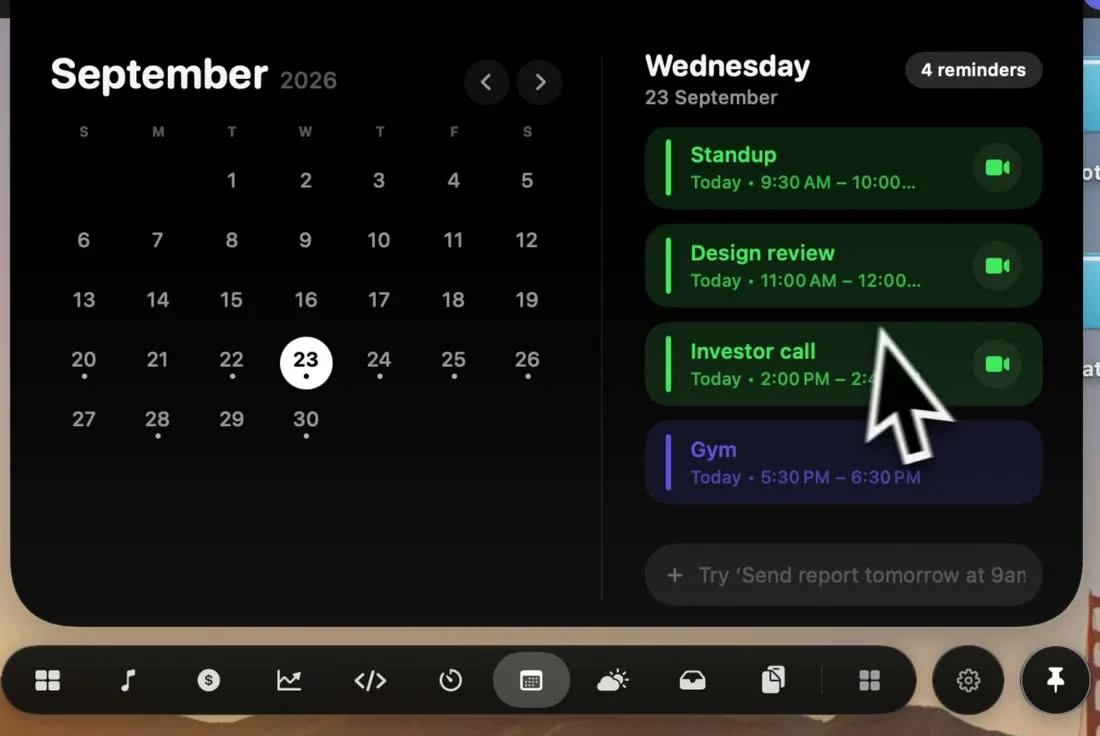
Check your agenda and join a meeting in one click.
Read and reply to iMessage and WhatsApp from the notch.
Open NotchPop and find Message replies in the tool menu. Pin it from Settings → Tools to keep it in your tab bar.
Current conditions, hourly forecasts and the week ahead.

Convert images to JPEG, PNG, HEIC or PDF on your Mac.
Open NotchPop and find Files in the tool menu. Pin it from Settings → Tools to keep it in your tab bar.
Search the web or jump to saved sites from the notch.
Open NotchPop and find Links & web search in the tool menu. Pin it from Settings → Tools to keep it in your tab bar.
A small place for the notes you need close by.
Open NotchPop and find Notes in the tool menu. Pin it from Settings → Tools to keep it in your tab bar.
Write something down without opening another window.
Open NotchPop and find Scratchpad in the tool menu. Pin it from Settings → Tools to keep it in your tab bar.
Convert lengths, temperatures, currencies and more.
Open NotchPop and find Unit & currency converter in the tool menu. Pin it from Settings → Tools to keep it in your tab bar.
Find the right emoji and copy it in a click.
Open NotchPop and find Emoji picker in the tool menu. Pin it from Settings → Tools to keep it in your tab bar.
Check CPU, memory, network and battery at a glance.
Open NotchPop and find System vitals in the tool menu. Pin it from Settings → Tools to keep it in your tab bar.
Run a Pomodoro, take a break and remember to drink water.

Start a countdown or stopwatch from the top of your screen.
Open NotchPop and find Timers & stopwatch in the tool menu. Pin it from Settings → Tools to keep it in your tab bar.
Settle into work with rain, waves, café sounds and more.
Open NotchPop and find Soundscapes in the tool menu. Pin it from Settings → Tools to keep it in your tab bar.
Keep your Mac awake for a task or while an app is running.
Open NotchPop and find Keep Awake in the tool menu. Pin it from Settings → Tools to keep it in your tab bar.
See where your time goes during the day.
Open NotchPop and find Screen Time in the tool menu. Pin it from Settings → Tools to keep it in your tab bar.
Follow Claude Code, Codex and Cursor activity and usage.

Keep Stripe, Polar, Dodo and AdSense earnings in view.

See live visitors from Google Analytics and DataFast.

Find running localhost servers and open them in a click.

