
Installing GitHub apps
- Installing your private GitHub App on your repository
- Allowing people to install your public app on their repository
When your app is public, anyone can install your app on their repository through an installation URL. When your app is private, you can only install the app on repositories that you own.
Note: When someone installs your GitHub App on selected repositories, instead of on all repositories (the default option), your GitHub App will not have access to repositories it creates.
Installing your private GitHub App on your repository
Once you create a private GitHub App, you can install it on one of your org or user repositories. For more information, see "Private installation flow."
- From the GitHub Apps settings page, select your app.
- In the left sidebar, click Install App.
- Click Install next to the organization or user account containing the correct repository.
- Install the app on all repositories or select repositories.
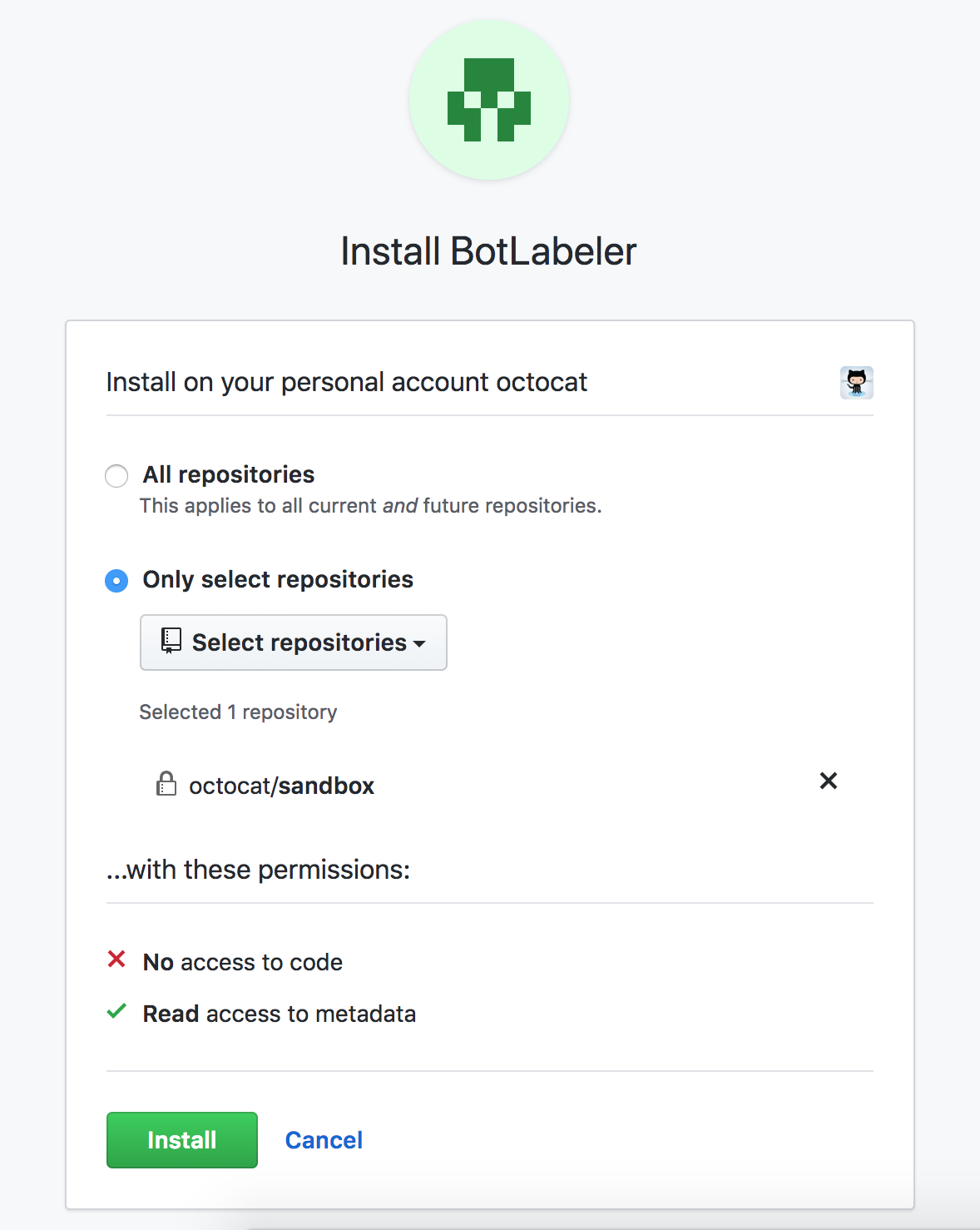
- Once installed, you will see configuration options for the app on your selected account. You can make changes here, or repeat the previous steps to install the app on another account.
Allowing people to install your public app on their repository
You can enable others to install your public app by providing the installation URL in places like your app's homepage. You can then point to your app's homepage from the landing page on GitHub.
If you are migrating from an OAuth App to a GitHub App, you can use query parameters to preselect the repositories and account when installing the GitHub App. See "Migrating OAuth Apps to GitHub Apps" to learn more.
These steps assume you have built a GitHub App:
- From the GitHub Apps settings page, select the public app you want to configure for others to install.
- In "Homepage URL," type the URL for your app's homepage and click Save changes.

- GitHub provides a landing page for your app that includes a link to your app's "Homepage URL." To visit the landing page on GitHub, copy the URL from "Public link" and paste it into a browser.

- Create a homepage for your app that includes the app installation URL:
https://github.com/apps/<app name>/installations/new.