Azurade Online
Editor
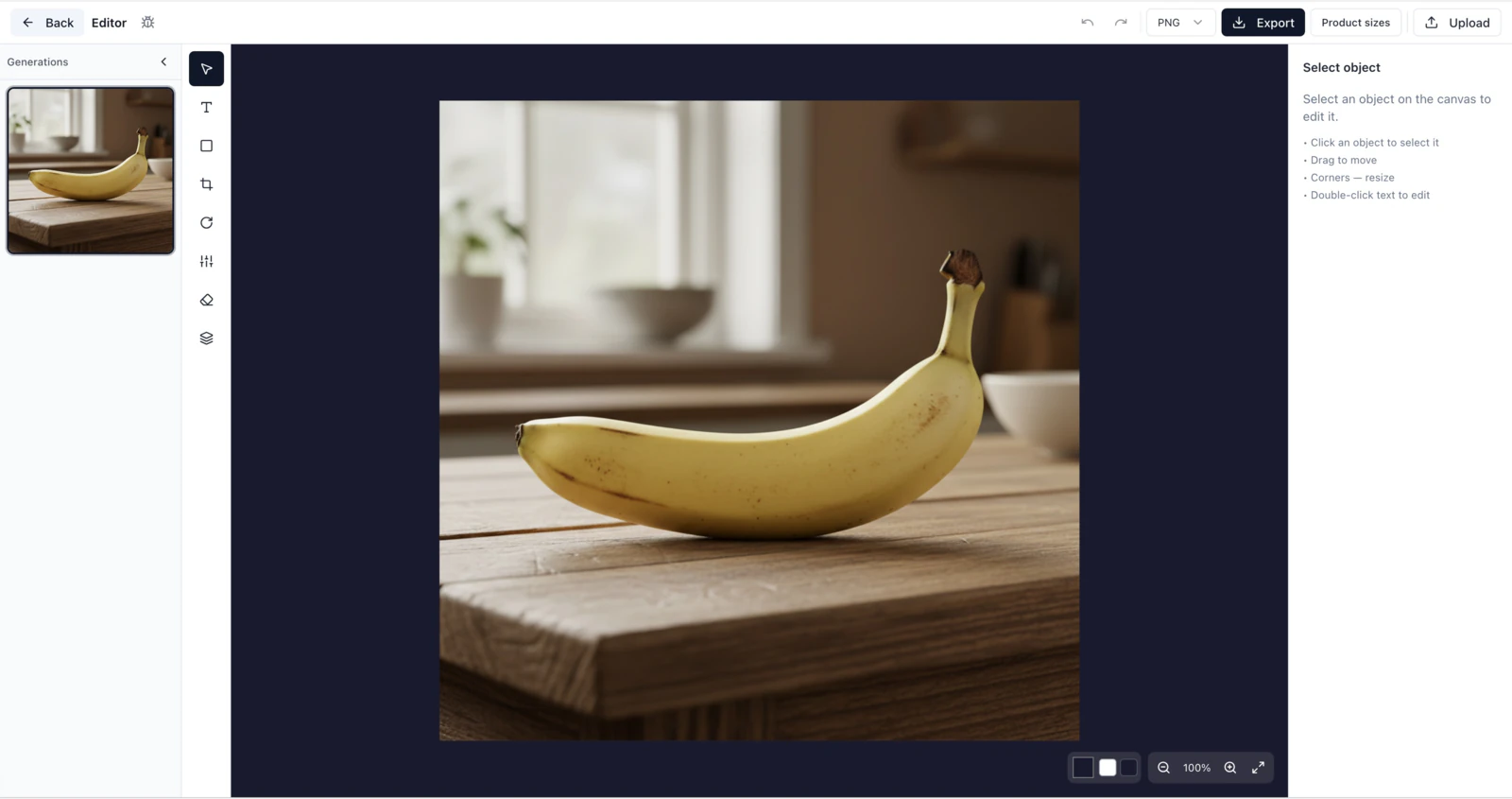
A free photo editor that runs in your browser, with cropping, text, shapes, filters and layers plus preset sizes for marketplace listings, Instagram and Stories. There's nothing to download, you just need a free account
What the editor can do
A simple online photo editor with the basic tools for putting a product listing, a post or a cover together quickly.
Shapes
Rectangles, circles, triangles, stars and lines, each with its own fill, stroke and opacity.
Text and captions
Pick the font, size, color and alignment for a headline on a marketplace listing or a social post.
Cropping
Crop freely or to the 1:1, 3:4 and 9:16 presets that marketplaces and social media use.
Filters
Quick brightness, contrast, saturation and color balance fixes that don't need Photoshop installed.
Rotate and flip
Turn an image by 90° or a custom angle, and flip it horizontally or vertically in a couple of clicks.
Layers
Stack several images, change their order, and lock or hide any element.
Ready-made sizes for marketplaces and social media
Pick a preset and the editor sets the canvas to that platform's size, so you don't have to remember the requirements.
How to use the editor
From upload to a finished image on your computer in three steps.
Open the editor
Open the online editor on Azurade AI in your browser, there is nothing to download.
Upload an image
Drag a product photo or any other picture into the editor and pick the canvas size you need, for example 2000×2000 for Amazon.
Edit and download
Add text, shapes and filters, crop and rotate, then download the finished image as PNG or JPG.
Frequently asked questions about the Azurade editor
What the free online image editor does, and where the paid AI part starts.
Is the Azurade editor really free?
Yes. Cropping, rotating, text, shapes and filters cost nothing and need no subscription, and the only paid part of Azurade is AI image and video generation in the studio.
Do I need to download software or sign up?
Nothing to download, the editor runs in your browser, but you do need a free account to open it (Google or a one-time code sent to your email)
Is the editor suitable for marketplace listings?
Yes. It has size presets for product listings, such as Amazon's 2000×2000, 3:4 vertical cards and the Instagram formats, so the canvas starts at the exact size and proportions the platform wants.
Can I add text to my images?
Yes, with your choice of font, size, color and alignment, which covers headlines on product listings as well as story covers and social posts.
Does the editor include artificial intelligence?
No, the editor itself is manual: cropping, text, shapes and filters. AI processing and image or video generation happen in the separate Azurade AI studio, which runs Nano Banana Pro, Seedream, Imagen and Veo among other models.
What photo filters does the editor have?
There are eight one-click filters (Bright, Warm, Cool, B&W, Vintage, Dramatic, Soft and Vivid) plus sliders for brightness, contrast, saturation, hue and blur
What formats does the editor support?
It opens JPG, PNG and WebP files and saves the finished image as PNG or JPG without losing quality. Use PNG when you need transparency.
Try the Azurade editor
An image for a product listing, a post or a story takes a few minutes in the online editor.
Open the editor