Downly
Any video. Any quality. One click.
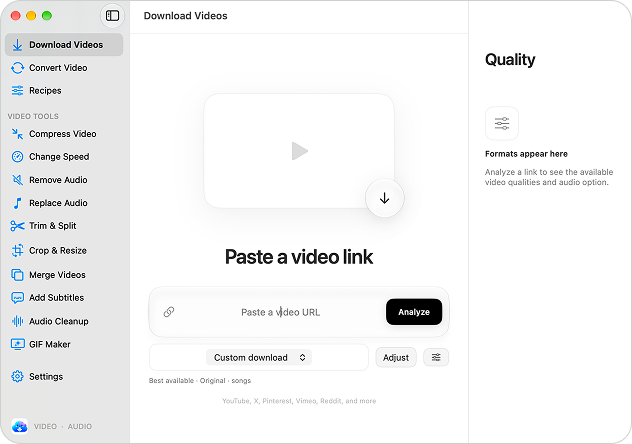
Downly is a Mac-native video downloader and one-click video toolkit from MacLabb. Paste a link from YouTube, X, Pinterest, Vimeo, Reddit and other sites, click Analyze, and choose from the available qualities up to 4K and 8K, HDR, audio-only MP3 or subtitles, then follow each download's live progress right in the app. Recipes let you save presets for your favourite folder, quality, format, subtitles and filename, so every download lands exactly the way you want with one click. Beyond downloading, Downly includes a full set of video tools: convert local videos to MP4, MOV, MKV or WebM, extract audio as MP3 or M4A, compress large files, change speed, remove or replace audio, trim and split, crop and resize, merge clips, add subtitles, clean up audio and make GIFs, all while keeping your original file intact. It runs on macOS 13 or later.
Key Features:
- Video Downloads: save videos from YouTube, X, Pinterest, Vimeo, Reddit and more in up to 8K
- Recipes: one-click presets for folder, quality, format, subtitles and filename
- Audio Extraction and Conversion: grab MP3 soundtracks or convert to MP4, MOV, MKV, WebM or M4A
- One-Click Video Tools: compress, trim, split, crop, resize, merge, change speed and add subtitles
- GIF Maker and Audio Cleanup: turn clips into GIFs and clean up audio while keeping originals intact
Downly combines a fast video downloader with a full set of one-click video tools for Mac, with a 2-day free trial and a launch price of $4.99 per year (normally $9.99).