vidflux.ai is a browser-based AI video generator that turns text, images, and short clips into ready-to-share social videos. Built for creators and teams, it combines multiple advanced generative models—Sora2, Veo 3.1, Kling AI, WAN, Seedance, and others—in a single web workspace. You write a prompt or upload media, pick a visual style, and download an MP4 video in as little as a minute. The tool focuses on speed, a huge library of trendy effects, and commercial-grade output (HD/4K, no watermark), making it easy to produce everything from product teasers to viral TikTok clips without traditional editing software.

vidflux.ai
Generate brief videos from text, images, and video clips.
- 01Multi‑model AI engineSwitch between Sora2, Veo 3.1, Kling AI, WAN, Seedance, and other models to match different visual styles, motion types, and animation aesthetics—all without leaving the same interface.
- 02Text‑to‑video generationType a natural language prompt and get a short clip with realistic, animated, or stylized visuals. You control the aspect ratio and overall look.
- 03Image and character animationUpload a still photo and a reference video clip; the AI brings the photo to life, mimicking the reference’s body movement, facial expressions, and gestures.
- 04AI video effects libraryAccess prebuilt, social‑ready effects like kiss, hug, bikini, Ghostface, Christmas, and “action figure” styles. Designed for quick, viral‑friendly posts.
- 05Batch and branded outputQueue several generations at once, add your own logo or branding, and export watermark‑free MP4 files for commercial use. Paid plans support HD and 4K.
- 06Fast generationMany clips render in about a minute, which is ideal for rapid testing of ideas and high‑volume social publishing.
01What is vidflux.ai?
02Core Features
- Multi‑model AI engine: Switch between Sora2, Veo 3.1, Kling AI, WAN, Seedance, and other models to match different visual styles, motion types, and animation aesthetics—all without leaving the same interface.
- Text‑to‑video generation: Type a natural language prompt and get a short clip with realistic, animated, or stylized visuals. You control the aspect ratio and overall look.
- Image and character animation: Upload a still photo and a reference video clip; the AI brings the photo to life, mimicking the reference’s body movement, facial expressions, and gestures.
- AI video effects library: Access prebuilt, social‑ready effects like kiss, hug, bikini, Ghostface, Christmas, and “action figure” styles. Designed for quick, viral‑friendly posts.
- Batch and branded output: Queue several generations at once, add your own logo or branding, and export watermark‑free MP4 files for commercial use. Paid plans support HD and 4K.
- Fast generation: Many clips render in about a minute, which is ideal for rapid testing of ideas and high‑volume social publishing.
- Simple web workspace: All tools are organized in clear categories (text, image, video, effects) so even non‑editors can produce polished videos without leaving the browser.
03Use Cases & Considerations
Use Cases
- Social media creators: Produce TikTok, Instagram Reels, and YouTube Shorts directly from a prompt or a single photo—no need for traditional timeline editing.
- Digital marketing teams: Spin up multiple ad variations, promo teasers, and product highlight clips in minutes, then A/B test different models and effects.
- Educators and course creators: Turn lesson scripts, blog posts, or slide decks into visual explainers and bite‑sized micro‑learning content.
- E‑commerce and DTC brands: Generate product showcases, unboxing‑style clips, and seasonal promos from minimal assets, keeping content feeds fresh.
- Real estate agents: Create quick narrated property tours by feeding property text and images into the text‑to‑video pipeline.
- Indie game developers: Prototype cutscenes and trailers by animating character art with reference motions, saving hours of manual animation work.
Limitations & Considerations
- Web‑only interface: No desktop or mobile app means all work happens in the browser, which can be limiting for offline use or integration with professional editing suites.
- Credit consumption opacity: Users must learn how many credits different models and settings use; estimating how many videos a plan really delivers can feel unclear.
- Short‑form bias: Effects and templates are heavily optimized for seconds‑long viral clips; producing longer narrative content (60–120 seconds) may feel less polished.
- Limited editing control: You can’t fine‑tune individual frames, adjust timing on a timeline, or do deep post‑production after generation.
- Model availability risk: Access to third‑party models like Sora2 or Veo 3.1 is subject to change and may be unavailable in certain regions.
- Quality variability: Output depends on the chosen model and prompt; complex motions or hand interactions can occasionally look unnatural.
04How to use vidflux.ai
- Sign up for a free trial at vidflux.ai and log into your dashboard.
- Choose a creation mode: Text‑to‑video, Image‑to‑video, Video‑to‑video, or pick a preset from the effects library.
- Enter your prompt, upload your photo or reference clip, and adjust settings like aspect ratio, style intensity, or motion speed.
- Select the AI model you want to use from the multi‑model engine (Sora2, Veo 3.1, Kling AI, WAN, Seedance, etc.).
- Click Generate. Most videos process in about a minute; longer or higher‑resolution renders may take a bit more time.
- Preview the result, then download the MP4. With a paid plan, your video is watermark‑free and fully licensed for commercial use.
05Pricing & Plans
vidflux.ai follows a credit‑based subscription model. A free trial is usually available (details may change) so you can test the tool before paying. All paid plans remove watermarks, grant full commercial usage rights, and unlock every AI model. Credits are consumed per generation, and the number of videos you can create depends on the model, resolution, and clip length. The three main tiers are:
- Basic – $6.75/month: 1,000 credits (~20 videos), all models, no watermark, commercial rights.
- Pro – $21.75/month: 5,000 credits (~100 videos), all models, no watermark, commercial rights, priority support.
- Studio – $44.25/month: 11,000 credits (~220 videos), all models, no watermark, commercial rights, dedicated support, and a priority processing queue.
For the most accurate and current pricing, always check the official vidflux.ai website.
06Platforms
- Web application: Access vidflux.ai from any modern browser (Chrome, Firefox, Safari, Edge) on desktop or laptop.
- Mobile‑friendly browser access: The responsive interface works on phones and tablets, so you can generate videos on the go without an app.
- No native desktop or mobile apps: Currently there is no dedicated Windows, macOS, iOS, or Android application.
- API/SDK: Not publicly documented; the tool is self‑contained within the web dashboard.
07Tips & Best Practices
- Write specific, visual prompts: Include details about lighting, camera movement, and mood. “A golden retriever puppy running on a beach at sunset, slow‑motion” works better than “dog on beach.”
- Compare models before finalizing: Run the same prompt through Sora2, Veo 3.1, and Kling AI to see which delivers the smoothest motion and the look you want.
- Use clear reference videos for animation: For character animation, upload a short clip with full‑body movement and minimal background clutter to get the most accurate motion transfer.
- Batch generations when possible: Queue several prompts or images together to save time and manage credits more predictably.
- Preview in draft quality first: Generate a low‑resolution version to check composition and motion, then upscale to HD or 4K only when you’re happy—this conserves credits.
- Learn your credit consumption: Different models and video lengths use different amounts of credits; check the dashboard to plan your monthly output.
08Who is vidflux.ai for?
- Social media influencers who need a constant flow of eye‑catching short videos without diving into complex editing programs.
- Digital marketers and ad agencies that want to test creative variations quickly by swapping visuals, effects, and AI models.
- Content creators and educators turning written scripts, articles, or slide decks into dynamic explainer clips.
- E‑commerce brand owners producing product teasers, animated lifestyle shots, and seasonal social ads from still images.
- Small business teams without a dedicated video editor who still need branded, professional‑looking content for social channels.
- Creative experimenters who enjoy mixing AI models and viral effects to prototype concepts, memes, or trend‑based content.
09Alternatives
View all
Runway
A more editing‑focused platform with Gen‑3 Alpha; better for pro filmmakers but lacks the one‑click viral effects library and multi‑model selection.

Pika
Simple text/image‑to‑video with fun styles, but limited to its own proprietary model and no built‑in multi‑model switching.
K
Kaiber
Generates artistic, often animated videos from prompts or images; not as strong on realistic motion or character animation with reference videos.

Synthesia
Creates AI avatar‑driven corporate training videos; not designed for short‑form social effects or multi‑model creative exploration.

invideo AI
Processes text prompts into edited videos using stock footage; offers a drag‑and‑drop editor but lacks the generative model variety of vidflux.ai.
10FAQ
Q1. What video models does vidflux.ai support?
It offers a multi‑model engine with Sora2, Veo 3.1, Kling AI, WAN, Seedance, and others. You can select the model that best matches your desired visual style and motion quality for each generation.
Q2. Can I use the generated videos commercially?
Yes. All paid plans include full commercial usage rights and remove the vidflux.ai watermark. Videos created during a free trial may carry a watermark and are meant for evaluation only.
Q3. How long does it take to generate a video?
Most clips are ready in about a minute, though time can vary slightly depending on server load, model complexity, and output resolution.
Q4. Is there a free trial?
Yes, vidflux.ai typically offers a free trial with a limited number of credits. The exact terms (credits, watermark status) can change, so it’s best to check the official website for the latest offer.
Q5. Can I upload my own video to use as a reference for character animation?
Absolutely. Upload a short clip showing the motion you want your character to mimic, and the AI will transfer that movement onto your uploaded photo, including facial expressions and body motion.
Know a similar tool?
Help others discover great AI tools by submitting it
Related Tools

Raindance AI Video Generator
raindancemaker.com
Raindance Maker turns two separate photos into a Raindance AI video on the seaside pier. Choose who starts seated and who walks in for the close-ups, pick 5, 10, 15 or 30 seconds, Seedance 2.5 or MiniMax H3, and 480p-1080p, and see the credit cost before generating. The finished MP4 includes the soundtrack; no filming or prompt writing needed.
Freemium
Bulin 47 AI
bulinaivideo.org
Bulin 47 AI puts you in the viral Bulin 47 and Kevin Wai freestyle from one photo. Upload a front-facing picture and an AI model follows the original clip frame by frame, keeping the moves, camera and sound. Get a 15s or 19s 9:16 MP4 at 480p or 720p in the browser.
Paid
DanseAI - Alors on Danse AI Video Generator
danseai.com
DanseAI recreates the white-studio Alors on Danse keyboard meme from two photos. Photo 1 plays the mini keyboard, Photo 2 is the hype partner who gets the close-up; people or pets work. Get a 5-30 second MP4 in vertical 9:16 or 16:9, up to 1080p, with Seedance 2.0/2.5 or MiniMax H3 and the soundtrack included. No prompt needed.
Freemium
Rumpelstiltskin AI Video Generator
rumpelstiltskinaivideo.org
Rumpelstiltskin AI Video turns two photos into the viral Rumpelstiltskin tiptoe dance meme. Photo 1 becomes the little man who sneaks through the hay, shushes the camera, grins and tiptoe-dances in pointy curled shoes; Photo 2 becomes the onlooker who covers their mouth. Use the same photo twice to play both. You get a 12-second 16:9 MP4 with the meme soundtrack, no prompt, no editing.
Paid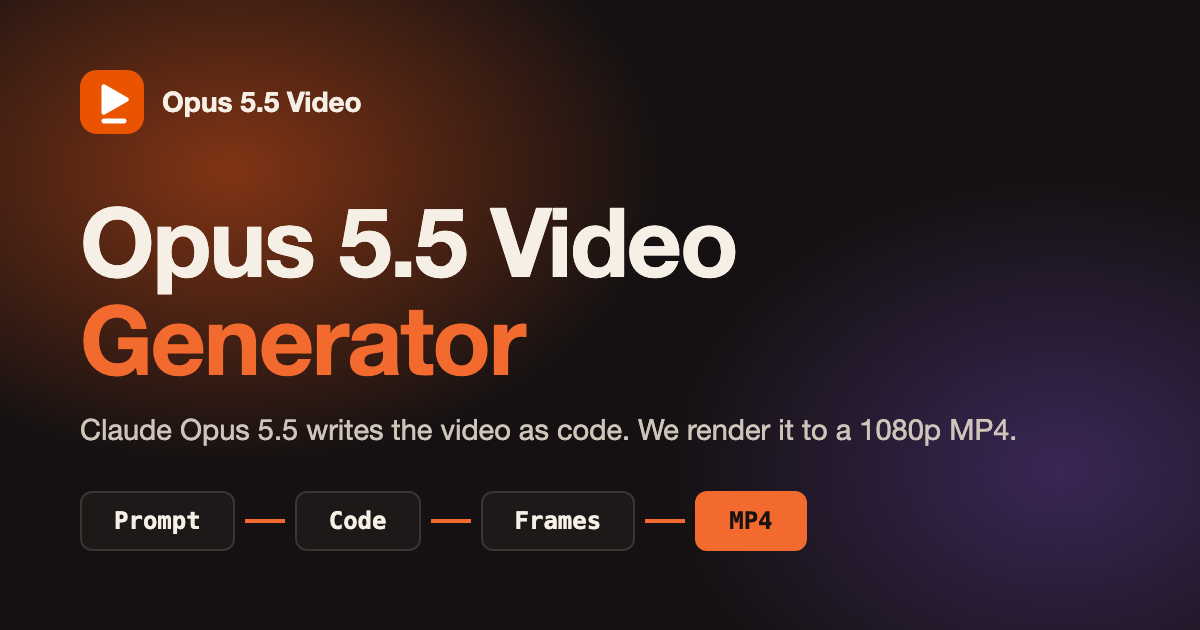
Opus 5.5 Video Generator
opusvideogen.com
Opus 5.5 Video Generator turns a text prompt into a 15, 30 or 60 second motion-graphics video. Claude Opus 5.5 storyboards the scenes, writes the animation code and checks its own preview frames, then every frame is rendered to a 1080p MP4 with sound in 16:9, 9:16 or 1:1. Built for launch videos, explainers, kinetic typography and animated charts; no install or API key.
Paid
Bulin 47 AI Video Generator
bulin47-ai.com
Bulin 47 AI turns an authorized adult photo into a 23-second vertical freestyle video with original audio. Keep the original crowd or add up to four adult friends with permission. Download a 480p or 720p MP4 without prompts or filming. Sign-in is required. One-time credit packs start at $9.99, with no subscription. Standard generation uses 10 credits and HD uses 22. Likeness may vary. This independent project is not affiliated with Bulin 47 or Kevin Wai.
Paid
Bulin 47 AI Video Generator
bulin47-ai.com
Bulin 47 AI turns an authorized adult photo into a 23-second vertical freestyle video with original audio. Keep the original crowd or add up to four adult friends with permission. Download a 480p or 720p MP4 without prompts or filming. Sign-in is required. One-time credit packs start at $9.99, with no subscription. Standard generation uses 10 credits and HD uses 22. Likeness may vary. This independent project is not affiliated with Bulin 47 or Kevin Wai.
Paid
Bulin 47 AI Video Generator
bulin47-ai.com
Bulin 47 AI turns an authorized adult photo into a 23-second vertical freestyle video with original audio. Keep the original crowd or add up to four adult friends with permission. Download a 480p or 720p MP4 without prompts or filming. Sign-in is required. One-time credit packs start at $9.99, with no subscription. Standard generation uses 10 credits and HD uses 22. Likeness may vary. This independent project is not affiliated with Bulin 47 or Kevin Wai.
Paid
Kinetix
kinetix.tech
Kinetix revolutionizes 3D animation with AI, making creation accessible to all.
Paid
Shorts Generator
shortsgenerator.ai
Turn concepts into viral short clips.
Free Trial
Higgsfield
goto.higgsfield.ai
Transform your video-making process with simple personalization on the go.
Paid
Argil
argil.ai
An AI-powered platform that makes producing polished videos simple and efficient.
Free Trial