Pika is an AI-powered video creation platform that turns simple text ideas into polished, ready-to-use videos. Instead of learning complex editing software, you describe your vision, and Pika’s AI handles the heavy lifting—transforming concepts into dynamic visual content. Designed for speed and accessibility, Pika makes video production approachable for creators, marketers, educators, and anyone looking to communicate through video without a steep learning curve.

Pika
Turn concepts into smooth, high-quality videos using intuitive AI that enhances content across different fields.
- 01Idea-to-Video ConversionThe core AI engine translates written descriptions directly into complete videos, automating scene composition, visuals, and pacing.
- 02User-Friendly InterfaceA clean, intuitive dashboard guides users through the creation process, making video generation feel like filling out a simple brief.
- 03Google & Discord Sign-InOne-click onboarding using existing Google or Discord accounts lowers friction and makes team collaboration more seamless.
- 04Community & Social EngagementActive Discord server and social presence allow users to share work, get feedback, and receive real-time tips.
- 05Automated Creative WorkflowAI streamlines repetitive tasks such as captioning, transitions, and basic editing, cutting production time dramatically.
- 06Video Enhancement CapabilitiesBuilt-in tools to refine generated videos—improving visual quality, adjusting styles, or adding text overlays—without external editors.
01What is Pika?
02Core Features
- Idea-to-Video Conversion: The core AI engine translates written descriptions directly into complete videos, automating scene composition, visuals, and pacing.
- User-Friendly Interface: A clean, intuitive dashboard guides users through the creation process, making video generation feel like filling out a simple brief.
- Google & Discord Sign-In: One-click onboarding using existing Google or Discord accounts lowers friction and makes team collaboration more seamless.
- Community & Social Engagement: Active Discord server and social presence allow users to share work, get feedback, and receive real-time tips.
- Automated Creative Workflow: AI streamlines repetitive tasks such as captioning, transitions, and basic editing, cutting production time dramatically.
- Video Enhancement Capabilities: Built-in tools to refine generated videos—improving visual quality, adjusting styles, or adding text overlays—without external editors.
03Use Cases & Considerations
Use Cases
- Content Creators: Quickly turn blog posts, tweets, or story ideas into engaging short-form videos for YouTube, TikTok, or Instagram Reels.
- Marketing Professionals: Generate product demos, social media ads, and landing page videos that grab attention in minutes instead of hours.
- Educators and Trainers: Create explainer videos, course introductions, and visual summaries that make complex topics easier to digest.
- Social Media Enthusiasts: Craft eye-catching videos for personal branding or viral content, even with zero editing background.
- Non-Profits: Produce advocacy videos and impact stories to spread awareness without hiring expensive video production teams.
- Startups: Rapidly develop pitch videos or investor update clips that communicate big ideas clearly, helping early-stage teams move faster.
Limitations & Considerations
- Platform maturity: As a newer entrant, Pika may not yet match the deep feature sets of established desktop video editors (e.g., keyframe animation, multi-track audio).
- Integration ecosystem: Third-party app integrations are currently limited to Google and Discord; no native plugins for tools like Slack, Canva, or major marketing platforms.
- Learning curve for unique workflows: While the interface is friendly, the AI-driven process differs from traditional editing, which might require an adjustment period.
- Video length constraints: The free tier and possibly early plans may limit video duration, so long-form content (e.g., webinars) might need stitching or outside tools.
- Stylistic consistency: AI-generated outputs can vary in tone and visual style between prompts, requiring manual oversight for brand consistency.
- Offline access: As a cloud-only platform, Pika requires an internet connection; there is no offline desktop app.
04How to use Pika
- Sign in with your existing Google or Discord account at trypika.com to access the creation dashboard.
- Describe your idea in the text box—provide a script, a topic, or a creative prompt. You can also choose from template suggestions.
- Let the AI generate a first draft. Pika will assemble scenes, add visuals, and apply default styling in a few moments.
- Review and refine the video using the built-in editor: tweak text overlays, adjust scene order, or try different visual styles.
- Export and share the final video in a common format (e.g., MP4) directly to your device or social media platforms.
05Pricing & Plans
Pika operates on a freemium model. You can sign up and start creating without a credit card, giving you limited access to test the platform’s core features. To unlock higher usage limits, advanced styles, priority rendering, and premium assets, Pika offers subscription plans. While exact tiers and prices may change, you can typically expect a free tier with basic functionality, a Pro plan for individual power users, and a Team plan with collaboration features. For the most accurate and up-to-date pricing details, always refer to the Official Pika website.
06Platforms
- Web Application: Accessible through any modern browser at trypika.com—no installation needed.
- Google & Discord Integration: Sign-in and account management powered by these platforms, enabling frictionless onboarding and collaboration.
- Cloud-Based Processing: Video generation happens on Pika’s servers, so you don’t need a high-end computer.
- Community Hub: Dedicated Discord server serves as the support and feedback channel, complementing the web app experience.
07Tips & Best Practices
- Be specific in your prompts: The more detail you give (tone, target audience, key points), the closer the AI output will match your vision.
- Start with short videos: Pika excels at bite-sized content; test 30–60 second formats before scaling up to longer projects.
- Iterate with the editor: Even after the AI generates a video, use the manual refinements to polish text, colors, and scene flow.
- Leverage the Discord community: Share drafts, ask for stylistic advice, and learn tricks from other Pika users.
- Combine with other tools if needed: Use Pika for the heavy lifting, then import the video into a traditional editor for advanced compositing or branding.
08Who is Pika for?
- Content creators who want to maintain a high posting cadence without sacrificing video quality.
- Marketers and social media managers needing fast-turnaround promotional assets.
- Educators and instructional designers creating visual learning aids with minimal production effort.
- Small business owners without a dedicated video team who still need professional-looking explainer content.
- Freelancers and solopreneurs building a personal brand through video-first platforms.
- Beginners in video creation who feel intimidated by traditional timeline-based editing software.
09Alternatives
View allR
Runway ML
An advanced AI video suite with real-time video editing, motion tracking, and text-to-video, suited for professionals.

Synthesia
Specializes in AI video avatars and talking-head presentations, ideal for corporate training and e-learning.

HeyGen
Focuses on AI spokesperson videos with lifelike avatars and voice cloning, popular for sales and marketing.

invideo AI
Full-featured AI video generator with extensive templates and stock media, great for social media content.

Pictory
Extracts highlights from long-form text and turns them into branded short videos, useful for repurposing blogs and webinars.

Lumen5
Drag-and-drop video builder that converts blog posts and articles into videos using AI scene suggestions and brand kits.
10FAQ
Q1. Is Pika completely free?
Pika offers a free tier that lets you sign in and start creating videos with basic features and limited usage. Paid subscription plans unlock higher limits, premium styles, and faster processing. Check the official website for current free tier allowances.
Q2. What types of videos can I create with Pika?
You can generate a wide range of videos, including social media clips, promotional ads, educational explainers, short storytelling pieces, and pitch presentations. The output is optimized for vertical and square formats common on platforms like TikTok, Instagram, and YouTube Shorts.
Q3. Do I need any video editing experience to use Pika?
No prior experience is necessary. The platform is designed to be approachable for absolute beginners: you describe your idea, and the AI builds the video. Basic editing tools let you tweak the result without learning complex software.
Q4. Can I collaborate with teammates on a project?
While Pika doesn’t advertise a full multi-user workspace, signing in with Google or Discord makes it easy to share access or discuss projects through integrated communication channels. The Discord community also offers informal collaboration opportunities.
Q5. How does Pika handle data privacy and security?
Pika prioritizes data security with standard encryption and secure sign-in protocols via Google and Discord. The generated videos and inputs are processed on cloud servers; for detailed information, review the platform’s privacy policy on trypika.com.
Know a similar tool?
Help others discover great AI tools by submitting it
Related Tools

Raindance AI Video Generator
raindancemaker.com
Raindance Maker turns two separate photos into a Raindance AI video on the seaside pier. Choose who starts seated and who walks in for the close-ups, pick 5, 10, 15 or 30 seconds, Seedance 2.5 or MiniMax H3, and 480p-1080p, and see the credit cost before generating. The finished MP4 includes the soundtrack; no filming or prompt writing needed.
Freemium
Bulin 47 AI
bulinaivideo.org
Bulin 47 AI puts you in the viral Bulin 47 and Kevin Wai freestyle from one photo. Upload a front-facing picture and an AI model follows the original clip frame by frame, keeping the moves, camera and sound. Get a 15s or 19s 9:16 MP4 at 480p or 720p in the browser.
Paid
DanseAI - Alors on Danse AI Video Generator
danseai.com
DanseAI recreates the white-studio Alors on Danse keyboard meme from two photos. Photo 1 plays the mini keyboard, Photo 2 is the hype partner who gets the close-up; people or pets work. Get a 5-30 second MP4 in vertical 9:16 or 16:9, up to 1080p, with Seedance 2.0/2.5 or MiniMax H3 and the soundtrack included. No prompt needed.
Freemium
Rumpelstiltskin AI Video Generator
rumpelstiltskinaivideo.org
Rumpelstiltskin AI Video turns two photos into the viral Rumpelstiltskin tiptoe dance meme. Photo 1 becomes the little man who sneaks through the hay, shushes the camera, grins and tiptoe-dances in pointy curled shoes; Photo 2 becomes the onlooker who covers their mouth. Use the same photo twice to play both. You get a 12-second 16:9 MP4 with the meme soundtrack, no prompt, no editing.
Paid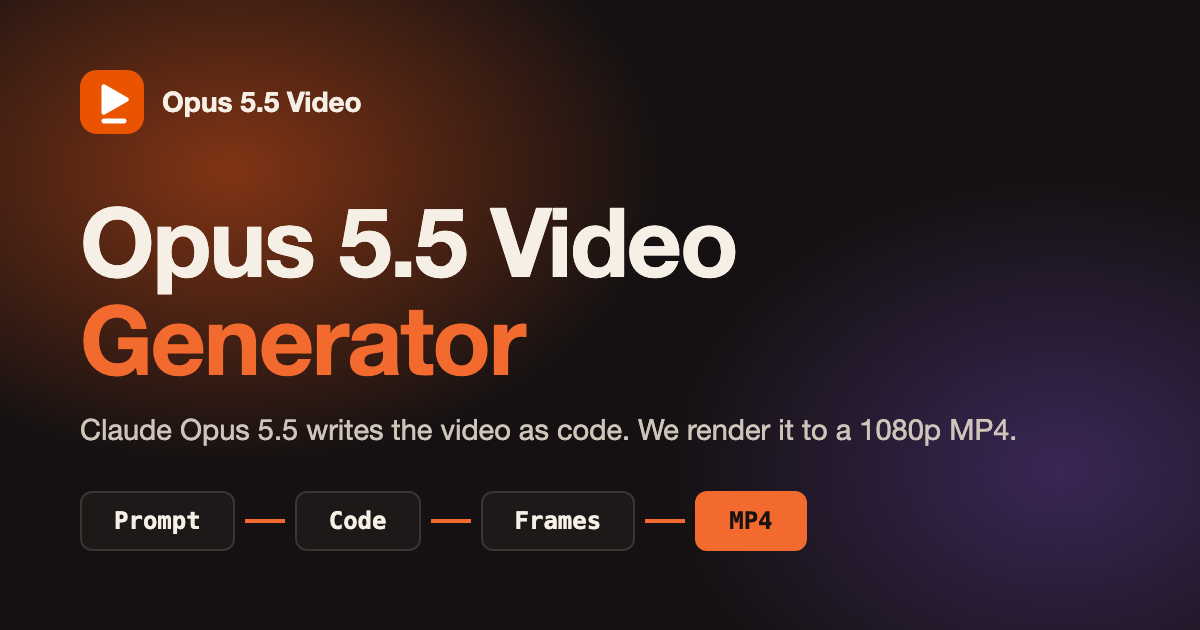
Opus 5.5 Video Generator
opusvideogen.com
Opus 5.5 Video Generator turns a text prompt into a 15, 30 or 60 second motion-graphics video. Claude Opus 5.5 storyboards the scenes, writes the animation code and checks its own preview frames, then every frame is rendered to a 1080p MP4 with sound in 16:9, 9:16 or 1:1. Built for launch videos, explainers, kinetic typography and animated charts; no install or API key.
Paid
Bulin 47 AI Video Generator
bulin47-ai.com
Bulin 47 AI turns an authorized adult photo into a 23-second vertical freestyle video with original audio. Keep the original crowd or add up to four adult friends with permission. Download a 480p or 720p MP4 without prompts or filming. Sign-in is required. One-time credit packs start at $9.99, with no subscription. Standard generation uses 10 credits and HD uses 22. Likeness may vary. This independent project is not affiliated with Bulin 47 or Kevin Wai.
Paid
Bulin 47 AI Video Generator
bulin47-ai.com
Bulin 47 AI turns an authorized adult photo into a 23-second vertical freestyle video with original audio. Keep the original crowd or add up to four adult friends with permission. Download a 480p or 720p MP4 without prompts or filming. Sign-in is required. One-time credit packs start at $9.99, with no subscription. Standard generation uses 10 credits and HD uses 22. Likeness may vary. This independent project is not affiliated with Bulin 47 or Kevin Wai.
Paid
Bulin 47 AI Video Generator
bulin47-ai.com
Bulin 47 AI turns an authorized adult photo into a 23-second vertical freestyle video with original audio. Keep the original crowd or add up to four adult friends with permission. Download a 480p or 720p MP4 without prompts or filming. Sign-in is required. One-time credit packs start at $9.99, with no subscription. Standard generation uses 10 credits and HD uses 22. Likeness may vary. This independent project is not affiliated with Bulin 47 or Kevin Wai.
Paid
Kinetix
kinetix.tech
Kinetix revolutionizes 3D animation with AI, making creation accessible to all.
Paid
Shorts Generator
shortsgenerator.ai
Turn concepts into viral short clips.
Free Trial
Higgsfield
goto.higgsfield.ai
Transform your video-making process with simple personalization on the go.
Paid
Argil
argil.ai
An AI-powered platform that makes producing polished videos simple and efficient.
Free Trial