PostReader is a browser-based RSS reader inspired by feedly. It is a full-stack web application utilizing Ruby on Rails, a PostgreSQL database, and React on the frontend, implemented utilizing the Redux methodology.
The entire project was conceived, designed, and completed in a strict two-week timeframe, although I look forward to revisiting it in the future to continue development.

I used a ruby gem called feedjira to fetch and parse the XML within the RSS feeds. Additionally I augmented the dynamic data with the the favicon of the feed's parent site which I scraped using the Google S2 converter, a simple tool where you add your target to the end of the url: (https://www.google.com/s2/favicons?domain=www.postreader.net)
After prepping the information from the RSS feed, I add each feed to my feeds table and provide api access to both show.json.jbuilder and index.json.jbuilder files.
def prep_feed(feed_url)
  begin
    feed = Feedjira::Feed.fetch_and_parse feed_url
    favicon = "https://www.google.com/s2/favicons?domain_url=".concat(feed.url)
    @feed_attributes = {
      "title"=> feed.title,
       "description"=> feed.title,
       "feed_url"=> feed_url,
       "site_url"=> feed.url,
       "favicon_url"=> favicon
    }
  rescue
    @feed_attributes ={
      "feed_url" => "parse error"
    }
  end
end
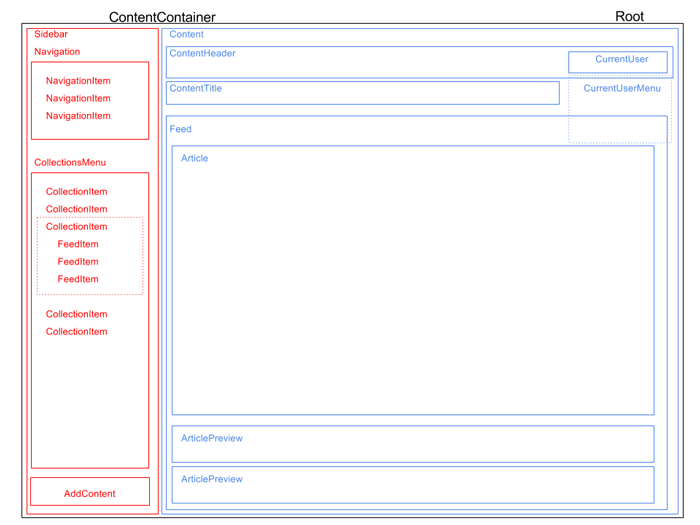
Feeds can be viewed on an index page that lists all feeds, or you can click on a feed to view a show page for that specific feed. In this view, PostFeed will display the ten most recent posts currently being pushed out by the RSS feed.
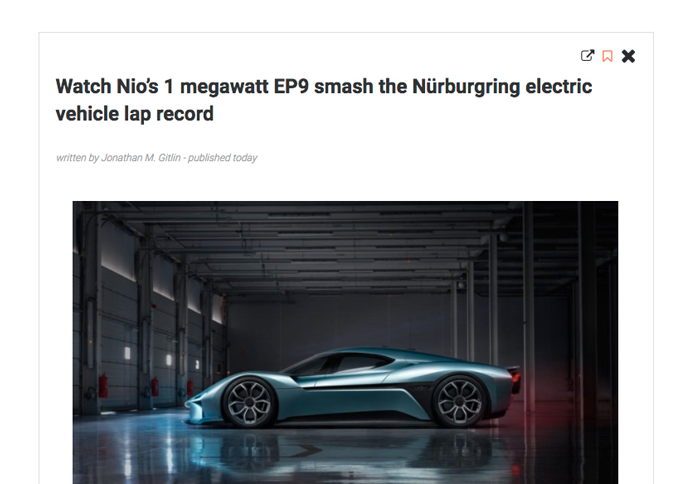
The entire array of current articles are passed as an array and rendered within an Articles React Component. Clicking on the preview of any individual article will then make the full Article component visible.
Since this project is still in the MVP phase, I decided against storing all articles in my database. However, I do allow visitors to create SavedArticles to read later by clicking on a familiar bookmark icon in the upper right of an article. These can be viewed at any time by clicking on the "Saved articles" link in the sidebar.
Collections are the method that visitors can organize their RSS feeds. There is an "Add to collection" button that brings up a hover menu where the user can create new collections. Clicking on any collection in the list will add or delete the feed from that collection.
This is all handled using a collected_feeds join table in the backend that simply lists feed_ids with their containing collection_ids. Collections are already owned by users by setting a user_id when the collection is created.

The articles from all feeds within a collection appear on the show page for that collection. The feeds (and their favicons) also appear in the sidebar allowing for intuitive navigation.
When I get an opportunity to devote more time to PostReader ,there are a few more features that I would like to implement.
Searching content of saved articles I think a search function to find keywords within the content and title of all Saved Articles would be very helpful and a fun project to write.
Article sharing A more simple improvement would be providing users the ability to share any article's link via Twitter, Facebook, or email.