ActivitySmith Quickstart Guide
Pair your iPhone, connect your AI agent or create an API key, and get your first Push Notification or Live Activity in a few minutes.
Finish setup first
ActivitySmith onboarding walks you through the required pieces: an account, a paired iOS device, a way to send events, and a first test Push Notification. Pick up where you started.
Starting on iPhone
Create an account or log in in the iOS app. The app pairs your device, then asks how you want to send events: connect your AI agent or create an API key.
Download the iOS appStarting on web
Create an account or log in in the web app. Onboarding shows a QR code to install or open the iOS app and waits for the device to pair. Then it asks how you want to send events and sends a test Push Notification.
Continue setupChoose how to send events
Onboarding offers two ways to send events. Pick the one that matches how you work. You can set up the other one anytime from the dashboard.
Connect your AI agent
Add ActivitySmith to Claude, ChatGPT, Codex, Cursor, or any MCP client. Your agent can show task progress in a Live Activity, send a Push Notification when work is done, and ask for your approval on your iPhone. No API key needed.
Connect an AI agentUse the API
Create an API key and send events from your backend, scripts, CI pipelines, cron jobs, or automations with an SDK, the CLI, or cURL.
Use the APIConnect your AI agent
Connect once, then ask your agent to keep you posted. The MCP server signs in with OAuth, so your agent never needs an API key.
1. Add the ActivitySmith MCP server to your client
claude mcp add --transport http --scope user activitysmith https://mcp.activitysmith.com/mcp2. Approve access in your browser
Run /mcp in a Claude Code session, then select ActivitySmith to open the sign-in screen. Review the access the client requests, then approve it. ActivitySmith tools run against the account you approve.
To let your agent set up code that calls the API on its own, tick Manage API keys on the approval screen. Learn more about MCP permissions
3. Try it with your agent
Start a new agent session with ActivitySmith enabled. Copy one of these prompts and use it alongside your task.
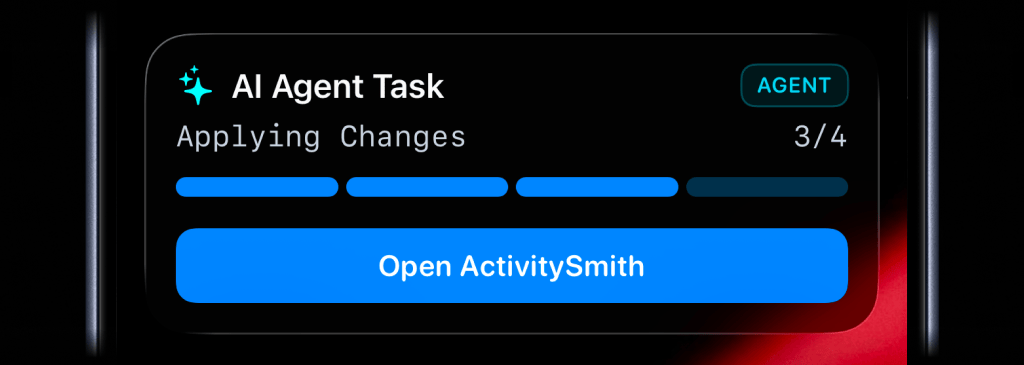
Use ActivitySmith to show me the progress of this task on my iPhone.Use the API
Use Playground first if you want the fastest visual confirmation. Then use an ActivitySmith SDK or cURL to send the same event from your backend.
Store your API key as ACTIVITYSMITH_API_KEY, then copy the example for your stack into a backend service, script, CI pipeline, cron job, or automation.
API examples
Use the official SDKs for Node, Python, PHP, Ruby, Go, and CLI, or use cURL for a direct API request.
Push Notification
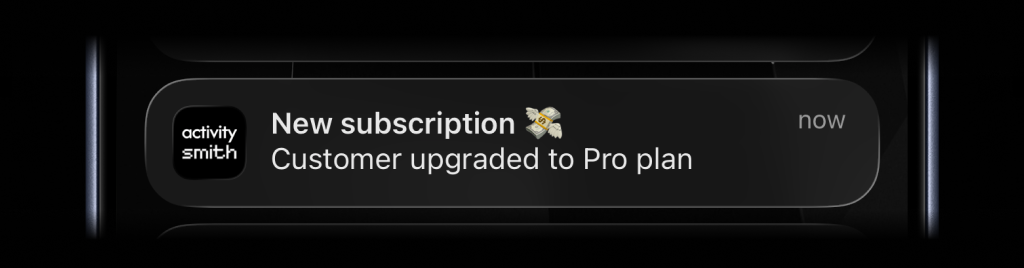
import ActivitySmith from "activitysmith";const activitysmith = new ActivitySmith({ apiKey: process.env.ACTIVITYSMITH_API_KEY!,});await activitysmith.notifications.send({ title: "Cha-ching! 💸", message: "Trial user upgraded to Pro plan",});Live Activity
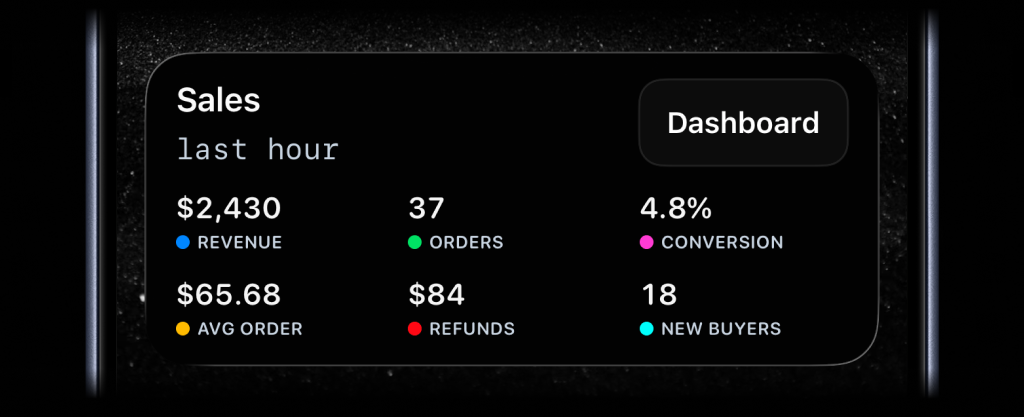
import ActivitySmith from "activitysmith";const activitysmith = new ActivitySmith({ apiKey: process.env.ACTIVITYSMITH_API_KEY!,});await activitysmith.liveActivities.stream("sales-hourly", { content_state: { title: "Sales", subtitle: "last hour", type: "stats", metrics: [ { label: "Revenue", value: "$2430", color: "blue" }, { label: "Orders", value: "37", color: "green" }, { label: "Conversion", value: "4.8%", color: "magenta" }, { label: "Avg Order", value: "$65.68", color: "yellow" }, ], },});Troubleshooting
Do I need an API key to use ActivitySmith with my AI agent?
No. The MCP connection uses OAuth. Your agent signs in to your ActivitySmith account, so you never paste an API key into a prompt. Create an API key only when your own code calls the ActivitySmith API.
My agent does not show the ActivitySmith tools.
Start a new agent session after you approve access. If the tools are still missing, sign in again from your client. In Claude Code, run /mcp. In Codex, run codex mcp login activitysmith.
Where do I create an API key?
Open the API Keys page in the web app and create a new key.
Why is my device not receiving anything?
ActivitySmith delivers events to paired iOS devices. Install or open the iOS app and log in with the same account. Pairing happens automatically during onboarding.
Do I still need to open Devices to pair?
No. Onboarding pairs your device during setup. To confirm that your device is connected, open the Devices tab in the iOS app and send a test notification. If it still does not arrive, unpair the device, then tap Pair this device.
Should I connect an AI agent or use the API?
Connect an AI agent if you want updates about the work your agent does for you. Use the API if your backend, scripts, or CI should send events without an agent. You can set up both.
Explore use cases
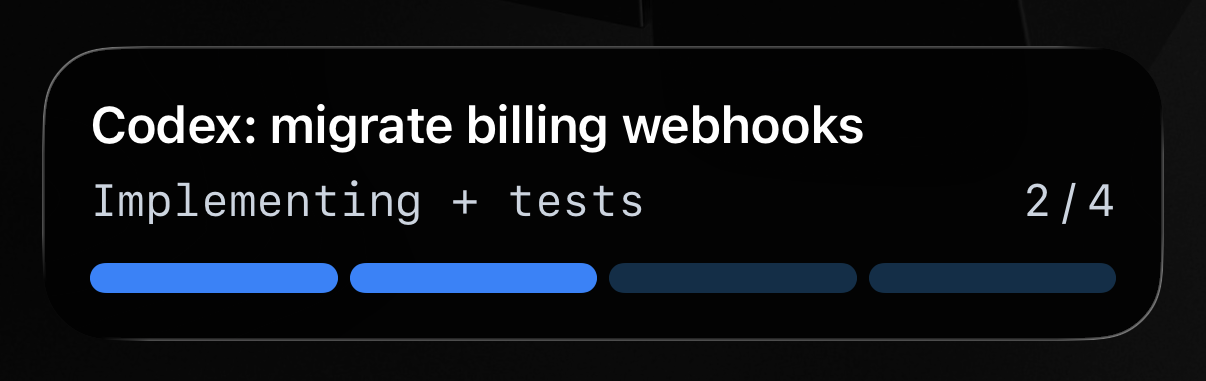
AI agent progress on your Lock Screen
Track AI agent progress in real time on your Lock Screen, and receive Push Notifications when a run finishes, blocks, or needs your attention.

Approve AI agent actions from your iPhone
Approve or reject an AI agent action from a Push Notification or Live Activity, then return the decision directly to the waiting agent.
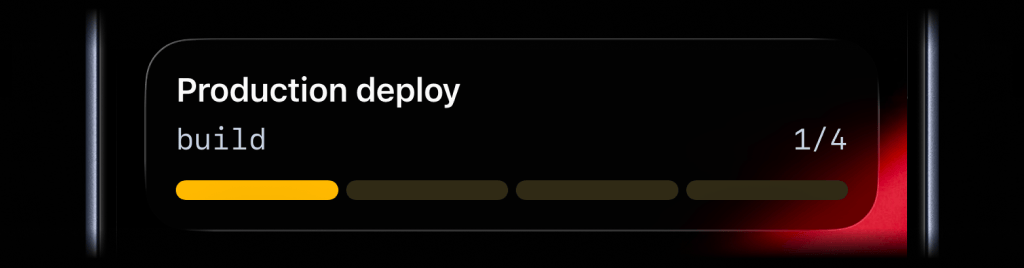
GitHub Actions deployment progress
Show build, test, and rollout stages as a Live Activity, then send a Push Notification when production succeeds or fails.
Revenue and signup metrics
Keep revenue, signups, upgrades, and conversion milestones visible on paired iPhone and iPad devices.
