Bootstrap 5 Horizontal gutters are used for padding between columns, responsively space, and aligning content to the grid system.
Bootstrap 5 Horizontal Gutter Class:
- gx-*: This class controls the horizontal widths of gutters.
Note: (*) is used for numeric numbers like 1,2,3,4,5,6, etc.
Syntax:
 <div class="row gx-5">
    ...
 </div>
Example 1: Let us see an example of Horizontal gutters.
<!DOCTYPE html>
<html>

<head>
    <!-- Bootstrap CDN -->
    <link rel="stylesheet"
        href=
"https://stackpath.bootstrapcdn.com/bootstrap/5.0.0-alpha1/css/bootstrap.min.css"
        crossorigin="anonymous">
    <script src=
"https://stackpath.bootstrapcdn.com/bootstrap/5.0.0-alpha1/js/bootstrap.min.js"
        crossorigin="anonymous">
    </script>
</head>
<body class="m-2">
    <h1 class="text-success"> GeeksforGeeks</h1>
    <h3>Bootstrap5 Horizontal Gutters</h3>

    <div class="container-fluid overflow-hidden
                bg-dark">
        <div class="row gx-5">
            <div class="col-6">
                <div class="p-2 border
                        bg-light m-3">
                    GeeksforGeeks
                </div>
            </div>
            <div class="col-6">
                <div class="p-2 border
                         bg-light m-3">
                    GeeksforGeeks
                </div>
            </div>
        </div>
    </div>
</body>
</html>
Output:

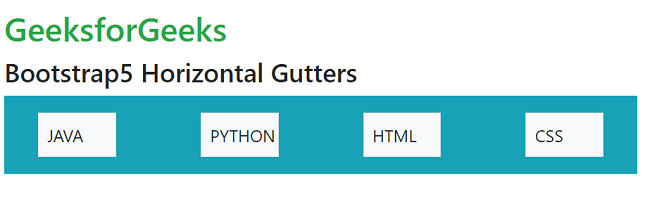
Example 2: Let us see another example of Horizontal gutters.
<!DOCTYPE html>
<html>

<head>
    <!-- Bootstrap CDN -->
    <link rel="stylesheet"
        href=
"https://stackpath.bootstrapcdn.com/bootstrap/5.0.0-alpha1/css/bootstrap.min.css"
        crossorigin="anonymous">
    <script src=
"https://stackpath.bootstrapcdn.com/bootstrap/5.0.0-alpha1/js/bootstrap.min.js"
        crossorigin="anonymous">
    </script>
</head>

<body class="m-2">
    <h1 class="text-success"> GeeksforGeeks</h1>
    <h3>Bootstrap5 Horizontal Gutters</h3>

    <div class="container-fluid overflow-hidden
                bg-info">
        <div class="row gx-5">
            <div class="col-3">
                <div class="p-2 border
                    bg-light m-3">
                    JAVA
                </div>
            </div>
            <div class="col-3">
                <div class="p-2 border
                    bg-light m-3">
                    PYTHON
                </div>
            </div>
            <div class="col-3">
                <div class="p-2 border
                    bg-light m-3">
                    HTML
                </div>
            </div>
            <div class="col-3">
                <div class="p-2 border
                    bg-light m-3">
                    CSS
                </div>
            </div>
        </div>
    </div>
</body>
</html>
Output: