

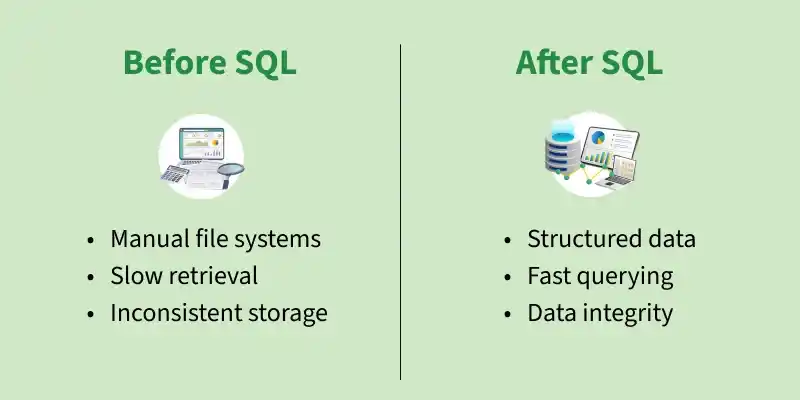
Structured Query Language (SQL) is the standard language used to interact with relational databases.
- Allows users to store, retrieve, update and manage data efficiently through simple commands.
- Known for its user-friendly syntax and powerful capabilities, SQL is widely used across industries.
Writing First SQL Query
Before running SQL queries you need to set up a database server like MySQL, PostgreSQL or SQLite. Here, we are going to use MySQL server. Follow below steps to set up a basic SQL Environment:
After your MySQL environment is set up, you can write your SQL program. Below is the example to display " Hello World" using SQL.
1. Create a database named test_db
CREATE DATABASE test_db;2. Use the test_db database
USE test_db;3. Create a table named greetings
CREATE TABLE greetings ( id INT PRIMARY KEY, message VARCHAR(255));3. Insert the message 'Hello, World!' into the greetings table
INSERT INTO greetings (id,message)VALUES (1,'Hello, World!');4. Retrieve the message from the greetings table
SELECT message FROM greetings;Output:

Note: Try replacing "Hello World!" with your name in the SQL query. It's a fun way to see how databases store and display your own data! Give it a try and watch your name pop up!
Working of SQL
We interact with databases using SQL queries. DBMS tools like MySQL and SQL Server have their own SQL engine and an interface where users can write and execute SQL queries.
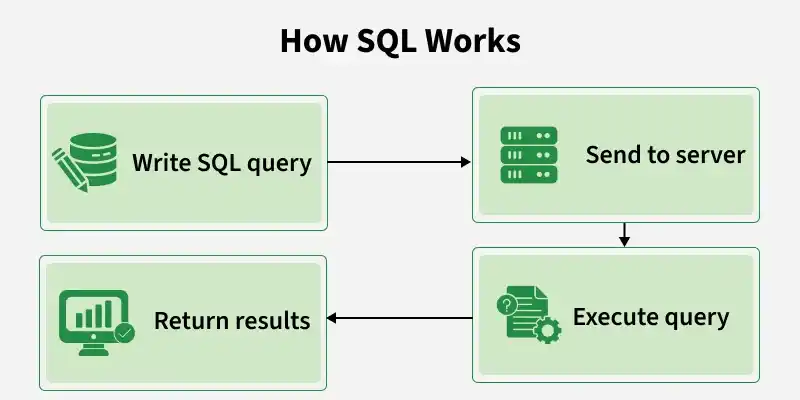
Below are the detailed steps involved in the SQL query execution.
- Input: The user sends a SQL query (like SELECT or INSERT).
- Parsing: The system checks if the query is written correctly.
- Optimization: It chooses the fastest way to run the query.
- Execution: The database runs the query.
- Output: The result or confirmation is sent back to the user.
Components of a SQL System
Here are some key components of SQL system:
- Database: A structured collection of data stored in tables with rows and columns.
- Tables: Store data and apply rules to keep it accurate and consistent.
- Indexes: Help the database find data faster without scanning the whole table.
- Views: Virtual tables created from SELECT queries for easy access to data.
- Stored Procedures: Pre-saved SQL code that runs tasks and improves performance and security.
- Transactions: Group of SQL actions that either all succeed or all fail to keep data safe.
- Security & Permissions: Control who can view, change or manage database data.
- Joins: Combine data from different tables based on relationships.
Rules for Writing SQL Queries
There are certain rules for SQL which would ensure consistency and functionality across databases. By following these rules, queries will be well formed and well executed in any database.
- Semicolon (;): Ends an SQL statement.
- Case-Insensitive: SQL keywords like SELECT and INSERT are not case-sensitive.
- Whitespace: Spaces and new lines are allowed for better readability.
- Reserved Words: Do not use SQL keywords as names or write them in quotes/backticks.
Comments:
- Single-line: -- comment
- Multi-line: /* comment */
Data Constraints: Use NOT NULL, UNIQUE, PRIMARY KEY, etc., to ensure data accuracy.
String Values: Enclose strings in single quotes ('text').
Naming Rules:
- We Start with a letter.
- We can only use Max 30 characters.
- We only use letters, numbers and underscores (_).
Benefits of SQL
- Efficient: Uses indexing to retrieve data quickly.
- Standardized: Follows common SQL standards used by most databases.
- Scalable: Can manage both small and large amounts of data.
- Flexible: Supports advanced features like PL/SQL, T-SQL and stored procedures.
Limitations of SQL
- Complex: Query optimization can be difficult for large databases.
- Scalability Issues: Not ideal for highly distributed systems.
- Different Implementations: Some features vary between database systems.
- Limited Real-Time Processing: Mainly designed for transactional data processing.