

A Test Environment is a dedicated setup where software is tested before being released to users. It includes the required hardware, software, operating systems, databases, network configurations, testing tools, and test data needed to execute test cases under controlled conditions.
- Provides a controlled environment for executing test cases.
- Simulates production-like conditions without affecting live users.
- Supports collaboration between developers, testers, and other stakeholders.
Example: A QA team tests a web application in a setup with specific browsers, databases, and network settings to verify functionality before deployment.
Importance of Test Environment
A well-configured test environment helps teams validate application functionality, detect issues early, and verify software quality before deployment.
- Detects defects before production release.
- Provides consistent and repeatable testing conditions.
- Improves software reliability and stability.
- Supports functional, performance, security, and integration testing.
- Reduces deployment risks and production failures.
Types of Test Environment
Different environments are designed to support specific testing activities throughout the software development lifecycle.
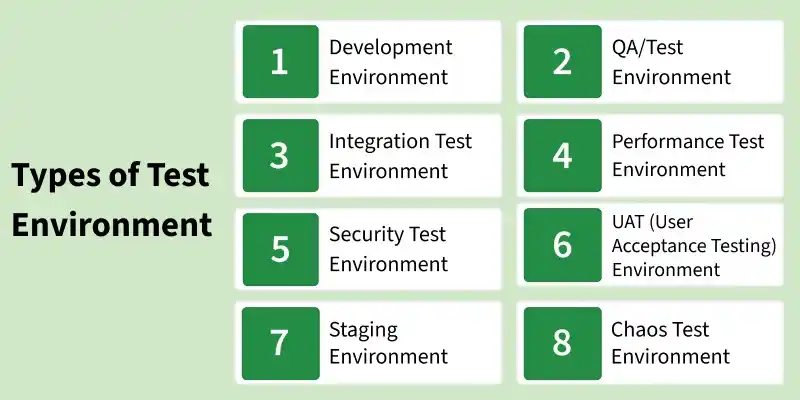
- Development Environment: Used by developers to build, debug, and perform unit testing during early development. It helps identify and fix issues before moving to QA.
- QA/Test Environment: Used by testers to validate application functionality through functional and regression testing. It ensures the software meets requirements before release.
- Integration Test Environment: Used to test interaction between different modules after integration. It ensures proper data flow and communication between components.
- Performance Test Environment: Used to evaluate system behavior under load, stress, and scalability conditions. It helps measure response time and system stability.
- Security Test Environment: Used to identify security vulnerabilities in authentication, authorization, and data protection. It ensures the application is safe in an isolated setup.
- UAT (User Acceptance Testing) Environment: Used by end users to validate the system against business requirements. It confirms the application is ready for production use.
- Staging Environment: A near-production environment used for final testing before release. It simulates real-world conditions to reduce deployment risks.
- Chaos Test Environment: Used to test system resilience by introducing failures and unexpected disruptions. It ensures recovery and stability under real-world issues.
Key Areas to Set up Test Environment
A stable test environment requires proper configuration of multiple components to ensure efficient test execution and consistent results. These key areas help testers simulate real-world conditions and validate application behavior effectively.
- Database: Stores application data and supports backend operations, making it essential for validating data flow and system functionality.
- Operating System: Includes client and server operating systems that run applications and ensure compatibility and smooth execution.
- Network Configuration: Defines network setups such as LAN, WAN, or internet connectivity required for proper application communication and testing.
- Test Data: Provides accurate and consistent data required to design and execute meaningful test cases.
- Documentation: Includes setup guides, configuration details, and manuals that support proper installation and testing processes.
Process for Setting Up a Test Environment
A structured setup process ensures the environment is ready before test execution begins.

- Test Server Setup: Configure dedicated servers to host and test applications instead of relying on local machines, ensuring scalability and realistic testing conditions.
- Network Configuration: Set up networks such as LAN, CAN, or wireless environments to support application requirements and avoid interference with other teams.
- System/PC Setup: Prepare systems with required operating systems, browsers, and configurations to support different testing scenarios.
- Bug Reporting Tools: Integrate tools to log, track, and manage defects efficiently throughout the testing process.
- Test Tools Setup: Install and configure automation and testing tools required for executing manual and automated test cases.
- Test Data Preparation: Use production-like data for realistic testing while ensuring privacy through data masking or anonymization techniques.
Test Environment Management
Test Environment Management is the continuous process of maintaining, monitoring, and controlling test environments to ensure they remain stable and available throughout the testing lifecycle.
- Monitor environment availability and performance.
- Manage environment allocation for multiple testing teams.
- Track configuration changes and software versions.
- Resolve environment issues and failures quickly.
- Synchronize environments with production updates.
- Schedule environment maintenance activities.
- Perform regular backups and recovery planning.
- Monitor resource utilization and capacity.
- Maintain environment documentation.
- Ensure continuous environment readiness for testing.
Challenges in Setting Up Test Environment
Setting up a test environment may involve technical, operational, and resource-related challenges.
- Resource planning and infrastructure limitations.
- Dependencies on external systems and third-party services.
- Version compatibility between applications and dependencies.
- Shared environment conflicts among multiple teams.
- Complex configuration of servers, databases, and networks.
- Limited availability of realistic test data.
- Environment instability due to frequent changes.
- Security and access control restrictions.
- High setup and maintenance costs.
- Time required for environment preparation.
Best Practices to Set Up a Test Environment
Following best practices helps maintain a stable, secure, and production-like testing environment.
- Identify all required software components and verify compatibility.
- Ensure hardware resources are available and functioning properly.
- Install and configure all required testing and automation tools.
- Prepare accurate, secure, and realistic test data.
- Keep the environment as close to production as possible.
- Validate the complete environment before every test cycle.
- Maintain consistent versions of applications and dependencies.
- Configure stable network connectivity and required security settings.
- Restrict unauthorized access using proper permissions.
- Continuously monitor, maintain, and update the environment.