Image sharpening is an image enhancement technique used to highlight edges and fine details in an image. It improves visual quality by increasing the contrast around object boundaries, making important features clearer and distinguishable. Sharpening is often applied when images appear blurred or lack detail.
- It is commonly used in image enhancement, medical imaging, and computer vision applications.
- Laplacian and High Boost Filtering are two widely used methods for enhancing image sharpness.
Implementation
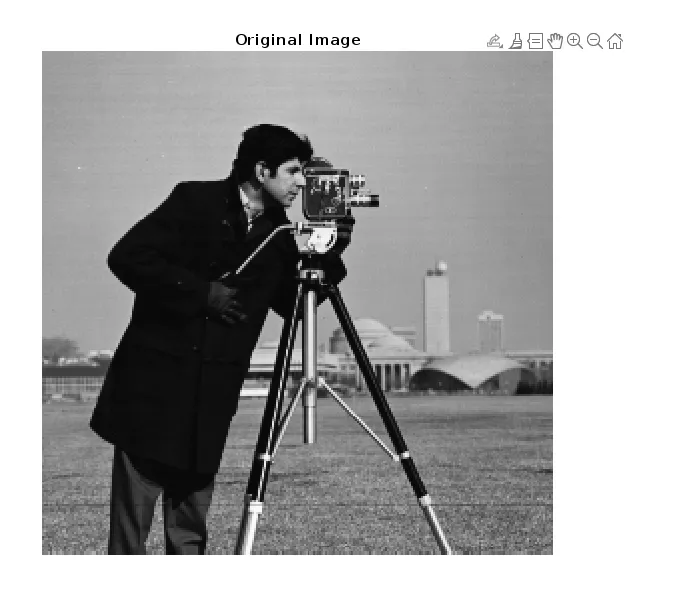
The following code loads the grayscale image that will be used to demonstrate Laplacian and High Boost Filtering techniques.
a = imread('cameraman.tif');
imshow(a);
title('Original Image');
Method 1: Laplacian Filter Sharpening
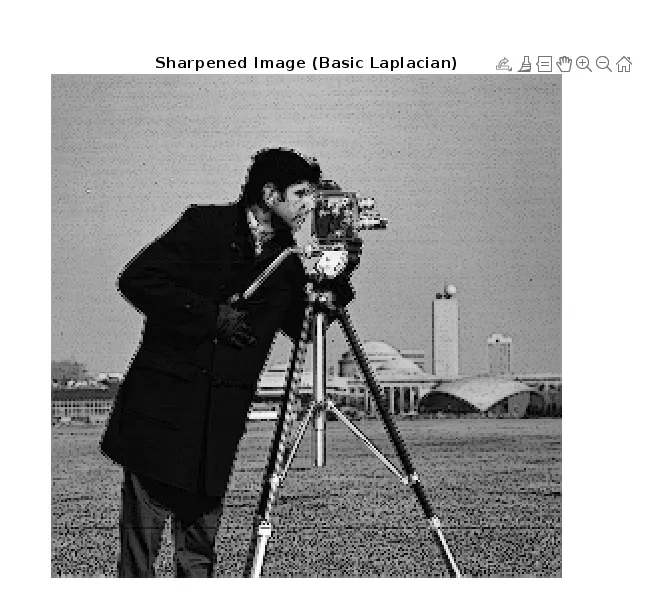
The Laplacian filter is an edge-based sharpening technique that enhances an image by detecting regions where pixel intensity changes rapidly. Since edges and fine details correspond to sudden intensity variations, highlighting these regions helps improve the overall sharpness of the image.
1. Basic Laplacian Filter
- Uses a simple four-neighbor kernel to identify edge regions.
- Produces moderate sharpening suitable for general image enhancement.
Lap = [0 1 0; 1 -4 1; 0 1 0];

a1 = conv2(double(a), Lap, 'same');
a2 = uint8(a1);

sharp1 = abs(double(a) - double(a2));
imshow(uint8(sharp1), []);
title('Sharpened Image (Basic Laplacian)');
2. Strong Laplacian Filter
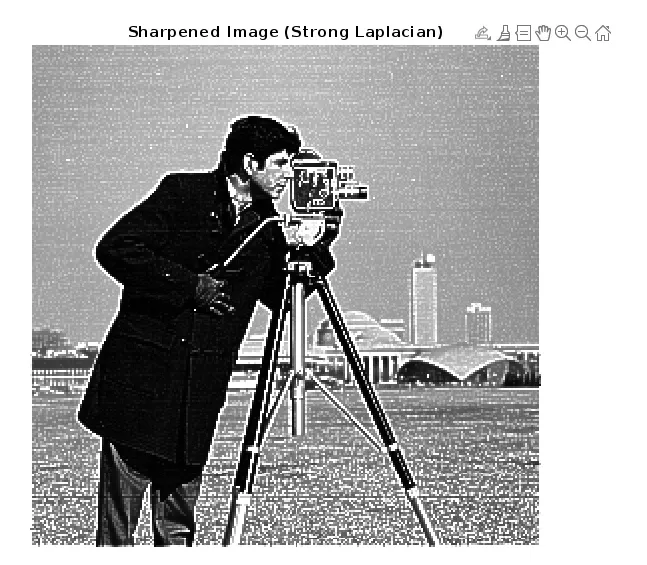
- Considers all neighboring pixels for stronger edge detection.
- Enhances fine details more aggressively than the basic Laplacian filter.
lap = [-1 -1 -1; -1 8 -1; -1 -1 -1];

a3 = conv2(double(a), lap, 'same');
a4 = uint8(a3);

sharp2 = abs(double(a) + double(a4));
imshow(uint8(sharp2), []);
title('Sharpened Image (Strong Laplacian)');
Method 2: High Boost Filtering
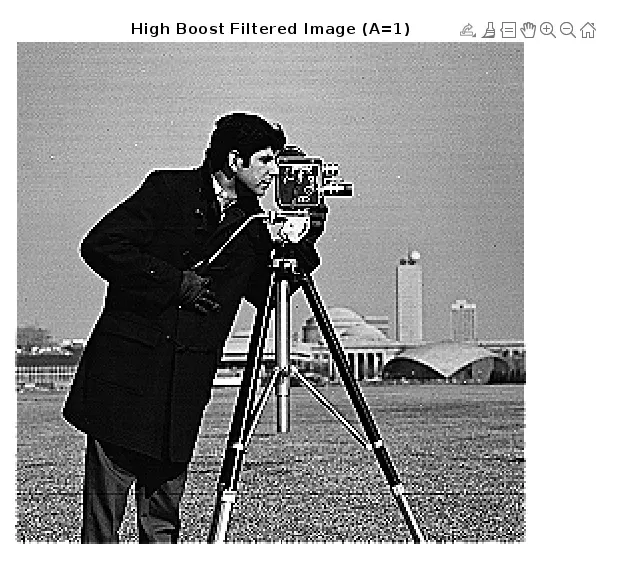
High Boost Filtering is a sharpening technique that enhances edge information while preserving most of the original image content. It provides better control over sharpening strength and is useful when stronger detail enhancement is required.
1. Standard High Boost Filter
- Preserves the overall image structure while improving detail visibility.
- Suitable when subtle sharpening is required.
HBF = [0 -1 0; -1 5 -1; 0 -1 0];

a1 = conv2(double(a), HBF, 'same');
a2 = uint8(a1);

imshow(a2, []);
title('High Boost Filtered Image (A=1)');
2. Stronger High Boost Filter
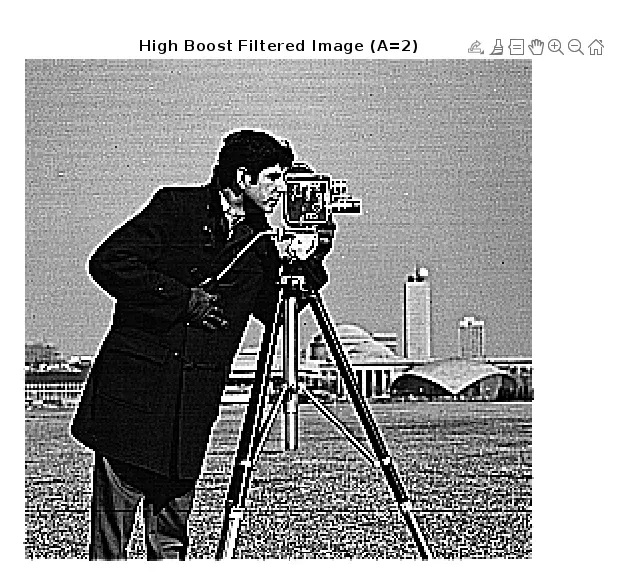
- Uses a larger center coefficient to increase edge emphasis.
- Ideal for images that require more pronounced detail enhancement.
SHBF = [-1 -1 -1; -1 9 -1; -1 -1 -1];

a3 = conv2(double(a), SHBF, 'same');
a4 = uint8(a3);

imshow(a4, []);
title('High Boost Filtered Image (A=2)');