

CherryPy is a lightweight, object-oriented Python web framework used to build web applications and RESTful APIs. It allows developers to create web applications using standard Python classes and methods without requiring complex project structures. CherryPy includes a built-in HTTP server and can also be deployed with production web servers such as Apache or Nginx.
Installation
Before using CherryPy, install it using below command in cmd or terminal:
pip install cherrypy
Why Use CherryPy?
CherryPy is a lightweight web framework that focuses on simplicity, flexibility, and object-oriented development. Some of its key advantages are:
- Simple and Lightweight: Build web applications using standard Python classes and methods with minimal boilerplate code.
- Object-Oriented Design: Encourages modular and reusable code, making applications easier to maintain and extend.
- Built-in Web Server: Includes an HTTP server for development and testing, while also supporting deployment with servers like Apache and Nginx.
- Easy to Extend: New features can be added with minimal changes, making applications scalable as requirements grow.
- Open Source: Freely available and actively maintained by the Python community, with source code hosted on GitHub.
Creating First CherryPy Application
After installing CherryPy, you can create a simple web application that displays a "Hello, World!" message in the browser. The @cherrypy.expose decorator makes a method accessible through a URL, while quickstart() starts the built-in web server.
import cherrypy

class Root:

    @cherrypy.expose
    def index(self):
        return "Hello, World!"

if __name__ == "__main__":
    cherrypy.quickstart(Root())
Output
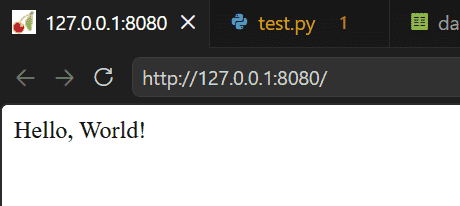
Open the following URL in your web browser: http://localhost:8080/
Explanation:
- Creates a Root class that handles incoming requests.
- Uses the @cherrypy.expose decorator to make the index() method accessible through the root URL (/).
- Returns the text "Hello, World!" when the page is opened.
- Starts the CherryPy web server using cherrypy.quickstart(), which runs the application on http://localhost:8080/ by default.
CherryPy Application Structure
A CherryPy application is built using Python classes. Each exposed method represents a URL endpoint that can return HTML, plain text, or other responses. The quickstart() function launches the built-in web server and starts serving the application.
| Component | Description |
|---|---|
| cherrypy.expose | Makes a method accessible through a URL. |
| quickstart() | Starts the CherryPy web server. |
| Class | Represents the application or a group of related pages. |
| Method | Handles a request and returns a response. |
Creating Multiple Web Pages
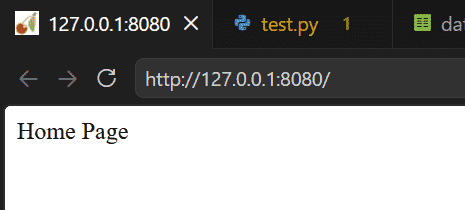
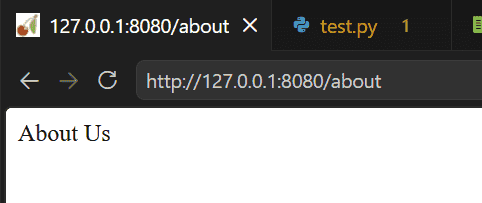
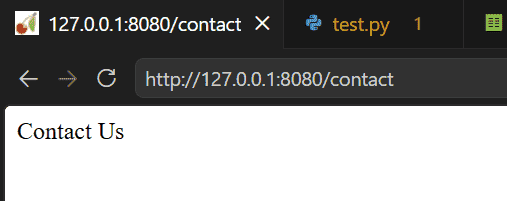
A CherryPy application can contain multiple pages by exposing additional methods. Each method is automatically mapped to a URL with the same name.
import cherrypy

class Website:

    @cherrypy.expose
    def index(self):
        return "Home Page"

    @cherrypy.expose
    def about(self):
        return "About Us"

    @cherrypy.expose
    def contact(self):
        return "Contact Us"

if __name__ == "__main__":
    cherrypy.quickstart(Website())
Output
Visit this URLs in your browser: http://localhost:8080/
Visit this URLs in your browser: http://localhost:8080/about
Visit this URLs in your browser: http://localhost:8080/contact
Passing Parameters Through the URL
CherryPy allows URL parameters to be passed directly to exposed methods. This makes it easy to build dynamic web pages.
import cherrypy

class Website:

    @cherrypy.expose
    def greet(self, name="Guest"):
        return f"Hello, {name}!"

if __name__ == "__main__":
    cherrypy.quickstart(Website())
Output
Visit this url: http://localhost:8080/greet?name=Emma
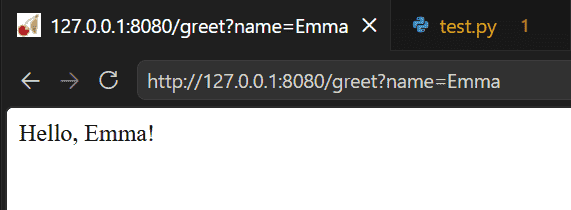
Explanation:
- The name parameter receives the value from the URL.
- If no value is provided, "Guest" is used as the default.
- Query parameters help create personalized and dynamic pages.
Returning HTML Content
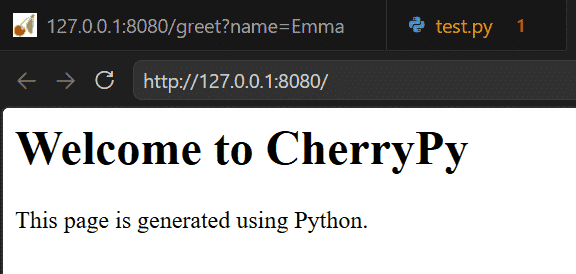
CherryPy methods can return HTML instead of plain text. The returned HTML is rendered directly in the browser.
import cherrypy

class Website:

    @cherrypy.expose
    def index(self):
        return """
        <html>
            <body>
                <h1>Welcome to CherryPy</h1>
                <p>This page is generated using Python.</p>
            </body>
        </html>
        """

if __name__ == "__main__":
    cherrypy.quickstart(Website())
Output
Common CherryPy Functions
CherryPy provides several useful functions for building web applications.
| Function | Description |
|---|---|
| cherrypy.quickstart() | Starts the CherryPy web server. |
| @cherrypy.expose | Exposes a method as a URL endpoint. |
| cherrypy.config.update() | Updates application or server configuration. |
| cherrypy.engine.start() | Starts the CherryPy engine manually. |
| cherrypy.engine.exit() | Stops the CherryPy server. |
Applications
CherryPy is suitable for developing lightweight Python web applications and services. Some common use cases include:
- RESTful APIs: Build APIs that allow applications to communicate and exchange data over HTTP.
- Personal Websites and Blogs: Develop simple, dynamic websites with minimal setup and clean Python code.
- Admin Dashboards: Create web-based interfaces for monitoring, managing, and controlling application data.
- Internal Business Applications: Develop tools for employee management, reporting, inventory, and other business workflows.
- Microservices: Build small, independent web services that can be integrated into larger distributed systems.
- IoT and Embedded Web Interfaces: Create lightweight web interfaces to monitor and control IoT devices or embedded systems.