The HTML <optgroup> tag is used to group related <option> elements within a dropdown list. This is especially useful for long lists of options, making it easier for users to navigate. The <optgroup> tag has a single required attribute, label, which specifies a label or heading for the group of options.
Syntax
<optgroup label="Group Name">

  <option value="value1">Option 1</option>
  <option value="value2">Option 2</option>
  ...
</optgroup>
Attributes
The <optgroup> tag supports a few key attributes that provide additional functionality.
Attribute Values | Description |
|---|---|
It is used to specify the label for an optgroup. | |
It is used to disable the option group in a list. |
Global and Event Attributes
The <optgroup> tag supports both Global Attributes and Event Attributes in HTML.
- Global Attributes: Global attributes like id, class, disabled, and style help you modify the appearance and behavior of <optgroup>.
- Event Attributes: Event attributes like onclick, onfocus, and onmouseover add interactivity to the <optgroup>, although they're more commonly used with <option> or <select>.
HTML optgroup Tag Example
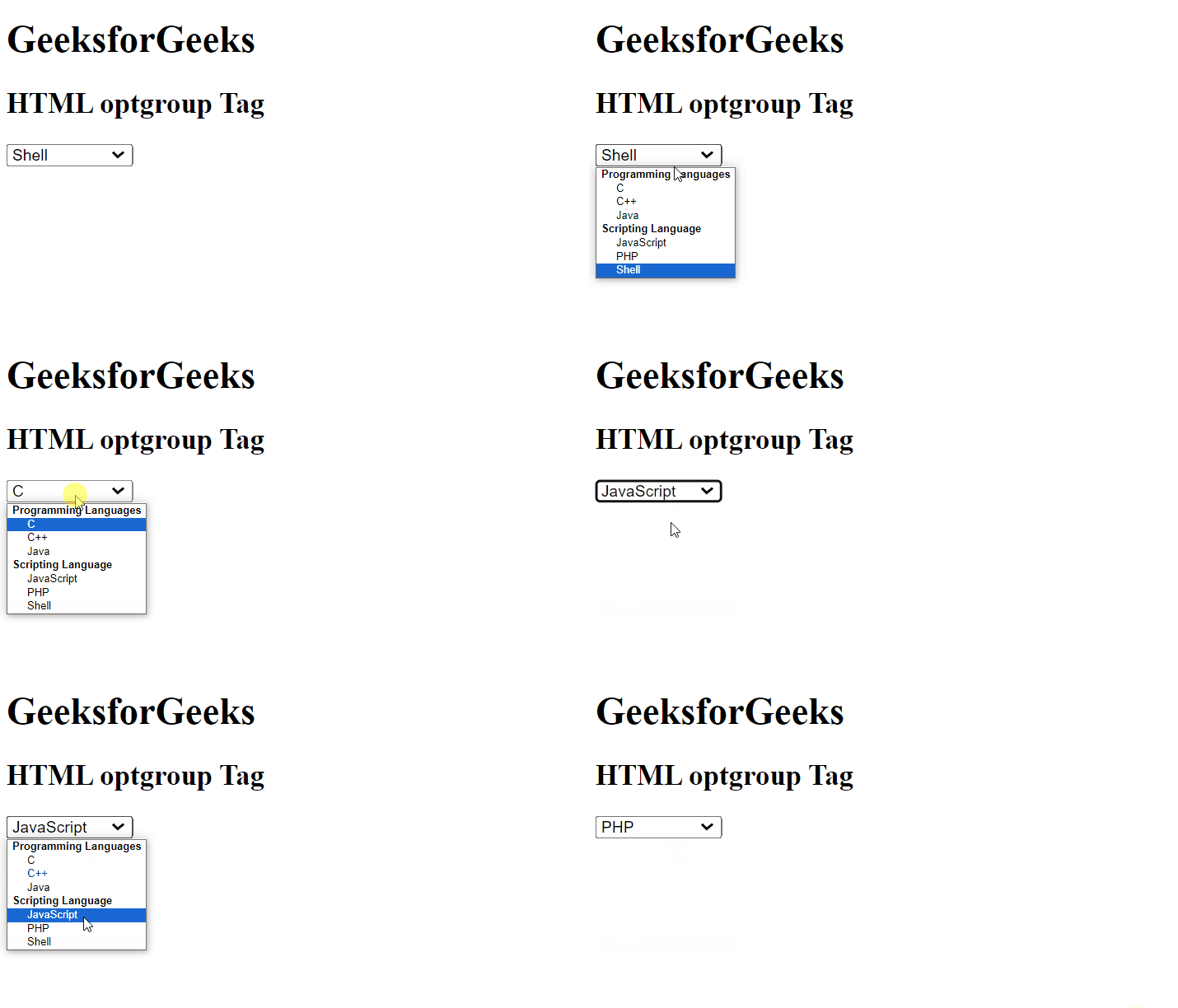
Example 1: In this example, we will implement the optgroup tag in an HTML document.
<!--Driver Code Starts-->
<!DOCTYPE html>
<html>

<body>
    <h1>GeeksforGeeks</h1>
    <h2>HTML optgroup Tag</h2>
    <select>
        <!-- optgroup tag starts -->
<!--Driver Code Ends-->

        <optgroup label="Programming Languages">
            <option value="C">
                C
            </option>
            <option value="C++">
                C++
            </option>
            <option value="Java">
                Java
            </option>
        </optgroup>
        <optgroup label="Scripting Language">
            <option value="JavaScript">
                JavaScript
            </option>
            <option value="PHP">
                PHP
            </option>
            <option value="Shell">
                Shell
            </option>
        </optgroup>

<!--Driver Code Starts-->
        <!-- optgroup tag ends     -->
    </select>
</body>

</html>
<!--Driver Code Ends-->
Output:
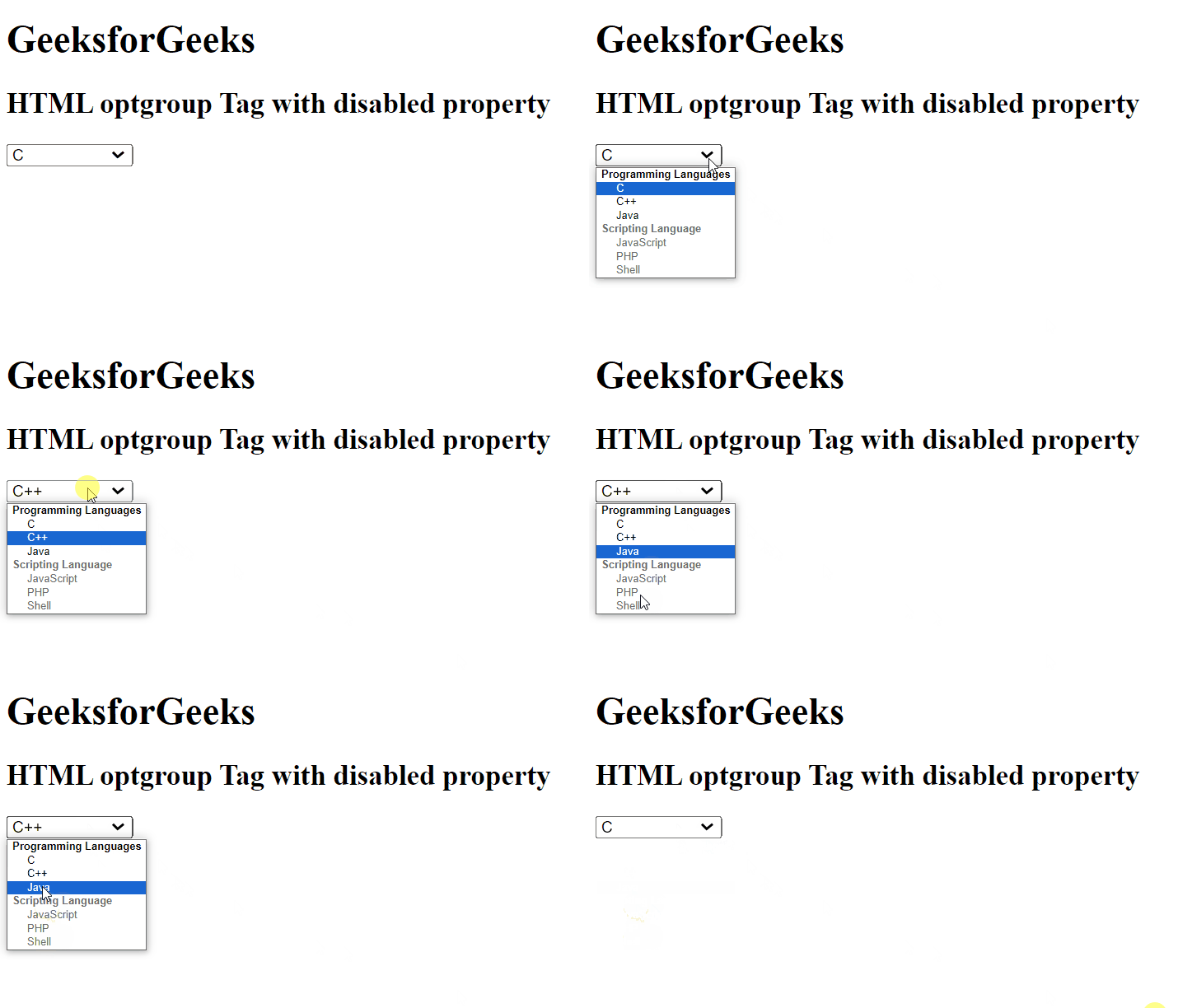
Example 2: In this example, we will implement the <optgroup> tag with the disabled property in an HTML document.
<!--Driver Code Starts-->
<!DOCTYPE html>
<html>

<body>
    <h1>GeeksforGeeks</h1>
    <h2>HTML optgroup Tag with disabled property</h2>
    <select>
        <!-- optgroup tag starts -->
<!--Driver Code Ends-->

        <optgroup label="Programming Languages">
            <option value="C">
                C
            </option>
            <option value="C++">
                C++
            </option>
            <option value="Java">
                Java
            </option>
        </optgroup>
        <optgroup label="Scripting Language" disabled>
            <option value="JavaScript">
                JavaScript
            </option>
            <option value="PHP">
                PHP
            </option>
            <option value="Shell">
                Shell
            </option>
        </optgroup>

<!--Driver Code Starts-->
        <!-- optgroup tag ends -->
    </select>
</body>

</html>
<!--Driver Code Ends-->
Output: