

Cross-Site Scripting is a web security vulnerability that allows an attacker to inject malicious client-side scripts into a trusted website. These scripts execute in the victim’s browser and run with the same permissions as the web application. An attacker can exploit XSS to:
- Steal session cookies.
- Hijack user accounts.
- Perform actions as another user.
- Deface web pages.
- Redirect users to malicious websites.
- Deliver malware or phishing pages.
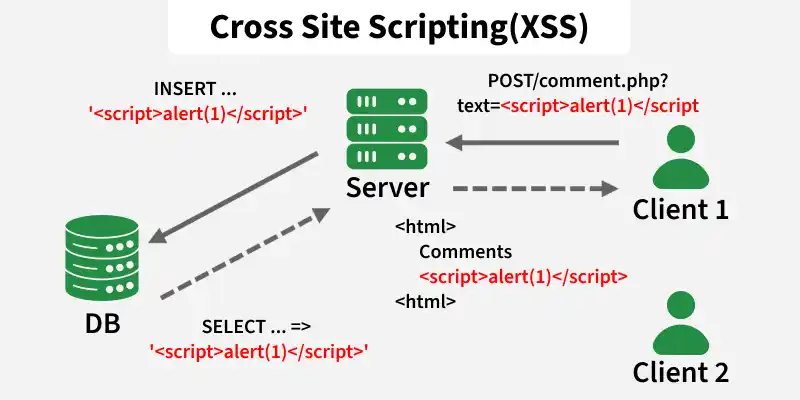
Working of XSS
A typical XSS attack follows these steps:
- The attacker injects malicious JavaScript into a vulnerable input field.
- The application stores or reflects the payload without proper sanitization.
- Another user visits the affected page.
- The browser executes the injected script as trusted code.
- Example payload: <script>alert('XSS')</script> . If the application does not sanitize this input, the browser executes the script and displays a popup.
Types of XSS
There are three major types of Cross-Site Scripting:
1. Reflected XSS
Reflected XSS occurs when user input is immediately returned in the server response without proper validation or encoding. The payload is not stored permanently. The victim must interact with a crafted link or request each time for the attack to execute. Common Targets: Search boxes, Login forms, Error messages, URL parameters.
- Attacker crafts a malicious URL containing an XSS payload.
- Victim opens the link.
- The application reflects the payload into the page.
- The browser executes the injected script.
- Example: <script>alert('XSS')</script>.
2. Stored XSS
Stored XSS occurs when malicious input is permanently stored by the application and later executed whenever users visit the affected page. Unlike Reflected XSS, the victim does not need to click a crafted link every time.
- The attacker submits a malicious payload.
- The application stores it in a database.
- Users visit the page containing the payload.
- The browser executes the script automatically.
- Example payload: <script>alert('Stored XSS')</script>
3. DOM-Based XSS
DOM-Based XSS occurs when JavaScript in the browser processes user-controlled data and inserts it into the page without proper sanitization. In this case, the vulnerability exists in client-side code rather than server-side responses.
Reflected XSS Practical Walkthrough (DVWA)
- The input is not validated or sanitized, so any script entered by the user executes directly.
- Here are the step-by-step DVWA: XSS (Reflected) instructions, with just enough detail.
- Security Level: Low, Medium, High.(choose your own Level during LAB).
Step 1: Start and Set DVWA Security Level
- Go to Kali Linux and Run the below Command:
dvwa-start Output:
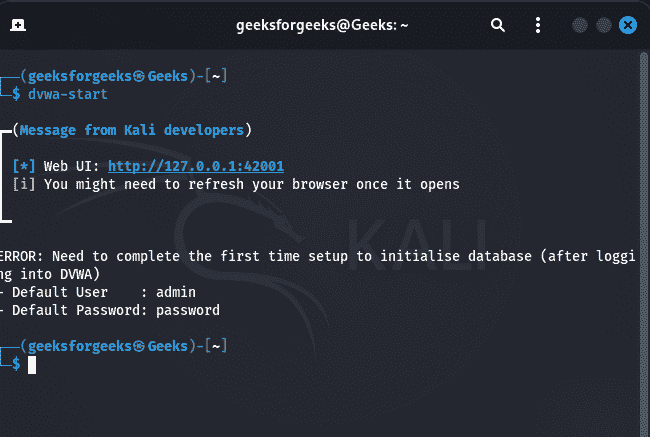
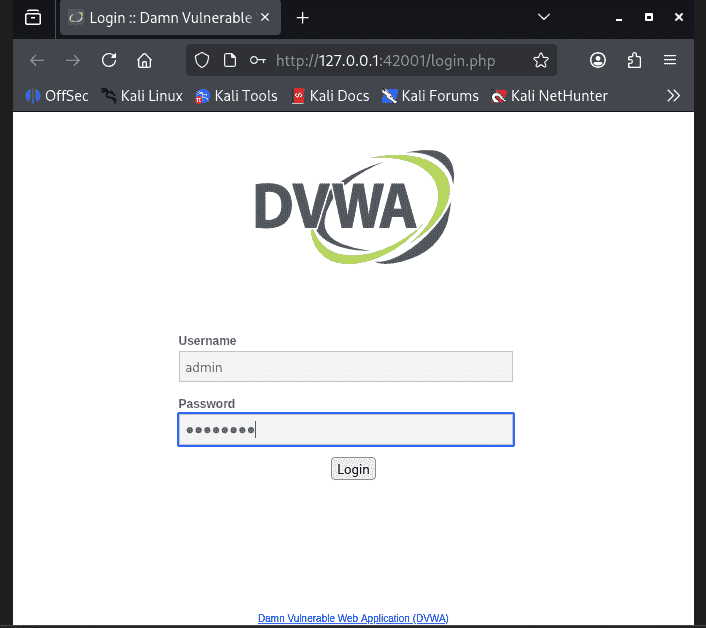
Log in to DVWA:
- After running command it automatically open the given Url (http://127.0.0.1:42001/login.php) in browser.
- You can login via given Default User: admin and Default Password: password.
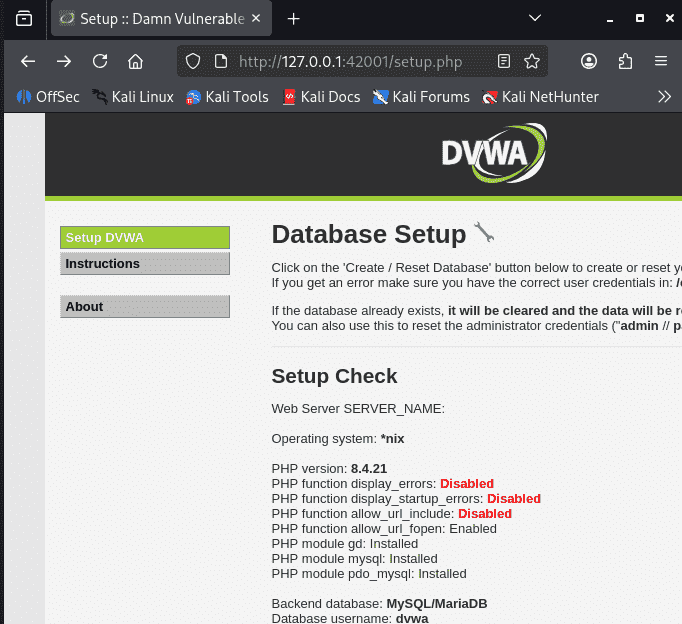
Database Setup:
After login Setup the Database by clicking create the database and again login to use it.
Open DVWA Security:
- First, log in to DVWA and open the “DVWA Security” settings page. In the security level options, select “Low” from the dropdown menu and then click on the “Submit” button to apply the change.
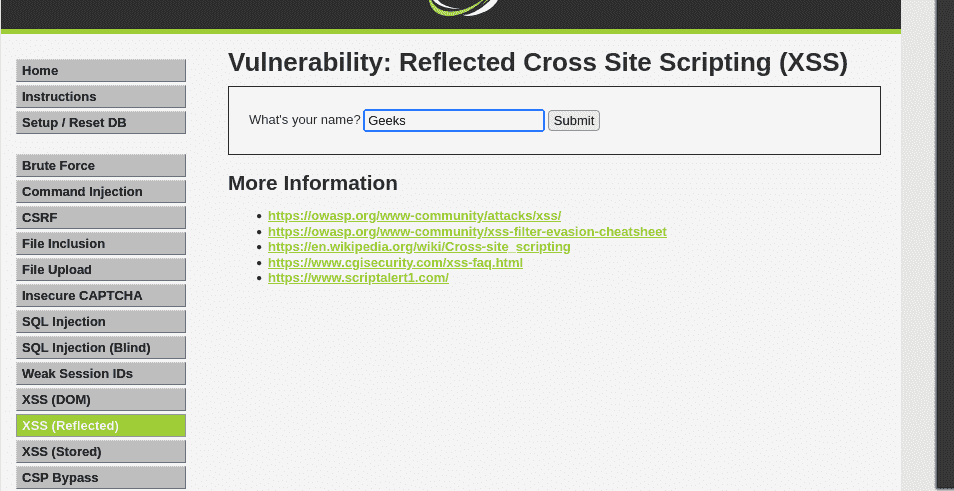
Step 2: Open the Reflected XSS Module
Navigate to: Vulnerabilities XSS (Reflected)
Step 3: Verify Reflection
- In the input box, type a harmless value such as “Geeks” and then click on the Submit button.
- This confirms that the application reflects user input directly into the page.
- Expected response: Hello Geeks.
Step 4: Inject a basic script
- In the input box, enter:
<script>alert('XSS')</script> - Click Submit.
- Expected result: A popup appears with
XSS.
Prevention of XSS
- Validate User Input: Reject unexpected or dangerous input whenever possible.
- Encode Output: Always encode untrusted data before rendering it in HTML, JavaScript or URLs.
- Use Safe DOM Methods: Avoid dangerous functions such as:
- Implement Content Security Policy (CSP): CSP helps reduce XSS impact by restricting script execution sources.
- Sanitize HTML: Use trusted sanitization libraries when rendering user-generated content.