

A Business Logic Vulnerability is a security flaw that occurs when an application's workflow, validation rules, or business processes can be manipulated to perform actions that were never intended by the developers. Instead of exploiting software bugs, attackers exploit incorrect assumptions in the application's design. Example:
- Purchasing an expensive product for ₹1 by manipulating pricing logic.
- Applying the same coupon multiple times.
- Skipping payment confirmation while still receiving the product.
- Accessing resources intended for premium users.
Common Types of Business Logic Vulnerabilities
- Price Manipulation: The application trusts client-side prices instead of validating them on the server. Example: Changing a product price from ₹10,000 to ₹100 before checkout.
- Quantity Manipulation: The application fails to validate item quantities. Example: Submitting a quantity of -1 to manipulate the total amount.
- Payment Bypass: The application confirms orders without verifying payment. Example: Accessing the order confirmation page without completing payment.
- Workflow Bypass: Users can skip required steps in a process. Example: Bypassing OTP verification by directly opening the account activation URL.
- Subscription Upgrade Abuse: The application trusts client-supplied payment status. Example: Setting payment_status=success to obtain premium access for free.
- Race Condition Attack: Simultaneous requests exploit delayed database updates. Example: Sending two withdrawal requests at the same time to withdraw the same balance twice.
Testing Techniques
- Parameter Tampering: Modify prices, quantities, or roles to test server-side validation.
- Workflow Manipulation: Skip mandatory steps such as payment or OTP verification.
- Replay Testing: Resend valid requests to check for duplicate processing.
- Concurrent Requests: Send multiple requests simultaneously to identify race conditions.
- Forced Browsing: Access restricted URLs directly to test authorization.
Tools for Business Logic Testing
Business logic vulnerabilities primarily require manual testing, but the following tools can assist during assessment:
- Burp Suite: Intercept, modify, replay and sequence HTTP requests.
- OWASP ZAP: Proxy traffic and manually manipulate application workflows.
- Postman: Create and replay API requests with custom parameters.
- Turbo Intruder: Send high-speed concurrent requests for race condition testing.
- ffuf: Discover hidden endpoints that may expose unauthorized workflows.
Real World Examples
1. Stripe Unlimited Discount Redemption (2024)
Security researcher Ian discovered a business logic flaw in Stripe's discount redemption workflow. By sending multiple concurrent requests using Burp Suite's Turbo Intruder, the same fee discount was redeemed repeatedly before Stripe updated its records, resulting in approximately $600,000 worth of fee-free transactions. Stripe later fixed the race condition(Type: Race Condition / Business Logic Vulnerability).
2. Restaurant Brands International (Burger King, Tim Hortons & Popeyes) API Abuse (2025)
Researchers found business logic weaknesses in Restaurant Brands International's APIs that allowed attackers to bypass email verification, generate authentication tokens and escalate privileges by abusing legitimate API workflows rather than exploiting traditional vulnerabilities(Type: Business Logic & Authorization Flaw).
Hands-on Lab on Business Logic Vulnerabilities
The following is a step-by-step hands-on exercise demonstrating a business-logic vulnerability caused by excessive reliance on client-side controls.
Step 1: Set up Burp Suite
Ensure Burp Suite is running and configured to intercept HTTP traffic from your browser. This typically involves setting your browser's proxy to 127.0.0.1:8080 and ensuring Burp's intercept is off initially for normal browsing.
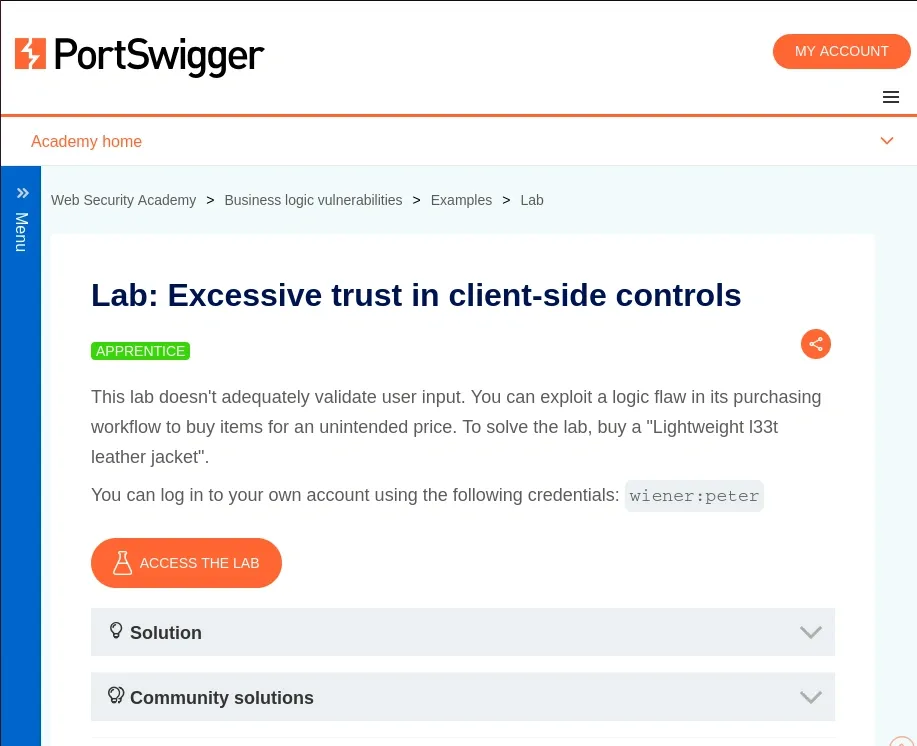
Step 2: Access the Lab
- Go to the lab and click access the lab.
- Open the PortSwigger lab using this link: Excessive trust in client-side controls
Step 3: Log In
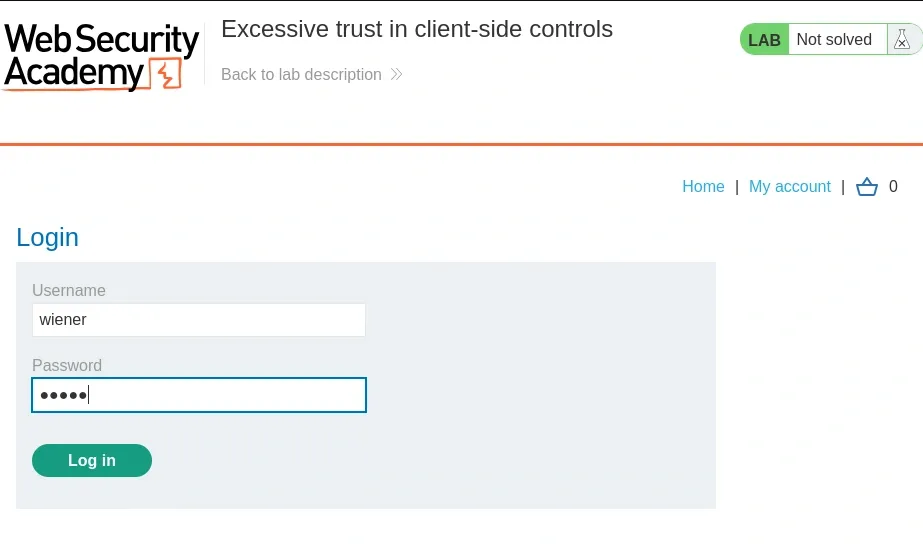
Use the provided credentials to log in to your account:
Username: wiener
Password: peter
Step 4: Attempt to Purchase the Jacket
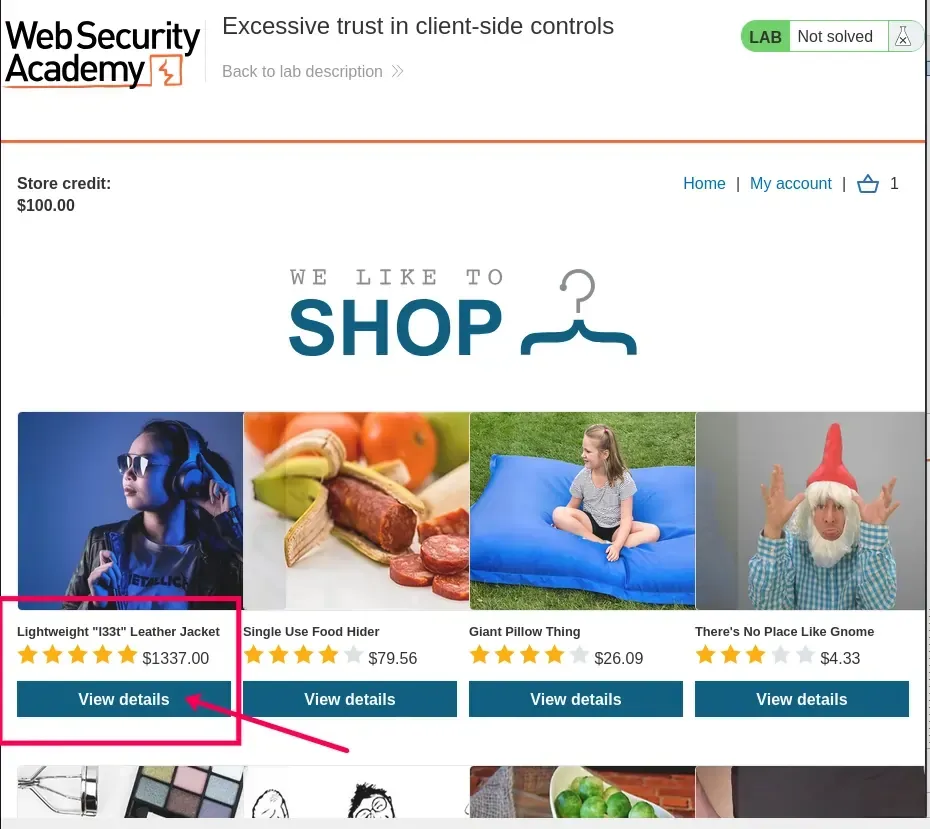
Browse to the product page for the "Lightweight l33t leather jacket".
Add it to your cart.
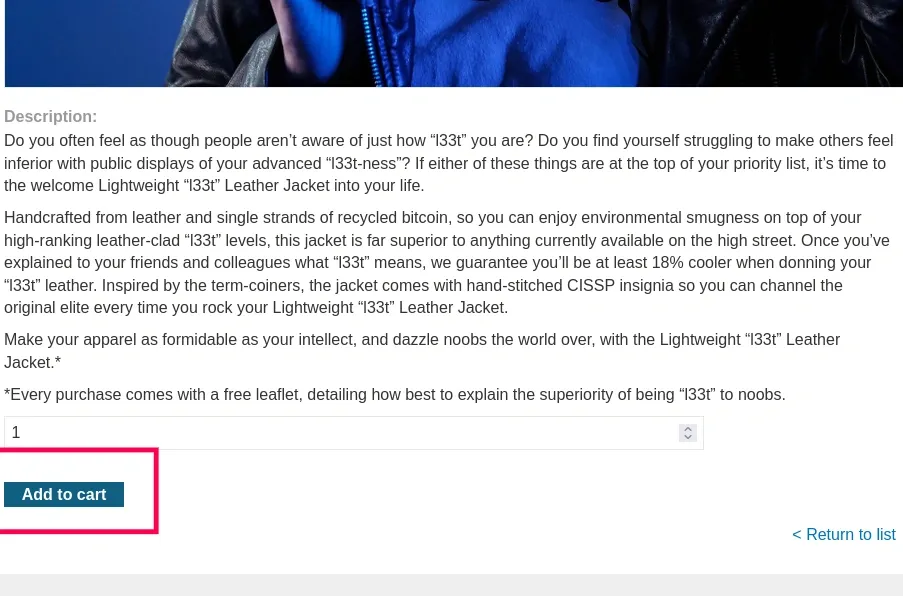
Proceed to checkout and attempt to place the order.
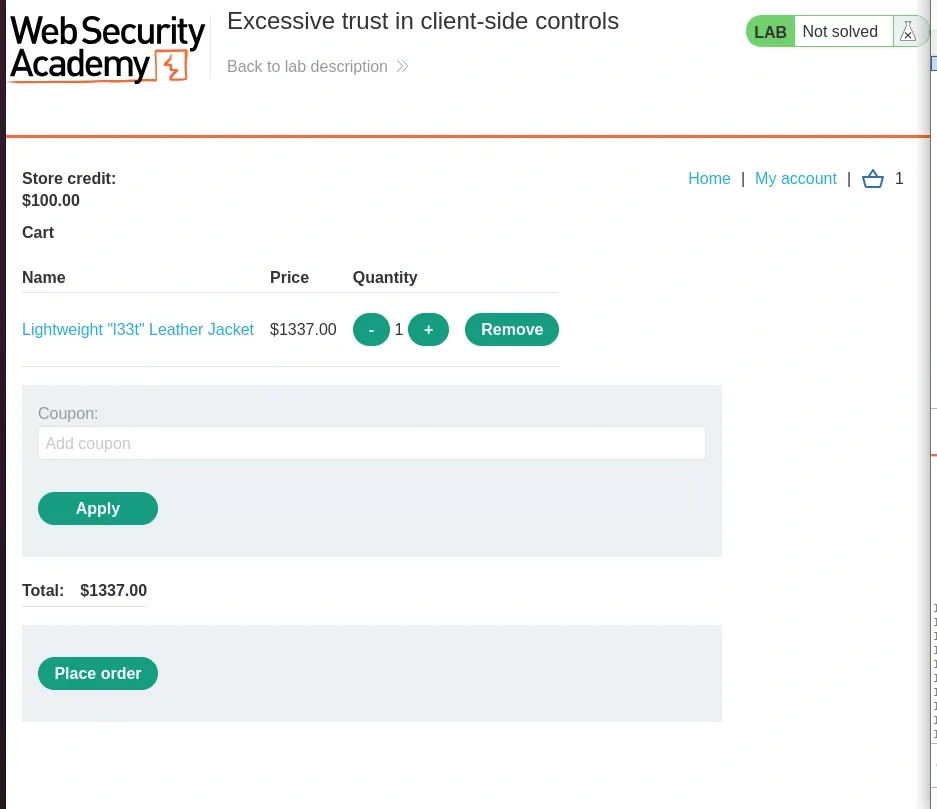
The order will be rejected due to insufficient store credit. Note this for reference.
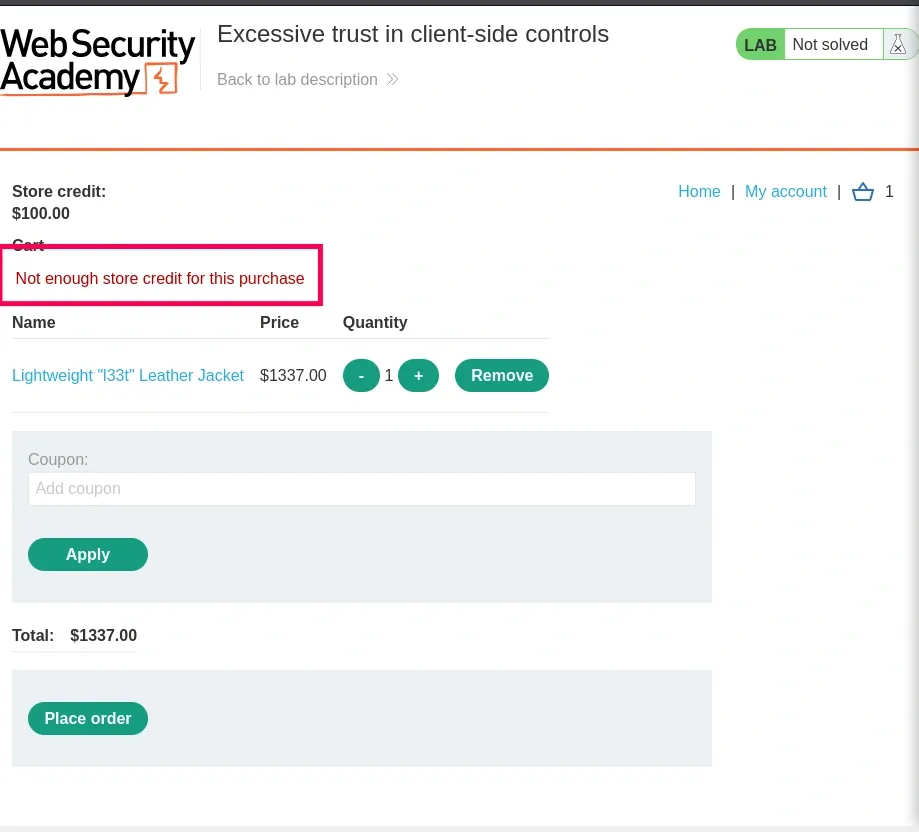
Step 5: Inspect the Order Process in Burp
- In Burp Suite, go to the "Proxy" tab > "HTTP history".
- Filter or scroll to find the requests related to adding the item to the cart and the checkout process.
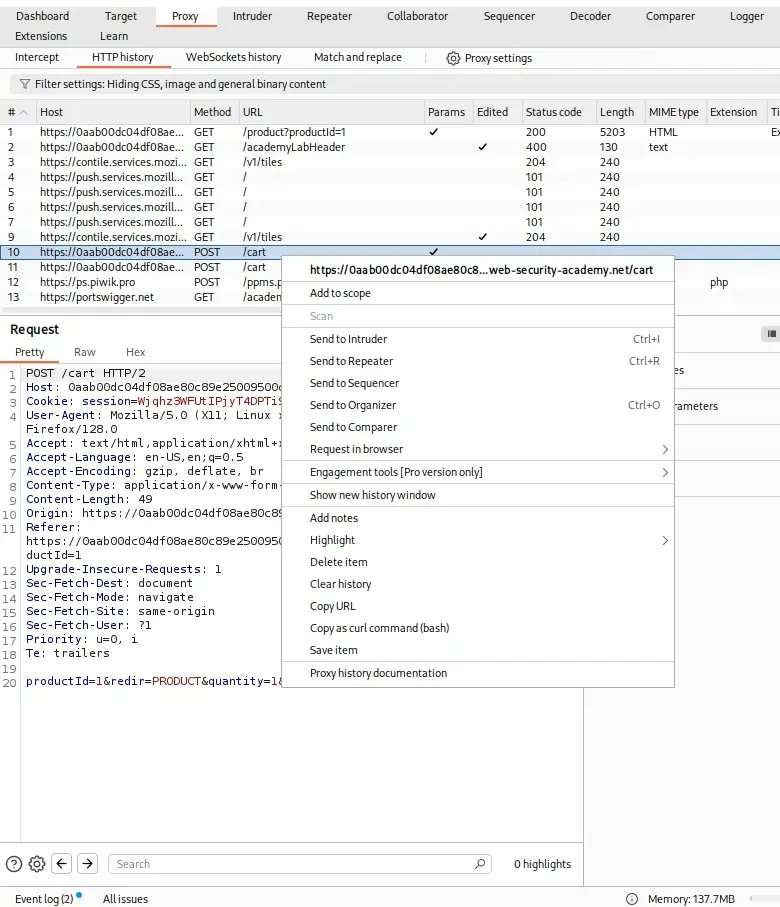
- Identify the POST /cart request that occurs when adding an item to the cart. This request includes parameters like the product ID, quantity and crucially, a price parameter (e.g., price=133700 or similar, representing $1337.00).
Step 6: Send Request to Repeater
- Right-click the POST /cart request in HTTP history and select "Send to Repeater".
- Switch to the Repeater tab in Burp.
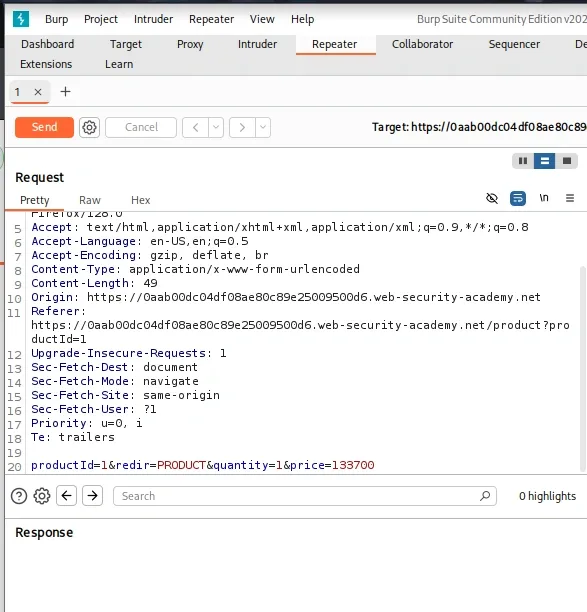
Step 7: Modify the Price
- In Repeater, locate the price parameter in the request body (it might look like productId=1&redir=PRODUCT&quantity=1&price=133700).
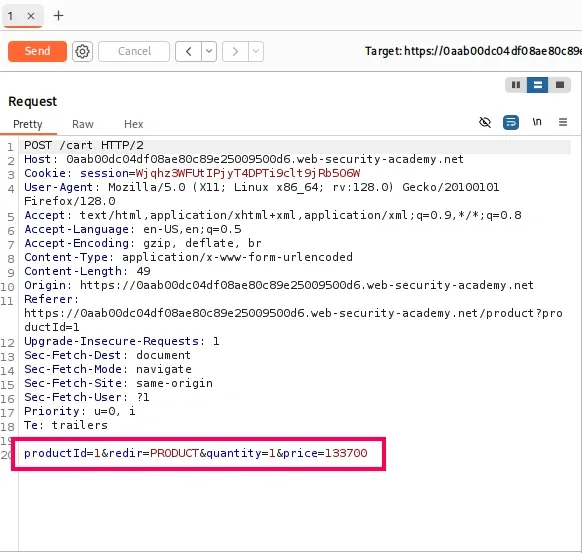
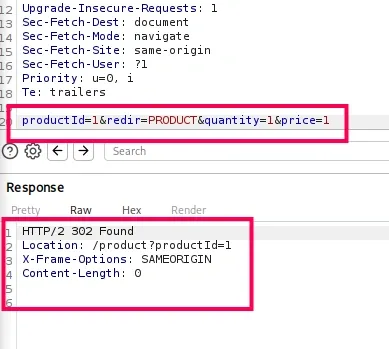
- Change the price value to an arbitrary low integer, such as 1 (representing $0.01), ensuring it's less than your available store credit (typically $100 or similar in these labs).
- Send the modified request.
- Check the response to ensure it's successful (e.g., 302 redirect or confirmation).
Step 8: Verify the Change
- Refresh your cart page in ths updated to your modified value.
- Confirm that the jacket's price has updated to your modified value.
Step 9: Complete the Purchase
- With the updated low price in your cart, proceed to checkout.
- Place the order.
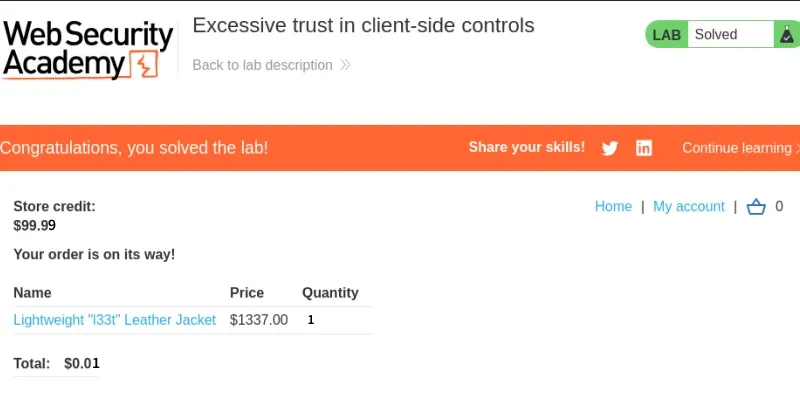
- The order should now succeed since the price is within your credit limit.
- The lab will mark itself as solved upon successful purchase (you'll see a confirmation message).
Best Practices to Prevent Business Logic Vulnerabilities
- Validate all critical business rules on the server.
- Never trust client-supplied prices, discounts, roles, or payment status.
- Enforce authorization checks for every sensitive operation.
- Ensure workflows follow the intended sequence using server-side state validation.
- Implement atomic transactions and locking mechanisms for financial operations.
- Prevent duplicate submissions with unique transaction identifiers.
- Apply rate limiting to sensitive actions such as coupon redemption and reward claims.