


Integrating Codex with Sage 300 data via CData CLI

Codex is OpenAI's coding agent that can read, modify, and execute code on your machine, handling multi-file edits, running shell commands, reviewing code changes, and launching Codex Cloud tasks, all through natural language instructions. Its support for integrations, agent skills, and AGENTS.md configuration files makes it well-suited for structured, tool-driven workflows, making it a natural fit for connecting to external data sources through CData CLI.
By describing your data goals in plain language, Codex can handle the full setup process, from driver configuration and license activation to connection creation and query execution, without manual intervention at each step.
This article details step-by-step directions for how to connect Sage 300 data to Codex through CData CLI.
Prerequisites
-
Codex installed (either Terminal CLI or Desktop)
- Terminal CLI: CLI – Codex | OpenAI Developers
- Desktop: App – Codex | OpenAI Developers
- CData CLI installed
- Access to Sage 300
Step 1: Download the skill (one-time setup)
Always use CData CLI with the official skill.
-
The official CData CLI Skill is available on GitHub and installs through npx skills in the terminal:
npx skills add CDataSoftware/cli-skills -
Follow the prompts in the terminal to install for Codex.

Step 2: Set up the project directory
Create a project directory to contain all project files. Below are examples for using Codex in either the Terminal or the Desktop app:
Codex in Terminal CLI
Navigate to the directory within the terminal and start a session with the codex command:
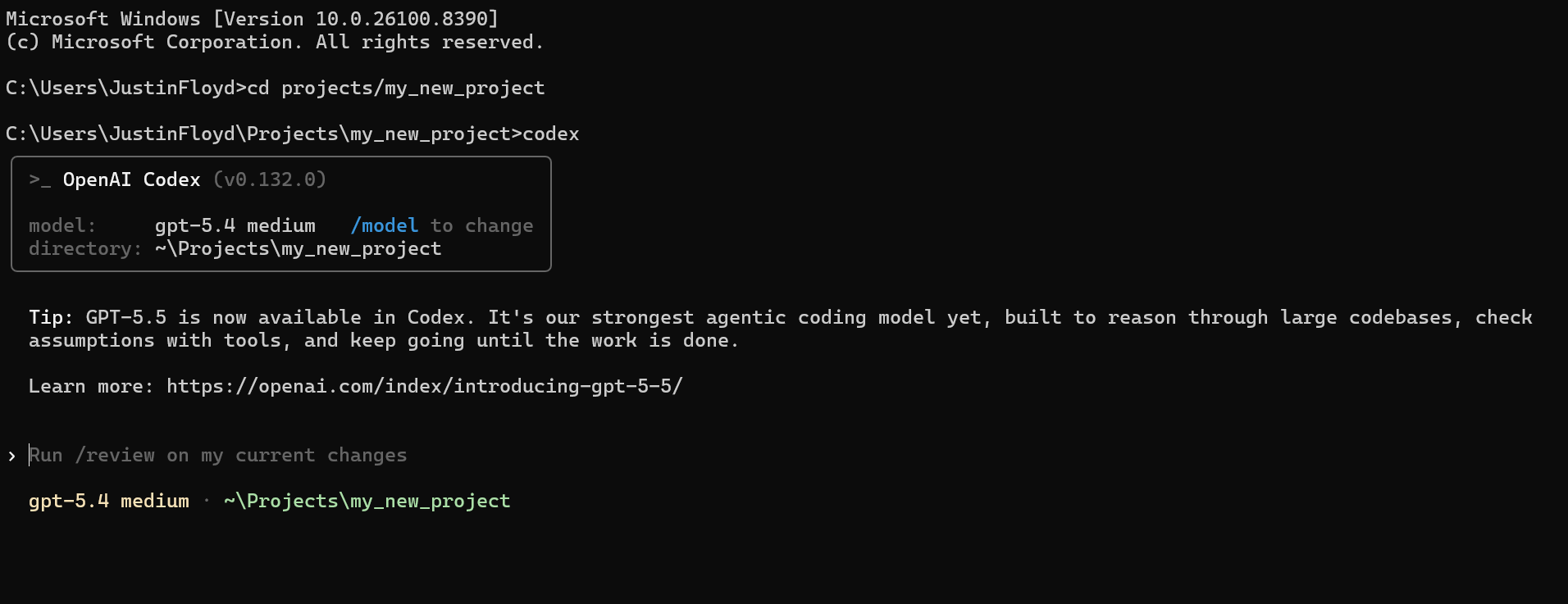
Codex Desktop App
Select the working directory within the desktop app:

Step 3: Establish the driver and connection
Describe what you want to accomplish in this session with the CLI and Sage 300 data.
I would like to build a command line app that connects to Sage 300 data and checks for updates from OEInvoices. Make sure to include data from important columns like InvoiceUniquifier and ApprovedLimit.
This prompt automatically loads the skill and kicks off the following process. You can always manually prompt the agent for each of the following steps.
- Driver setup: Codex checks for an existing CData Sage 300 driver, or searches and downloads a new one:
cdatacli drivers listcdatacli drivers search --driver "Sage 300"cdatacli drivers download --artifact-id <artifact-id>- Activation: Activate the Sage 300 driver with a single command for a trial or full license:
cdatacli drivers activate "Sage 300" --name "<name>" --email "<email>" --trialcdatacli drivers activate "Sage 300" --name "<name>" --email "<email>" --key "<product-key>"- Establish the Sage 300 connection: Check for existing Sage 300 connections or create a new one:
cdatacli connection listcdatacli connection create --driver Sage300 --name my_sage300_connection --connectionstring "Prop1=value1;Prop2=value2;..."- Create a Sage 300 skill (if applicable): CData provides driver instructions for popular sources. You can use these to generate a source-specific skill file that guides the agent through best practices for the driver.
-
Run the following command and save the output to your skills directory, either at the project level or globally. (Note: If you receive a "No instructions available for Sage 300" message, no driver instructions exist for this source. You can continue using the main driver skill.)
cdatacli drivers skill "Sage 300" > ~/skills/cdata-sage300/SKILL.md
Step 4: Query Sage 300 data
With the CData driver fully configured, your agent can now execute queries and write code against live Sage 300 data:
cdatacli query sql --connection my_sage300_connection --sql "SELECT * FROM OEInvoices"Query Sage 300 data directly from your terminal with CData CLI
Codex and CData CLI together give your AI coding agent a direct path to live Sage 300 data without custom middleware, scheduled syncs, or manual setup at each step. Describe your goal in plain language, and the agent handles driver configuration, connection setup, and query execution from start to finish in the terminal.
Download the free CData CLI and start a free, 30-day trial of the CData JDBC Driver for Sage 300 today.
Ready to get started?
Download a free trial of the Sage 300 Driver to get started:
Download NowLearn more:
 Sage 300 JDBC Driver
Rapidly create and deploy powerful Java applications that integrate with Sage 300 data including Invoices, Receipts, Refunds, and more!