
Browser environments keep changing constantly. For example, Chrome updates its rendering engine, Safari shifts how it handles CSS grid, and Firefox tightens its security policies, and these changes can break your UI even when your codebase hasn’t changed a single line.
Most testing tools in the current market are not built to handle the real complexity of cross-browser testing. Some can’t detect visual regressions across different rendering engines, while others fall apart when you try to wire them into a modern CI/CD pipeline or test on real mobile devices rather than emulated ones.
If you’re new to cross-browser testing, it involves verifying that your web application looks and behaves correctly across different browsers, operating systems, and screen sizes.
I’m Nithya Mani, and I’ve spent over a decade testing frontends across every major browser. In this article, I’ll walk you through how I evaluated these tools and share a categorized breakdown built around one question: which tool actually fits your team?
What are Cross Browser Testing Tools?
Cross browser testing tools are specialized platforms designed to help developers ensure that websites and web applications look and function consistently across different browsers, operating systems, and devices.
Since browsers interpret code differently, these tools help developers identify and fix issues that may appear on one platform but not another, allowing for a seamless user experience regardless of the environment.
These tools provide access to real device browsers or by simulating various browser environments.
Some tools offer manual testing options, where developers can interact with the site in each environment. In contrast, others provide automation features, allowing for quick, parallel testing across multiple browsers at once.
By running tests on a wide range of platforms, cross browser testing tools make it easier to spot and resolve compatibility issues efficiently.
How I Evaluated the Cross-Browser Testing Tools?
Evaluating cross-browser testing tools requires looking beyond surface-level capabilities and focusing on how well they support real QA workflows. In practice, the effectiveness of a tool depends on how reliably it fits into existing development pipelines, handles test execution at scale, and helps teams identify and resolve issues quickly.
For this analysis, I focused on factors that directly impact day-to-day testing efficiency, automation readiness, and long-term scalability. The goal was to understand not just what each tool offers, but how effectively it performs when used in production-grade environments.
The following parameters were used to assess each tool:
- Browser and Device Coverage (15% weightage): A reliable cross-browser testing tool must support a wide range of browsers, browser versions, and operating systems, including older versions that a significant portion of your users may still be running. Broad coverage ensures you can reproduce the environments your users are actually on, not just the ones your team defaults to.
- Real Device vs. Simulated Environments (15% weightage): I prioritized platforms that provide access to real physical devices rather than emulators or virtual machines, because real devices surface rendering issues, touch behavior inconsistencies, and performance problems that simulated environments routinely miss.
- Automation Framework Support (15% weightage): Modern QA workflows rely heavily on automation. Therefore, tools were evaluated based on their support for frameworks such as Selenium, Playwright, Cypress, and Puppeteer, along with how easily they integrate with existing automation suites.
- Parallel Test Execution (15% weightage): Running tests sequentially across multiple browsers is inefficient. I looked for platforms that support parallel test execution, allowing teams to run multiple tests simultaneously and significantly reduce execution time.
- CI/CD Integration (10% weightage): Cross-browser tests should run as part of the development pipeline. Each tool was assessed based on how well it integrates with CI/CD systems such as Jenkins, GitHub Actions, GitLab CI, and similar platforms.
- Debugging and Reporting Capabilities (10% weightage): When tests fail in specific browsers, diagnosing the issue quickly is critical. I evaluated tools based on their ability to provide logs, screenshots, video recordings, network logs, and detailed test reports.
- Scalability and Performance (10% weightage): For teams running large test suites, the platform must handle high concurrency and frequent test runs without becoming a bottleneck.
- Ease of Setup and Usability (10% weightage): Even powerful tools lose value if they are difficult to configure or maintain. I considered the learning curve, documentation quality, and overall usability of each platform.
These parameters helped create a structured evaluation framework, ensuring every tool in this list is capable of supporting reliable, scalable cross-browser testing in modern development environments.
The Best Cross Browser Testing Tools in 2026
Here is the detailed list of all the top cross-browser testing tools that I have evaluated for 2026, to help your team test applications reliably:
BrowserStack

BrowserStack is a widely adopted real device cloud based platform for cross-browser testing, offering access to a large range of real devices and browser combinations. It provides coverage across desktop and mobile environments, including recent versions of iOS, Android, Windows, and macOS. In my experience, this breadth of coverage is one of its stronger aspects, particularly for teams that need to validate across diverse environments without maintaining physical labs.
The platform supports both manual and automated testing through Live and Automate. BrowserStack Live enables real-time manual testing with built-in DevTools and bug reporting, while BrowserStack Automate allows teams to run automated test suites across multiple browser–OS combinations with parallel execution. I found the ability to scale tests across environments useful, although execution efficiency depends on how well tests are optimized.
It is generally recognized for its reliability, device coverage, and CI/CD integrations, and is used by a large global customer base. That said, as with most platforms in this space, the overall value depends on how effectively teams integrate it into their workflows and manage test stability at scale.
Key features of BrowserStack:
- The platform provides access to a large real device cloud and browser coverage, enabling testing across thousands of browser–device combinations. I found this particularly useful for validating real-world scenarios without maintaining physical infrastructure.
- It supports parallel test execution through Automate, allowing teams to run large test suites concurrently and reduce overall execution time. The actual gains depend on test design and concurrency limits.
- Manual and automated testing are supported through Live and Automate. Live enables interactive testing with real user actions, while Automate handles large-scale automated execution. This combination offers flexibility, though teams may need to balance usage across both workflows.
- Existing automation frameworks such as Selenium, Cypress, Playwright, and Puppeteer can be used without requiring code changes. This lowers adoption effort, especially for teams with established test suites.
- The platform allows testing of local, staging, and private environments using secure tunneling. In practice, this is essential for pre-production validation, though setup can require some initial configuration.
- Access to newly released devices and browser versions is typically available on Day-0, helping teams validate compatibility sooner in the release cycle.
- AI-driven capabilities such as flaky test detection, failure analysis, and smart test selection aim to improve test efficiency and stability. I noticed these features can reduce manual effort, although their effectiveness depends on how accurately they map to real test behavior.
- Self-healing mechanisms attempt to fix broken test scripts during execution. While this can improve pipeline stability, it may require oversight to ensure changes align with intended test logic.
- Debugging and observability are supported through logs, videos, session recordings, and DevTools. These features help with issue investigation, though complex failures may still need deeper analysis.
- The platform supports testing under different network conditions, geolocations, and device configurations, enabling more realistic test scenarios.
- It also enables validation of complex workflows such as payments, OTP authentication, file uploads, and media interactions, particularly through manual testing in Live.
- Accessibility and responsive testing are supported through configurations for screen readers, display settings, and device variations. Coverage is useful, though depth may vary depending on requirements.
- Integration support spans a wide range of CI/CD, bug tracking, and collaboration tools such as Jenkins, GitHub, Jira, Slack, and Azure DevOps. Integration depth can vary based on the existing stack.
- Collaboration features such as session sharing, annotations, and in-built bug reporting help streamline communication between teams.
- Testing environments can be customized with specific browser settings, extensions, cookies, and session configurations, allowing more tailored test scenarios.
Who Is BrowserStack Best For?
- Mid-to-large QA and engineering teams needing either manual or automated cross-browser testing.
- Teams that must test across old browsers, devices, and operating systems.
- Agile and DevOps teams building CI/CD pipelines with automated and parallel testing.
- Developers who need to debug issues on real devices quickly and efficiently.
- Enterprises with strict security, compliance, and data protection requirements.
- Products that require testing across different countries, locations, and time zones simultaneously.
Who Is BrowserStack Not For?
- Individuals or very small teams with limited budgets.
- Teams that only test on a few modern browsers occasionally.
- Projects that require highly customized or self-hosted testing environments.
G2 Rating: 4.5/5 (2,652 reviews)
Selenium
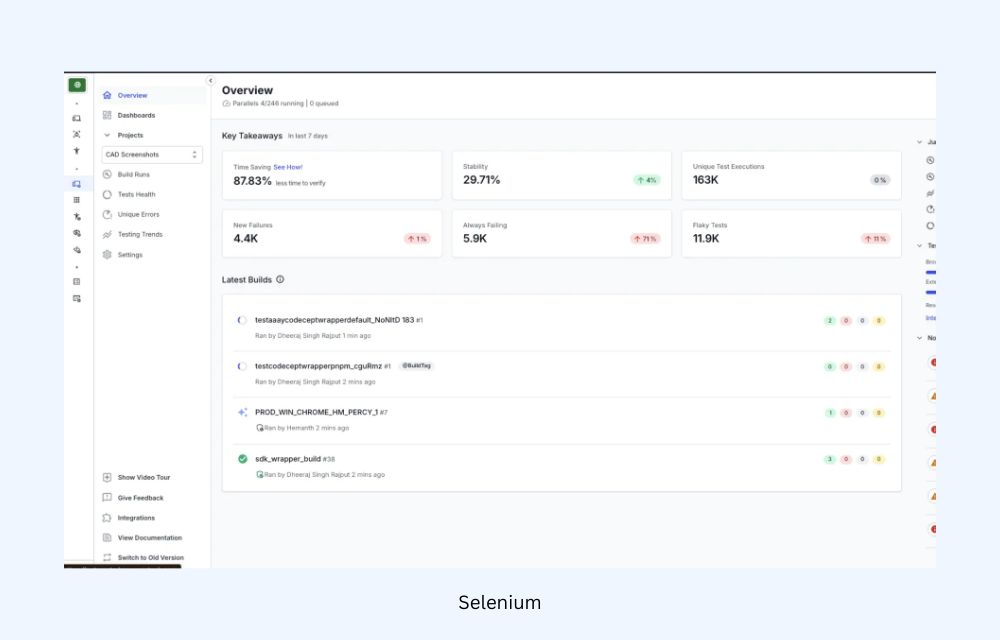
Selenium is an open-source framework used for automated cross-browser testing. It allows teams to automate browser interactions and run the same test scripts across multiple browsers and operating systems using WebDriver. Selenium is widely used to build scalable automation frameworks integrated into modern CI/CD pipelines.
Key Features
- Cross-Browser Automation: Run automated tests across major browsers such as Chrome, Firefox, Safari, and Edge to verify consistent application behavior.
- Selenium WebDriver: WebDriver interacts directly with browser drivers, enabling realistic automation that replicates real user interactions.
- Multi-Language Support: Write automation scripts in programming languages including Java, Python, JavaScript, C#, and Ruby.
- Selenium Grid for Parallel Testing: Execute tests simultaneously across multiple browsers, machines, and operating systems to accelerate test execution.
- CI/CD Integration: Integrate Selenium tests with CI/CD tools such as Jenkins, GitHub Actions, and GitLab CI for continuous automated testing.
Who Is This Tool Best For?
- Teams building automated cross-browser testing frameworks
- QA engineers implementing continuous testing in CI/CD pipelines
- Organizations that prefer open-source automation tools
Who Is This Tool Not For?
- Teams that are particularly looking for manual cross-browser testing platforms
- Non-technical teams that prefer low-code or no-code tools
- Organizations that want built-in browser or device infrastructure without additional setup.
G2 Review: 4.3/5 (225 reviews)
Cypress

Cypress is a modern end-to-end testing framework designed for web applications. Unlike traditional automation tools that run outside the browser, Cypress executes tests directly within the browser, enabling real-time visibility into application behavior during test execution.
Its interactive test runner, developer-friendly APIs, and built-in debugging capabilities make it a popular choice for testing modern front-end applications. Cypress also supports cross-browser testing across major Chromium-based browsers and Firefox, helping teams validate application workflows across different browser environments.
Key Features
- Cross-Browser Testing: Supports automated testing on Chrome, Chromium-based Edge, and Firefox. Though it does not currently support Internet Explorer and cannot run tests on Safari natively (but you can perform cross-browser testing using the WebKit engine to emulate Safari’s behavior)
- Real-Time Test Runner: Provides a visual test runner that displays commands, DOM snapshots, network requests, and application state during test execution.
- Automatic Waiting: Automatically waits for elements, page updates, and network calls, reducing test flakiness and simplifying test scripts.
- JavaScript-Native Framework: Tests are written in JavaScript using a simple API, making it well-suited for teams building applications with modern front-end frameworks.
- CI/CD Integration: Easily integrates with CI/CD tools such as GitHub Actions, Jenkins, and GitLab CI for automated testing in development pipelines.
Who Is This Tool Best For?
- Front-end teams testing modern JavaScript applications
- QA teams building end-to-end automation suites
- Organizations integrating test automation into CI/CD pipelines
Who Is This Tool Not For?
- Teams requiring complete cross-browser coverage including legacy Safari/IE
- Projects that rely heavily on non-JavaScript automation frameworks
- Organizations focused primarily on manual cross-browser testing
G2 Reviews: 4.7/5 (106 Reviews)
Read More: How to run specific test in Cypress
Playwright
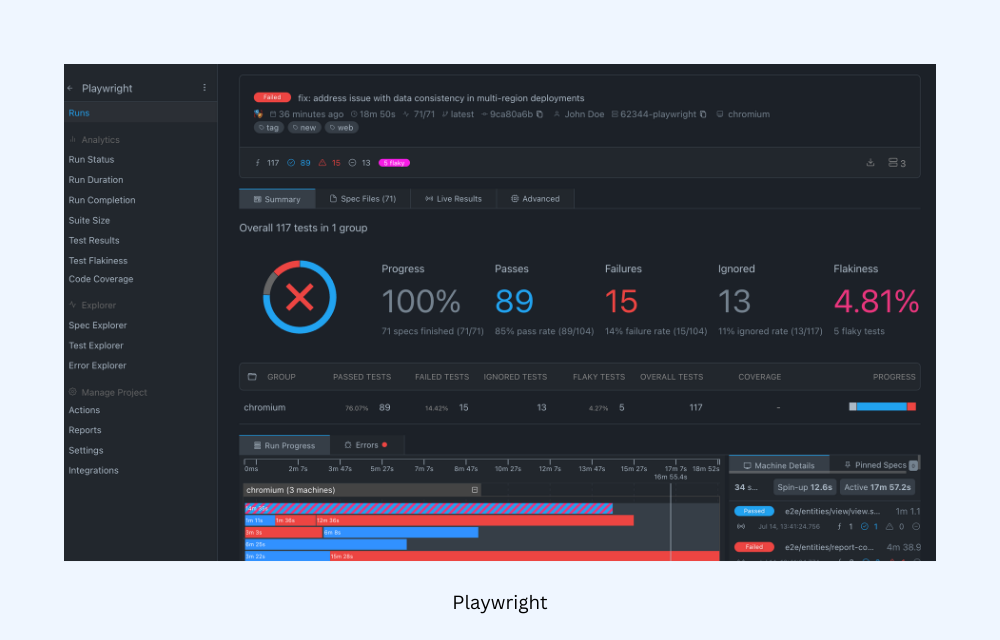
Playwright is an open-source end-to-end testing framework developed by Microsoft for automated cross-browser testing. It allows teams to write a single test and run it across multiple browser engines, including Chromium, Firefox, and WebKit, making it well suited for validating modern web applications across different browsers and platforms.
Key Features
- Native Cross-Browser Support: Playwright natively supports Chromium, Firefox, and WebKit, enabling the same test scripts to run across major browser engines with a single API.
- Parallel Test Execution: Tests run in parallel by default, allowing large test suites to execute faster across multiple browsers and environments.
- Auto-Wait and Reliable Execution: Playwright automatically waits for UI elements, network calls, and page states, reducing flaky tests and improving reliability.
- Multi-Language Support: Supports several programming languages including JavaScript/TypeScript, Python, Java, and C#, allowing teams to integrate it into different development stacks.
- Mobile and Device Emulation: Provides built-in device emulation for testing responsive layouts and mobile browser behavior without requiring physical devices.
Who Is This Tool Best For?
- QA teams building modern cross-browser automation frameworks
- Engineering teams testing complex web applications and SPAs
- Organizations integrating automated testing into CI/CD pipelines
Who Is This Tool Not For?
- Teams focused on manual cross-browser testing platform
- Organizations needing out-of-the-box device cloud infrastructure.
Read More: Cross Browser Testing using Playwright
Puppeteer

Puppeteer is a Node.js library developed by Google for automating browser actions and end-to-end testing. It provides a high-level API to control browsers programmatically and supports automated testing across Chromium-based browsers and Firefox, making it useful for validating web application behavior during development and CI pipelines.
Key Features
- Cross-Browser Testing Support: Supports automation on Chromium-based browsers (Chrome, Edge), and Firefox (since v23 in 2024 via WebDriver BiDi), allowing tests to run across these environments. The feature parity varies by browser/protocol.
- Headless and Headful Testing: Runs tests in headless mode (without UI) for faster execution or headful mode for debugging and visual validation.
- Network and Performance Monitoring: Allows developers to intercept network requests, analyze performance metrics, and simulate user interactions during test execution.
- CI/CD Integration: Easily integrates with CI pipelines to automate browser tests during builds, enabling continuous validation of application behavior.
Who Is This Tool Best For?
- Developers performing browser automation and testing in Node.js environments
- Teams validating Chromium-based browser behavior during development
- Projects requiring lightweight browser automation in CI/CD workflows
Who Is This Tool Not For?
- Teams requiring Safari/WebKit coverage (no native support).
- Organizations needing built-in real device cloud infrastructure.
- Projects using non-Node.js environments or languages.
G2 Reviews: No Rating Available
Read More: Cross Browser Testing in Puppeteer: Tutorial
TestGrid
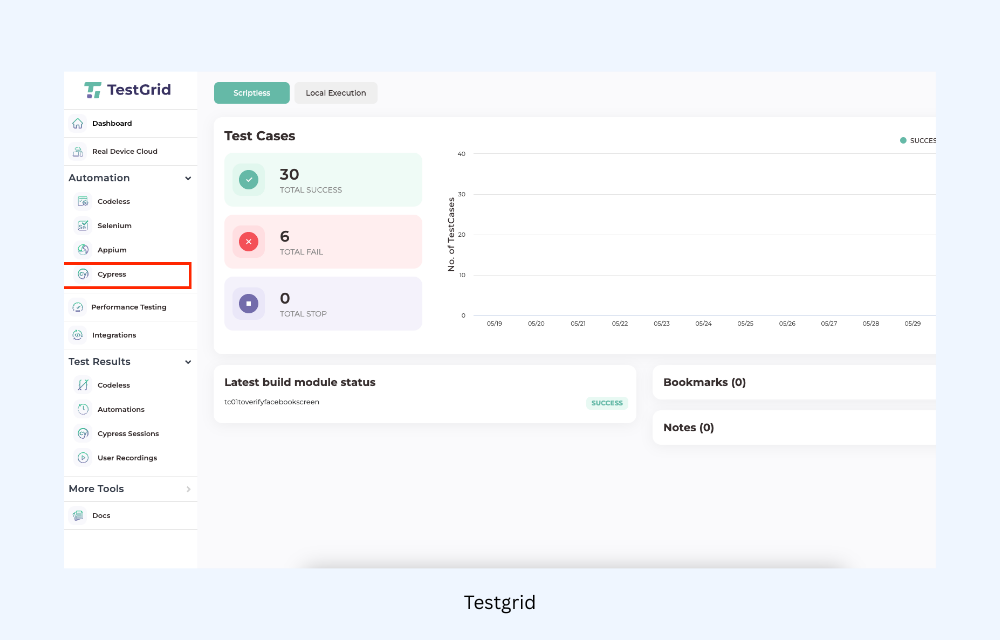
TestGrid is an AI-powered end-to-end testing platform for manual and automated cross-browser testing on real devices and browsers via cloud or on-premise setups. It enables web application validation across browsers, OS, and devices without internal infrastructure maintenance.
Key Features
- Real Device and Browser Cloud: Test websites on 1,000+ real browsers and devices combinations including Chrome, Safari, Firefox, Edge.
- AI-Powered Codeless Testing: Provides an AI-driven testing assistant that can convert plain English or BDD scenarios into executable test cases, reducing the need for coding.
- Parallel Test Execution: Run tests simultaneously across multiple browsers and environments to significantly reduce execution time.
- CI/CD and Tool Integrations: Integrates with development workflows and tools such as CI/CD pipelines, Slack, Jira, and other project management platforms.
Who Is This Tool Best For?
- QA teams performing cross-browser testing on real devices
- Organizations looking for AI-powered or codeless test automation
- Teams that want manual and automated testing in one platform
Who Is This Tool Not For?
- Teams looking only for lightweight open-source automation frameworks
- Small projects that require minimal browser coverage
- Developers who prefer fully code-driven testing frameworks without platform tooling
- Teams focused solely on mobile-native app testing (web-focused platform).
G2 Reviews: 4.6/5 (11 Reviews)
Browserling

Browserling is a cloud-based cross-browser testing tool that allows developers and QA teams to test websites across multiple browsers and operating systems directly from the browser. It provides live, interactive browser sessions without requiring local installations or device labs.
Key Features
- Live Interactive Browser Testing: Launch real browsers in the cloud and interact with websites in real time to identify compatibility issues across environments.
- Wide Browser and OS Coverage: Test websites on browsers such as Chrome, Firefox, Safari, Edge, Opera, and Internet Explorer across different operating systems.
- Instant Online Browser Access: Start testing immediately by entering a URL and selecting a browser and version, without downloading or installing browsers locally.
- Local Testing with Secure Tunnels: Use SSH tunneling to test local development or staging environments securely before deployment.
- Screenshots and Responsive Testing: Capture screenshots and adjust screen resolutions to verify responsive layouts across different browser environments.
Who Is This Tool Best For?
- Developers performing quick manual cross-browser testing
- Small teams that need simple cloud browser access without complex setup
- QA teams validating website compatibility across common browsers
Who Is This Tool Not For?
- Teams requiring large real-device testing clouds (virtual browsers only).
- Organizations needing advanced automation and CI-driven platforms.
- Enterprises running large-scale parallel test suites.
- Projects requiring extensive reporting and test management features.
TestingBot
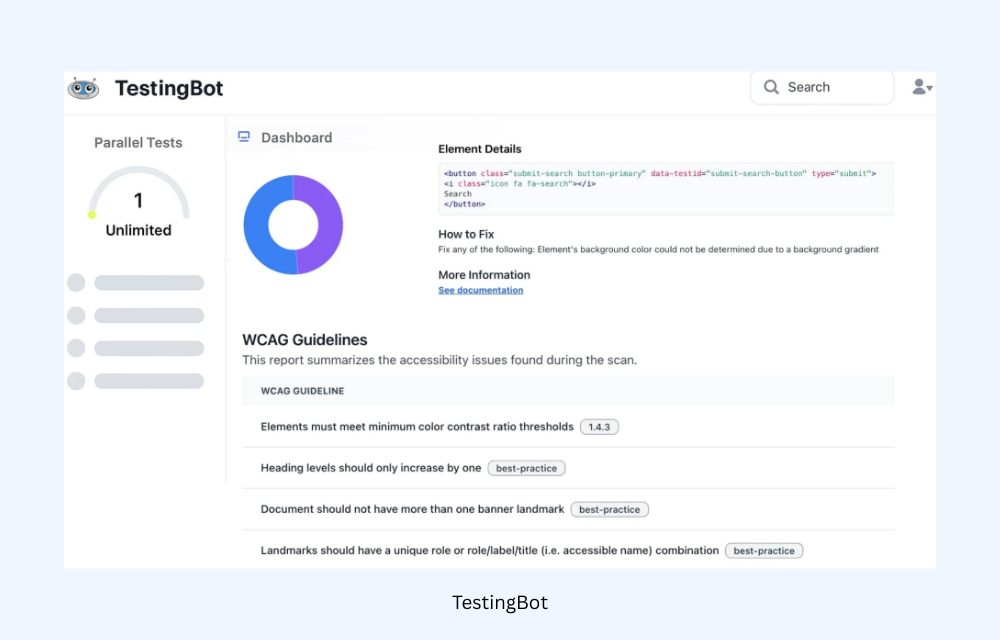
TestingBot is a cloud-based cross-browser testing platform that allows teams to run both manual and automated tests across thousands of browser and device combinations. It provides a hosted browser and device grid, enabling teams to validate web applications across different browsers, operating systems, and mobile devices without maintaining their own testing infrastructure.
Key Features
- Multi-Session Testing: Launch multiple live browser sessions simultaneously from a single dashboard for comprehensive exploratory testing workflows.
- Parallel Test Execution: Run multiple tests simultaneously across different browsers and environments to reduce overall testing time.
- Detailed Test Reporting: Each test session includes artifacts such as screenshots, video recordings, and logs, helping teams diagnose failures quickly.
- Visual Test Comparison: Automatically captures and compares screenshots across browser sessions to detect visual regressions and layout inconsistencies.
- Geolocation and Network Simulation: Test applications under different geographic locations, network conditions, and bandwidth scenarios to replicate real-world user experiences.
Who Is This Tool Best For?
- QA teams performing cloud-based cross-browser testing
- Organizations running automated test suites using Selenium or similar frameworks
- Teams that want browser testing infrastructure without managing device labs
Who Is This Tool Not For?
- Organizations requiring advanced enterprise testing ecosystem
- Developers seeking lightweight local testing tools instead of cloud platforms
- Projects requiring extensive AI-powered codeless automation features.
Ranorex Studio
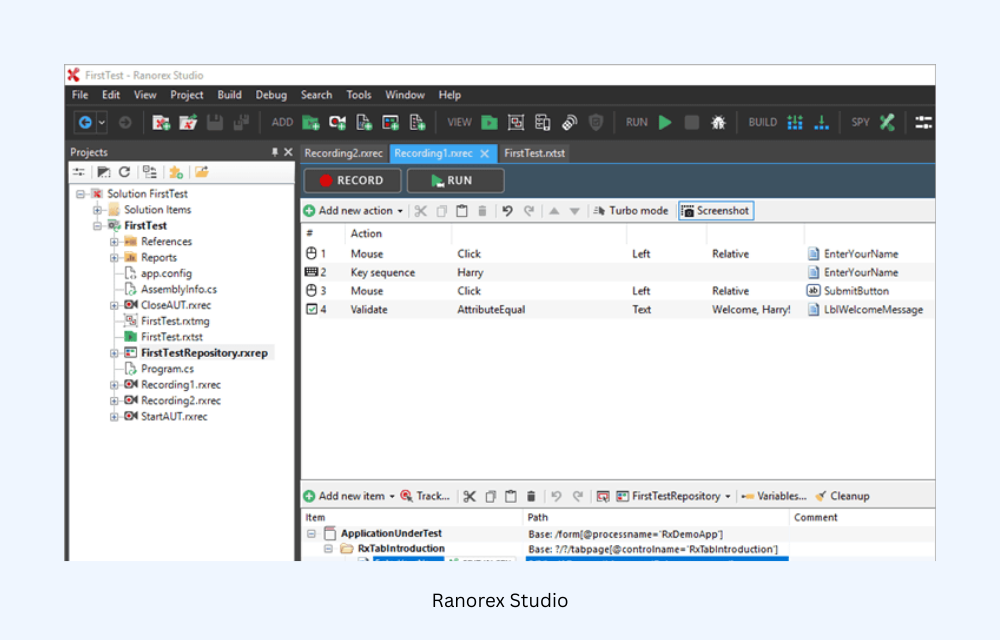
Ranorex Studio is a comprehensive GUI test automation platform for web, desktop, and mobile applications. It combines low-code test creation tools with C#/VB.NET scripting to build robust test cases, then executes cross-browser testing across Chrome, Firefox, Edge, and Internet Explorer through Selenium WebDriver integration.
This hybrid approach enables reliable automation across multiple browsers and operating systems without requiring teams to manage browser infrastructure directly.
Key Features
- Advanced Object Recognition: Uses RanoreXPath technology to reliably identify UI elements despite browser rendering differences, dynamic content, and SPA complexities across Chrome, Firefox, Edge, and IE.
- Cross-Platform Execution: Run tests locally, on Selenium Grid, or cloud platforms like BrowserStack from a unified test management interface.
- Browser Configuration Management: Centralized management of browser versions, profiles, and capabilities to maintain consistent test environments across Chrome, Firefox, Edge, Safari, and legacy IE versions.
- Visual Validation Across Browsers: Capture and compare screenshots across browser/OS combinations to detect layout inconsistencies, CSS rendering issues, and responsive design problems.
Who Is This Tool Best For?
- QA teams building enterprise-level test automation frameworks
- Organizations testing web, desktop, and mobile apps from a single platform
- Teams that want low-code automation combined with advanced scripting options
Who Is This Tool Not For?
- Teams looking for a simple manual cross-browser testing platforms
- Small teams that need basic browser compatibility checks without enterprise tooling
G2 Reviews: 4.2/5 (258 Reviews)
TestCafe
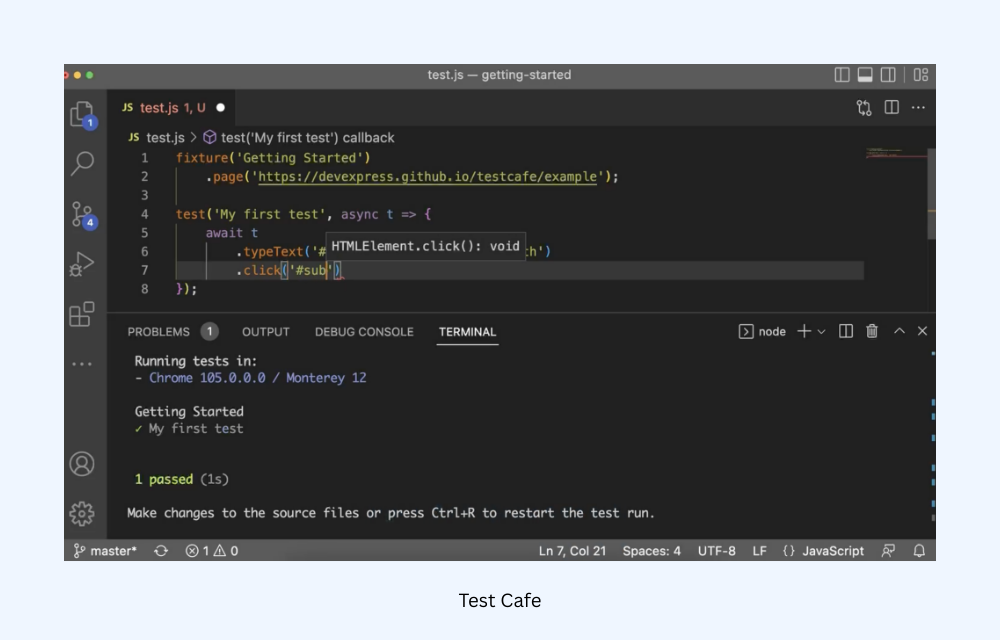
TestCafe is an open-source end-to-end testing framework for web applications built on Node.js. It allows teams to automate browser tests across multiple browsers without relying on WebDriver, simplifying setup and enabling reliable cross-browser testing across modern browsers and platforms.
Key Features
- Cross-Browser Testing Support: Run automated tests across major browsers including Chrome, Firefox, Safari, Edge, and Opera, helping validate application behavior across environments.
- No WebDriver Dependency: Uses a proxy-based architecture instead of WebDriver, reducing setup complexity and improving test stability.
- Smart Test Assertions: Built-in selectors with automatic retries detect elements reliably across browsers, handling AJAX, dynamic content, and SPA navigation without explicit waits.
- True Headless Safari Support: Native headless execution across all major browsers including Safari (no VM workarounds), enabling consistent CI/CD cross-browser validation.
Who Is This Tool Best For?
- QA teams building automated cross-browser testing frameworks
- Developers testing modern web applications with JavaScript/TypeScript
- Organizations integrating test automation into CI/CD pipelines
Who Is This Tool Not For?
- Organizations requiring large real-device testing clouds
- Teams needing mobile app testing (as this is a web-only framework)
- Enterprises requiring extensive test management/reporting platforms
- Projects targeting legacy browsers beyond basic IE11 support
Endtest
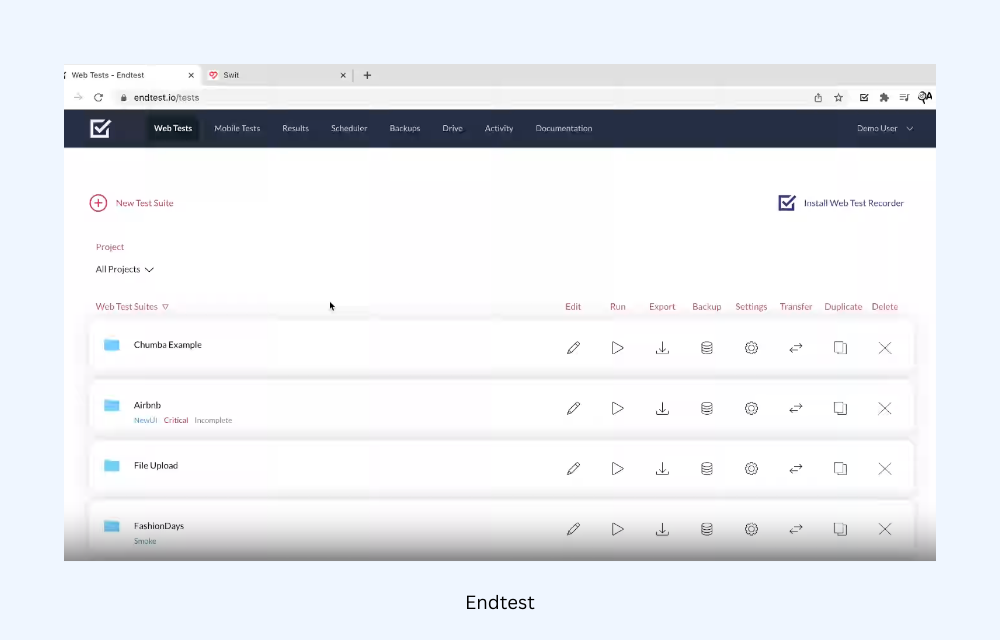
Endtest is a low-code test automation platform that allows teams to create and run automated end-to-end tests for web applications across multiple browsers. It provides a cloud testing environment and visual test builder that helps the teams perform cross-browser testing without writing complex automation code.
Key Features
- Codeless Test Recording: Chrome extension records tests directly while browsing, automatically handling iframes, multiple tabs, and complex scenarios for all supported browsers.
- Self-Healing Tests: Machine learning automatically updates element locators when UI changes occur, maintaining test stability across browser updates and rendering differences.
- Parallel Cross-Browser Execution: API-configurable execution across Chrome, Firefox, Edge, Safari with specific browser versions, OS, resolutions, and geolocations simultaneously.
- Advanced Test Analytics: Detailed execution videos, screenshots per browser session, and pattern analysis identify cross-browser compatibility issues rapidly.
Who Is This Tool Best For?
- QA teams looking for low-code cross-browser automation platforms
- Organizations that want cloud infrastructure for automated web testing
- Teams that prefer visual test creation instead of scripting
Who Is This Tool Not For?
- Developers who prefer fully code-driven automation frameworks
- Teams requiring manual exploratory cross-browser testing environments
- Organizations needing large real-device testing clouds for mobile testing
- Teams targeting extensive legacy browser coverage
G2 Reviews: 4.7/5 (54 Reviews)
The Importance of Cross Browser Testing Tools
Cross-browser testing tools are something you can’t really skip in web development because they make sure your website or app works smoothly for every user, no matter what browser, device, or operating system they’re on.
Here’s why these tools are so essential:
- Consistency in User Experience: Cross browser testing tools help you catch browser-specific issues early on, so users have a seamless experience on Chrome, Firefox, Safari, or Edge.
- Time and Cost Efficiency: These tools streamline testing across multiple environments at once, saving time and reducing the cost associated with manual testing on individual browsers and devices.
- Increased Audience Reach: With various devices and browsers on the market, ensuring your website is accessible to all means you can reach a larger audience.
- Faster Issue Resolution: Real-time debugging and automated testing features help you quickly catch and resolve issues, preventing small compatibility bugs from becoming user complaints.
- Better Mobile Experience: Mobile traffic is growing rapidly, and cross browser testing tools help ensure your site looks and works great across all mobile platforms, keeping users engaged no matter the device.
How to Select a Cross Browser Testing Tool
Truth be told, there’s no single best cross-browser testing tool for every team. The right choice depends on your testing strategy, technical stack, and the level of automation you want to achieve.
Here are the factors you should consider before you select a cross-browser testing tool for your team:
- Assess Your Browser and Device Coverage Requirements: Check your analytics to identify which browsers, OS versions, and devices your real users are on. A tool like BrowserStack Live covers thousands of real device-browser combinations, while open-source tools like Playwright cover modern browsers but lacks a real device cloud.
- Determine Your Testing Type (Manual, Automated, or Both): Manual testing suits exploratory checks and quick visual validation; automated testing is essential for regression suites and CI/CD pipelines. Tools like BrowserStack Live serve manual needs, while Selenium, Cypress, Playwright, Puppeteer, and TestCafe,are built for automation.
- Check Automation Framework Compatibility: If your team already runs a framework, your tool must support it without friction. Selenium integrates with virtually every language and CI setup; Cypress and Playwright work best in JavaScript/TypeScript environments; Puppeteer suits Node.js-heavy teams needing Chrome control; Ranorex Studio fits teams that need both codeless and script-based automation in one platform.
- Evaluate CI/CD Integration: A cross-browser tool only adds value when it plugs into your pipeline. Verify native support for your CI platform such as GitHub Actions, Jenkins, GitLab CI, or CircleCI, before shortlisting.
- Measure Parallel Testing Speed: Slow test suites kill developer productivity. Assess how many parallel sessions each tool or platform supports and whether queue times are acceptable at your scale. Cloud platforms like TestingBot and TestGrid offer parallel execution; self-hosted Selenium Grid gives you full control.
- Review Debugging and Reporting Capabilities: When tests fail, the time to diagnose matters. Look for video recordings, screenshots on failure, console logs, and network capture. Playwright and Cypress have strong built-in tracing and reporting; Endtest offers visual test recording with a no-code debugger suited for non-technical testers.
- Verify Security and Compliance Fit: If your app handles sensitive data, confirm the tool supports local testing tunnels, data encryption, and relevant compliance certifications. Self-hosted options like Selenium or Playwright give maximum control; cloud tools like TestingBot and BrowserStack Live offer tunnel features for testing behind firewalls.
- Run a Proof of Concept Before You Commit: No feature list replaces running your actual test suite on the shortlisted tool. Use free trials to measure real execution time, test the CI integration, simulate a failure, and evaluate support responsiveness — then decide.
Best Practices for Cross Browser Testing
Cross-browser testing makes sure that your web applications function smoothly, without any issues, across various browsers and devices.
To help you get the most out of your testing efforts, here are some best practices to keep in mind:
- Start Early and Test Often: Integrate cross-browser testing into your development process immediately. The earlier you catch issues, the easier and cheaper they are to fix.
- Define Clear Test Cases: Establish specific test cases based on user scenarios. This will help ensure that you cover all essential functionality across different browsers.
- Prioritize Browsers Based on User Data: Focus on the browsers and devices your users are most likely to use. Analyzing your web analytics can guide you in prioritizing your testing efforts.
- Use Real Devices for Testing: Test on actual devices whenever possible instead of relying solely on emulators. Real devices provide more accurate results, especially for mobile apps.
- Automate Where Possible: Implement automation for repetitive test cases. Tools like Selenium or BrowserStack Live can help streamline this process, allowing your team to focus on more complex testing.
- Regularly Update Your Testing Environment: Keep your testing tools and environments updated to ensure compatibility with the latest browser versions and technologies.
- Document and Share Findings: Document your test results, issues found, and fixes applied clearly. Sharing this information with your team fosters collaboration and helps prevent future issues.
Conclusion
In my experience, cross-browser testing is less about checking boxes and more about choosing the right tools for how your team actually tests. Modern applications run across many browsers and environments, and even small inconsistencies can affect the user experience.
The tools in this guide solve that challenge in different ways. Frameworks like Selenium, Playwright, and TestCafe support automated testing, while platforms such as BrowserStack Live, TestGrid, and TestingBot make it easier to validate behavior across real browsers and devices. The key is selecting a toolset that fits naturally into your development and testing workflow.


