
外掛說明
有了語言套件的架構設計,網站管理員及網站使用者要變更網站介面的主要語言比以往簡單的多;但是在某些情況下,網站介面僅顯示單一地區語言並不夠。當 WordPress 無法找到與使用者瀏覽器語言相符的語言套件時,便會以英文顯示網站介面;這對許多非英語使用者而言,並不是良好的使用者體驗。
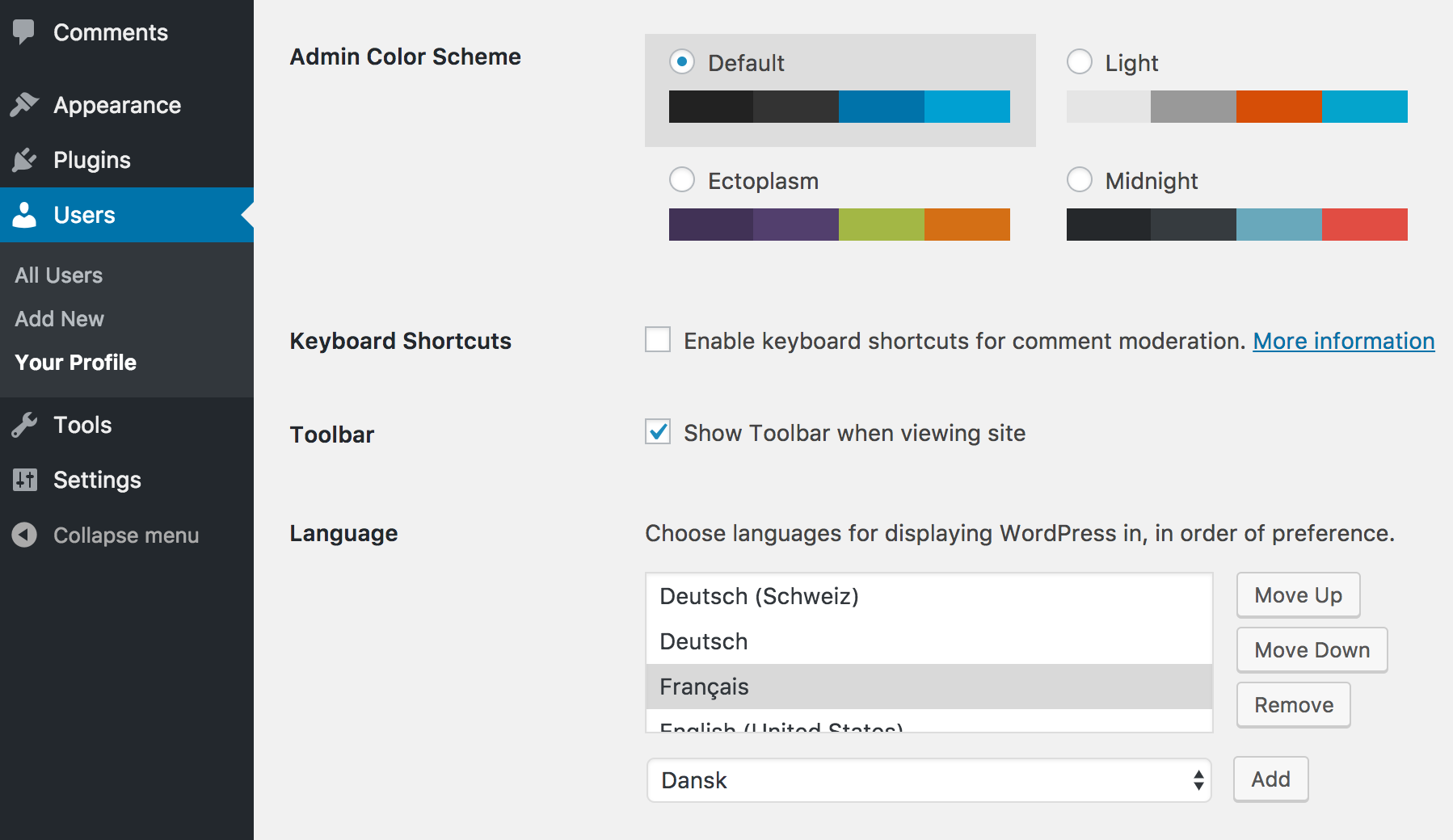
這個功能專案能讓可登入管理後台的使用者選擇多種語言以顯示 WordPress 的本地化介面。如此一來,這些使用者便能設定後援鍊結順序,讓 WordPress 依照這項順序設定,嘗試依序載入介面語言套件以顯示本地化介面。
請協助我們進行測試,並讓我們了解這個外掛的運作不如預期之處。
鍵盤快速鍵
向上鍵:將選取的語言套件上移一位。向下鍵:將選取的語言套件下移一位。Home:選取清單中的第一個語言套件。End:選取清單中的最後一個語言套件。Backspace/Delete:從清單中移除選取的語言套件。Alt + A:將下拉式選單中選取的語言套件新增至清單中。
注意事項:Preferred Languages 外掛的介面需要點擊操作才能使用鍵盤快速鍵。
整合語言套件
在之前的版本,僅會載入已設定的地區語言及範圍的語言套件,但是當語言套件的譯文不完全時,未翻譯的介面字串仍會以英文顯示,而這是不好的使用者體驗。
為了避免發生這種狀況,Preferred Languages 現在會自動整合清單中全部不完整的語言套件。
preferred_languages_merge_translations 篩選器可用於停用這個行為,並提供以下 3 個參數:
$merge:決定哪些語言套件應該整合使用。預設值為true。$domain:Text Domain。$current_locale:網站目前的地區語言設定。
共同參與
這個外掛的開發工作,目前均於 GitHub 上進行。
如想參與專案,請先查看待解問題,並加入 WordPress 專屬 Slack 的 #core-i18n 頻道。如果尚未註冊 WordPress 專屬 Slack 帳號,請前往 make.wordpress.org/chat/ 完成註冊。
螢幕擷圖
![位於 [設定]→[一般] 的網站新語言設定區段](https://ps.w.org/preferred-languages/assets/screenshot-1.png?rev=1739409)
使用者評論

2026 年 6 月 25 日
Preferred Languages is a well-designed and highly practical plugin for multilingual WordPress environments. It allows users to set multiple language preferences and creates a smart fallback system when translations are incomplete. The plugin improves the overall user experience by reducing untranslated content and seamlessly merging available language packs. Easy to configure, lightweight, and a valuable addition for websites targeting international audiences.

2026 年 5 月 26 日
nice plugin for my website

2026 年 5 月 25 日
This is an excellent and very useful plugin. Must have!

2023 年 3 月 21 日
Es un plugin, imprescindible en cualquier instalación fuera del inglés.

2023 年 2 月 20 日
Awesome plugin!

2023 年 1 月 18 日
1 則留言
I honestly think that this should be a core feature of WP.
The only thing wrong I notice is that when you are looking at the front end… The language of the admin bar changes into the site language but that’s the only issue I have with this plugin at the time of writing. For the rest, it’s a dream plugin.
參與者及開發者

變更記錄
如需進一步了解這個外掛的變更記錄,請前往外掛的 GitHub 存放庫。