Course outline in a click
Describe your topic and get a completely structured course outline with all the required topics, lessons, quizzes, etc.
What’s New in
Creation
Build courses visually, faster.
Engagement
Keep learners hooked.
Monetization
Sell courses your way.
Management
Run everything in one place.
Engagement
Monetization
Management
Add-Ons
Unlock more possibilities for your LMS.
Integrations
Connect with tools you already use.
Migration
Switch to Tutor LMS with confidence.
Blog
Learn, grow, and stay ahead in eLearning.
Documentation
Everything you need to build with Tutor LMS.
Videos
Learn visually with tutorials.
Release Notes
See what’s new in every update.
Partners
Explore our trusted Tutor LMS partners.
Turn a single prompt into a full course, complete with outline, lessons, quizzes, descriptions, and even a feature image.
Benefits
Tutor LMS AI Studio handles all the heavy lifting like creating course structure, lessons, quizzes, images, etc, so that you can focus on what matters most: your teaching strategy and students’ success.
Describe your topic and get a completely structured course outline with all the required topics, lessons, quizzes, etc.

Automatically generate contextual assignments & quizzes that highly align with your course content.

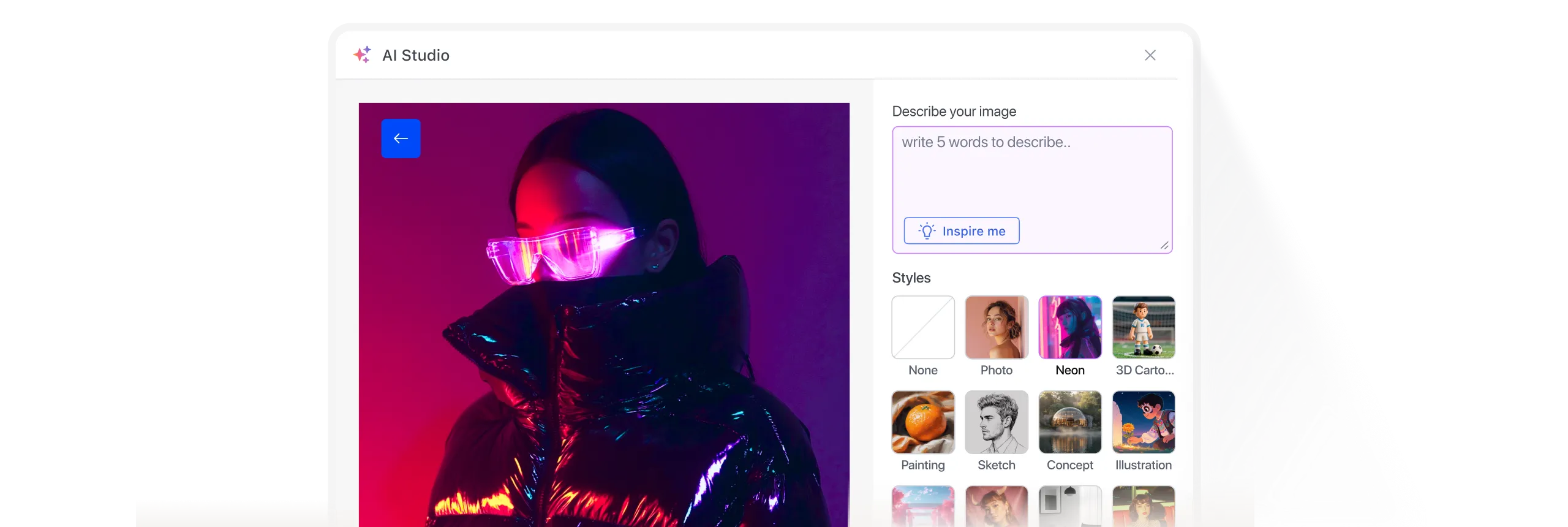
Create professional thumbnails or featured images that match your brand — no designer or stock photos needed.
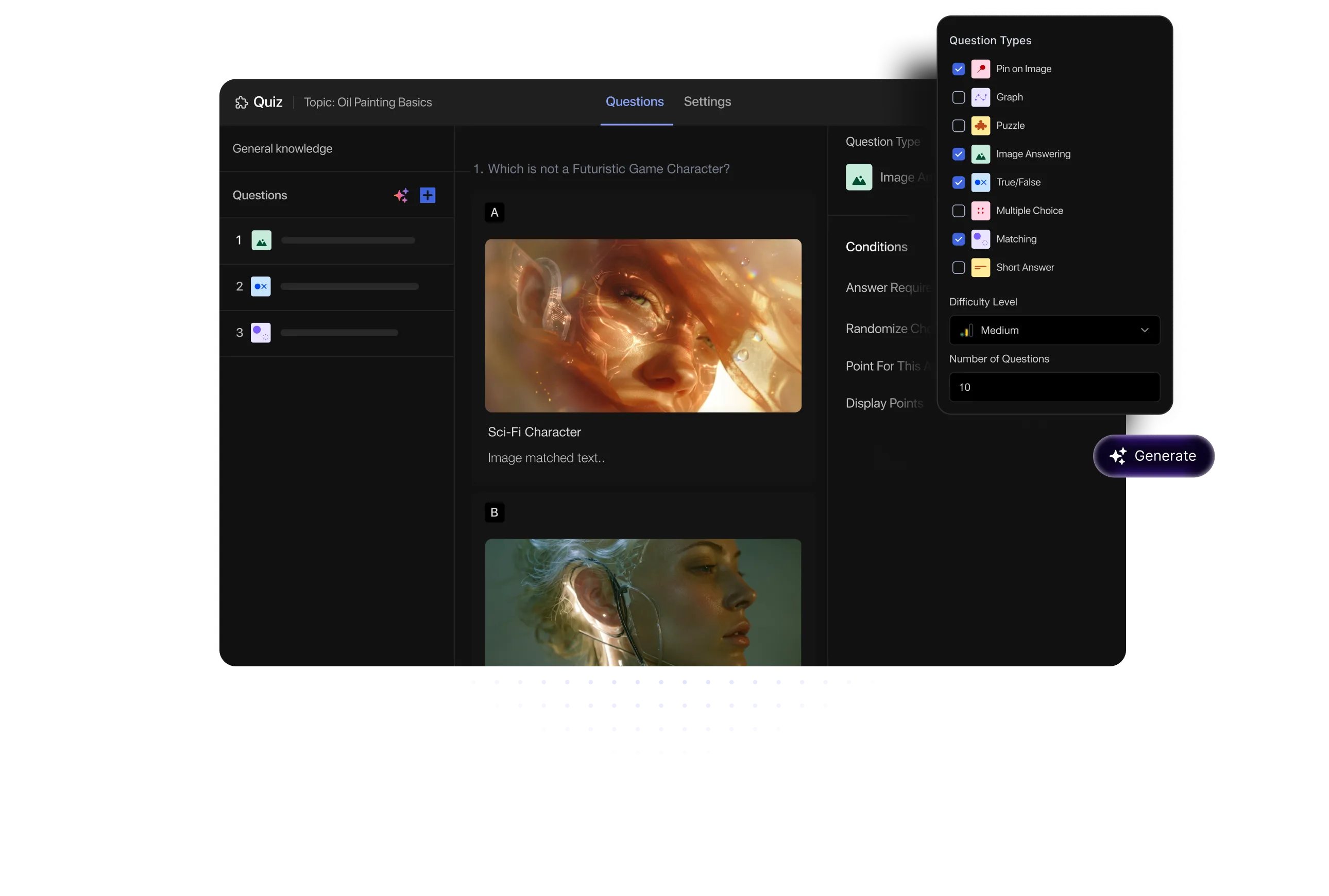
Quiz Generation
Pick your topic, set the difficulty, choose how many questions, and AI Studio generates context-aware quizzes built around your course.

Context-aware quizzes
Supports all question formats
Difficulty control
Custom question count
Queries
How do I connect the OpenAI API to Tutor LMS AI Studio?
Log in to your Tutor LMS dashboard and open the course builder. Click Generate with AI, input your OpenAI Pro API key, and click Save. Once connected, AI Studio will use OpenAI’s language model to create course content.
What types of content can AI Studio generate?
AI Studio can generate various types of content, including: Course summaries, titles, lessons, quizzes, course feature image and a complete course outline. This content is tailored to your prompt for the course, streamlining the creation process.
Can I customize the AI-generated content?
Yes, AI Studio allows complete customization. After generating the content, you can review it, make any adjustments, and personalize it to match your teaching style. You remain in control to ensure the content aligns with your objectives.
Is Tutor LMS AI Studio suitable for all types of courses?
AI Studio is versatile, supporting a wide range of courses—from academic subjects to technical training, professional development, and creative skills. It helps you quickly create structured, engaging content for any subject.
Do I need any technical skills to use AI Studio?
No, technical skills are not required to use AI Studio. The platform is designed to be user-friendly, so you can easily input your course idea, generate content with one click, and customize it with simple editing tools.
What are the subscription requirements for using AI Studio?
AI Studio is available only to Tutor LMS Pro users. You will need an active Pro subscription to access the AI Studio feature and its full capabilities.
Can I use AI Studio to generate content in multiple languages?
Yes, AI Studio supports content generation in multiple languages, depending on the language capabilities of the connected OpenAI model. You can provide your course idea in a different language, and AI Studio will generate content accordingly. However, it's always recommended to review and refine the output to ensure accuracy and context.
4.7
G2 Ratings
4.7
G2 Ratings
# 1
Product Hunt
4.8
Trustpilot
Join the world’s #1 Tutor LMS community
By submitting your email, you agree to our Terms and Privacy Policy
Product
Solutions
Build, manage, and scale your eLearning business with the most powerful WordPress LMS — all in one place.
Crafted by Humans
© 2026 All Rights Reserved