

YouTube Playlist Transcripts: Extract Text From Every Video (in Bulk)
You found a 47-video course on YouTube and you need it as text, not video. Copying transcripts one by one would take hours. This guide gets the text of every video in a playlist with one script: list the playlist, fetch each transcript, retry what needs retrying, and skip what you already have. It includes complete Python and Node.js code, the credit math, and how to make the result searchable.
Why extract transcripts from playlists?
Playlists group related videos in order, which makes them useful as text collections:
- Online courses and lecture series. A full course becomes a set of notes you can search, quote and study from.
- Conference talks. Events publish their sessions as playlists. With the text you can find which talk covered a technique without re-watching them.
- Podcast series and curated collections. Every episode's text feeds a search index, show notes or an LLM knowledge base.
The two-step approach: list, then fetch
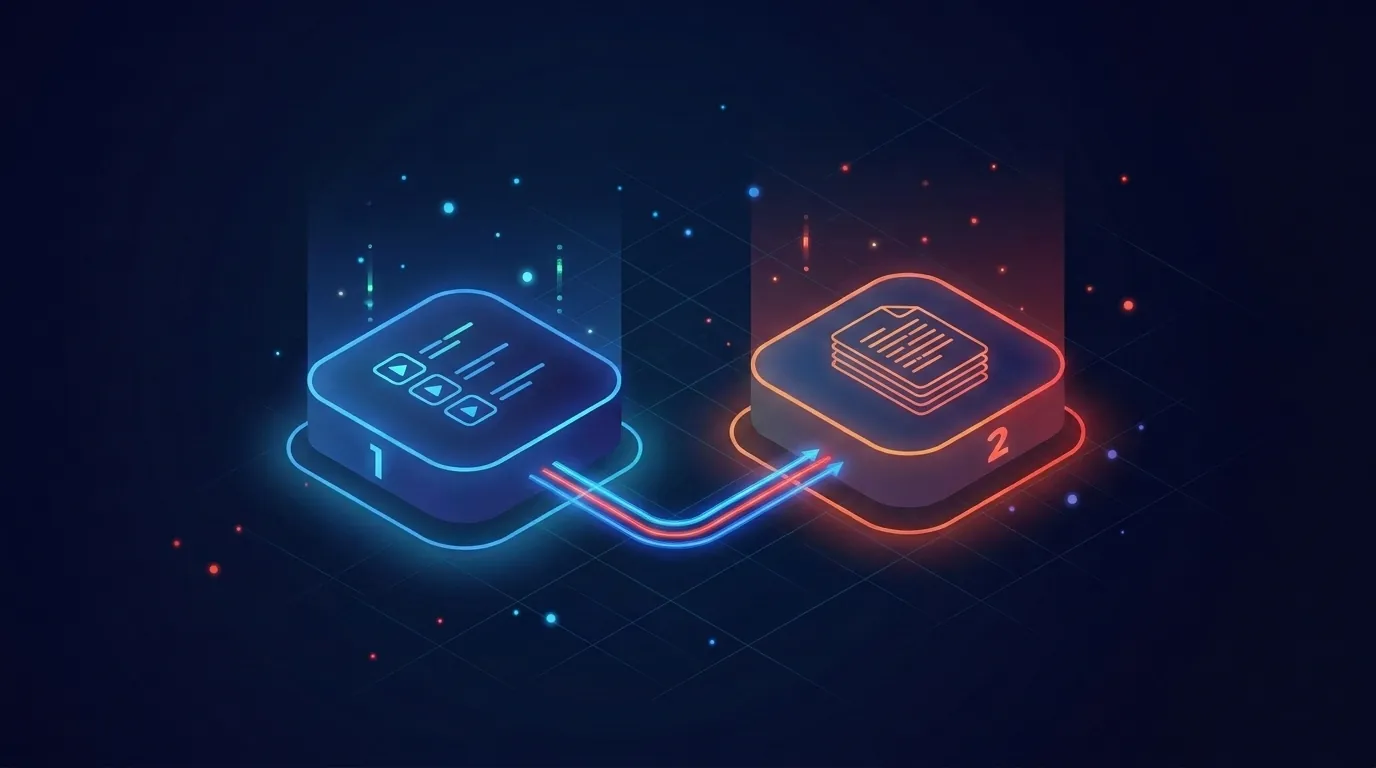
A playlist transcript job is two jobs:
- List every video in the playlist. The listing is paginated at about 100 videos per page, and you follow a continuation token until there are no more pages.
- Fetch a transcript for each video. One request per video. This is the part that adds up, so it needs retries.
Keep them separate. Listing rarely fails; transcripts sometimes do (private videos, captions turned off, deleted videos). Finish the listing first so you have the full inventory before you spend credits, and so a crash during step 2 does not mean paying for the listing again.
How the playlist endpoint works
GET https://transcriptapi.com/api/v2/youtube/playlist/videos takes one of two parameters:
playlist: a playlist URL or ID (PL,UU,LL,FLandOLprefixes are supported). Use it for the first page.continuation: the token from the previous page. Use it, on its own, for every page after the first.
Send exactly one of the two per request.
curl "https://transcriptapi.com/api/v2/youtube/playlist/videos?playlist=PLxxxxxxxx" \
  -H "Authorization: Bearer YOUR_API_KEY"
The response (shortened):
{
  "results": [
    {
      "videoId": "abc123xyz00",
      "title": "Lecture 1: Introduction",
      "channelTitle": "Example University",
      "lengthText": "52:10",
      "index": "0"
    }
  ],
  "playlist_info": { "title": "Intro to Machine Learning", "numVideos": "47" },
  "continuation_token": "4qmFsgKlARIYVVV1QVhGa2dz...",
  "has_more": false
}
The fields you need: results[].videoId and results[].title for each video, playlist_info.numVideos for the total, and continuation_token plus has_more for paging. Each page costs 1 credit.
For transcripts, call GET /api/v2/youtube/transcript?video_url=VIDEO_ID. format=text with include_timestamp=false returns clean prose, which suits LLMs. The default JSON with timestamps suits search indexes that deep-link to a moment. Each successful transcript costs 1 credit; a failed request costs nothing.
Complete Python script
This script lists the playlist, fetches transcripts with a small worker pool, retries on 408, 429 and 503, and saves one numbered text file per video so the files stay in playlist order. It skips files that already exist, so you can stop and re-run it. Set TRANSCRIPTAPI_KEY in your environment first.
import json
import os
import re
import time
from concurrent.futures import ThreadPoolExecutor

import requests

API = "https://transcriptapi.com/api/v2"
HEADERS = {"Authorization": f"Bearer {os.environ['TRANSCRIPTAPI_KEY']}"}


def list_playlist(playlist):
    """Return every video in a playlist. 1 credit per page of ~100 videos."""
    videos, params = [], {"playlist": playlist}
    while True:
        r = requests.get(f"{API}/youtube/playlist/videos", headers=HEADERS,
                         params=params, timeout=30)
        r.raise_for_status()
        data = r.json()
        videos.extend(data["results"])
        if not data.get("has_more"):
            return videos
        # Next pages take ONLY the continuation token, not the playlist again
        params = {"continuation": data["continuation_token"]}


def fetch_transcript(video_id, retries=3):
    """Plain-text transcript, or None if the video has none. 1 credit on success only."""
    for attempt in range(retries):
        r = requests.get(f"{API}/youtube/transcript", headers=HEADERS, timeout=60,
                         params={"video_url": video_id, "format": "text",
                                 "include_timestamp": "false"})
        if r.status_code == 200:
            return r.json()["transcript"]
        if r.status_code in (408, 429, 503):
            time.sleep(int(r.headers.get("Retry-After", 2 ** attempt)))
            continue
        return None  # 404: no captions, private or deleted (not charged)
    return None


def safe_name(title):
    return re.sub(r"[^A-Za-z0-9 _-]", "", title)[:80].strip()


def extract_playlist(playlist, out_dir="transcripts", workers=3):
    os.makedirs(out_dir, exist_ok=True)
    videos = list_playlist(playlist)
    print(f"Found {len(videos)} videos")

    def work(item):
        n, video = item
        path = os.path.join(out_dir, f"{n:03d}_{safe_name(video['title'])}.txt")
        if os.path.exists(path):  # already done on a previous run
            return path
        text = fetch_transcript(video["videoId"])
        if text is None:
            return None
        with open(path, "w", encoding="utf-8") as f:
            f.write(f"Title: {video['title']}\n")
            f.write(f"URL: https://www.youtube.com/watch?v={video['videoId']}\n\n")
            f.write(text)
        return path

    # Keep concurrency low. If you go over the plan's per-minute limit, the 429 retry above waits it out.
    with ThreadPoolExecutor(max_workers=workers) as pool:
        saved = [p for p in pool.map(work, enumerate(videos, 1)) if p]
    print(f"Saved {len(saved)} of {len(videos)} transcripts to {out_dir}/")


if __name__ == "__main__":
    extract_playlist("https://www.youtube.com/playlist?list=PLxxxxxxxx")
Complete Node.js script
The same logic in Node 18+ with the built-in fetch. Save it as an .mjs file so top-level await works.
import fs from 'node:fs/promises';
import path from 'node:path';

const API = 'https://transcriptapi.com/api/v2';
const headers = { Authorization: `Bearer ${process.env.TRANSCRIPTAPI_KEY}` };
const sleep = (ms) => new Promise((r) => setTimeout(r, ms));

async function listPlaylist(playlist) {
  const videos = [];
  let params = new URLSearchParams({ playlist });
  while (true) {
    const r = await fetch(`${API}/youtube/playlist/videos?${params}`, { headers });
    if (!r.ok) throw new Error(`List failed: ${r.status}`);
    const data = await r.json();
    videos.push(...data.results);
    if (!data.has_more) return videos;
    params = new URLSearchParams({ continuation: data.continuation_token });
  }
}

async function fetchTranscript(videoId, retries = 3) {
  const params = new URLSearchParams({
    video_url: videoId, format: 'text', include_timestamp: 'false',
  });
  for (let i = 0; i < retries; i++) {
    const r = await fetch(`${API}/youtube/transcript?${params}`, { headers });
    if (r.ok) return (await r.json()).transcript;
    if ([408, 429, 503].includes(r.status)) {
      await sleep(Number(r.headers.get('Retry-After') || 2 ** i) * 1000);
      continue;
    }
    return null; // 404: no captions, private or deleted (not charged)
  }
  return null;
}

async function extractPlaylist(playlist, outDir = 'transcripts', concurrency = 3) {
  await fs.mkdir(outDir, { recursive: true });
  const videos = await listPlaylist(playlist);
  console.log(`Found ${videos.length} videos`);
  for (let i = 0; i < videos.length; i += concurrency) {
    const batch = videos.slice(i, i + concurrency);
    await Promise.all(batch.map(async (v, j) => {
      const n = String(i + j + 1).padStart(3, '0');
      const file = path.join(outDir, `${n}_${v.videoId}.txt`);
      try { await fs.access(file); return; } catch {} // already done
      const text = await fetchTranscript(v.videoId);
      if (text) await fs.writeFile(file, `Title: ${v.title}\n\n${text}`);
    }));
  }
}

await extractPlaylist('https://www.youtube.com/playlist?list=PLxxxxxxxx');
Pagination: three mistakes to avoid
- Sending the playlist again with the token. Pages after the first take only
continuation. - Stopping on an empty page instead of
has_more: false. Always checkhas_more. - Saving tokens to resume days later. Tokens are for walking the list now. To resume, re-list the playlist (it is cheap) and skip videos you already have.
A 500-video playlist is 5 pages and 5 credits. The listing is never the slow or expensive part.
Rate limits and retries
The Monthly plan allows 200 requests a minute and the Annual plan 300. A few parallel workers (the scripts use 3) are enough; if responses come back fast enough to pass the limit, you get a 429 and the scripts wait before retrying. Two rules cover most failures:
- On
429, wait for the number of seconds in theRetry-Afterheader, then retry. On408or503, retry after a short backoff (1, 2, then 4 seconds). - Do not retry other 4xx responses. A
404means the video has no captions, is private or was deleted. A422means the URL or ID is malformed. Retrying will not change the answer.
Failed and rate-limited requests are not charged, but retry loops on dead videos still waste time. Cap retries at two or three.
Resume safely after a crash
Large jobs get interrupted. The scripts above check whether a video's file already exists before fetching, so a re-run picks up where it stopped and does not pay for the same transcript twice. For more than a few thousand videos, keep that record in a database instead of the file system, as in the next section.
Store transcripts in SQLite for full-text search
A folder of text files is fine for storage but slow to search at scale. SQLite's FTS5 extension gives you a local search engine:
import sqlite3

db = sqlite3.connect("transcripts.db")
db.executescript("""
CREATE TABLE IF NOT EXISTS videos (
    video_id TEXT PRIMARY KEY,
    title TEXT,
    playlist TEXT,
    fetched_at TEXT
);
CREATE VIRTUAL TABLE IF NOT EXISTS transcripts USING fts5(video_id UNINDEXED, body);
""")

def save(video_id, title, playlist, body):
    db.execute("INSERT OR REPLACE INTO videos VALUES (?, ?, ?, datetime('now'))",
               (video_id, title, playlist))
    db.execute("DELETE FROM transcripts WHERE video_id = ?", (video_id,))
    db.execute("INSERT INTO transcripts (video_id, body) VALUES (?, ?)", (video_id, body))
    db.commit()

def done(video_id):
    return db.execute("SELECT 1 FROM videos WHERE video_id = ?", (video_id,)).fetchone() is not None
Call done(video_id) before fetching to skip finished videos, and save(...) after each success. Then search across the whole playlist:
SELECT v.title, snippet(transcripts, 1, '[', ']', '...', 12)
FROM transcripts JOIN videos v ON v.video_id = transcripts.video_id
WHERE transcripts MATCH 'kubernetes secrets';
Credit cost

| Playlist size | Listing | Transcripts | Total credits |
|---|---|---|---|
| 47 videos | 1 | 47 | 48 |
| 200 videos | 2 | 200 | 202 |
| 1,000 videos | 10 | 1,000 | 1,010 |
| 5,000 videos | 50 | 5,000 | 5,050 |
Videos without captions are not charged, so the real number is usually a little lower. For pricing: you get 100 free credits to start with no card. The Monthly plan is $5 for 1,000 credits a month, with top-ups at $2.50 per 1,000. The Annual plan is $54 a year for 1,000 credits a month, with top-ups at $1.50 per 1,000. A 5,000-video job on the Monthly plan is the plan plus four or five top-ups, depending on what is left of your monthly credits: about $15–$17.50. See current pricing.
Before a large job, fetch the first page and read playlist_info.numVideos to check the size.
What to do with the transcripts
- Ask questions across the whole playlist. Chunk and embed the text into a vector database and connect a chat UI. Our RAG pipeline guide walks through it.
- Search with deep links. Keep the default JSON format with timestamps, index the segments, and link each result to
youtube.com/watch?v=ID&t=SECONDS. - Write summaries and show notes. Run each transcript through a summarisation prompt for per-episode notes, key quotes and chapter markers.
For a channel's full upload history rather than a playlist, the channel videos API guide uses the same list-then-fetch pattern.
Frequently asked questions
Does the playlist endpoint work with unlisted playlists?
Yes, if you have the playlist URL or ID and the playlist is accessible without signing in. Private playlists do not work.
What playlist ID formats are supported?
IDs starting with PL, UU, LL, FL and OL, or the full playlist URL. PL is a standard playlist; UU is a channel's uploads.
How many videos come back per page?
About 100. The exact number varies, so rely on has_more rather than counting.
What if a video in the playlist has no transcript?
The transcript request returns 404 and is not charged. The scripts above skip it and carry on.
Can I get timestamps?
Yes. Leave format as json (the default) with include_timestamp=true to get text, start and duration for each segment.
How fast can I process a full playlist?
Your plan's rate limit sets the ceiling: 200 requests a minute on Monthly and 300 on Annual. A 100-video playlist fits in well under a minute of requests at that rate.
Start with a small playlist
Create a key (100 free credits, no card), run the script on a 10-video playlist to check the output, then point it at the real one. The API docs list every parameter.
What playlist will you extract first?
Frequently Asked Questions
- How does the TranscriptAPI playlist endpoint work?
- Call GET /api/v2/youtube/playlist/videos with a playlist URL or ID. Each page returns about 100 videos in results (with videoId and title), plus continuation_token and has_more. For each next page, send only the continuation token. Each page costs 1 credit, and PL, UU, LL, FL and OL playlist IDs are supported.
- How much does it cost to extract every transcript from a 200-video playlist?
- About 202 credits: 2 for listing (two pages of about 100 videos) and 1 per transcript. Videos without captions are not charged. That fits in the $5 Monthly plan's 1,000 credits, or costs about $0.30 in top-ups at the Annual plan's $1.50 per 1,000.
- How do I resume a large playlist job after a crash?
- Re-list the playlist, which costs 1 credit per page, and skip any video whose transcript you already saved, by checking for its file or database row before fetching. Do not rely on old continuation tokens to resume later.


