
Ora
Welcome to your team’s command center. A place to track projects. Tasks. Time. Commits. Status Reports. Your entire product or business! It's the fastest-growing productivity suite your team needs right now!
Categories
Pricing
Ora is a productivity suite designed for teams looking to track projects, tasks, time, commits, and status reports in one command center. It offers a user-friendly interface with task management features like task lists, kanban boards, and a customizable workflow. Teams can also utilize built-in collaboration tools such as chat and commenting, integrated time tracking, and automation features to reduce manual work.
The platform supports integrations with tools like Slack, GitHub, and Google Drive, and is accessible across Web, Desktop, Android, and iOS via mobile applications. Pricing operates on a freemium model where it is free for teams of three or fewer users, while teams with more than three users start at $4.33 per user per month with a free trial available. Check their pricing page at https://ora.pm/pricing for current plans.
Features
User-friendly Interface
Ora offers a clean and intuitive interface that's easy to navigate, making it accessible for users of all skill levels.
Task Management
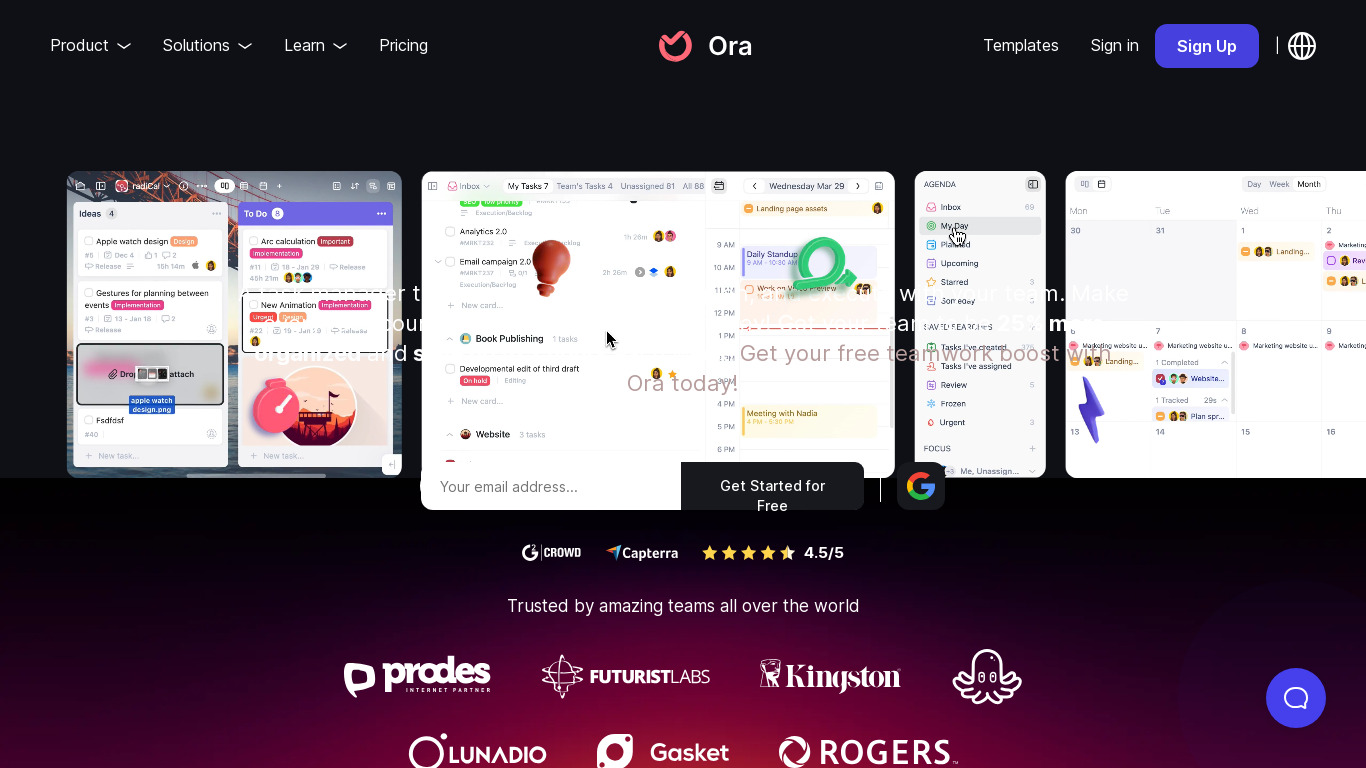
The platform provides robust task management features, including task lists, kanban boards, and a highly customizable workflow.
Collaboration Tools
Ora includes built-in collaboration tools such as chat and commenting, which help teams communicate more effectively.
Time Tracking
Integrated time tracking features allow users to log hours directly within their tasks, helping teams manage and monitor time spent on projects.
Integrations
Ora supports integrations with other popular tools like Slack, GitHub, and Google Drive, enhancing its functionality and adaptability in various workflows.
Flexibility
The platform is highly customizable, allowing users to tailor it to their specific project needs and preferences.
Mobile App
Ora offers a mobile application for both iOS and Android, enabling users to manage tasks and collaborate on the go.
Automation
Automation features reduce manual work by automating repetitive tasks, thereby streamlining project management.
Screenshots
Ora vs. its alternatives
Frequently asked questions
How much does Ora cost?
Ora uses a freemium pricing model and is free for teams of three or fewer users. For teams with more than three users, pricing starts at $4.33 per user per month, and a free trial is also available.
What is Ora used for?
Ora serves as a team command center for project management, allowing users to track projects, tasks, time, commits, and status reports.
What platforms is Ora available on?
Ora is available on Web, Desktop, Android, and iOS, including mobile applications for both iOS and Android to manage tasks on the go.
Does Ora include time tracking?
Yes, Ora features integrated time tracking that allows users to log hours directly within their tasks to monitor time spent on projects.
What external tools does Ora integrate with?
Ora supports integrations with popular tools including Slack, GitHub, and Google Drive to enhance workflow adaptability.
What are the best alternatives to Ora?
Top alternatives to Ora include Trello, Asana, and Jira. You might prefer Trello or Asana for alternative task management layouts, or Jira for specialized issue and project tracking workflows.
Alternatives to Ora
Read the full comparison →
Toggl
Toggl is an online time tracking tool. It features 1-click time tracking and helps you see where your time goes. Free and paid versions are available.

Trello
Infinitely flexible. Incredibly easy to use. Great mobile apps. It's free. Trello keeps track of everything, from the big picture to the minute details.

Harvest
Simple time tracking, fast online invoicing, and powerful reporting software. Simplify employee timesheets and billing. Get started for free.

Jira
The #1 software development tool used by agile teams. Jira Software is built for every member of your software team to plan, track, and release great software.

Asana
Asana project management is an effort to re-imagine how we work together, through modern productivity software. Fast and versatile, Asana helps individuals and groups get more done.

Redmine
Flexible project management web application

Paymo
Manage projects, track time, create invoices, and get paid online.

OfficeTime
OfficeTime is a time and expense keeping utility for Mac, PC, iPhone and iPad. We also offer invoicing and reporting in an easy to use UI.

