Vimerse Studio is AI video creation software built for narrative storytelling rather than short-form clips. It provides a complete desktop‑style production environment where you design consistent characters, generate full scripts, add ElevenLabs voiceovers, build scenes, and export finished videos. Instead of stitching quick “text‑to‑video” shots together, Vimerse Studio guides you through a story‑first workflow that turns ideas or short prompts into structured, character‑driven videos with minimal manual editing.

Vimerse Studio
Transform narrative concepts into videos featuring voiceovers and character-driven plots.
- 01End‑to‑end story workflowCharacters, script, voiceover, visuals, and export all live in a single, unified production environment.
- 02Consistent AI charactersCharacter designs stay visually coherent across scenes and episodes, essential for recurring stories and series.
- 03AI script generationProvide an idea or outline and the AI crafts a full narrative with dialogue, scene directions, and pacing cues.
- 04ElevenLabs voiceover integrationHigh‑quality synthetic narration with different voices per character, including lip‑sync for multi‑character dialogue.
- 05Smart scene timing and auto scenesThe AI analyses narration, adds scene breaks at natural beats, and automatically builds a matching visual sequence.
- 06Multi‑model visual engineAccess to several image and video generation models, with intelligent selection and a structured prompt builder for more predictable visuals.
01What is Vimerse Studio?
02Core Features
- End‑to‑end story workflow: Characters, script, voiceover, visuals, and export all live in a single, unified production environment.
- Consistent AI characters: Character designs stay visually coherent across scenes and episodes, essential for recurring stories and series.
- AI script generation: Provide an idea or outline and the AI crafts a full narrative with dialogue, scene directions, and pacing cues.
- ElevenLabs voiceover integration: High‑quality synthetic narration with different voices per character, including lip‑sync for multi‑character dialogue.
- Smart scene timing and auto scenes: The AI analyses narration, adds scene breaks at natural beats, and automatically builds a matching visual sequence.
- Multi‑model visual engine: Access to several image and video generation models, with intelligent selection and a structured prompt builder for more predictable visuals.
- Creative controls: Edit scripts, regenerate scenes, tweak timing, and refine prompts while the core workflow remains AI‑assisted.
03Use Cases & Considerations
Use Cases
- **YouTube creators** – Turn scripts or outlines into narrated, character‑led videos without hiring separate editors and voice actors.
- **Educational content teams** – Build course modules, explainer stories, and training videos that maintain consistent characters and clear voiceover from lesson to lesson.
- **Authors and storytellers** – Prototype story worlds, visualize scenes, and convert manuscripts into pitch videos or companion content.
- **Small marketing teams** – Produce product walk‑throughs and brand stories with a recurring spokescharacter and a coherent visual style.
- **Children’s book authors** – Create animated read‑along versions of books where characters stay visually the same on every page.
- **Non‑profits** – Produce narrative impact videos that explain complex missions through a recurring mascot or narrator, all within one tool.
Limitations & Considerations
- **Desktop‑only experience** – There is no web or mobile version, which may limit use on restricted or shared devices.
- **Credit‑based usage beyond license** – Ongoing AI generation depletes credits quickly for high‑volume or long‑form projects; users must budget for top‑ups.
- **Limited collaboration features** – No visible team workspaces, review flows, or multi‑user editing, making it less ideal for studio environments with multiple stakeholders.
- **AI‑driven outputs still need curation** – Characters, scripts, and visuals can require manual touch‑ups to achieve professional polish, especially for complex scenes.
- **Dependency on ElevenLabs integration** – Voiceover quality depends on ElevenLabs uptime and subscription limits; users may need their own ElevenLabs account for heavy usage.
- **No real‑time collaboration or cloud storage** – Projects are local to the desktop app, so shifting between devices or sharing with a co‑creator requires manual file transfers.
04How to use Vimerse Studio
- Download and install the app – Get Vimerse Studio from the official website and set it up on your desktop (Windows/macOS).
- Define your characters – Use the built‑in tools to create or import consistent character designs that will appear across the whole video project.
- Generate or write a script – Feed in a story idea, outline, or existing text; the AI will produce a full script with dialogue and scene directions, which you can then edit.
- Add voiceover – Assign ElevenLabs voices to each character, adjust delivery, and enable lip‑sync where needed. The AI will time scenes to the narration.
- Generate visuals and export – Let the multi‑model engine produce scenes based on the script and voices, fine‑tune any visuals manually, then export your video in 720p or 1080p.
05Pricing & Plans
Vimerse Studio offers a single Pro License at a one‑time payment of $299. The license covers installation on up to two devices and includes $30 in initial credits for AI generation. The Pro tier unlocks all major features: multi‑character dialogue with lip‑sync, character consistency, custom visual styles, automatic scene creation from script, structured image prompting, and export at 720p or 1080p. Beyond the included credits, additional generation requires purchasing top‑ups on a pay‑as‑you‑go basis, so heavy users should monitor consumption. Because pricing and credit packs may change, always check the official Vimerse Studio website for current details.
06Platforms
- Desktop application (Windows and macOS) – A downloadable, native desktop experience designed for the full story‑to‑video workflow.
- No web‑based version indicated – The tool is focused on a desktop environment; browser access has not been announced.
- Credit‑based cloud services – AI generation (scripting, voiceover, visuals) runs on cloud infrastructure accessed through the app, managed via a credit system.
07Tips & Best Practices
- Start with a clear narrative arc – Even with AI script generation, a short outline with a beginning, middle, and end helps the tool produce a more coherent story.
- Lock in character designs early – Spend time defining your characters’ appearance, clothing, and key traits so the consistency engine works reliably across all scenes.
- Edit scripts before generating visuals – AI‑generated dialogue sometimes needs a human touch; refine the text first to save credits and avoid re‑generating scenes later.
- Use the structured prompt builder – When you need specific visual moods or styles, leverage the prompt builder instead of free‑text inputs for more predictable outputs.
- Monitor credit consumption – Every AI generation (scripts, voices, images, videos) uses credits; plan your projects to use credits efficiently, especially for long‑form content.
- Export a draft without final voices first – To speed up early reviews, generate a video with placeholder voices, then apply final ElevenLabs narration only when the visual timing is locked.
08Who is Vimerse Studio for?
- Independent YouTube creators who want polished narrative videos without assembling a full editing team.
- E‑learning developers and instructional designers building courses that rely on recurring characters and clear voice‑driven explainers.
- Writers and authors looking for a way to prototype stories, produce pitch reels, or create video companions for their work.
- Marketing content creators who need consistent brand mascots and storytelling formats for product stories, not just ad clips.
- Children’s content producers who require stable character designs across multiple episodes or read‑alongs.
- Non‑profit communicators who turn mission statements and reports into emotionally engaging, character‑led narratives.
09Alternatives
View all*
**Synthesia** – Browser‑based AI video creation with avatars and voiceovers, great for corporate training but less focused on story‑driven narratives.
*
**HeyGen** – AI avatar video generator with lip‑sync and script‑to‑video, though not built around multi‑scene storytelling and character continuity.
*
**Runway** – Powerful video generation and editing platform with AI tools, but requires more manual assembly for long‑form narrative videos.
*
**Fliki** – Text‑to‑video and voiceover tool that simplifies blog‑to‑video content, lacking the character consistency and story‑workflow structure.
*
**Pictory** – AI video editing and repurposing tool useful for turning scripts into short social videos, not designed for character‑driven series.
*
**DeepBrain AI** – AI avatar and video synthesis platform with text‑to‑speech, ideal for talking‑head news, but less suited for full narrative scene generation.
10FAQ
Q1. Can I use my own voice instead of ElevenLabs narration?
Vimerse Studio’s voiceover feature is built around ElevenLabs text‑to‑speech. While you might be able to import external audio files, the integrated AI voice assignment, lip‑sync, and automatic scene‑timing rely on ElevenLabs. For now, the smoothest workflow uses the provided narration.
Q2. How does character consistency work?
You define a character’s visual appearance (face, clothing, style) using the built‑in tools. The app then references that design when generating images and videos, so the same protagonist looks similar across all scenes. It’s not a 100% pixel‑perfect match on every frame but is reliable enough for storytelling projects with recurring characters.
Q3. Is the Pro license really a one‑time payment, and what exactly do the credits cover?
Yes, the Pro license is a one‑time $299 purchase. The included $30 in credits covers AI‑driven tasks: script generation, ElevenLabs voice synthesis, image creation, and video generation. Once those credits run out, you buy additional packs as needed. The license itself does not expire, but continued AI usage requires a credit balance.
Q4. Can I export videos for commercial use (e.g., YouTube, client work)?
Yes, videos created with Vimerse Studio can typically be used for commercial purposes, including for clients or monetized content. You should review the license terms and any third‑party image/video model usage policies to ensure full compliance, but the tool is positioned for professional creators.
Q5. What export resolutions does the Pro license support?
The Pro license allows exports at 720p and 1080p. There is no indication of 4K support as of now. If you need higher resolutions, you may need to upscale outside the app after export.
Know a similar tool?
Help others discover great AI tools by submitting it
Related Tools

Raindance AI Video Generator
raindancemaker.com
Raindance Maker turns two separate photos into a Raindance AI video on the seaside pier. Choose who starts seated and who walks in for the close-ups, pick 5, 10, 15 or 30 seconds, Seedance 2.5 or MiniMax H3, and 480p-1080p, and see the credit cost before generating. The finished MP4 includes the soundtrack; no filming or prompt writing needed.
Freemium
Bulin 47 AI
bulinaivideo.org
Bulin 47 AI puts you in the viral Bulin 47 and Kevin Wai freestyle from one photo. Upload a front-facing picture and an AI model follows the original clip frame by frame, keeping the moves, camera and sound. Get a 15s or 19s 9:16 MP4 at 480p or 720p in the browser.
Paid
DanseAI - Alors on Danse AI Video Generator
danseai.com
DanseAI recreates the white-studio Alors on Danse keyboard meme from two photos. Photo 1 plays the mini keyboard, Photo 2 is the hype partner who gets the close-up; people or pets work. Get a 5-30 second MP4 in vertical 9:16 or 16:9, up to 1080p, with Seedance 2.0/2.5 or MiniMax H3 and the soundtrack included. No prompt needed.
Freemium
Rumpelstiltskin AI Video Generator
rumpelstiltskinaivideo.org
Rumpelstiltskin AI Video turns two photos into the viral Rumpelstiltskin tiptoe dance meme. Photo 1 becomes the little man who sneaks through the hay, shushes the camera, grins and tiptoe-dances in pointy curled shoes; Photo 2 becomes the onlooker who covers their mouth. Use the same photo twice to play both. You get a 12-second 16:9 MP4 with the meme soundtrack, no prompt, no editing.
Paid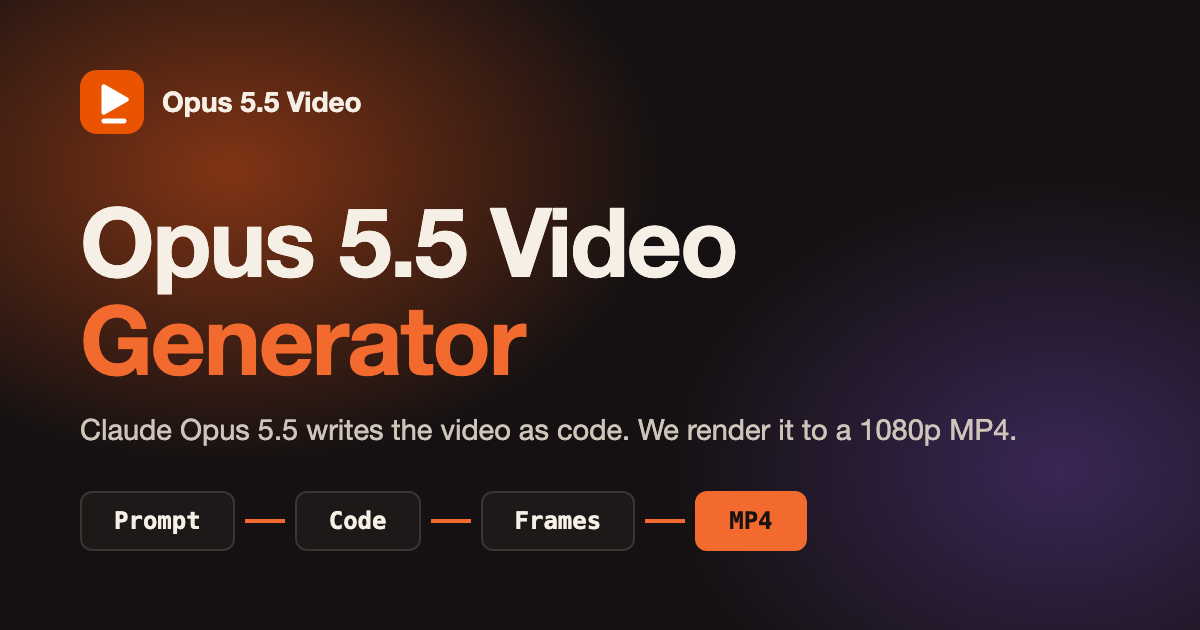
Opus 5.5 Video Generator
opusvideogen.com
Opus 5.5 Video Generator turns a text prompt into a 15, 30 or 60 second motion-graphics video. Claude Opus 5.5 storyboards the scenes, writes the animation code and checks its own preview frames, then every frame is rendered to a 1080p MP4 with sound in 16:9, 9:16 or 1:1. Built for launch videos, explainers, kinetic typography and animated charts; no install or API key.
Paid
Bulin 47 AI Video Generator
bulin47-ai.com
Bulin 47 AI turns an authorized adult photo into a 23-second vertical freestyle video with original audio. Keep the original crowd or add up to four adult friends with permission. Download a 480p or 720p MP4 without prompts or filming. Sign-in is required. One-time credit packs start at $9.99, with no subscription. Standard generation uses 10 credits and HD uses 22. Likeness may vary. This independent project is not affiliated with Bulin 47 or Kevin Wai.
Paid
Bulin 47 AI Video Generator
bulin47-ai.com
Bulin 47 AI turns an authorized adult photo into a 23-second vertical freestyle video with original audio. Keep the original crowd or add up to four adult friends with permission. Download a 480p or 720p MP4 without prompts or filming. Sign-in is required. One-time credit packs start at $9.99, with no subscription. Standard generation uses 10 credits and HD uses 22. Likeness may vary. This independent project is not affiliated with Bulin 47 or Kevin Wai.
Paid
Bulin 47 AI Video Generator
bulin47-ai.com
Bulin 47 AI turns an authorized adult photo into a 23-second vertical freestyle video with original audio. Keep the original crowd or add up to four adult friends with permission. Download a 480p or 720p MP4 without prompts or filming. Sign-in is required. One-time credit packs start at $9.99, with no subscription. Standard generation uses 10 credits and HD uses 22. Likeness may vary. This independent project is not affiliated with Bulin 47 or Kevin Wai.
Paid
Andreas Christodoulou
andreascy.com
Andreas Christodoulou (best known as "andreascy") is a Belgium based Entrepreneur with a strong sense of purpose, vision, and personal control. He works with companies and like-minded achievers providing products and services that improve business. He is driven by their overall success.
Paid
Kinetix
kinetix.tech
Kinetix revolutionizes 3D animation with AI, making creation accessible to all.
Paid
AI Magicx
aimagicx.com
AI Magicx boosts creativity with AI-powered logo design, storytelling, and coding assistance, and offers a free trial to get started.
Free Trial
Shorts Generator
shortsgenerator.ai
Turn concepts into viral short clips.
Free Trial