1forAll is an all-in-one AI-powered platform that streamlines multimedia content creation by combining voice generation, image creation, and video production. It leverages advanced models from top providers like OpenAI, Google, AWS, and Azure to deliver high-quality outputs. Designed for both individuals and professionals, 1forAll eliminates the need for multiple subscriptions, offering a unified workspace where you can convert text to speech, clone voices, turn spreadsheets into audio or images, and generate dynamic videos—all with a flexible pay-as-you-go approach.

1forAll
1forAll simplifies content production by offering AI-driven voiceovers, visuals, and video creation.
- 01Text to SpeechConvert written text into natural-sounding speech using a wide range of voices from leading AI providers, with full control over quality and language to match your project.
- 02Voice CloningCreate a personalized, authentic digital voice that speaks in multiple languages, enabling a consistent brand tone and deeper emotional connection.
- 03Excel to Speech or ImageUpload a spreadsheet and automatically generate hundreds or thousands of audio files or images, perfect for large-scale personalization or bulk content.
- 04Video GenerationTransform static images or text prompts into short videos by sequencing images with simulated motion, adding a dynamic layer to your creative output.
- 05All-in-One AccessManage speech, image, and video generation within a single interface, avoiding the hassle of juggling separate tools.
- 06Pay-as-You-Go CreditsUse credits to pay only for what you consume, with no mandatory monthly fees (beyond optional plans), giving you cost control.
01What is 1forAll?
02Core Features
- Text to Speech: Convert written text into natural-sounding speech using a wide range of voices from leading AI providers, with full control over quality and language to match your project.
- Voice Cloning: Create a personalized, authentic digital voice that speaks in multiple languages, enabling a consistent brand tone and deeper emotional connection.
- Excel to Speech or Image: Upload a spreadsheet and automatically generate hundreds or thousands of audio files or images, perfect for large-scale personalization or bulk content.
- Video Generation: Transform static images or text prompts into short videos by sequencing images with simulated motion, adding a dynamic layer to your creative output.
- All-in-One Access: Manage speech, image, and video generation within a single interface, avoiding the hassle of juggling separate tools.
- Pay-as-You-Go Credits: Use credits to pay only for what you consume, with no mandatory monthly fees (beyond optional plans), giving you cost control.
03Use Cases & Considerations
Use Cases
- E-commerce Product Listings: Create audio descriptions and promotional videos for entire product catalogs from a spreadsheet, quickly scaling content across regions.
- Digital Marketing Campaigns: Generate voiceovers and short video ads for social media using text prompts and brand-specific cloned voices, reducing turnaround time.
- E-learning Modules: Convert educational materials into natural speech for video lessons or audio lectures, making courses more engaging and accessible.
- Audiobook Production: Automate the narration of books with high-quality synthetic voices, allowing publishers to produce audiobooks faster and more affordably.
- Language Learning Apps: Build interactive audio exercises by cloning voices and generating speech in multiple languages, offering a consistent and relatable voice for learners.
- Personalized Customer Communication: Send custom audio messages or birthday greetings at scale by merging spreadsheet data with voice generation.
Limitations & Considerations
- Learning curve: With multiple features and providers, new users may need time to understand the credit system and optimal settings for each output type.
- Limited third-party integrations: The platform currently lacks direct connectors to popular marketing or content management systems, requiring manual uploads/downloads.
- Credit costs can add up: High-volume projects, especially using premium or cloned voices, may consume credits quickly; budgeting is essential.
- Video generation is basic: The video feature creates image sequences, not fully animated scenes, which may not replace a professional video editor.
- Support resources score lower: User reviews suggest documentation and customer support could be more robust, which may slow down troubleshooting.
- No offline capability: As a web-only tool, internet access is required; there is no downloadable software for offline work.
04How to use 1forAll
- Sign up or log in: Visit 1forall.ai, create a free account, and explore the dashboard.
- Choose your tool: Select among Text to Speech, Voice Cloning, Excel to Speech/Image, or Video Generation from the main menu.
- Upload or input content: Paste text, upload an image, or import an Excel file, depending on the feature you want to use.
- Configure settings: Pick a voice provider, adjust speech quality, select language, or set video duration. For cloning, provide a clean voice sample.
- Process and generate: Click the generate button. The platform uses your credits to produce the output, which usually takes seconds to minutes.
- Download or share: Once ready, download the files (MP3, MP4, images) directly or share a link with your team.
05Pricing & Plans
1forAll operates on a credit-based pay-as-you-go system, with optional subscription tiers that include a monthly credit allowance and discount on additional purchases. A free trial is available to test the platform. The current tiers (subject to change) are:
- Basic (~$1.07/month): 3,600 credits – includes 360 minutes of essential voices, 60 minutes of premium voices, 20 minutes of cloned voices, up to 100 images, and 30 seconds of video.
- Advance (~$11.80/month): 24,000 credits – 2,400 min essential, 400 min premium, 150 min cloned, up to 700 images, 3 minutes of video, plus 10% discount on extra credits.
- Pro (~$53/month): 120,000 credits – 12,000 min essential, 2,000 min premium, 750 min cloned, up to 3,000 images, 17 minutes of video, 15% discount on extras.
- Enterprise: Custom plans with tailored credit pools and terms; contact 1forAll directly.
Disclaimer: Pricing may have changed since this writing. For the latest details, always refer to the official 1forAll website.
06Platforms
- Web application: Access the full suite via modern browsers on desktop or laptop—no installation required.
- Responsive browser experience: The interface adapts to mobile browsers, though a dedicated mobile app is not currently available.
- No native SDK/API mentioned publicly: Most users interact through the GUI; enterprise plans may offer API access—check with sales for integration options.
07Tips & Best Practices
- Test voices with small samples first: Before scaling to an entire spreadsheet, test a single row to fine-tune voice quality and language settings, saving credits.
- Leverage essential voices for bulk projects: Use lower-cost essential voices for mass audio generation (e.g., product descriptions) and reserve premium or cloned voices for brand-critical content.
- Combine Excel with voice cloning for personalization: Merge a spreadsheet of customer names and messages with a cloned brand voice to create highly individualized audio campaigns.
- Keep video prompts concise: When generating videos from text, short, descriptive prompts yield more coherent image sequences and use fewer credits.
- Experiment with multiple AI providers: Different providers may offer subtle tonal differences—test a few to match your audience’s expectations.
- Track credit usage: Regularly monitor your credit balance to avoid unexpected pauses, especially when running batch processes.
08Who is 1forAll for?
- Content creators and influencers: Produce voiceovers, short videos, and branded audiovisual content quickly without hiring voice artists or editors.
- Digital marketing agencies: Streamline campaign asset creation for multiple clients, from video ads to multilingual voiceovers.
- E-commerce businesses: Automate product video and audio descriptions at scale, improving customer experience and SEO.
- Educators and instructional designers: Build e-learning materials with consistent narration and visual aids, even without technical production skills.
- Audiobook producers and publishers: Convert manuscripts into spoken audio efficiently, reducing production time and costs.
- Language learning platform developers: Integrate natural, cloned voices into apps for interactive lessons across many languages.
09Alternatives
View allW
WellSaid Labs
Focused on high-quality text-to-speech with a variety of voice styles, ideal for corporate e-learning and video voiceovers.

Synthesia
Generates AI-powered video avatars from text, popular for training videos and marketing content with a human presenter.

HeyGen
Specializes in video creation with customizable AI avatars and voice cloning, aimed at personalized marketing.
M
Murf.ai
Offers a robust text-to-speech studio with voice cloning, suited for podcasters, educators, and business presentations.

Canva
A design platform with integrated AI tools for basic text-to-image and simple video editing, great for quick social media graphics.

Descript
A full-featured audio/video editor with text-based editing and AI voice cloning (Overdub), targeting podcasters and content teams.
10FAQ
Q1. What AI engines does 1forAll use?
1forAll integrates models from leading providers like OpenAI, Google, AWS, and Azure. The specific engines vary by feature (e.g., Azure Neural TTS for speech, DALL·E for images), and you can choose the provider that fits your quality and pricing needs.
Q2. Is there a free trial available?
Yes, a free trial is offered. You can test the platform with a limited number of credits before committing to a paid plan or buying additional credits.
Q3. Can I clone my own voice?
Absolutely. The voice cloning feature lets you upload a clean sample of your voice, then generate speech in that voice across multiple languages, maintaining your unique tone.
Q4. What file formats can I download?
Typically, audio files are delivered as MP3 or WAV, images as PNG or JPEG, and videos as MP4. The exact format may depend on the selected feature and settings.
Q5. How does the Excel-to-speech feature work?
You upload an Excel file with a column containing text (and optionally other metadata). The platform processes each row, generating a separate audio file or image per row, which is ideal for personalized bulk content like product announcements or greetings.
Know a similar tool?
Help others discover great AI tools by submitting it
Related Tools

DanseAI - Alors on Danse AI Video Generator
danseai.com
DanseAI recreates the white-studio Alors on Danse keyboard meme from two photos. Photo 1 plays the mini keyboard, Photo 2 is the hype partner who gets the close-up; people or pets work. Get a 5-30 second MP4 in vertical 9:16 or 16:9, up to 1080p, with Seedance 2.0/2.5 or MiniMax H3 and the soundtrack included. No prompt needed.
Freemium
Rumpelstiltskin AI Video Generator
rumpelstiltskinaivideo.org
Rumpelstiltskin AI Video turns two photos into the viral Rumpelstiltskin tiptoe dance meme. Photo 1 becomes the little man who sneaks through the hay, shushes the camera, grins and tiptoe-dances in pointy curled shoes; Photo 2 becomes the onlooker who covers their mouth. Use the same photo twice to play both. You get a 12-second 16:9 MP4 with the meme soundtrack, no prompt, no editing.
Paid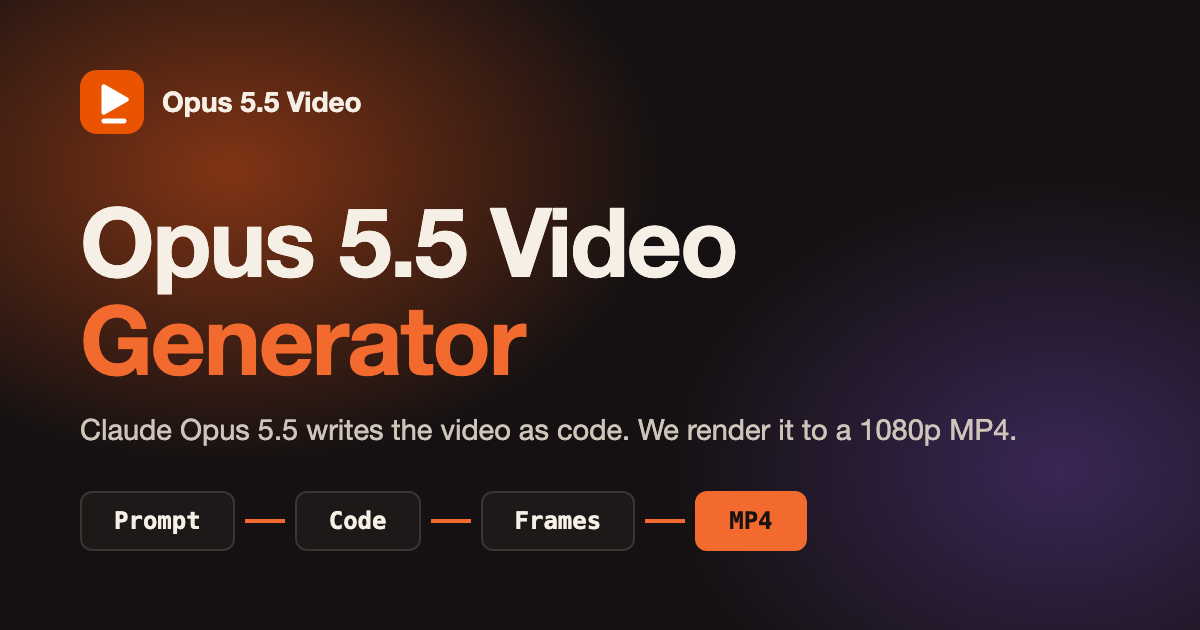
Opus 5.5 Video Generator
opusvideogen.com
Opus 5.5 Video Generator turns a text prompt into a 15, 30 or 60 second motion-graphics video. Claude Opus 5.5 storyboards the scenes, writes the animation code and checks its own preview frames, then every frame is rendered to a 1080p MP4 with sound in 16:9, 9:16 or 1:1. Built for launch videos, explainers, kinetic typography and animated charts; no install or API key.
Paid
AI Graffiti Generator
graffiti-generator.art
Turns words & images into graffiti art masterpieces.
Freemium
ArchOne AI
archoneai.com
AI spatial design visualization platform for interior, exterior and landscape design
Freemium
Straico
straico.com
Blends text and image creation seamlessly, helping individuals and businesses boost creativity and efficiency.
Freemium
Argil
argil.ai
An AI-powered platform that makes producing polished videos simple and efficient.
Free Trial
Kinovi
kinovi.ai
Generate cinematic video clips from prompts and reference inputs.
Freemium
Leonardo AI
leonardoai.pxf.io
Create beautiful, personalized AI-generated art with ease.
Free Trial
FineShare FineCam
fineshare.com
FineShare FineCam enhances your video calls and recordings with its powerful feature set.
Paid
DreamStudio
beta.dreamstudio.ai
Effortlessly create stunning, high-resolution images from text prompts.
Paid
CapCut
capcutaffiliateprogram.pxf.io
Professional video editing powered by AI with advanced effects and features.
Freemium