

Descrição
Crie cursos, aulas e questionários online bonitos e envolventes.
Sensei LMS é um poderoso plugin de gestão de cursos da Automattic, a empresa por trás do WordPress.com, WooCommerce e Jetpack. Na Automattic, usamos o Sensei LMS para alimentar todos os nossos cursos de formação de funcionários.
Partilhe os seus conhecimentos e ensine livremente com o Sensei LMS!
Funcionalidades poderosas do LMS
- Integre sem problemas o Sensei LMS no seu site WordPress. O Sensei LMS fica bem com qualquer tema e pode ser personalizado para corresponder à sua marca e estilo.
- Crie cursos envolventes com o Editor de blocos do WordPress, totalmente utilizado pelo Tema do curso gratuito do Sensei.
- Active o Modo de aprendizagem para uma experiência de aprendizagem imersiva e sem distracções.
- Acompanhe o progresso e o desempenho dos estudantes com relatórios pormenorizados.
- Incorpore vídeos do YouTube, Vimeo e VideoPress para cursos baseados em vídeo.
- Adicione o bloco Lista de cursos a qualquer página ou artigo para apresentar os cursos disponíveis.
Crie questionários eficazes
Os questionários são uma forma eficaz de melhorar a compreensão dos conceitos chave por parte dos seus estudantes e de acompanhar o seu progresso. Seleccione entre vários tipos de questões e definições, tais como escolha múltipla, preenchimento de espaços em branco, verdadeiro/falso, resposta livre, carregamento de ficheiros e muito mais.
Mostre os seus cursos
Envie o seu curso para a montra pública de cursos do Sensei LMS em https://senseilms.com/showcase/. A montra de cursos do Sensei LMS permite-lhe alcançar novos públicos para expandir a visibilidade do seu curso.
Descubra o poder do Sensei Pro
Concretize todo o potencial dos seus cursos com o Sensei Pro.
Integração com o WooCommerce: Defina um preço sem esforço e venda cursos com apenas alguns cliques. O Sensei Pro integra-se perfeitamente com as extensões WooCommerce Subscriptions, Payments, Memberships e Affiliates.
Agendamento de conteúdo faseado: Controle o ritmo das aulas nos seus cursos especificando quando os estudantes podem aceder ao conteúdo da aula: em intervalos fixos após o início do curso ou numa data específica.
Blocos interactivos imersivos: Enriqueça as suas aulas, páginas ou artigos com vídeos, cartões interactivos, áreas interactivas em imagens e listas de tarefas.
Recursos avançados de questionário: Defina um temporizador de questionário e incorpore um tipo de pergunta de questionário. Com o Sensei LMS Pro, pode incluir perguntas de questionário individuais em qualquer conteúdo do WordPress, não apenas em questionários.
Grupos e coortes fáceis: Organize os estudantes em grupos e coortes para gerir o acesso e personalizar as experiências de aprendizagem.
Períodos de acesso ao curso: Defina uma data de início, uma data de fim ou um período de tempo definido em que os cursos permanecerão acessíveis aos estudantes.
Conteúdo condicional: Personalize a jornada de aprendizagem ocultando ou mostrando aulas e conteúdo com base em grupos, estado de inscrição e data.
Suporte prioritário dedicado: A nossa equipa de engenheiros especializados e simpáticos está sempre disponível para ajudar e garantir o seu sucesso!
Cartões interactivos: Adicione texto, vídeos, imagens, incorporações e muito mais aos dois lados do tipo de bloco cartão interactivo.
Co-docentes: Partilhe a propriedade do curso com co-docentes podem editar as definições, aulas e questionários do curso.
Saiba mais sobre o Sensei Pro.
Extensões gratuitas
Certificados: Crie automaticamente belos certificados em PDF para os estudantes descarregarem quando concluem um curso.
Saiba mais sobre os certificados do Sensei LMS.
Post To Course Creator: Crie cursos rapidamente convertendo artigos de blogs existentes em aulas de cursos com apenas alguns cliques.
Ecrãs

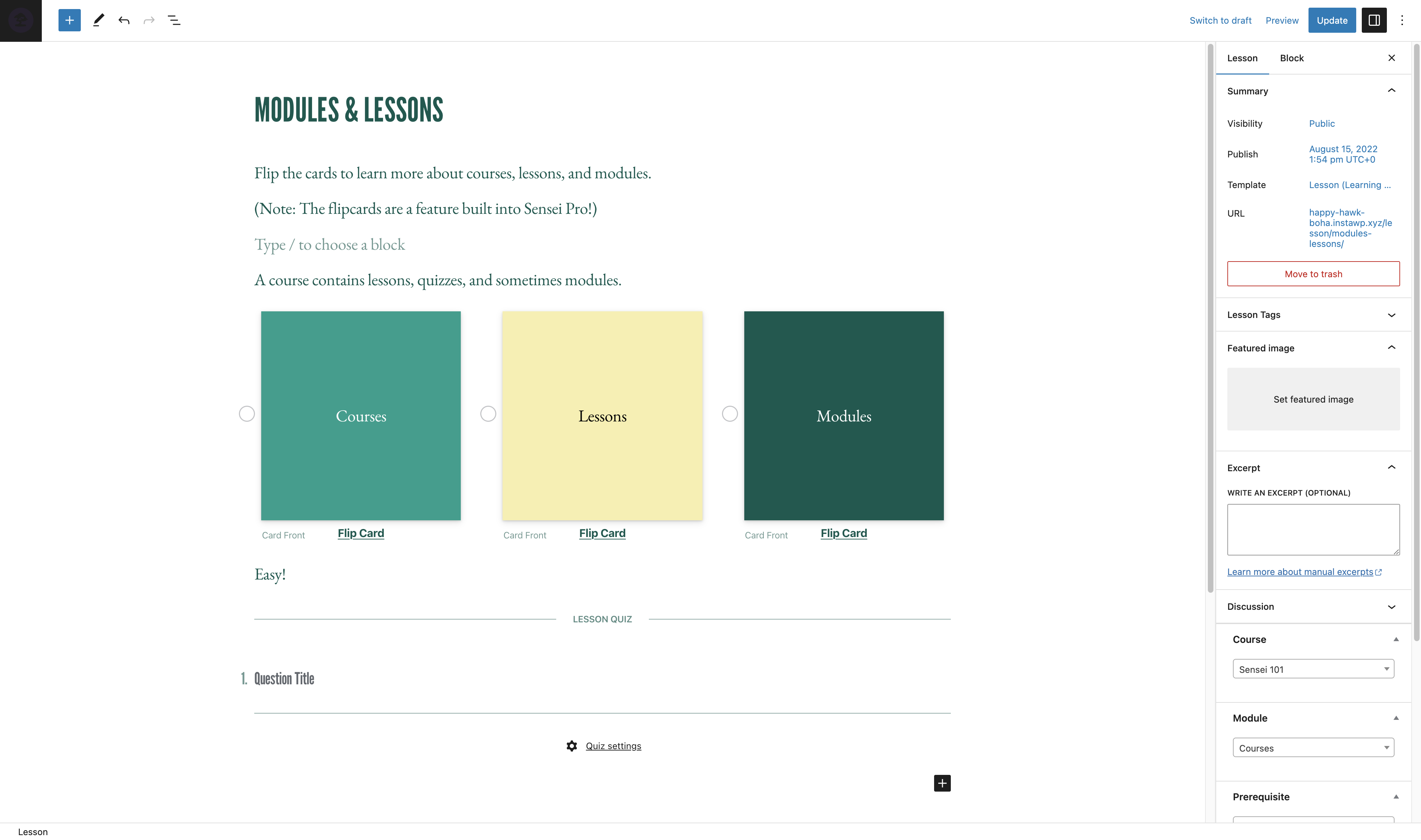
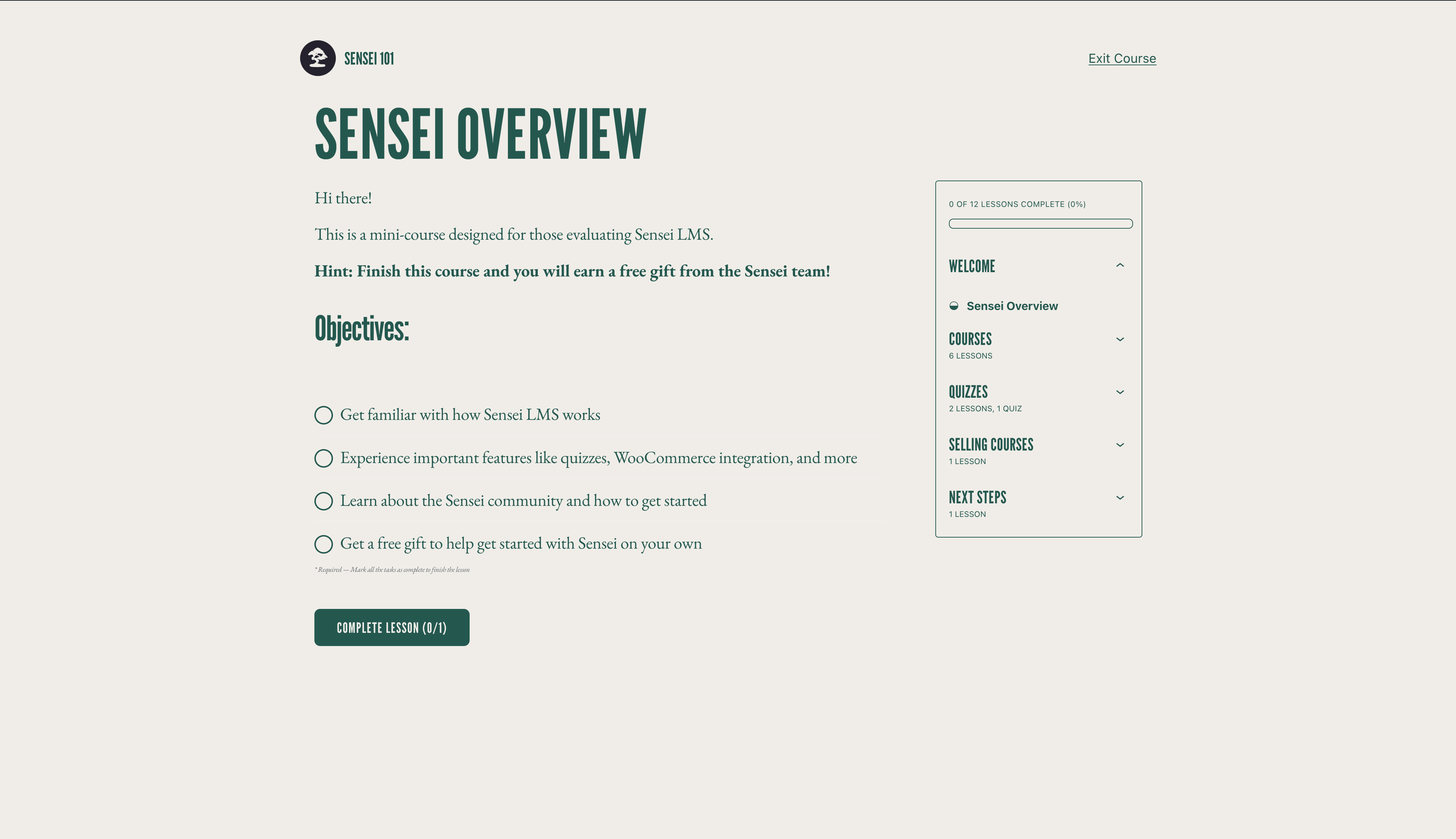

Blocos
Este plugin inclui 3 blocos.
- Course Title
- Exit Course
- Course Theme Lesson Module
Instalação
Instalação automática
- Entre no seu painel de administração do WordPress e vá até Plugins > Adicionar novo.
- Escreva “Sensei LMS” no campo de pesquisa.
- Depois de localizar o plugin, clique em Instalar agora.
- Clique em Activar.
- Configure as definições acedendo a Sensei LMS > Definições.
Instalação manual
- Descarregue o ficheiro do plugin para o seu computador e descompacte-o.
- Através de um programa FTP ou do painel de controlo do alojamento, carregue a pasta descompactada do plugin para o directório
wp-content/plugins/da instalação do WordPress no servidor. - Entre no seu painel de administração do WordPress e active o plugin no menu Plugins.
- Configure as definições acedendo a Sensei LMS > Definições.
Perguntas frequentes
-
Onde posso obter apoio para o Sensei LMS?
-
Para o plugin gratuito, utilize os Fóruns de suporte para quaisquer questões que possa ter. Nós verificamos os fóruns regularmente e responderemos assim que possível.
Também pode consultar a Documentação no nosso site para obter guias, tutoriais e outras informações úteis.
-
Onde posso comunicar erros ou contribuir com melhorias para o plugin?
-
O Sensei é desenvolvido publicamente no Github. Convidamos qualquer pessoa a reportar um erro, a submeter um pedido de pull e a acompanhar o nosso progresso.
-
O Sensei funciona com plugins de planos de membros?
-
O Sensei LMS pode ser usado em conjunto com Sensei Pro e WooCommerce Memberships para permitir que venda cursos como parte de um plano de membros. Consulte Vendendo cursos como plano de membros para obter mais detalhes.
-
Como posso manter-me actualizado sobre as novas versões e anúncios do Sensei LMS?
-
Visite o blog do Sensei ou inscreva-se na nossa lista de correio electrónico.
-
Como posso incluir os meus cursos na montra do Sensei LMS?
-
Para saber como enviar um curso para a montra do Sensei LMS e os requisitos, consulte a nossa documentação sobre a montra de cursos.
-
O Sensei suporta cursos em directo, integração no Zoom ou webinars?
-
Sim! Pode adicionar ligações para o Zoom, Google Meet ou qualquer outra plataforma que escolher em aulas do curso. Além disso, o Sensei inclui um layout de aulas em estilo de reunião que pode seleccionar ao criar uma nova aula para ajudar a que tudo fique ainda mais fácil.
-
O Sensei funciona no WordPress Multisite?
-
O Sensei LMS funciona muito bem no WordPress Multisite. Embora uma licença do Sensei Pro cubra apenas um site, o plano Sensei Agency permite a activação do Sensei Pro em até 20 sites. Se usa ou planeia usar o Sensei Pro num Multisite com mais de 20 sites, entre em contacto para obter preços personalizados.
-
Como posso vender cursos como parte de um plano de membros?
-
Sensei LMS é compatível com e WooCommerce Memberships, permitindo que venda cursos como parte de um plano de membros.
Veja Vendendo cursos como plano de membros para obter mais detalhes.
-
O Sensei funciona na minha língua?
-
Os membros da comunidade traduziram o plugin gratuito Sensei LMS em 18 idiomas, enquanto o Sensei Pro foi traduzido profissionalmente em 16 idiomas. Agradecemos contribuições para melhorar ainda mais.
Avaliações


Contribuidores e programadores
“Sensei LMS – Online Courses, Quizzes, & Learning” é software de código aberto. As seguintes pessoas contribuíram para este plugin:
Contribuidores


“Sensei LMS – Online Courses, Quizzes, & Learning” foi traduzido para 27 locales. Obrigado aos tradutores pelas suas contribuições.
Traduza o “Sensei LMS – Online Courses, Quizzes, & Learning” para o seu idioma.
Interessado no desenvolvimento?
Consulte o código, consulte o repositório SVN, ou subscreva o registo de alterações por RSS.
Registo de alterações
4.26.4 – 2026-09-29
Security
- Check the destination course permissions when changing the lesson course from the bulk editor.
- Enforce course edit permissions when creating a module from the course editor.
- Enforce lesson edit permissions when saving the course structure.
- Ensure Learning Mode applies colour values without changing block markup.
- Escape the label attribute in the Exit Course block.
- Escape the teacher name and archive link rendered by the sensei_teachers shortcode.
- Improved how locked lesson content is excluded from frontend listings.
- Improved how private messages are excluded from frontend queries.
- Improved how the admin lesson and course fields are initialised so that post content cannot influence them.
- Improved the authorization of lesson completion.
- Improved the authorization of private messages sent to teachers.
- Improved the authorization of usage tracking events.
- Improved the handling of files uploaded as quiz answers.
- Improved the privacy of private messages.
- Improved the scoping of teacher comment moderation.
- Made request-input handling consistent across the admin and frontend.
- Prevent students from changing their quiz answers after the quiz has been submitted.
- Require the Order Courses capability to save the course order.
- Restrict the legacy lesson quiz save handler to the lesson being saved.
Changed
- Reports Overview Students and Courses header counts now read HPPS progress tables when High-Performance Progress Storage is enabled. #8231
- Reports Overview students per-row average grade now reads HPPS progress tables. #8205
- Reports Overview students per-row course counts now read HPPS progress tables when High-Performance Progress Storage is enabled. #8231
- Resolve HPPS storage configuration consistently across progress query services and repositories. #8248
- Update Sensei blocks to Block API version 3 so they render in the WordPress iframe block editor. #8190
- Update the Action Scheduler package to version 4.1.0. #8166
- Update the pelago/emogrifier package to version 7.3.0. #8231
Deprecated
- Deprecate the
sensei_analysis_user_lesson_gradesfilter. #8205
Fixed
- Fix a fatal error when a teacher triggers a module hierarchy rebuild.
- Fix a PHP 8 TypeError when
post_updatedfires with a null post object during autosave. #8222 - Fix a PHP 8.4 deprecation notice when exporting CSV files. #8213
- Fix a thick border showing on Course Outline modules in the editor when the module border setting is off. #8191
- Fixed a PHP deprecation notice when reviewing a grade for an unanswered True/False question. #8214
- Fixed a PHP warning when changing a course’s teacher on a course with no modules. #8225
- Fixed edits to a WPML-duplicated lesson’s quiz landing on the original language’s quiz and questions. #8220
- Fixed quiz answers, grades, resets, and lesson and course quiz surfaces breaking when the admin uses a secondary language or the lesson is translated on multilingual sites. #8130
- Fixed saving a translated course overwriting and stealing the original course’s lessons on WPML sites. #8219
- Fixed the quiz saved message not showing in Learning Mode. #8272
- Fixed the student management and grading screens showing no students when the WPML admin language is not the original one. #8224
- Fixed the text domain on the “Generate quiz questions with AI” upsell label so it can be translated. #8230
- Fix garbled text in button blocks whose text uses non-Latin characters when the button URL is set at render time. #8226
- Fix lesson/module hamburger menu being hidden on mobile when the course title is too long. #8094
- Fix lesson order not reaching WPML translations when the translated lessons are not duplicates. #8246
- Fix lessons removed from a course staying in its WPML translations after the translation is updated. #8245
- Fix PHP 8.4 deprecation warnings from implicitly nullable function parameters. #8199
- Fix Sensei templates in the Site Editor when Gutenberg’s Template activation experiment is enabled. #8250
Development
- Refactored course report lesson metrics into dedicated progress aggregation and grading statistics services. #8249
- Remove the unused sensei_question_slug filter registration from the WPML compatibility class. #8215
4.26.3 – 2026-08-20
Security
- Scope the Students management user search to student accounts. #8174
- Require the grading capability on the lessons dropdown AJAX endpoint and scope it to the caller’s own lessons.
- Restrict adding a student to a lesson so it is only allowed through the lesson’s own course.
- Prevent a teacher from deleting another teacher’s unused module.
- Remove the admin notice that exposed the administration email address to non-administrators.
Removed
- Remove the course and lesson editor tours. #8150
Fixed
- Fix a false “already owned by another teacher” error that blocked saving a course containing a module without a resolvable owner. #8180
- Fix course layouts and Sensei blocks not loading when Show template is enabled. #8139
- Fix quiz results and grading showing a previous attempt’s grades after a retake from another language on multilingual sites. #8125
- Fix spacing and styling of quiz question options when using the iframed block editor. #8172
- Fix the Grading screen Grade button and row titles when the admin uses a secondary language on multilingual sites. #8121
- Fix the quiz results page showing questions in the language the quiz was taken in instead of the viewer’s language on multilingual sites. #8124
- Fix lesson prerequisites pointing to the original-language lesson on WPML-translated lessons. #8132
- Fix lessons appearing out of order in translated courses when a new lesson is translated with WPML, and attach WPML lesson duplicates to the translated course. #8149
- Fix PHP 8.1 deprecation notices rendered into the quiz page for unanswered Multi Line questions. #8146
- Fix quiz question titles and answers not being translated on WPML-translated lessons. #8100
- Fix the Add Student form layout on the Students page. #8147
- Fix the misaligned Reset filter button on the Grading screen. #8122
- Fix typo in My Courses Page setting description. #8106 👏 @Hashim1999164
- WordPress 7.1 Compatibility: Course and lesson block colors match the theme in the iframed post editor. #8179
- WordPress 7.1 Compatibility: Fix a PHP notice logged by Learning Mode templates. #8179
- WordPress 7.1 Compatibility: Learning Mode and email templates appear in their own group in the Site Editor. #8179
4.26.2 – 2026-07-29
Security
- Align the sensei-messages REST endpoint results with documented message visibility. #8032
- Ensure manual quiz grading submissions respect lesson ownership. #8035
- Apply private message permissions to replies returned by the core comments REST API. #8037
- Scope the Students “load more courses” action to courses the current teacher can manage. #8043
- Check quiz ownership in the legacy quiz-editor actions before applying changes. #8044
- Limit the modules course search to courses the current user is allowed to edit. #8049
- Only allow enrolled students to mark a course as complete. #8050
- Scope the Reports CSV export to the current teacher’s own courses, lessons and learners. #8053
- Ensure quiz resets are only allowed when retakes are enabled for the quiz. #8054
- Limit editing, deleting, and course assignment of a module to the module’s owner. #8089
Changed
- Disable the onboarding tour. #8014
- Migrate student start date editing to use progress repositories instead of direct comment meta access. #7933
- Open course outline AI upsell in a new tab. #8023
Fixed
- Fix alignment of option descriptions in the setup wizard’s purpose step. #8013
- Fix an infinite save loop when editing a lesson with a quiz block while a plugin (e.g. Polylang) injects extra fields into the REST response. #8036
- Fix duplicate frontend notices when the same keyed notice is added multiple times on classic themes. #8051
- Fix content import stalling permanently when CSVs reference many or large remote media files. #8064
- Fix PHP Fatal TypeError on PHP 8.x caused by malformed
classNameattribute definition in the Module Title block. #8093 - Fix the position of the Course(s) field description on the module add and edit screens. #8090
- Fix export and import dropping private lessons and questions. #8068
- Fix export content search missing matching lessons/courses/questions. #8048
- Fix PHP 8.4 deprecation warnings for implicitly-nullable parameters by declaring explicit nullable types. #8021
- Fix React ref warning in the quiz block toolbar by forwarding refs through the number controls. #8033
- Fix React render-phase update warning when opening Course Settings in the course editor. #8041
- Fix remote featured images with query-string URLs failing to import. #8063
- Fix translated quiz titles keeping the original-language title when using WPML. #8096
- Prevent the Welcome to Course email from being sent more than once to the same student for the same course. #8046