Save any website's design.
Reuse it .
A browser extension that copies any part of a website, so you can paste it into Figma, use it as code, or let your AI build with it.
Early supporters get 30% off their first year. No spam, ever.

Stop rebuilding designs you have already seen.
Whatever is on the page, save it
Copy any part of a website.
- Click a button, a card or a whole section to save it
- You get its real code, not a picture of it
- It still works on mobile and when you hover it
Colors and fonts, found for you.
- Every color and font the page uses, picked out for you
- Click any color to copy it
- Keep them together as a palette for your next project
Every image and icon on the page.
- All the images on a page, at full size
- Icons and logos you can recolor and resize
- Drag to take a screenshot, then draw on it
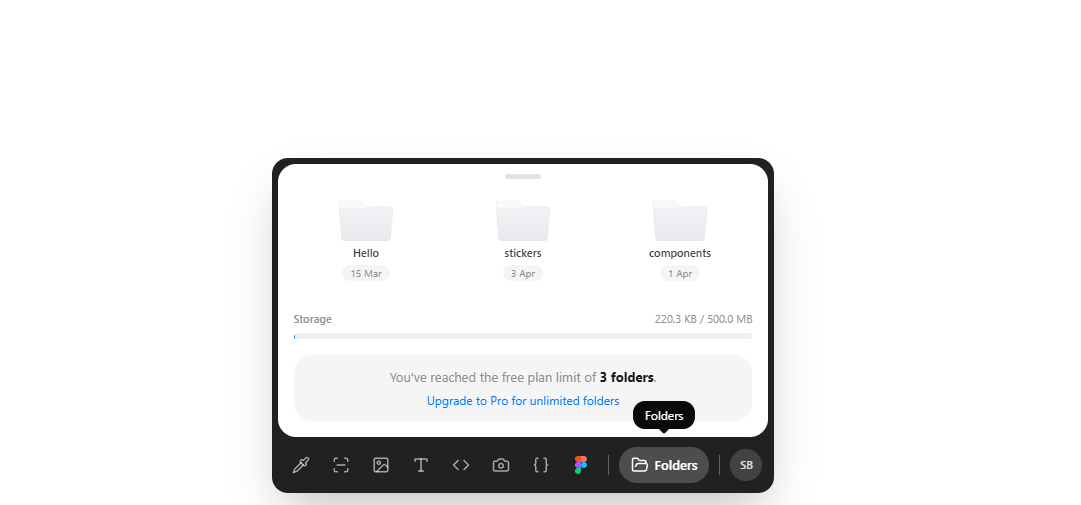
Folders by idea. Everything labelled.
Name a folder “Dark UI” or “Pricing”. Every save says what it is: code, Figma, screenshot, palette.


Turn any website into Figma, code or your page builder
Save a section once. Paste it into Figma as editable layers, or copy it as HTML, Tailwind, React or Vue. Pick one to see how.
Your AI builds with the designs you saved
Connect Claude, Cursor or ChatGPT to your library. They use your saved colors, fonts and components instead of generic ones.
Give your AI taste.
- Ask for a page “in my Dark UI style” and it uses that folder
- Works with Claude, Cursor, ChatGPT and other AI tools
- One command to connect

Start free. Upgrade when you ship.
Every plan saves from any website. Paid plans take the limits away.
Free plan
Free forever.
For trying PocketUI before you pay.
Join waitlistNo card needed.
Try every feature on a real project.
Export to
- Figma, editable layers
- HTML · Tailwind · React · Vue
- Page builderstry it
Library
- 50 saves, in total
- 10 exports, in total
- 500 MB of storage
- Web library on every device
AI
- Your AI reads your library (MCP)
- Copy a folder's style for any AI
Pro plan
Most popular$180 billed annually save $48/yr
For designers and developers who build from what they save.
Join waitlist14-day money-back guarantee.
Save and export everything, without counting.
Export to
- Figma, editable layers
- HTML · Tailwind · React · Vue
- Page builders+$5/mo pack
Library
- Unlimited saves
- Unlimited exports
- 10 GB of storage
- Web library on every device
AI
- Your AI reads your library (MCP)
- Copy a folder's style for any AI
Studio plan
$288 billed annually save $60/yr
For agencies and freelancers shipping client sites.
Join waitlist14-day money-back guarantee.
Ship sections straight to your clients' sites.
Export to
- Figma, editable layers
- HTML · Tailwind · React · Vue
- Page buildersearly access
- Whole pages in one export
Library
- Unlimited saves
- Unlimited exports
- 50 GB of storage
- Priority support
AI
- Your AI reads your library (MCP)
- Copy a folder's style for any AI
Founding Member · Lifetime
First 100 onlyStudio, forever. Pay once.
Everything in Studio for life, including every export format we ship later. No subscription.
The $199 price ends when its 50 seats are gone, or when the first page builder export ships, whichever comes first. The price rises again when all four builders have shipped.
Prices include VAT where applicable. 14-day money-back guarantee on paid plans. Cancel anytime.
Got questions? We've got answers.
PocketUI is a design inspiration tool and Chrome extension that automatically extracts colors, fonts, components, screenshots, and SVGs from any website. It saves everything into organized folders, exports visual components as clean HTML + Tailwind code, pushes design tokens to Figma, and connects your entire design library to AI coding tools like Claude, Cursor, and Cline via MCP.
PocketUI works with Chrome, Brave, Arc, Edge, and any Chromium-based browser. Firefox support is on the way.
Open PocketUI on any page and it instantly scans every element. It reads computed styles for colors (background, text, borders, gradients), the document.fonts API for typography, and the full DOM for SVGs and images. No eyedropping or manual picking required.
Yes. Pro and Lifetime plans let you export saved colors as Figma styles, fonts as text styles, and screenshots or SVGs directly into your Figma files.
PocketUI includes an MCP (Model Context Protocol) server that connects your saved design tokens, colors, fonts, and components, directly to AI coding tools like Claude, Cursor, Windsurf, and Cline. Your AI writes code using your actual design library instead of guessing.
Yes. Click any element on a live website and PocketUI exports it as clean HTML + Tailwind code you can drop straight into your project. You can also let AI coding tools reference your saved components through the MCP server.
PocketUI has a free plan with no card: 50 saves and 10 exports in total, to try every feature, Figma and the page builders included. Pro is $19/month, or $15/month billed yearly, for unlimited saves and exports. Studio is $29/month, or $24/month billed yearly, and adds Elementor, Bricks, Webflow, Shopify Liquid and whole-page export. The Founding Member lifetime deal is Studio forever for a one-time payment, from $199 for the first 50 of 100 spots. Paid plans come with a 14-day money-back guarantee.
Bookmarks save a URL. Screenshots save a dead image. PocketUI saves the actual design data: colors as HEX/RGB/HSL, fonts with weights and styles, SVGs as code, and components as HTML + Tailwind. Everything is searchable, organized into folders, and ready to export as code or connect to AI tools.
Yes, on every plan. Everything you save goes to your PocketUI account, so your library is the same in the extension on any computer and in the web library at pocketui.app/library.
Yes. PocketUI is a web to Figma Chrome extension. Browse any website, click any element, and export it as editable Figma layers. Unlike html.to.design or Builder.io, PocketUI lets you select individual components instead of dumping the full page, and gives you clean HTML + Tailwind code alongside the Figma export. The free plan includes 10 exports, Figma included; Pro makes it unlimited.
Yes. The free plan includes 50 saves and 10 exports to try every feature, including Figma with editable layers, with no credit card. Pro is $19/month or $15/month billed yearly and makes everything unlimited, with a 14-day money-back guarantee.

Stop recreating designs you've already seen
Join now and get 30% off your first year as an early supporter.
One email on launch day. That's it.