

Opis
Witryna zhakowana? Segurium usuwa malware za darmo.
Większość wtyczek zabezpieczeń skanuje witrynę, wymienia zainfekowane pliki, a potem każe płacić za ich wyczyszczenie. Segurium czyści. Znajduje zainfekowane pliki, wycina złośliwy kod i przywraca oryginalny plik, z odwracalną, zaszyfrowaną kopią zapasową. Darmowy poziom obejmuje do 3 czyszczeń w chmurze na każde 30 dni, co wystarcza przy typowym incydencie. Bez ścian reklamowych i bez procesów w tle, które zjadają budżet CPU współdzielonego hostingu.
Run it on every site you look after and the setup stays the same. Switch on auto-cleanup and a file that real-time scanning flags is repaired before anyone opens the dashboard. Plugins and themes with a known vulnerability get a red Vulnerable badge and an Update button. Export the settings once, import them on the next site, accept the service disclosure from WP-CLI, and let each site email you within 24 hours when malware turns up.
Co dostajesz na każdej instalacji
Każda funkcja poniżej jest we wtyczce i działa na każdej instalacji – tak samo w Free, jak i w Pro:
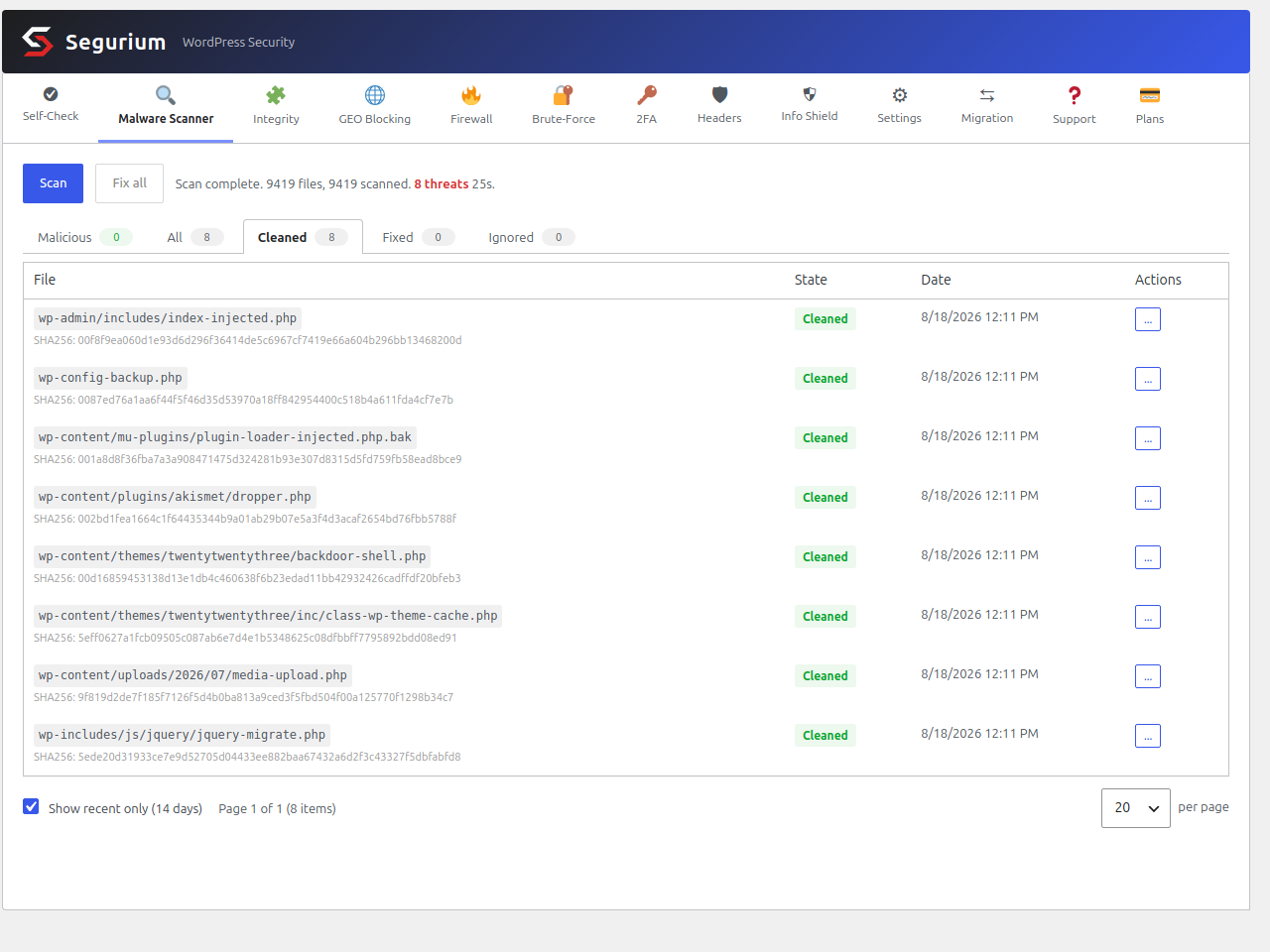
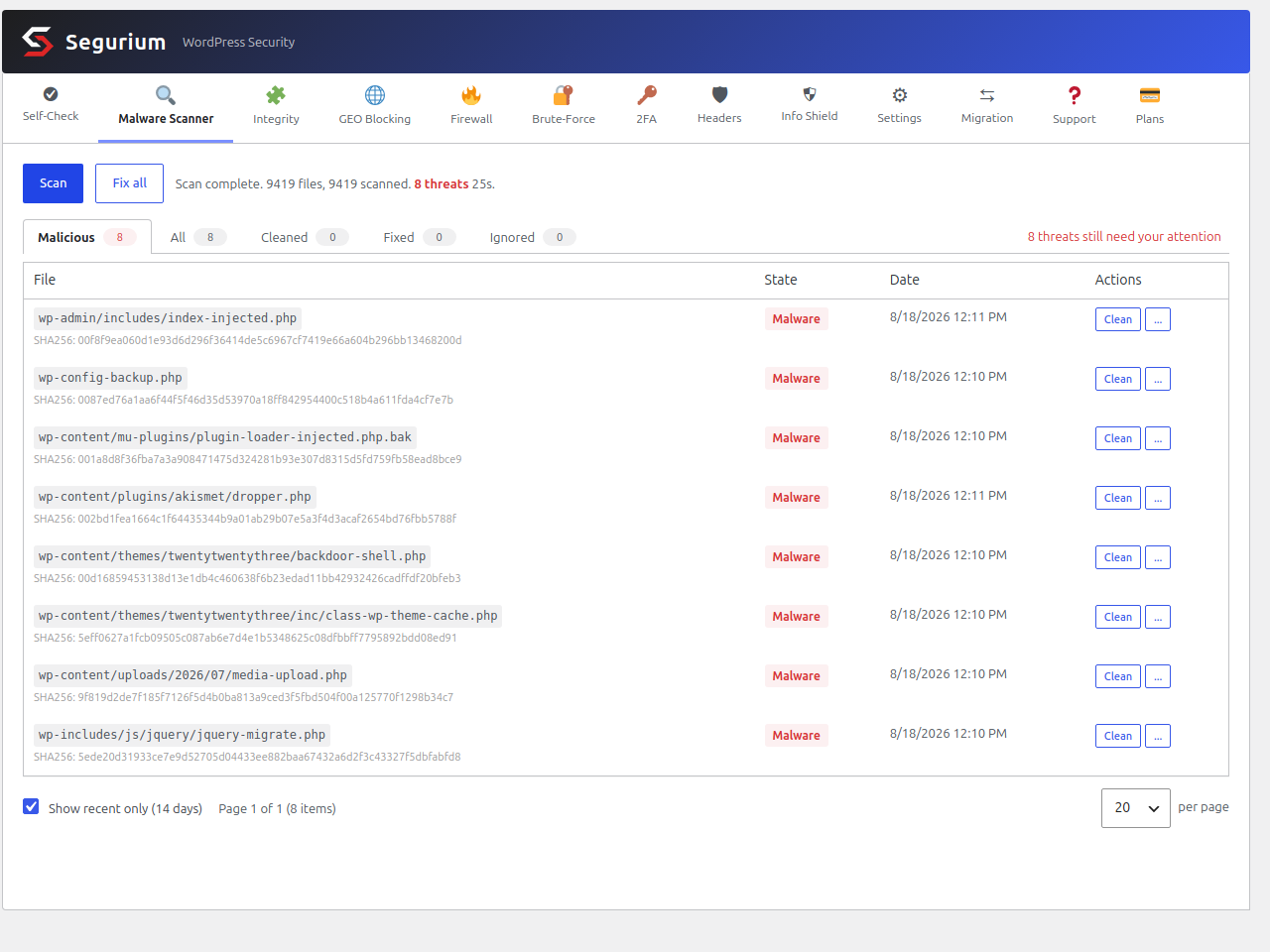
- Usuwanie malware i czyszczenie – Pełny skan systemu plików znajduje zainfekowane pliki – jedno kliknięcie wycina złośliwy kod i zachowuje zaszyfrowaną, odwracalną kopię zapasową, więc błędna decyzja nigdy nie jest trwała. Wspólny widok „Zagrożenia” zbiera wszystkie wykrycia.
- Zbiorcza naprawa „Napraw wszystko” – Skolejkuj każde wykryte zagrożenie do wyczyszczenia jednym kliknięciem, na panelu malware i na panelu integralności.
- Auto-cleanup on detection — Switch it on and a file that real-time scanning flags is cleaned without waiting for an admin to open the dashboard. Off by default; at its best next to a daily schedule, which applies the same rule.
- Skanowanie w czasie rzeczywistym i przy przesyłaniu – Nowe i zmienione pliki są sprawdzane automatycznie. Zainfekowane pliki przesyłane na serwer są blokowane, zanim wylądują na dysku.
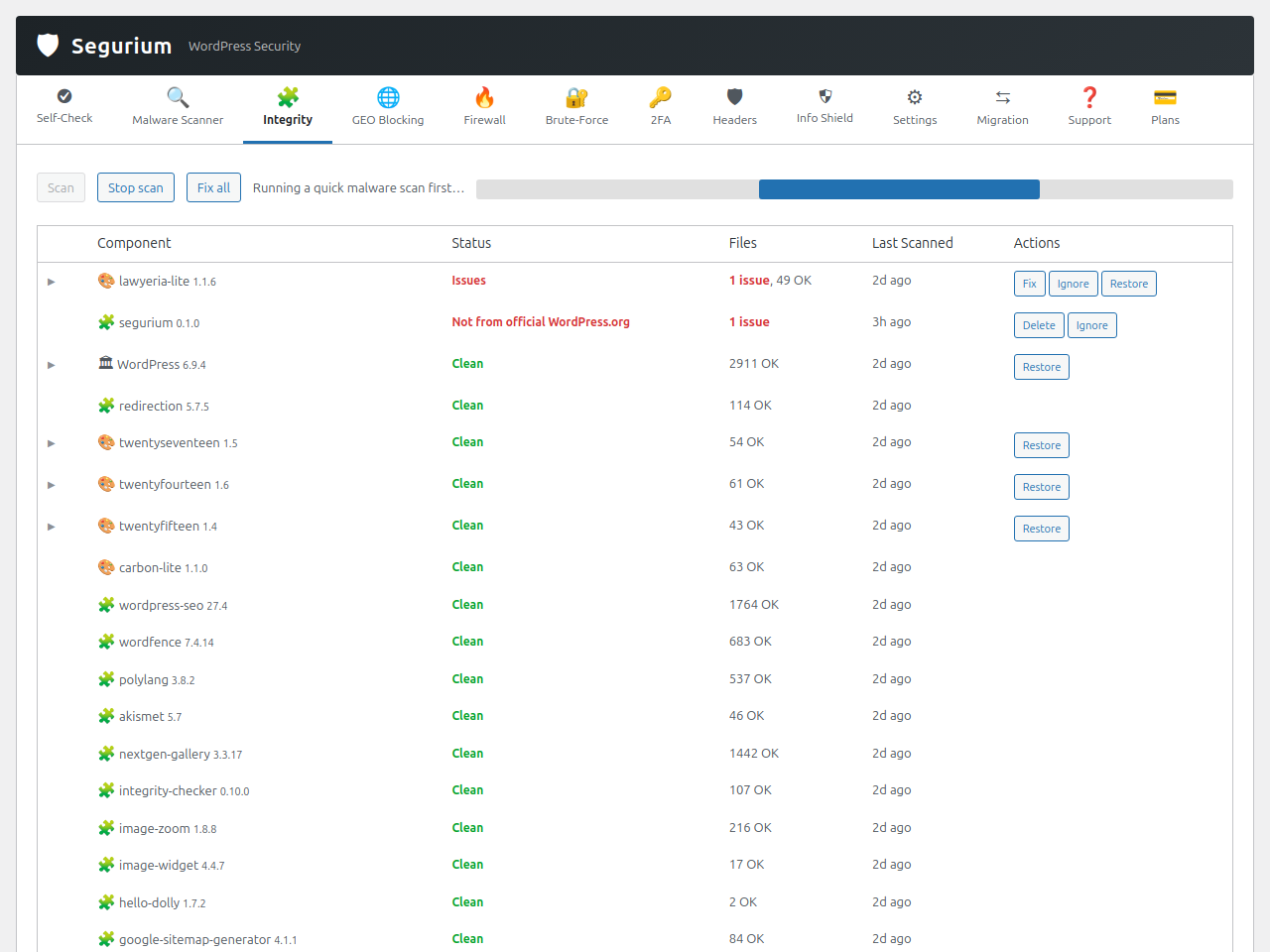
- Skan integralności – Sprawdź rdzeń WordPressa, wtyczki i motywy względem manifestów źródłowych i przywróć nadpisanemu plikowi jego oficjalną treść. Tak cofa się atak, który edytował prawidłowe pliki. Podmienione, wycofane z katalogu i porzucone komponenty też się tu pojawią.
- Czyszczenie z zaszyfrowanymi, odwracalnymi kopiami zapasowymi – Zanim cokolwiek zostanie wyczyszczone, oryginalny plik jest szyfrowany (AES-256-GCM) i trzymany lokalnie. Kopie są przechowywane do 30 dni, z limitami liczby i rozmiaru na każdy kubełek. „Pokaż oryginał” i „Przywróć” są o jedno kliknięcie.
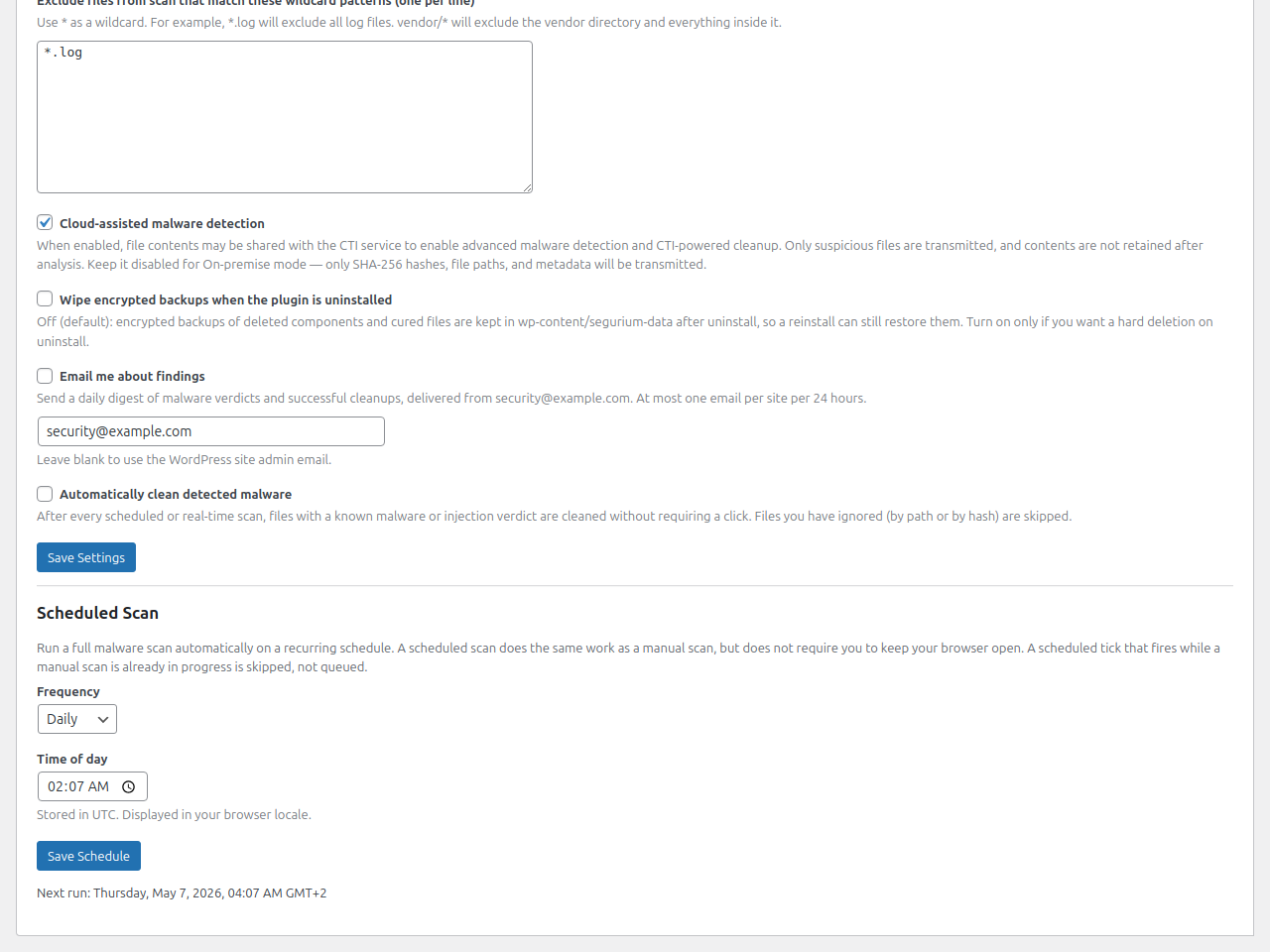
- Zaplanowane skany – Wyłączone / codziennie / co tydzień, z wyborem godziny zgodnym z ustawieniami regionalnymi. Każde uruchomienie dokłada kontrolę integralności za przebiegiem malware, w tym samym rytmie.
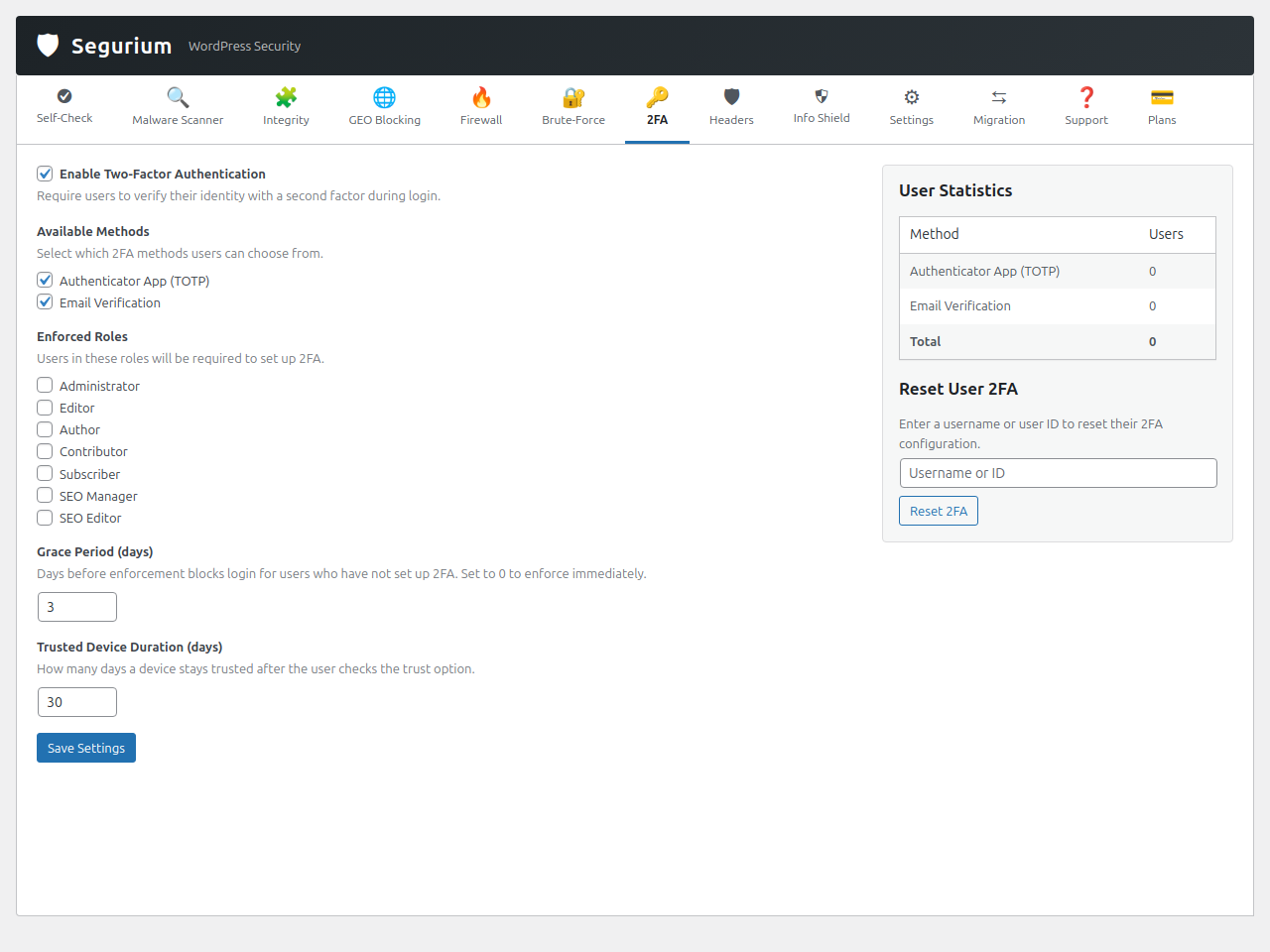
- Uwierzytelnianie dwuskładnikowe – Aplikacje TOTP, zapasowa ścieżka przez email, kody zapasowe, zaufane urządzenia, wymuszanie według roli i okres karencji.
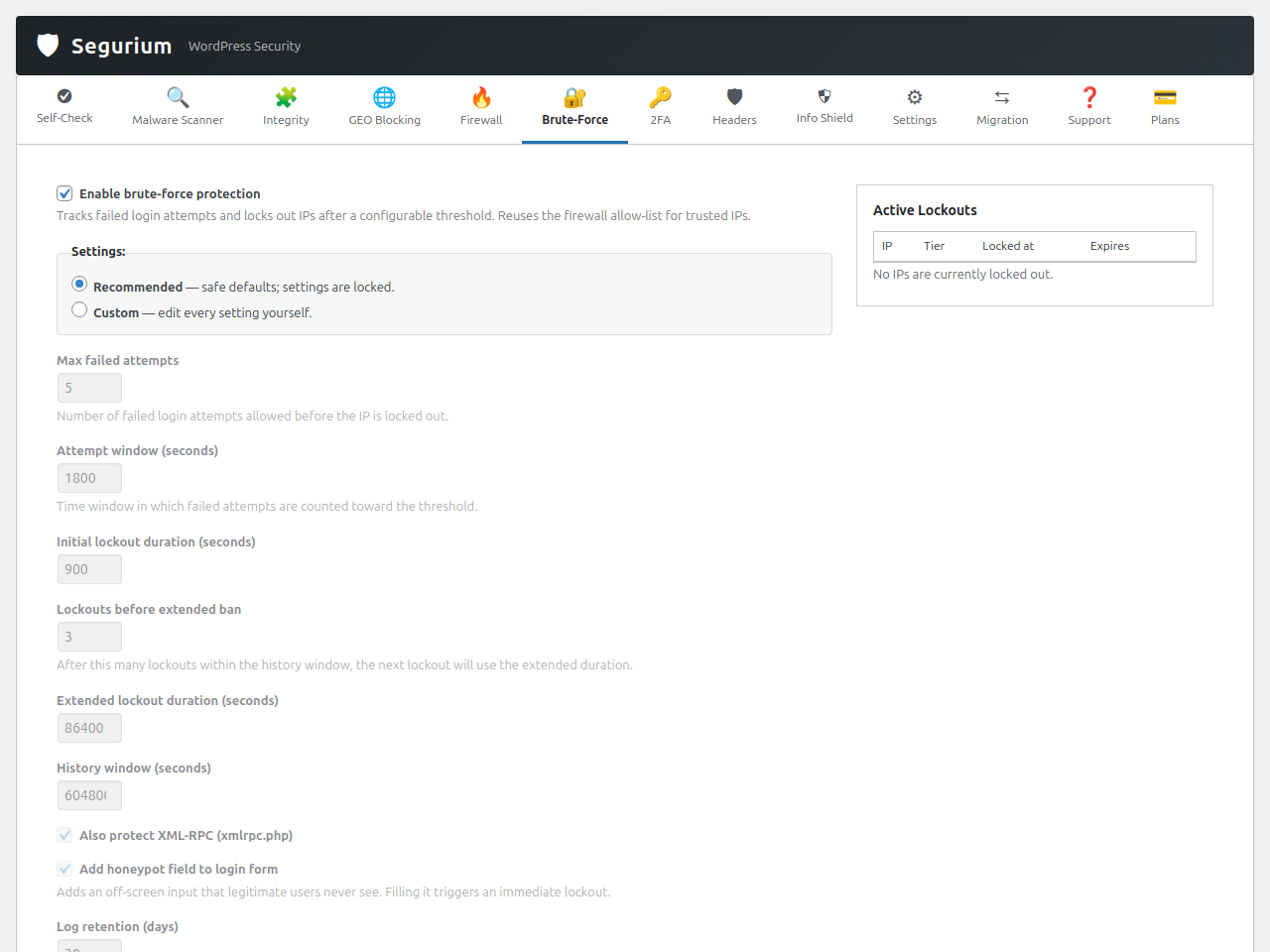
- Ochrona przed atakami siłowymi – Wielopoziomowe blokady na wp-login.php i XML-RPC, pole honeypot, ręczne odblokowanie adresów IP, opcjonalna hCaptcha przy logowaniu.
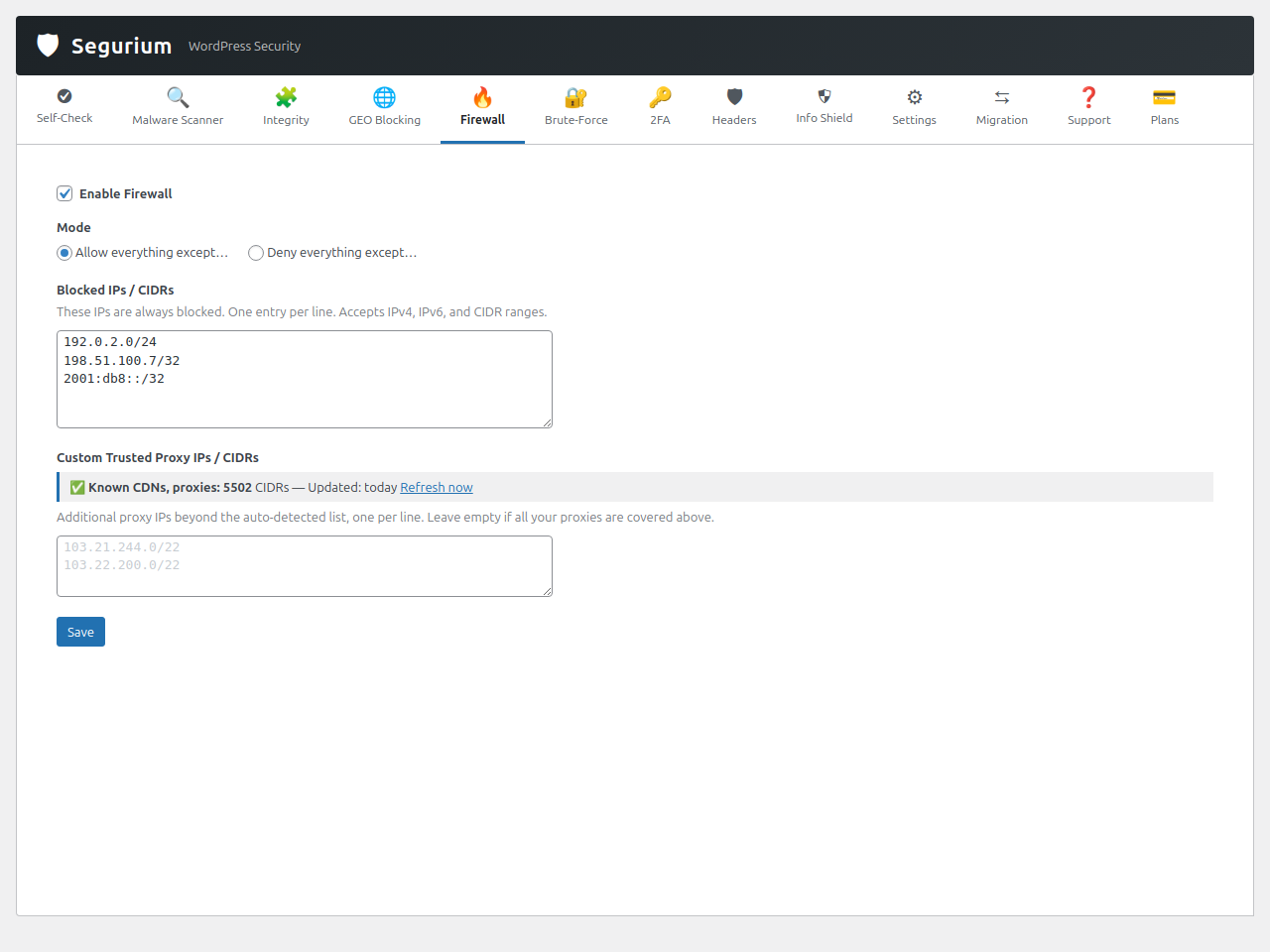
- Zapora sieciowa – Reguły zezwalania i blokowania IP, zakresy CIDR i filtry na poziomie kraju, z jedną nadrzędną listą IP współdzieloną przez logowanie, kokpit i bramkowanie żądań.
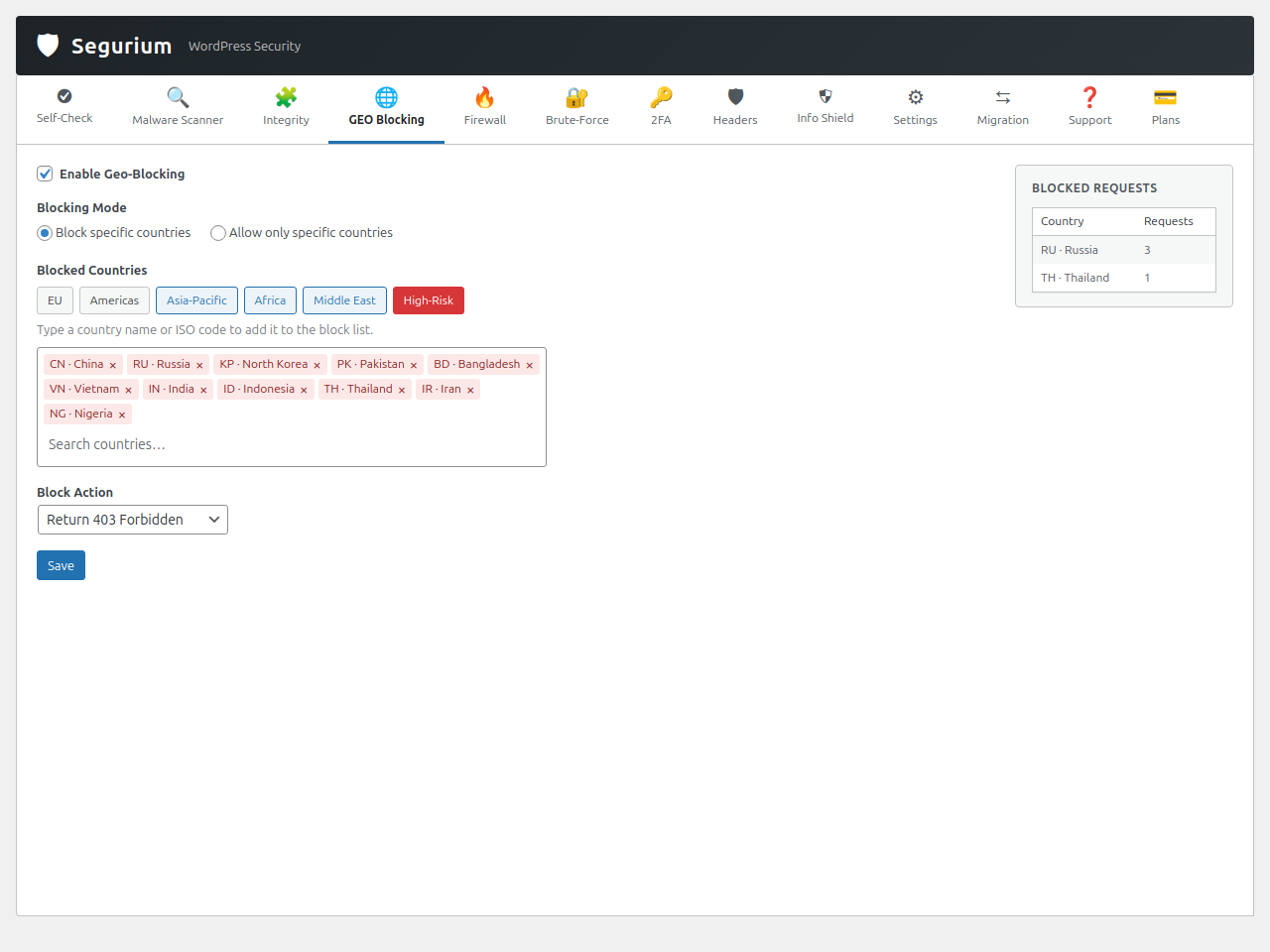
- Geoblokowanie – Blokuj ruch do logowania lub kokpitu według kraju, na podstawie lokalnej binarnej bazy danych (aktualizowanej automatycznie), z siatką bezpieczeństwa „potwierdź albo cofnij”, żebyś nie zablokował sam siebie.
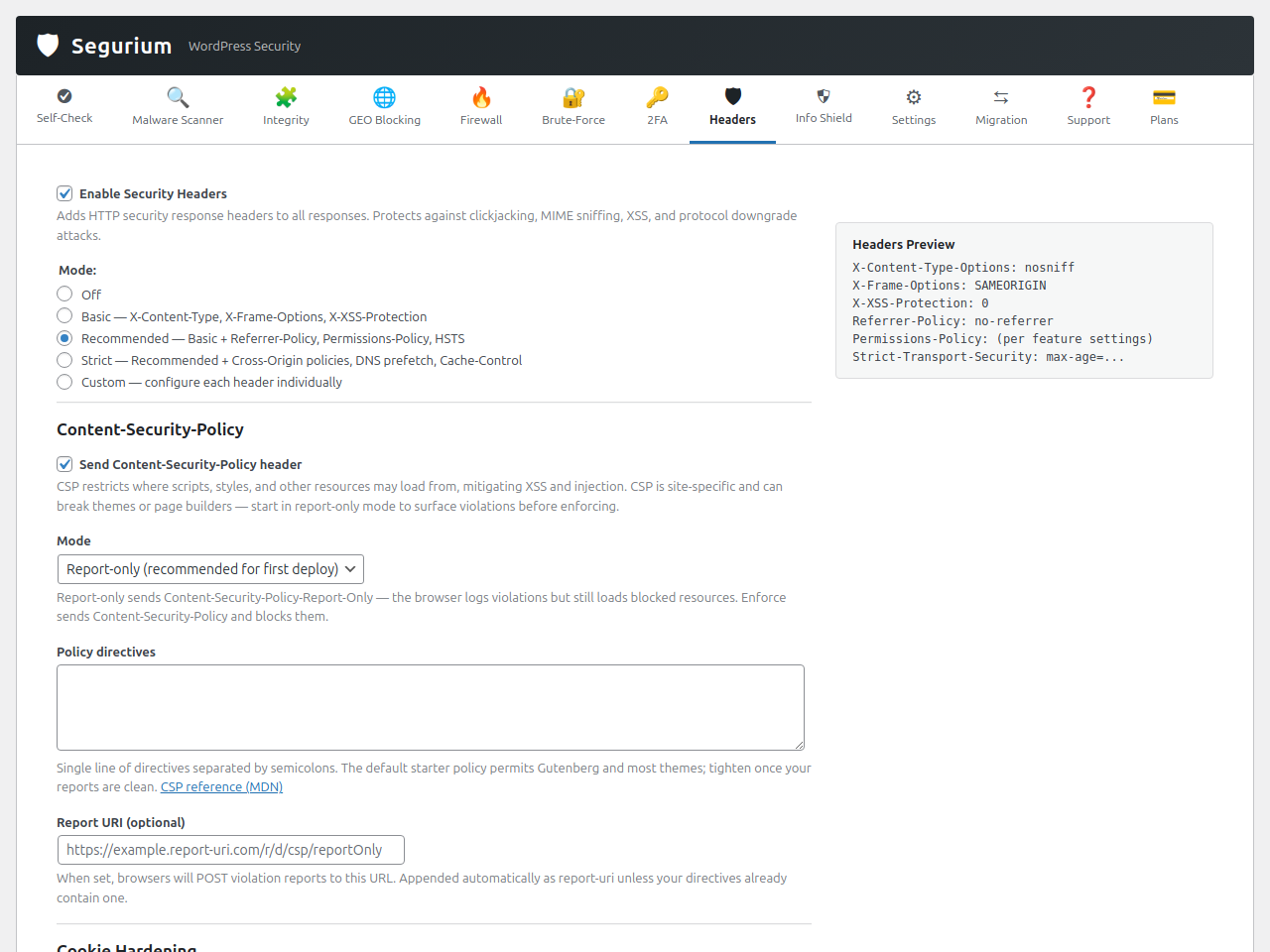
- Nagłówki zabezpieczeń – Nagłówki HTTP odpowiedzi służące zabezpieczeniom, wzmocnienie plików ciasteczek (SameSite/Secure/HttpOnly) i pięć trybów gotowych ustawień w jednym kliknięciu.
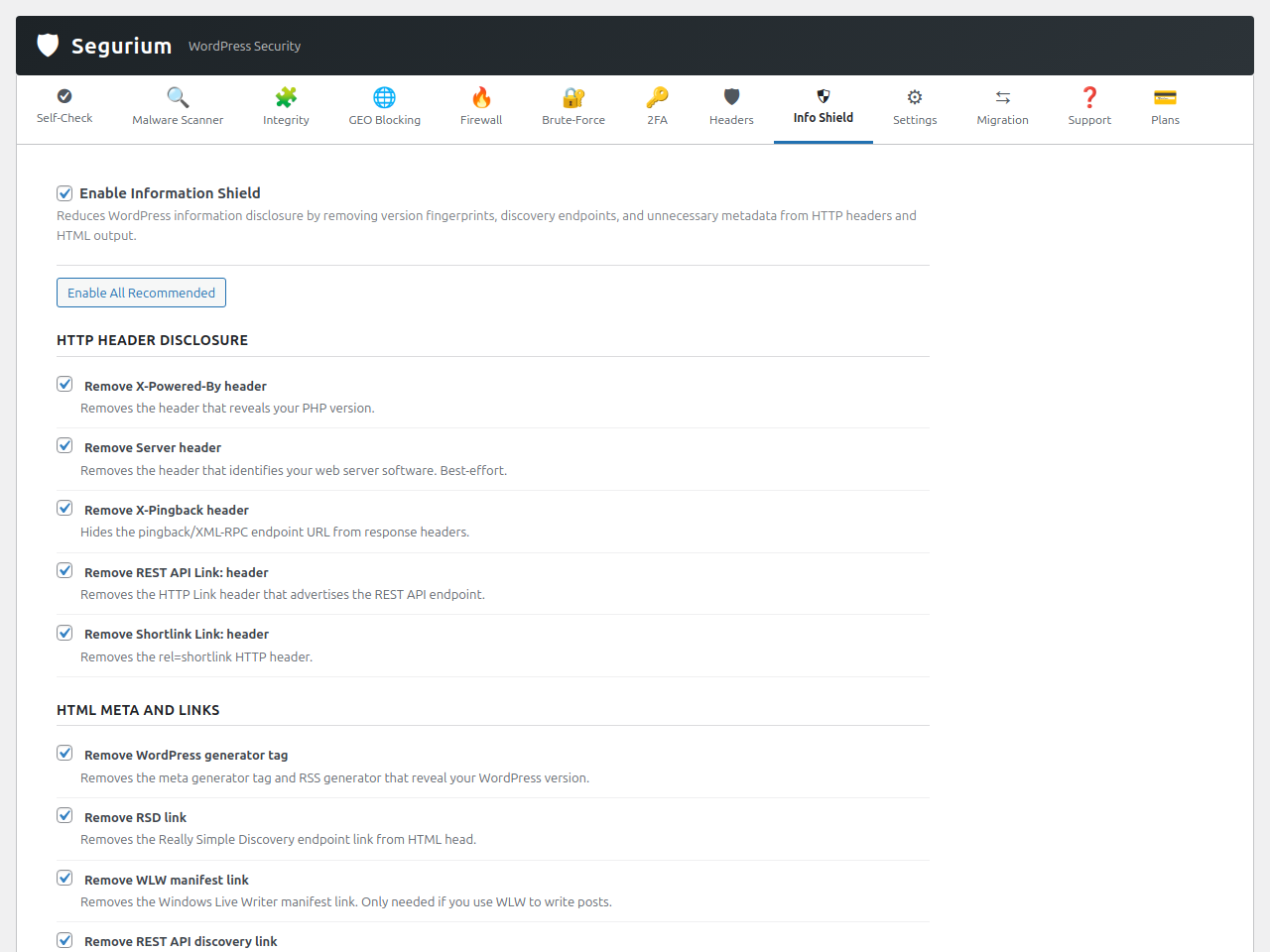
- Tarcza informacyjna – Przełączniki, które ukrywają odciski wersji WordPressa, punkty odkrywania, ciągi
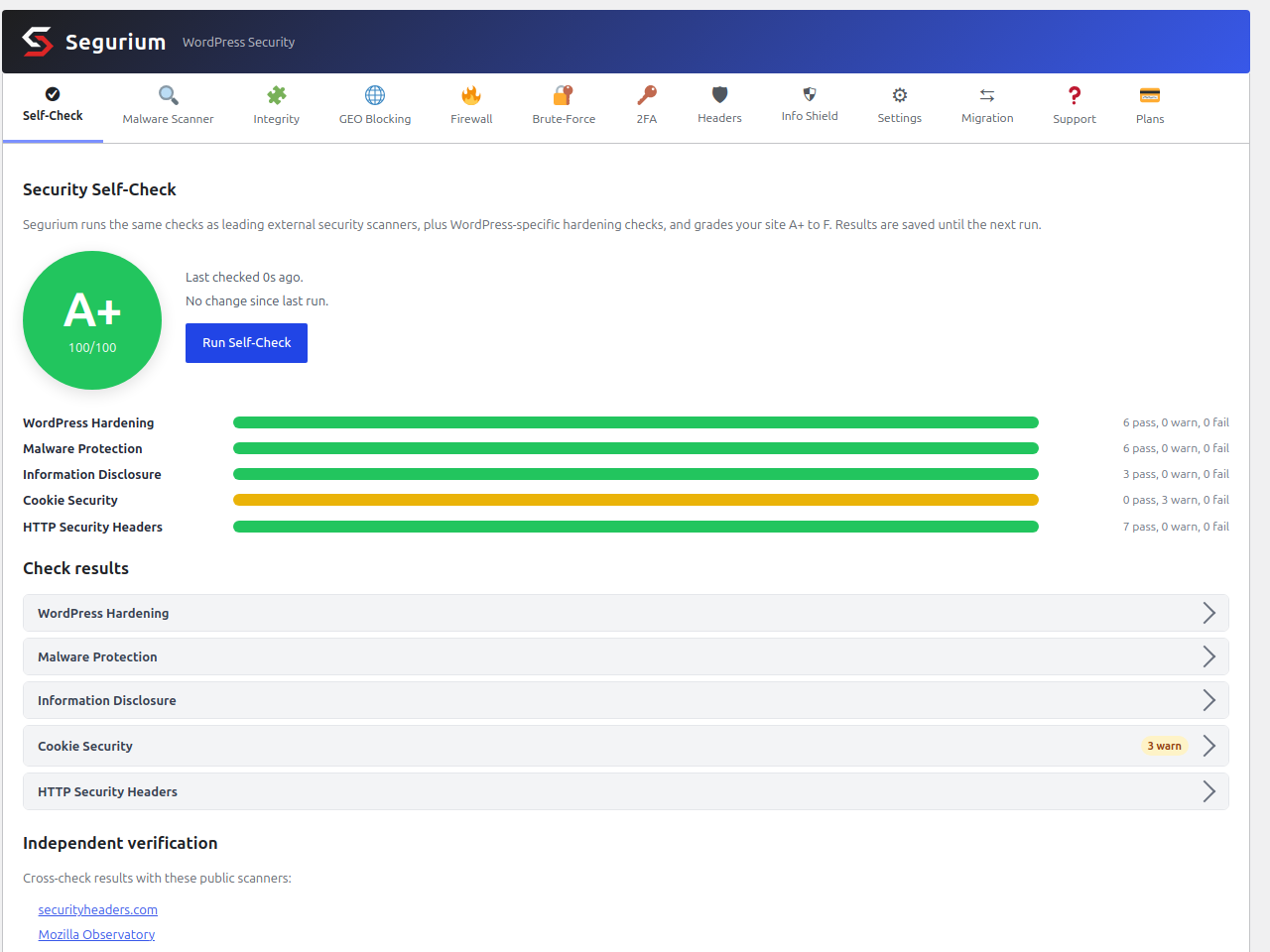
?ver=przy zasobach oraz XML-RPC, gdy z nich nie korzystasz. - Ocena zabezpieczeń z autokontroli – Kontrole składają się na ocenę od A+ do F, każda z przyciskami naprawy w jednym kliknięciu i z odniesieniami do usług innych firm.
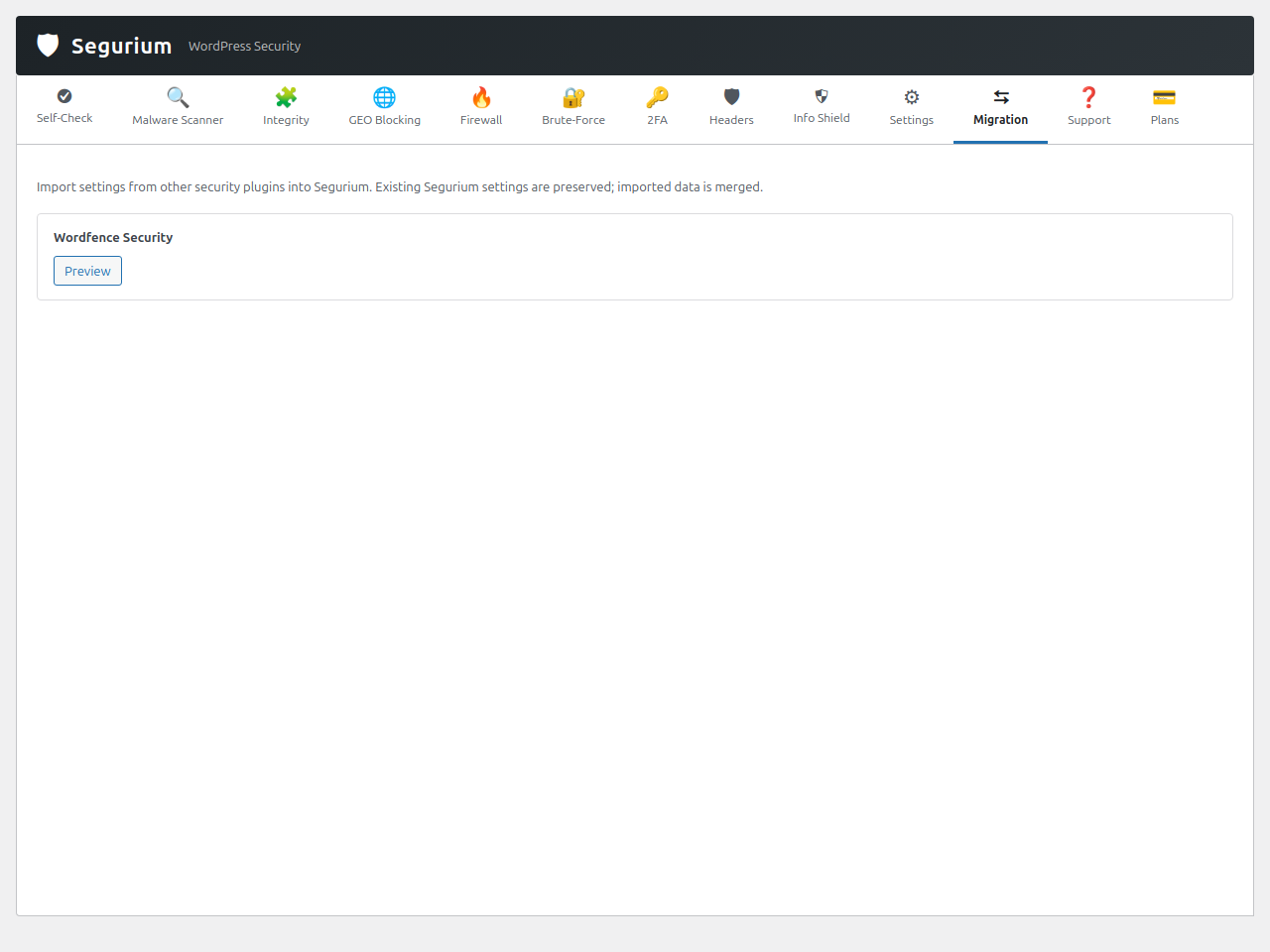
- Migration importer — Import your settings from Wordfence, All-In-One Security and Solid Security so you don’t lose your hardening when you switch. Sucuri Security is detected too, but its settings live in Sucuri’s cloud dashboard and cannot be read locally, so there is nothing to import.
- Odzyskiwanie po awarii – Lokalne zaszyfrowane kopie zapasowe da się wypakować malutkim jednolinijkowcem PHP, nawet jeśli Segurium jest odinstalowane.
- Wbudowana pomoc techniczna.
Czym różni się poziom usługi Pro
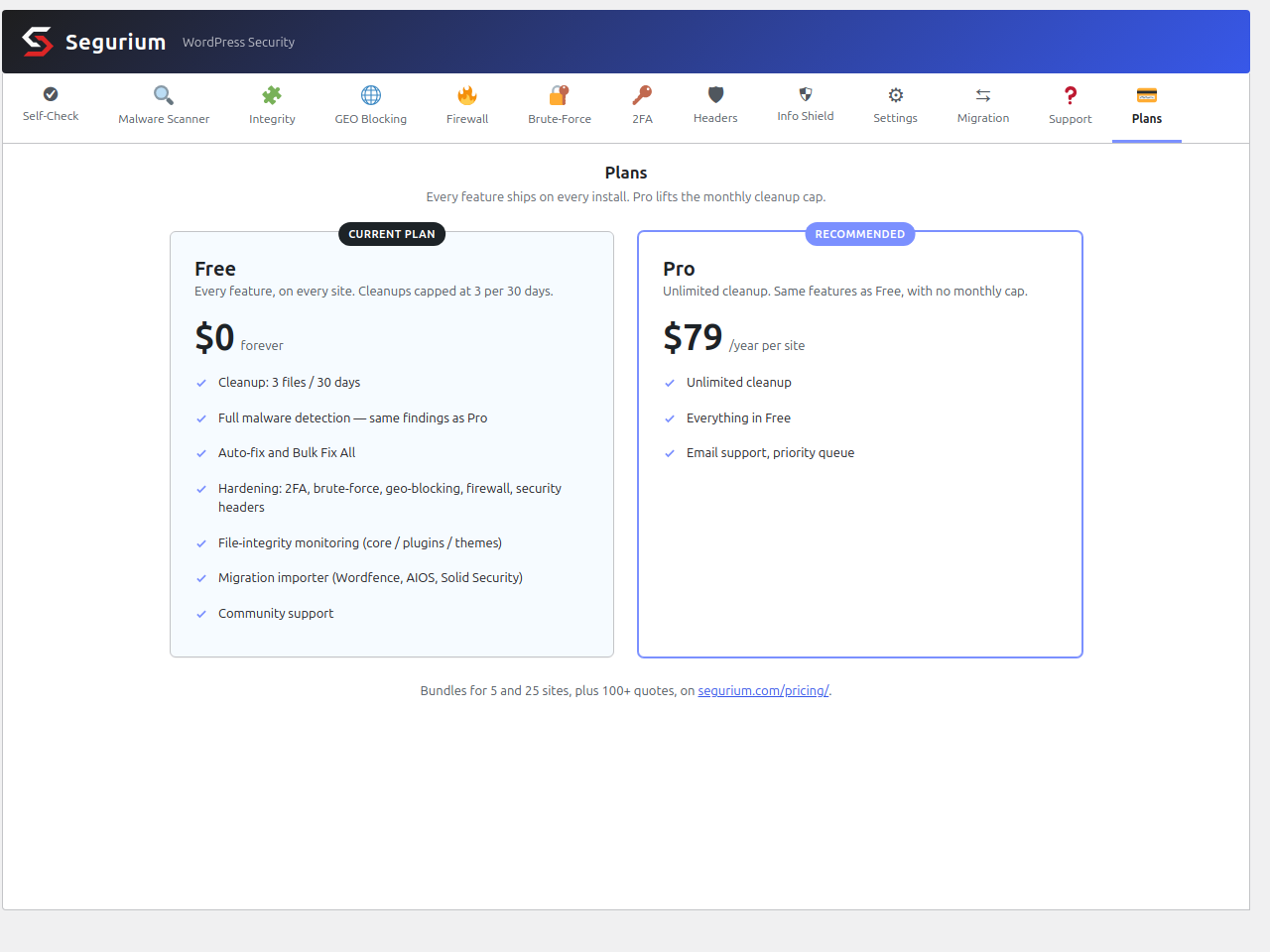
Our cloud service performs the cleanups and counts each against a per-installation quota. The Free service tier covers up to 3 cleanups per rolling 30 days — enough for an occasional incident on a typical site. The Pro service tier raises that quota for sites that need higher volume (recurring infections, hosts under sustained attack, sites with high reliability requirements). The plugin code, the detection engines, and every feature listed above are identical on both tiers; the only difference is the quota ceiling enforced server-side.
Prywatność domyślnie
- Scanning is opt-in. Until you accept the service disclosure on the plugin’s admin page, nothing contacts the cloud and the plugin stays idle.
- Najpierw skrót, treść dopiero przy nietrafieniu. Podczas skanu pliki są sprawdzane najpierw po SHA-256. Tylko pliki, których skrótu chmura nie zna, mają przesyłane bajty do klasyfikacji, więc ilość treści, która faktycznie opuszcza twój serwer, jest mała i ograniczona tym, co nowe na dysku.
- No telemetry on your visitors. We look at files and security incidents, not at the people who visit your site.
- Tryb on-premise. Wyłącz wykrywanie malware wspomagane chmurą, a skany będą wysyłać tylko skróty, ścieżki i metadane.
Usługi zewnętrzne
Segurium łączy się z usługami zewnętrznymi, aby twoja instalacja WordPressa była zabezpieczona. Każda usługa jest opisana niżej razem z danymi, które są wysyłane, i momentem wysyłki. Nic nie jest wysyłane, zanim zaakceptujesz informację o usługach zewnętrznych na stronie wtyczki w kokpicie.
Cloud Threat Inspection
Cloud Threat Inspection, our own service at cti.segurium.com, provides malware verdicts, integrity manifests, geo-location data, trusted-proxy IP ranges, support intake, cleanup files, and a per-installation quota on how many files it will clean in a rolling 30-day window. The service is contacted when:
- Trwa skan malware, integralności, w czasie rzeczywistym albo przy przesyłaniu.
- You act on a plugin page. Accepting the service disclosure sends four things at once: a one-time installation registration (a random commitment hash, your site name, your site URL, your WordPress version, and, if you enabled email alerts, the alert email address you entered), a one-line
plugin_activatedping, aconsentrecord, and a first platform snapshot of the kind described below. Requesting cleanup of an infected file sends only that file’s SHA-256; the cleaned bytes come back by hash. A support request, false-positive report or missed-malware report sends the data you typed plus the file bytes you attached. A settings change sends a snapshot of that settings group. Deactivating the plugin sends a one-lineplugin_deactivatedping, skipped entirely if you never accepted the disclosure. Activating it sends nothing on its own. - A daily scheduled job runs. Four of them exist. The GeoIP database update and the trusted-proxies update only fetch data. The component-inventory ping sends your installed plugin/theme slugs and versions and your WordPress version, so we can spot tampered, delisted or abandoned components. The platform snapshot sends how your site is built: your WordPress version, locale, multisite and debug flags, whether WP-Cron is disabled and whether the site is served over HTTPS; your PHP version, SAPI, memory limit, maximum execution time and maximum input vars; your web server and its version; your database engine and version; your operating system family and architecture; the plugin version; and your active theme’s slug and version. It carries no file contents, no paths and nothing about your visitors.
- A brute-force lockout, geo-block or other security event fires. That sends a small JSON payload with the event type, your site URL, your domain, your WordPress / PHP / plugin versions, and a SHA-256 hash of the username, never the username itself or the password.
Data sent during scans (malware, real-time and upload alike): SHA-256 hashes of files on your server, file paths relative to your WordPress installation, file sizes, file modification times, plugin and theme version strings, and your WordPress version. For files whose SHA-256 is not yet known to the cloud verdict database, we also upload the file’s bytes so the file can be classified.
Turning the upload off: the „Cloud-assisted malware detection” setting on the Settings tab controls it. Switch it off for On-premise mode and scans send hashes, paths and metadata only, so a file whose hash the cloud does not recognise stays unresolved. Two uploads survive that mode, because you pick the file yourself: a false-positive report and a support-ticket attachment.
Retention: we keep file samples uploaded for analysis for up to 365 days, then an automated nightly purge removes them. The full schedule is in the privacy policy linked below.
A random installation identifier (IID), issued at registration time, identifies each request. We do not send your posts, pages, or anything about your visitors, and we never send passwords. The privacy policy linked below names the data controller and how to reach them.
- Warunki korzystania z usługi: https://segurium.com/terms
- Polityka prywatności: https://segurium.com/privacy
Freemius (api.freemius.com, checkout.freemius.com, wp.freemius.com)
Segurium uses the Freemius WordPress SDK (bundled in freemius/) for license activation, paid-plan checkout and account management on the Pro plan. The SDK ships in anonymous mode: on activation Segurium tells it to skip the connect prompt, so it sends no request to Freemius and collects no telemetry from your install. Freemius, Inc. operates the service.
Freemius servers hear from your site only when you click an upgrade or „Manage billing” button on the account page and complete the checkout on checkout.freemius.com, or when you activate, sync or deactivate a Pro license there. In that second case the SDK posts the licence key, your site URL, your WordPress / PHP versions and the plugin version to api.freemius.com. Never open the account page and never enter a licence, and your site never calls Freemius at all.
- Freemius – warunki korzystania z usługi: https://freemius.com/terms/
- Freemius – polityka prywatności: https://freemius.com/privacy/
hCaptcha (js.hcaptcha.com, hcaptcha.com) – OPCJONALNE
Jeśli – i tylko jeśli – włączysz hCaptcha na stronie ustawień ochrony przed atakami siłowymi i podasz własny klucz witryny hCaptcha oraz klucz prywatny, Segurium będzie:
- Wczytywać skrypt JavaScript hCaptcha z
https://js.hcaptcha.com/1/api.jsna stronie wp-login.php, aby zadanie mogło się wyświetlić. - Wysyłać token hCaptcha i adres IP odwiedzającego do
https://hcaptcha.com/siteverify, aby zweryfikować zadanie przy próbach logowania.
hCaptcha jest domyślnie wyłączona. Dopóki jej nie włączysz, żadne skrypty ani żądania hCaptcha nie są wczytywane. hCaptcha jest dostarczana przez Intuition Machines, Inc. Po włączeniu funkcji obowiązują ich warunki i polityka prywatności.
- hCaptcha – warunki korzystania z usługi: https://www.hcaptcha.com/terms
- hCaptcha – polityka prywatności: https://www.hcaptcha.com/privacy
Kod źródłowy dołączonych bibliotek
Every release is mirrored at https://github.com/Segurium/segurium-plugin.
Segurium dostarcza Freemius WordPress SDK w freemius/ do licencjonowania, płatności i obsługi pomocy technicznej. Kilka plików w tym SDK (freemius/assets/js/jquery.form.js oraz freemius/assets/js/postmessage.js) jest minifikowanych u źródła i dostarczanych bez zmian. Niezminifikowane źródło całego SDK jest publikowane na licencji GPL-3.0 pod adresem:
- https://github.com/Freemius/wordpress-sdk
Wersja SDK dołączona do tego wydania jest zapisana w freemius/start.php ($this_sdk_version).
Zrzuty ekranu
Instalacja
- Prześlij katalog
seguriumdo/wp-content/plugins/albo zainstaluj przez Wtyczki Dodaj wtyczkę w kokpicie WordPressa. - Włącz wtyczkę przez menu Wtyczki w WordPressie.
- Otwórz Segurium w panelu bocznym kokpitu i zaakceptuj informację o usługach zewnętrznych, aby włączyć skanowanie.
- (Opcjonalnie) Zaimportuj ustawienia z poprzedniej wtyczki zabezpieczeń przez Segurium Migracja.
- (Opcjonalnie) Włącz uwierzytelnianie dwuskładnikowe, geoblokowanie i nagłówki zabezpieczeń w odpowiednich zakładkach.
Najczęściej zadawane pytania
-
All of them. Two-factor authentication with an authenticator app (TOTP), email codes, backup codes, trusted devices and per-role enforcement. Brute force protection with login attempt limits, lockouts, a honeypot and xmlrpc coverage. A firewall with IP, CIDR and country rules, so you can block a country from your login page. Security headers with HSTS, CSP, Referrer-Policy and Permissions-Policy, plus cookie hardening. Geoblocking from a local database, by country or by preset region (EU, Americas, Asia-Pacific, Africa, Middle East, High-Risk). None of it is a trial and none of it is gated behind a pro plan. Only the number of cloud cleanups is capped on the free tier: three every 30 days.
-
Can I set up malware cleanup on many sites without opening each dashboard?
-
Yes. WP-CLI accepts the service disclosure and reports the cleanup quota, and settings export and import carry one site’s configuration to the next. Every install runs the same plugin code and the same free quota, so a site that joins later behaves like the rest.
-
Is Segurium an antivirus for a WordPress website?
-
In practice, yes. People call the same problem a website virus, a WordPress virus or malware, and it is one thing: files on your server that should not be there, plus code an attacker added to files that should. Segurium hashes the files on your server and asks the cloud verdict database what each one is, so an anti-malware scan of a whole website is a hash lookup rather than a file-by-file inspection. A desktop antivirus protects your laptop. Segurium does that job for your WordPress files, and it removes what it finds.
-
Can Segurium replace a paid security plugin?
-
For malware removal, two-factor authentication, a firewall, geoblocking and security headers, yes. Those are the parts most plugins sell as a premium subscription, and Segurium ships them free on every install. The paid tier only raises the cloud cleanup quota. If you are moving from another security plugin, the Migration tab imports your settings from Wordfence, All-In-One Security and Solid Security so the switch does not cost you your hardening.
-
What does a Segurium scan look for?
-
Files the cloud verdict database has already classified as malicious. In a normal break-in that means an uploaded web shell or backdoor, a redirect injected into a theme file, spam pages, spam links, hidden links, a phishing page dropped in an upload folder, the Japanese keyword hack, and leftovers from a crypto miner. Segurium does not care what the family is called, whether someone labels it a trojan or a virus. It checks whether a file is malicious and whether it can put the clean version back.
-
Czy Segurium usuwa malware za darmo, czy tylko je wykrywa?
-
Usuwa je. Usuwanie malware działa na darmowym poziomie usługi: do 3 czyszczeń w chmurze na każde 30 dni, co wystarcza przy typowym incydencie. Większość innych wtyczek zgłasza malware za darmo, a za naprawę każe płacić. Każde czyszczenie da się cofnąć z lokalnej, zaszyfrowanej kopii zapasowej.
-
Jak wyczyścić zhakowaną witrynę WordPress, gdy nie mam kopii zapasowej?
-
To typowy przypadek i właśnie po to jest silnik czyszczenia. Jeśli atakujący wstrzyknął kod do twojego pliku, Segurium wycina samo wstrzyknięcie i nie rusza reszty pliku. Jeśli plik jest w całości malware, zostaje opróżniony. Dla plików rdzenia WordPressa, wtyczek i motywów skan integralności pobiera oficjalną treść z manifestów źródłowych, więc dostajesz czystą kopię nawet wtedy, gdy nie masz z czego przywracać.
-
My site is hacked, redirects visitors, or Google blacklisted it. What do I do?
-
Install Segurium on the hacked site, accept the service disclosure and run a malware scan. Segurium lists the infected files and cleans them on one click, keeping an encrypted backup of every original. Then run an integrity scan, so any core, plugin or theme file the attack rewrote is restored to its official content. Redirect, Japanese SEO spam and pharma hacks live in exactly those files. Once the malware is gone, request a review in Google Search Console or ask your host to lift the suspension; Segurium removes the reason for them, it does not file the requests.
-
Czy Segurium spowolni moją witrynę?
-
Nie powinno. Skany działają w zadaniach w tle dzielonych na porcje, za blokadą, więc jeden przebieg nie nakłada się na siebie. Skanowanie w czasie rzeczywistym sprawdza tylko nowe i zmienione pliki. Wtyczka nie trzyma dużych tabel w pamięci i nie dostarcza wbudowanych plików binarnych.
-
Co się stanie, jeśli Segurium oznaczy plik, który nie jest malware?
-
Każde czyszczenie można cofnąć. Oryginały są szyfrowane (AES-256-GCM) i trzymane lokalnie – do 30 dni, z limitami liczby i rozmiaru na każdy kubełek – a przywrócenie z kopii zapasowej to jedno kliknięcie. Możesz też wysłać zgłoszenie fałszywego alarmu prosto z listy zagrożeń. Nasz zespół używa ich do poprawiania klasyfikacji.
-
Does Segurium quarantine infected files, and does it flag vulnerable plugins?
-
There is no separate quarantine folder. Segurium handles a suspicious file in place: it encrypts the original (AES-256-GCM), stores that copy locally, then strips the malicious code out, so the file is neutralised and you can put the original back for up to 30 days. The integrity check compares WordPress core, plugins and themes against upstream manifests and marks a component whose installed release carries a known vulnerability with a red Vulnerable badge and an Update button; tampered, delisted and abandoned components show up there too.
-
Czy hCaptcha jest wymagana do ochrony przed atakami siłowymi?
-
Nie. Ochrona przed atakami siłowymi działa od razu: limity tempa, honeypot i blokady. hCaptcha jest opcjonalna – jeśli masz już klucz witryny hCaptcha i klucz prywatny, możesz ją włączyć na formularzu logowania jako dodatkową warstwę. Gdy jest wyłączona (domyślnie), żadne skrypty ani żądania hCaptcha nie są wczytywane.
-
Które wersje PHP i WordPressa są obsługiwane?
-
PHP 7.4 lub nowszy oraz WordPress 6.2 lub nowszy. Regularnie testowane z PHP 8.1 / 8.2 / 8.3 i WordPressem od 6.3 do 7.0.
-
Co się stanie, jeśli odinstaluję wtyczkę?
-
Opcje wtyczki, własne tabele i lokalne kopie zapasowe skanów zostają usunięte. Lokalne zaszyfrowane kopie da się nadal wypakować krótkim jednolinijkowcem PHP przed odinstalowaniem (zobacz dokumentację Disaster Recovery na segurium.com), jeśli chcesz zachować kopie.
-
Jak zgłosić problem z zabezpieczeniami w samym Segurium?
-
Wyślij email na adres security@segurium.com, zamiast zakładać publiczny wątek w pomocy technicznej. Nasza polityka ujawniania, zasady testów i podziękowania dla badaczy są pod https://segurium.com/security/ – wyjaśniamy tam też, co możemy, a czego nie możemy zaoferować w zamian. Prosimy o zachowanie szczegółów w tajemnicy, dopóki poprawka nie trafi do użytkowników.
Recenzje


Kontrybutorzy i deweloperzy
„Segurium – Free Malware Removal & Auto Cleanup for Hacked Websites, Antivirus Scanner, Vulnerability Alerts” jest oprogramowaniem open source. Poniższe osoby miały wkład w rozwój wtyczki.
Zaangażowani
Wtyczka „Segurium – Free Malware Removal & Auto Cleanup for Hacked Websites, Antivirus Scanner, Vulnerability Alerts” została przetłumaczona na 22 języki. Podziękuj tłumaczom za ich wkład.
Interesuje cię rozwój wtyczki?
Przeglądaj kod, sprawdź repozytorium SVN lub czytaj dziennik rozwoju przez RSS.
Rejestr zmian
1.5.0 – 2026-10-02
- Connects through a backup address when the host blocks the main port.
- Scans no longer fail on hosts that block outgoing non-standard ports.
- Redesigned admin page with consistent icons across operating systems.
1.4.4 – 2026-09-24
- Self-Check tab improved.
- Malware scan on website with many files no longer skips files.
- Minor UI improvements.
Older entries are in changelog.txt, which ships with the plugin, and the full history is published at https://segurium.com/changelog/.