

Opis
Twórz piękne i wciągające kursy online, lekcje i testy.
Sensei LMS to potężna wtyczka do zarządzania nauczaniem od Automattic, firmy stojącej za WordPress.com, WooCommerce i Jetpack. W Automattic używamy Sensei LMS do obsługi wszystkich naszych szkoleń dla pracowników.
Dziel się swoją wiedzą i ucz swobodnie z Sensei LMS!
Zaawansowane funkcje systemu LMS
- Zintegruj Sensei LMS z witryną WordPress bez żadnych problemów. Sensei LMS świetnie wygląda z każdym motywem i może być dostosowany do twojej marki i stylu.
- Twórz angażujące kursy za pomocą edytora bloków WordPress, w pełni wykorzystywanego przez darmowy motyw Course Sensei.
- Włącz Tryb nauki, aby cieszyć się wciągającą nauką bez rozpraszających czynników.
- Śledź postępy i wyniki uczniów za pomocą szczegółowych raportów.
- Osadzaj filmy z serwisów YouTube, Vimeo i VideoPress w kursach opartych na materiałach wideo.
- Dodaj blok „Lista kursów” do dowolnej strony lub wpisu, aby wyświetlić dostępne kursy.
Twórz skuteczne testy
Testy to świetny sposób na pogłębienie zrozumienia kluczowych pojęć przez uczniów i śledzenie ich postępów. Wybieraj spośród różnych rodzajów pytań i opcji testów, takich jak pytania wielokrotnego wyboru, pytania z lukami do wypełnienia, pytania typu prawda/fałsz, pytania otwarte, przesyłanie plików i wiele innych.
Zaprezentuj swoje kursy
Prześlij swój kurs do publicznej galerii kursów Sensei LMS pod adresem https://senseilms.com/showcase/. Galeria kursów Sensei LMS pozwala dotrzeć do nowych odbiorców i zwiększyć rozpoznawalność twojego kursu.
Odkryj możliwości Sensei Pro
Wykorzystaj w pełni potencjał swoich kursów dzięki Sensei Pro.
Integracja z WooCommerce: Ustal cenę i sprzedawaj kursy bez wysiłku, za pomocą zaledwie kilku kliknięć. Sensei Pro płynnie integruje się z rozszerzeniami WooCommerce Subscriptions, Payments, Memberships oraz Affiliates.
Planowane udostępnianie treści: Kontroluj tempo lekcji w swoich kursach, określając, kiedy uczniowie będą mieli dostęp do treści lekcji – w stałych odstępach czasu od rozpoczęcia kursu lub w określonym dniu.
Bloki interaktywne: Wzbogać swoje lekcje, strony lub wpisy o wciągające filmy, fiszki, aktywne obszary na obrazkach i listy zadań.
Rozszerzone funkcje testu: Ustaw licznik czasu testu i dodaj pytania testu z układaniem w kolejności. Dzięki Sensei LMS Pro możesz umieścić pojedyncze pytania testu w dowolnej treści WordPress, nie tylko dodawać je do testów.
Łatwe tworzenie grup i kohort: Podziel uczniów na grupy i kohorty, żeby zarządzać dostępem i dostosowywać proces nauczania.
Okresy dostępu do kursów: Określ datę rozpoczęcia, datę zakończenia lub czas, przez jaki kursy będą dostępne dla uczniów.
Treści warunkowe: Spersonalizuj ścieżkę nauki, ukrywając lub wyświetlając lekcje i treści w zależności od grup, statusu zapisów i daty.
Pomoc techniczna z priorytetową obsługą: Nasz zespół doświadczonych i przyjaznych inżynierów jest zawsze gotowy służyć pomocą i zadbać o twój sukces!
Fiszki: Dodaj tekst, filmy, obrazki, elementy osadzone i nie tylko po obu stronach bloku „Fiszki”.
Współprowadzący: Udostępnij uprawnienia do kursu współprowadzącym, którzy będą mogli edytować ustawienia kursu, lekcje i testy.
Dowiedz się więcej o Sensei Pro.
Bezpłatne rozszerzenia
Certyfikaty: Automatycznie generuj ładne certyfikaty w formacie PDF, które uczniowie mogą pobrać po ukończeniu kursu.
Dowiedz się więcej o Sensei LMS Certificates.
Post To Course Creator: Twórz kursy błyskawicznie, przekształcając istniejące wpisy na blogu w lekcje kursu za pomocą zaledwie kilku kliknięć.
Zrzuty ekranu

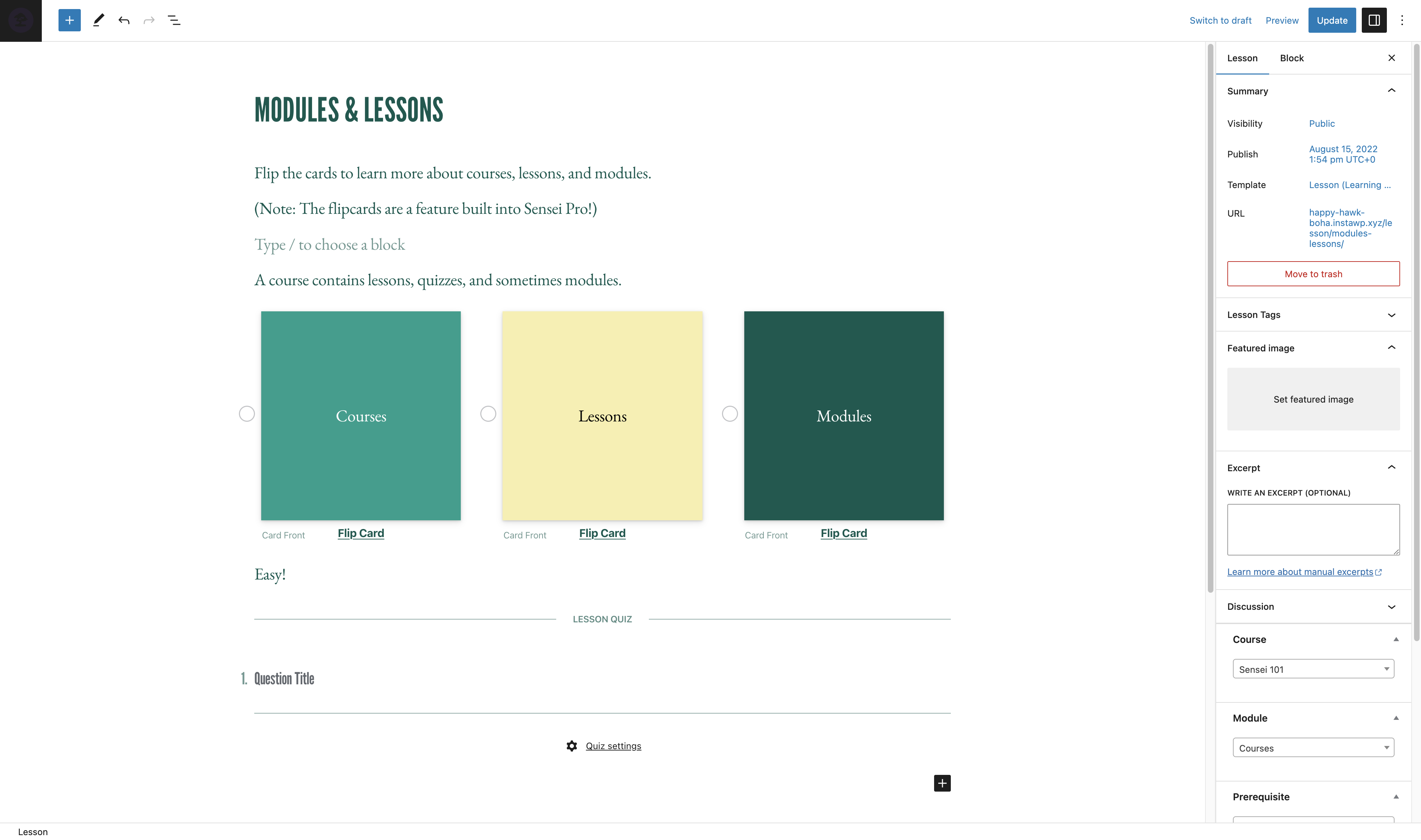
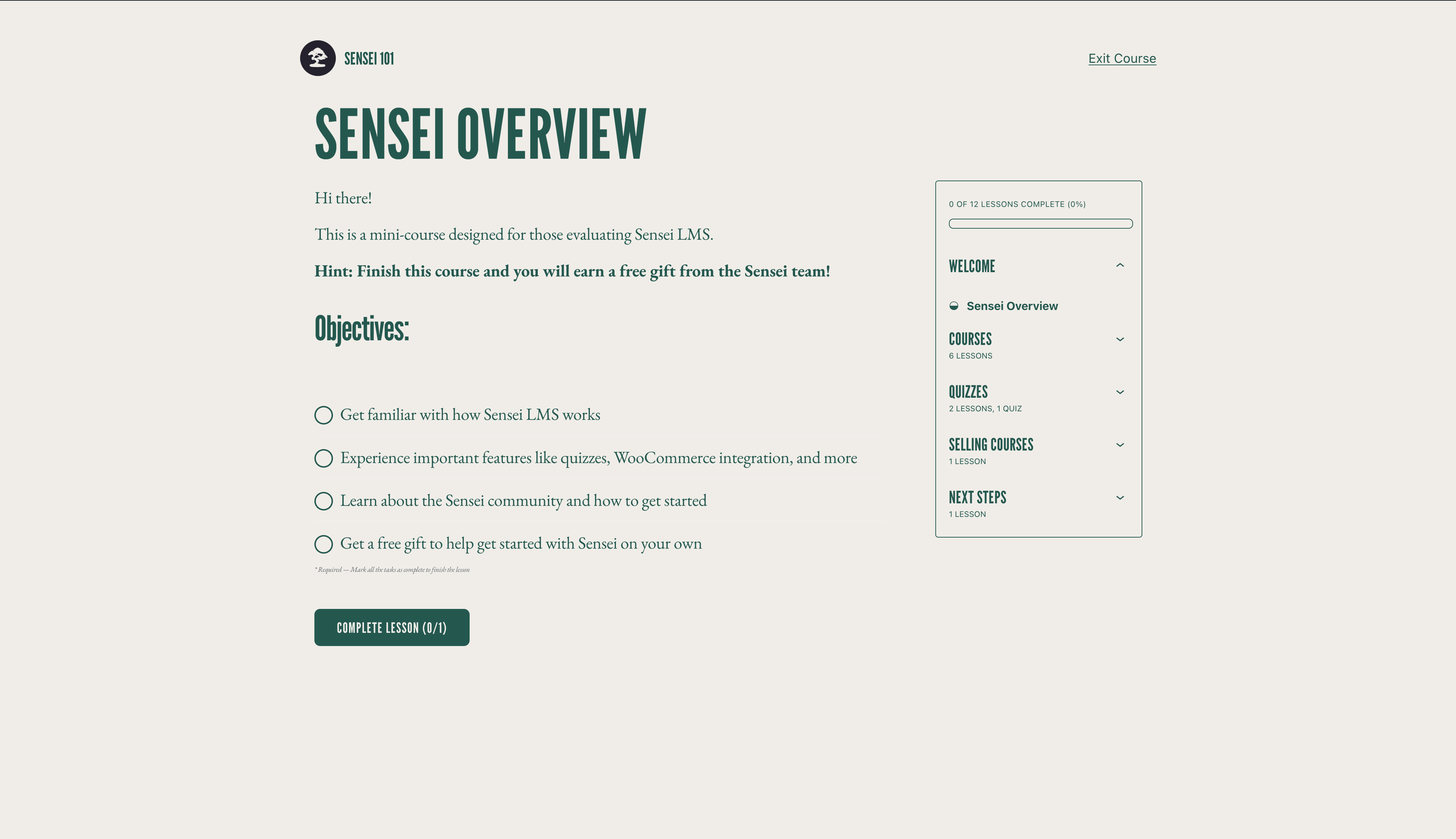

Bloki
Wtyczka dodaje 3 bloki.
- Course Title
- Exit Course
- Course Theme Lesson Module
Instalacja
Instalacja automatyczna
- Zaloguj się do panelu administracyjnego WordPressa i przejdź do Wtyczki > Dodaj nową.
- Wpisz „Sensei LMS” w polu wyszukiwania.
- Gdy już znajdziesz wtyczkę, kliknij Zainstaluj teraz.
- Kliknij Włącz.
- Skonfiguruj ustawienia, przechodząc do Sensei LMS > Ustawienia.
Instalacja ręczna
- Pobierz plik wtyczki na swój komputer i rozpakuj go.
- Za pomocą programu do FTP lub panelu hostingowego, proszę wgrać rozpakowany katalog z wtyczką do zainstalowanego WordPressa do katalogu:
wp-content/plugins/. - Zaloguj się do panelu administracyjnego WordPress i włącz wtyczkę z menu Wtyczki.
- Skonfiguruj ustawienia, przechodząc do Sensei LMS > Ustawienia.
Najczęściej zadawane pytania
-
Gdzie mogę uzyskać pomoc dotyczącą Sensei LMS?
-
Jeśli korzystasz z darmowej wtyczki, w razie jakichkolwiek pytań zapraszamy na forum pomocy technicznej. Regularnie sprawdzamy forum i odpowiadamy tak szybko, jak to możliwe.
Możesz również sprawdzić dokumentację na naszej witrynie, aby znaleźć przewodniki, poradniki i inne przydatne informacje.
-
Gdzie mogę zgłaszać błędy lub proponować ulepszenia do wtyczki?
-
Sensei jest rozwijany publicznie na GitHubie. Zachęcamy każdego do zgłaszania błędów, wysyłania pull requestów i śledzenia naszych postępów.
-
Czy Sensei współpracuje z wtyczkami do zarządzania członkostwem?
-
Sensei LMS można używać w połączeniu z Sensei Pro i WooCommerce Memberships, aby włączyć sprzedaż kursów jako część planu członkowskiego. Zobacz Sprzedaż kursów jako członkostwo po więcej szczegółów.
-
Jak mogę być na bieżąco z nowymi wydaniami i ogłoszeniami dotyczącymi Sensei LMS?
-
Przejdź na blog Sensei lub zapisz się na naszą listę mailingową.
-
Jak mogę dodać swoje kursy do galerii Sensei LMS?
-
Aby dowiedzieć się, jak zgłosić kurs do galerii Sensei LMS oraz poznać wymagania, zajrzyj do naszej dokumentacji dotyczącej galerii kursów.
-
Czy Sensei obsługuje kursy na żywo, integrację z Zoomem lub webinaria?
-
Tak! Możesz dodawać odnośniki do Zoom, Google Meet lub jakiejkolwiek innej platformy, którą wybierzesz, w lekcji kursu. Dodatkowo, Sensei zawiera układ lekcji spotkania, który możesz wybrać podczas tworzenia nowej lekcji, aby ułatwić to zadanie.
-
Czy Sensei działa w WordPress Multisite?
-
Sensei LMS działa świetnie w WordPress Multisite. Chociaż licencja Sensei Pro obejmuje tylko jedną witrynę, plan Sensei Agency pozwala na aktywację Sensei Pro na maksymalnie 20 witrynach. Jeśli używasz lub planujesz używać Sensei Pro na Multisite z więcej niż 20 witrynami, prosimy o kontakt aby uzyskać indywidualną wycenę.
-
Jak mogę sprzedawać kursy w ramach członkostwa?
-
Sensei LMS jest zgodny z Sensei Pro i WooCommerce Memberships, co umożliwia sprzedaż kursów jako część planu członkowskiego.
Zobacz artykuł sprzedaż kursów w formie członkostwa aby uzyskać więcej szczegółów.
-
Czy Sensei działa w moim języku?
-
Członkowie społeczności przetłumaczyli darmową wtyczkę Sensei LMS na 18 języków, podczas gdy Sensei Pro został profesjonalnie przetłumaczony na 16 języków. Zachęcamy do wkładu w celu dalszej poprawy.
Recenzje


Kontrybutorzy i deweloperzy
„Sensei LMS – Kursy online, testy i nauka” jest oprogramowaniem open source. Poniższe osoby miały wkład w rozwój wtyczki.
Zaangażowani


Wtyczka „Sensei LMS – Kursy online, testy i nauka” została przetłumaczona na 27 języków. Podziękuj tłumaczom za ich wkład.
Przetłumacz wtyczkę “Sensei LMS – Kursy online, testy i nauka” na swój język.
Interesuje cię rozwój wtyczki?
Przeglądaj kod, sprawdź repozytorium SVN lub czytaj dziennik rozwoju przez RSS.
Rejestr zmian
4.26.4 – 2026-09-29
Security
- Check the destination course permissions when changing the lesson course from the bulk editor.
- Enforce course edit permissions when creating a module from the course editor.
- Enforce lesson edit permissions when saving the course structure.
- Ensure Learning Mode applies colour values without changing block markup.
- Escape the label attribute in the Exit Course block.
- Escape the teacher name and archive link rendered by the sensei_teachers shortcode.
- Improved how locked lesson content is excluded from frontend listings.
- Improved how private messages are excluded from frontend queries.
- Improved how the admin lesson and course fields are initialised so that post content cannot influence them.
- Improved the authorization of lesson completion.
- Improved the authorization of private messages sent to teachers.
- Improved the authorization of usage tracking events.
- Improved the handling of files uploaded as quiz answers.
- Improved the privacy of private messages.
- Improved the scoping of teacher comment moderation.
- Made request-input handling consistent across the admin and frontend.
- Prevent students from changing their quiz answers after the quiz has been submitted.
- Require the Order Courses capability to save the course order.
- Restrict the legacy lesson quiz save handler to the lesson being saved.
Changed
- Reports Overview Students and Courses header counts now read HPPS progress tables when High-Performance Progress Storage is enabled. #8231
- Reports Overview students per-row average grade now reads HPPS progress tables. #8205
- Reports Overview students per-row course counts now read HPPS progress tables when High-Performance Progress Storage is enabled. #8231
- Resolve HPPS storage configuration consistently across progress query services and repositories. #8248
- Update Sensei blocks to Block API version 3 so they render in the WordPress iframe block editor. #8190
- Update the Action Scheduler package to version 4.1.0. #8166
- Update the pelago/emogrifier package to version 7.3.0. #8231
Deprecated
- Deprecate the
sensei_analysis_user_lesson_gradesfilter. #8205
Fixed
- Fix a fatal error when a teacher triggers a module hierarchy rebuild.
- Fix a PHP 8 TypeError when
post_updatedfires with a null post object during autosave. #8222 - Fix a PHP 8.4 deprecation notice when exporting CSV files. #8213
- Fix a thick border showing on Course Outline modules in the editor when the module border setting is off. #8191
- Fixed a PHP deprecation notice when reviewing a grade for an unanswered True/False question. #8214
- Fixed a PHP warning when changing a course’s teacher on a course with no modules. #8225
- Fixed edits to a WPML-duplicated lesson’s quiz landing on the original language’s quiz and questions. #8220
- Fixed quiz answers, grades, resets, and lesson and course quiz surfaces breaking when the admin uses a secondary language or the lesson is translated on multilingual sites. #8130
- Fixed saving a translated course overwriting and stealing the original course’s lessons on WPML sites. #8219
- Fixed the quiz saved message not showing in Learning Mode. #8272
- Fixed the student management and grading screens showing no students when the WPML admin language is not the original one. #8224
- Fixed the text domain on the „Generate quiz questions with AI” upsell label so it can be translated. #8230
- Fix garbled text in button blocks whose text uses non-Latin characters when the button URL is set at render time. #8226
- Fix lesson/module hamburger menu being hidden on mobile when the course title is too long. #8094
- Fix lesson order not reaching WPML translations when the translated lessons are not duplicates. #8246
- Fix lessons removed from a course staying in its WPML translations after the translation is updated. #8245
- Fix PHP 8.4 deprecation warnings from implicitly nullable function parameters. #8199
- Fix Sensei templates in the Site Editor when Gutenberg’s Template activation experiment is enabled. #8250
Development
- Refactored course report lesson metrics into dedicated progress aggregation and grading statistics services. #8249
- Remove the unused sensei_question_slug filter registration from the WPML compatibility class. #8215
4.26.3 – 2026-08-20
Security
- Scope the Students management user search to student accounts. #8174
- Require the grading capability on the lessons dropdown AJAX endpoint and scope it to the caller’s own lessons.
- Restrict adding a student to a lesson so it is only allowed through the lesson’s own course.
- Prevent a teacher from deleting another teacher’s unused module.
- Remove the admin notice that exposed the administration email address to non-administrators.
Removed
- Remove the course and lesson editor tours. #8150
Fixed
- Fix a false „already owned by another teacher” error that blocked saving a course containing a module without a resolvable owner. #8180
- Fix course layouts and Sensei blocks not loading when Show template is enabled. #8139
- Fix quiz results and grading showing a previous attempt’s grades after a retake from another language on multilingual sites. #8125
- Fix spacing and styling of quiz question options when using the iframed block editor. #8172
- Fix the Grading screen Grade button and row titles when the admin uses a secondary language on multilingual sites. #8121
- Fix the quiz results page showing questions in the language the quiz was taken in instead of the viewer’s language on multilingual sites. #8124
- Fix lesson prerequisites pointing to the original-language lesson on WPML-translated lessons. #8132
- Fix lessons appearing out of order in translated courses when a new lesson is translated with WPML, and attach WPML lesson duplicates to the translated course. #8149
- Fix PHP 8.1 deprecation notices rendered into the quiz page for unanswered Multi Line questions. #8146
- Fix quiz question titles and answers not being translated on WPML-translated lessons. #8100
- Fix the Add Student form layout on the Students page. #8147
- Fix the misaligned Reset filter button on the Grading screen. #8122
- Fix typo in My Courses Page setting description. #8106 👏 @Hashim1999164
- WordPress 7.1 Compatibility: Course and lesson block colors match the theme in the iframed post editor. #8179
- WordPress 7.1 Compatibility: Fix a PHP notice logged by Learning Mode templates. #8179
- WordPress 7.1 Compatibility: Learning Mode and email templates appear in their own group in the Site Editor. #8179
4.26.2 – 2026-07-29
Security
- Align the sensei-messages REST endpoint results with documented message visibility. #8032
- Ensure manual quiz grading submissions respect lesson ownership. #8035
- Apply private message permissions to replies returned by the core comments REST API. #8037
- Scope the Students „load more courses” action to courses the current teacher can manage. #8043
- Check quiz ownership in the legacy quiz-editor actions before applying changes. #8044
- Limit the modules course search to courses the current user is allowed to edit. #8049
- Only allow enrolled students to mark a course as complete. #8050
- Scope the Reports CSV export to the current teacher’s own courses, lessons and learners. #8053
- Ensure quiz resets are only allowed when retakes are enabled for the quiz. #8054
- Limit editing, deleting, and course assignment of a module to the module’s owner. #8089
Changed
- Disable the onboarding tour. #8014
- Migrate student start date editing to use progress repositories instead of direct comment meta access. #7933
- Open course outline AI upsell in a new tab. #8023
Fixed
- Fix alignment of option descriptions in the setup wizard’s purpose step. #8013
- Fix an infinite save loop when editing a lesson with a quiz block while a plugin (e.g. Polylang) injects extra fields into the REST response. #8036
- Fix duplicate frontend notices when the same keyed notice is added multiple times on classic themes. #8051
- Fix content import stalling permanently when CSVs reference many or large remote media files. #8064
- Fix PHP Fatal TypeError on PHP 8.x caused by malformed
classNameattribute definition in the Module Title block. #8093 - Fix the position of the Course(s) field description on the module add and edit screens. #8090
- Fix export and import dropping private lessons and questions. #8068
- Fix export content search missing matching lessons/courses/questions. #8048
- Fix PHP 8.4 deprecation warnings for implicitly-nullable parameters by declaring explicit nullable types. #8021
- Fix React ref warning in the quiz block toolbar by forwarding refs through the number controls. #8033
- Fix React render-phase update warning when opening Course Settings in the course editor. #8041
- Fix remote featured images with query-string URLs failing to import. #8063
- Fix translated quiz titles keeping the original-language title when using WPML. #8096
- Prevent the Welcome to Course email from being sent more than once to the same student for the same course. #8046