

Description
Create beautiful and engaging online courses, lessons, and quizzes.
Sensei LMS is a powerful learning management plugin from Automattic, the company behind WordPress.com, WooCommerce, and Jetpack. At Automattic, we use Sensei LMS to power all our employee training courses.
Share your knowledge and teach freely with Sensei LMS!
Powerful LMS Features
- Seamlessly integrate Sensei LMS into your WordPress site. Sensei LMS looks great with any theme and can be customized to match your branding and style.
- Create engaging courses with the WordPress Block Editor, fully utilized by Sensei’s free Course Theme.
- Enable Learning Mode for an immersive distraction-free learning experience.
- Track student progress and performance with detailed reports.
- Embed videos from YouTube, Vimeo, and VideoPress for video-based courses.
- Add the Course List block to any page or post to display available courses.
Create effective quizzes
Quizzes are a powerful way to improve your students’ understanding of key concepts and track their progress. Select from various quiz question types and settings, such as multiple-choice, fill-in-the-blank, true/false, free response, file uploads, and more.
Showcase your courses
Submit your course to Sensei LMS’ public course showcase at https://senseilms.com/showcase/. Sensei LMS’ course showcase allows you to reach new audiences to expand your course’s visibility.
Discover the power of Sensei Pro
Realize the full potential of your courses with Sensei Pro.
WooCommerce Integration: Effortlessly set a price and sell courses in just a few clicks. Sensei Pro seamlessly integrates with WooCommerce Subscriptions, Payments, Memberships, and Affiliates extensions.
Scheduled Content Drip: Control the pacing of lessons in your courses by specifying when students can access lesson content at fixed intervals after starting the course or on a particular date.
Immersive Interactive Blocks: Enrich your lessons, pages, or posts with engaging videos, flashcards, image hotspots, and task lists.
Enhanced Quiz Features: Set a quiz timer and incorporate an ordering quiz question type. With Sensei LMS Pro, you can include individual quiz questions in any WordPress content, not just quizzes.
Easy Groups & Cohorts: Organize students into groups and cohorts to manage access and customize learning experiences.
Course Access Periods: Define a start date, end date, or a set amount of time that courses will remain accessible to students.
Conditional Content: Personalize the learning journey by hiding or showing lessons and content based on groups, enrollment status, and date.
Dedicated Priority Support: Our team of expert and friendly engineers is always available to provide assistance and ensure your success!
Flashcards: Add text, videos, images, embeds, and more to both sides of the flashcard block type.
Co-Teachers: Share course ownership with co-teachers who can edit course settings, lessons, and quizzes.
Free Extensions
Certificates: Automatically generate beautiful downloadable PDF certificates for students when they complete a course.
Learn more about Sensei LMS Certificates.
Post To Course Creator: Create courses quickly by converting existing blog posts into course lessons in just a few clicks.
Captures d’écrans

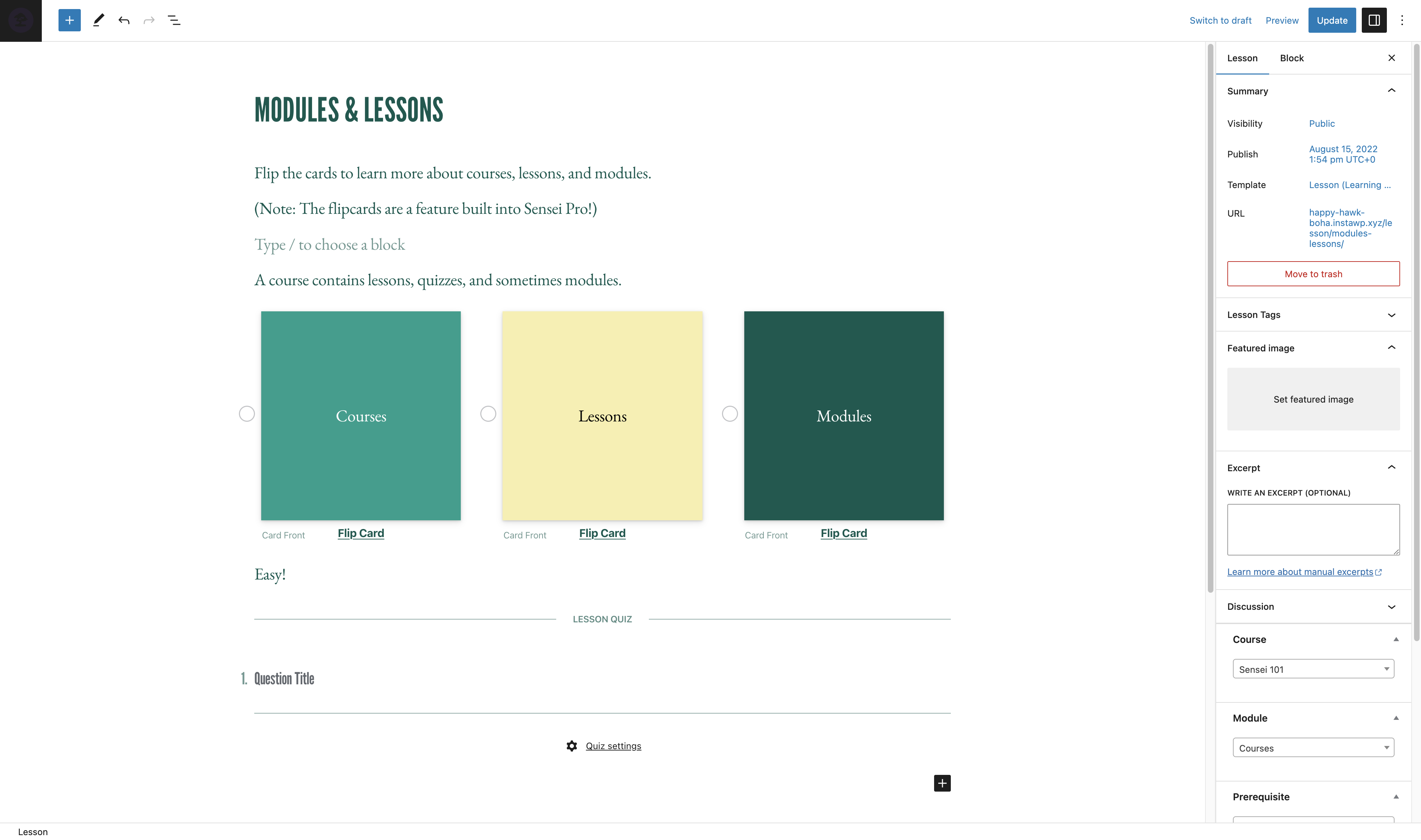
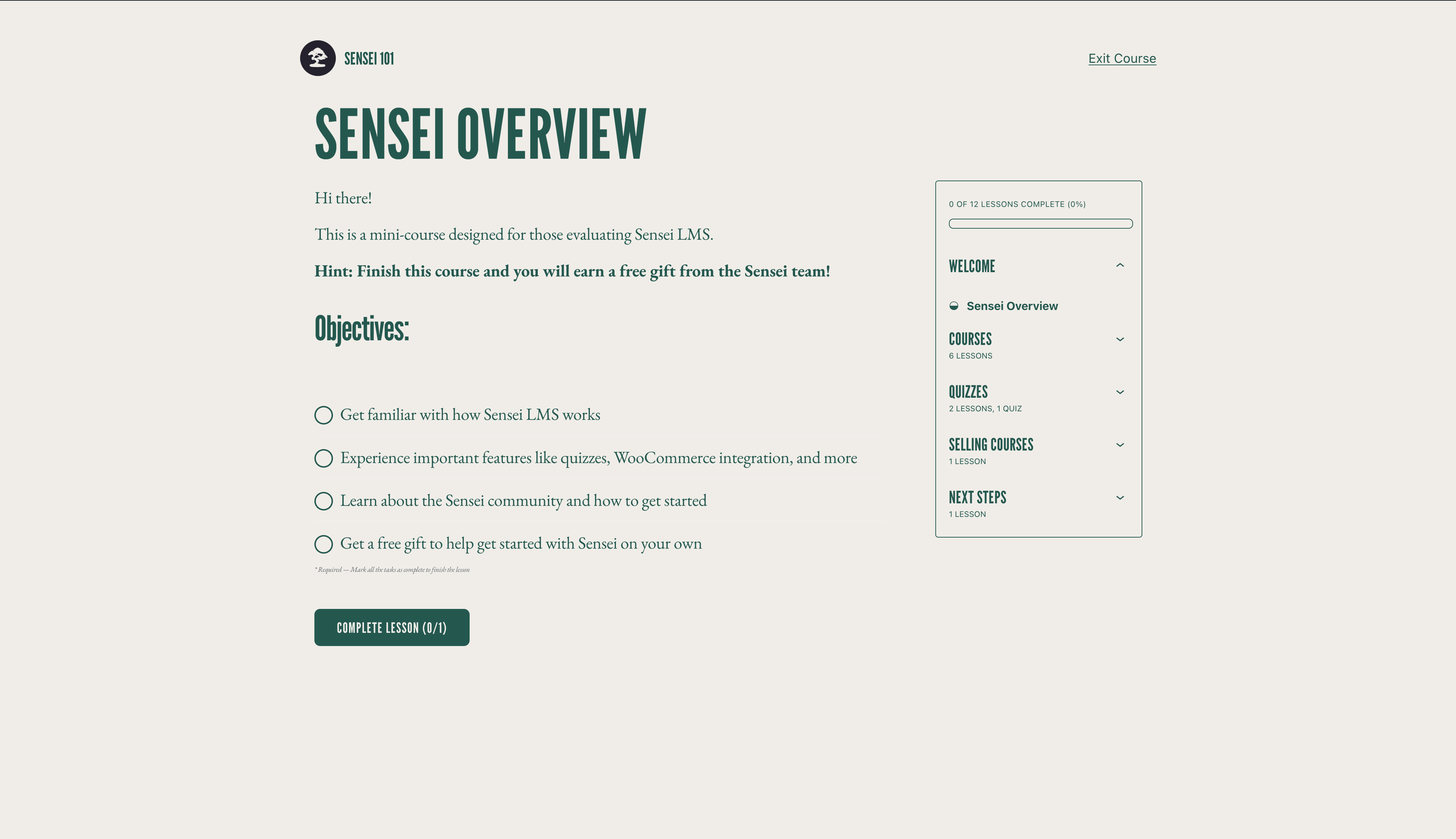

Blocs
Cette extension fournit 3 blocs.
- Course Title
- Exit Course
- Course Theme Lesson Module
Installation
Automatic installation
- Log into your WordPress admin panel and go to Plugins > Add New.
- Enter « Sensei LMS » into the search field.
- Once you’ve located the plugin, click Install Now.
- Click Activate.
- Configure the settings by going to Sensei LMS > Settings.
Manual installation
- Download the plugin file to your computer and unzip it.
- Using an FTP program, or your hosting control panel, upload the unzipped plugin folder to your WordPress installation’s
wp-content/plugins/directory on the server. - Log into your WordPress admin panel and activate the plugin from the Plugins menu.
- Configure the settings by going to Sensei LMS > Settings.
FAQ
-
Where can I get support for Sensei LMS?
-
For the free plugin, please use the Support Forums for any questions that you may have. We monitor the forums regularly and will reply as soon as we can.
You can also check our Documentation on our website for guides, tutorials, and other helpful information.
-
Where can I report bugs or contribute improvements to the plugin?
-
Sensei is developed in public on Github. We welcome anyone to report a bug, submit a pull request, and follow along with our progress.
-
Does Sensei work with membership plugins?
-
Sensei LMS can be used in conjunction with Sensei Pro and WooCommerce Memberships to enable you to sell courses as part of a membership plan. See Selling Courses as a Membership for more details.
-
How can I keep up to date with new releases and announcements for Sensei LMS?
-
Please visit the Sensei Blog or sign up for our mailing list.
-
How can I include my courses in the Sensei LMS showcase?
-
To find out how to submit a course to the Sensei LMS showcase, and the requirements, please see our documentation on the Course Showcase.
-
Does Sensei support live courses, Zoom integration, or webinars?
-
Yes! You can add links to Zoom, Google Meet, or whatever platform you choose in a course lesson. In addition, Sensei includes a meeting lesson layout you can select when creating a new lesson to help make this even easier.
-
Does Sensei work in WordPress Multisite?
-
Sensei LMS works great in WordPress Multisite. Although a Sensei Pro license covers only one site, the Sensei Agency plan permits the activation of Sensei Pro on up to 20 sites. If you use or plan to use Sensei Pro on a Multisite with more than 20 sites, please get in touch for custom pricing.
-
How can I sell courses as part of a membership?
-
Sensei LMS is compatible with Sensei Pro and WooCommerce Memberships, enabling you to sell courses as part of a membership plan.
See Selling Courses as a Membership for more details.
-
Does Sensei work in my language?
-
Community members have translated the free Sensei LMS plugin into 18 languages, while Sensei Pro has been professionally translated into 16 languages. We welcome contributions to improve even more.
Avis


Contributeurs/contributrices & développeurs/développeuses
« Sensei LMS – Online Courses, Quizzes, & Learning » est un logiciel libre. Les personnes suivantes ont contribué à cette extension.
Contributeurs


“Sensei LMS – Online Courses, Quizzes, & Learning” a été traduit dans 27 locales. Remerciez l’équipe de traduction pour ses contributions.
Traduisez « Sensei LMS – Online Courses, Quizzes, & Learning » dans votre langue.
Le développement vous intéresse ?
Parcourir le code, consulter le SVN dépôt, ou s’inscrire au journal de développement par RSS.
Journal des modifications
4.26.4 – 2026-09-29
Security
- Check the destination course permissions when changing the lesson course from the bulk editor.
- Enforce course edit permissions when creating a module from the course editor.
- Enforce lesson edit permissions when saving the course structure.
- Ensure Learning Mode applies colour values without changing block markup.
- Escape the label attribute in the Exit Course block.
- Escape the teacher name and archive link rendered by the sensei_teachers shortcode.
- Improved how locked lesson content is excluded from frontend listings.
- Improved how private messages are excluded from frontend queries.
- Improved how the admin lesson and course fields are initialised so that post content cannot influence them.
- Improved the authorization of lesson completion.
- Improved the authorization of private messages sent to teachers.
- Improved the authorization of usage tracking events.
- Improved the handling of files uploaded as quiz answers.
- Improved the privacy of private messages.
- Improved the scoping of teacher comment moderation.
- Made request-input handling consistent across the admin and frontend.
- Prevent students from changing their quiz answers after the quiz has been submitted.
- Require the Order Courses capability to save the course order.
- Restrict the legacy lesson quiz save handler to the lesson being saved.
Changed
- Reports Overview Students and Courses header counts now read HPPS progress tables when High-Performance Progress Storage is enabled. #8231
- Reports Overview students per-row average grade now reads HPPS progress tables. #8205
- Reports Overview students per-row course counts now read HPPS progress tables when High-Performance Progress Storage is enabled. #8231
- Resolve HPPS storage configuration consistently across progress query services and repositories. #8248
- Update Sensei blocks to Block API version 3 so they render in the WordPress iframe block editor. #8190
- Update the Action Scheduler package to version 4.1.0. #8166
- Update the pelago/emogrifier package to version 7.3.0. #8231
Deprecated
- Deprecate the
sensei_analysis_user_lesson_gradesfilter. #8205
Fixed
- Fix a fatal error when a teacher triggers a module hierarchy rebuild.
- Fix a PHP 8 TypeError when
post_updatedfires with a null post object during autosave. #8222 - Fix a PHP 8.4 deprecation notice when exporting CSV files. #8213
- Fix a thick border showing on Course Outline modules in the editor when the module border setting is off. #8191
- Fixed a PHP deprecation notice when reviewing a grade for an unanswered True/False question. #8214
- Fixed a PHP warning when changing a course’s teacher on a course with no modules. #8225
- Fixed edits to a WPML-duplicated lesson’s quiz landing on the original language’s quiz and questions. #8220
- Fixed quiz answers, grades, resets, and lesson and course quiz surfaces breaking when the admin uses a secondary language or the lesson is translated on multilingual sites. #8130
- Fixed saving a translated course overwriting and stealing the original course’s lessons on WPML sites. #8219
- Fixed the quiz saved message not showing in Learning Mode. #8272
- Fixed the student management and grading screens showing no students when the WPML admin language is not the original one. #8224
- Fixed the text domain on the « Generate quiz questions with AI » upsell label so it can be translated. #8230
- Fix garbled text in button blocks whose text uses non-Latin characters when the button URL is set at render time. #8226
- Fix lesson/module hamburger menu being hidden on mobile when the course title is too long. #8094
- Fix lesson order not reaching WPML translations when the translated lessons are not duplicates. #8246
- Fix lessons removed from a course staying in its WPML translations after the translation is updated. #8245
- Fix PHP 8.4 deprecation warnings from implicitly nullable function parameters. #8199
- Fix Sensei templates in the Site Editor when Gutenberg’s Template activation experiment is enabled. #8250
Development
- Refactored course report lesson metrics into dedicated progress aggregation and grading statistics services. #8249
- Remove the unused sensei_question_slug filter registration from the WPML compatibility class. #8215
4.26.3 – 2026-08-20
Security
- Scope the Students management user search to student accounts. #8174
- Require the grading capability on the lessons dropdown AJAX endpoint and scope it to the caller’s own lessons.
- Restrict adding a student to a lesson so it is only allowed through the lesson’s own course.
- Prevent a teacher from deleting another teacher’s unused module.
- Remove the admin notice that exposed the administration email address to non-administrators.
Removed
- Remove the course and lesson editor tours. #8150
Fixed
- Fix a false « already owned by another teacher » error that blocked saving a course containing a module without a resolvable owner. #8180
- Fix course layouts and Sensei blocks not loading when Show template is enabled. #8139
- Fix quiz results and grading showing a previous attempt’s grades after a retake from another language on multilingual sites. #8125
- Fix spacing and styling of quiz question options when using the iframed block editor. #8172
- Fix the Grading screen Grade button and row titles when the admin uses a secondary language on multilingual sites. #8121
- Fix the quiz results page showing questions in the language the quiz was taken in instead of the viewer’s language on multilingual sites. #8124
- Fix lesson prerequisites pointing to the original-language lesson on WPML-translated lessons. #8132
- Fix lessons appearing out of order in translated courses when a new lesson is translated with WPML, and attach WPML lesson duplicates to the translated course. #8149
- Fix PHP 8.1 deprecation notices rendered into the quiz page for unanswered Multi Line questions. #8146
- Fix quiz question titles and answers not being translated on WPML-translated lessons. #8100
- Fix the Add Student form layout on the Students page. #8147
- Fix the misaligned Reset filter button on the Grading screen. #8122
- Fix typo in My Courses Page setting description. #8106 👏 @Hashim1999164
- WordPress 7.1 Compatibility: Course and lesson block colors match the theme in the iframed post editor. #8179
- WordPress 7.1 Compatibility: Fix a PHP notice logged by Learning Mode templates. #8179
- WordPress 7.1 Compatibility: Learning Mode and email templates appear in their own group in the Site Editor. #8179
4.26.2 – 2026-07-29
Security
- Align the sensei-messages REST endpoint results with documented message visibility. #8032
- Ensure manual quiz grading submissions respect lesson ownership. #8035
- Apply private message permissions to replies returned by the core comments REST API. #8037
- Scope the Students « load more courses » action to courses the current teacher can manage. #8043
- Check quiz ownership in the legacy quiz-editor actions before applying changes. #8044
- Limit the modules course search to courses the current user is allowed to edit. #8049
- Only allow enrolled students to mark a course as complete. #8050
- Scope the Reports CSV export to the current teacher’s own courses, lessons and learners. #8053
- Ensure quiz resets are only allowed when retakes are enabled for the quiz. #8054
- Limit editing, deleting, and course assignment of a module to the module’s owner. #8089
Changed
- Disable the onboarding tour. #8014
- Migrate student start date editing to use progress repositories instead of direct comment meta access. #7933
- Open course outline AI upsell in a new tab. #8023
Fixed
- Fix alignment of option descriptions in the setup wizard’s purpose step. #8013
- Fix an infinite save loop when editing a lesson with a quiz block while a plugin (e.g. Polylang) injects extra fields into the REST response. #8036
- Fix duplicate frontend notices when the same keyed notice is added multiple times on classic themes. #8051
- Fix content import stalling permanently when CSVs reference many or large remote media files. #8064
- Fix PHP Fatal TypeError on PHP 8.x caused by malformed
classNameattribute definition in the Module Title block. #8093 - Fix the position of the Course(s) field description on the module add and edit screens. #8090
- Fix export and import dropping private lessons and questions. #8068
- Fix export content search missing matching lessons/courses/questions. #8048
- Fix PHP 8.4 deprecation warnings for implicitly-nullable parameters by declaring explicit nullable types. #8021
- Fix React ref warning in the quiz block toolbar by forwarding refs through the number controls. #8033
- Fix React render-phase update warning when opening Course Settings in the course editor. #8041
- Fix remote featured images with query-string URLs failing to import. #8063
- Fix translated quiz titles keeping the original-language title when using WPML. #8096
- Prevent the Welcome to Course email from being sent more than once to the same student for the same course. #8046