Search
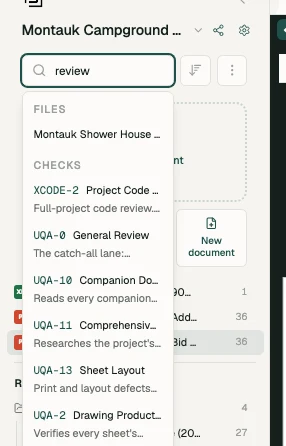
Outside a project, click the search icon at the top of the sidebar and type. Inside a project, the search box sits at the top of the Files panel, above your file tree. It is not the chat: it's a fast index of things by name, for when you know what you want and just need to get to it.
What it searches
| Type | Example | What happens when you pick it |
|---|---|---|
| Files | "A-201", "door schedule" | Inside a project only: opens the file in the viewer |
| Projects | "Kingsway Retail Park", or a project number | Opens the project |
| Tools | "overlay", "closure" | Opens the tool in the project you're in |
| Checks | "door schedule", "fire rating" | Inside a project, runs the check straight away |
| Features | "dashboard", "user guide" | Opens that page |
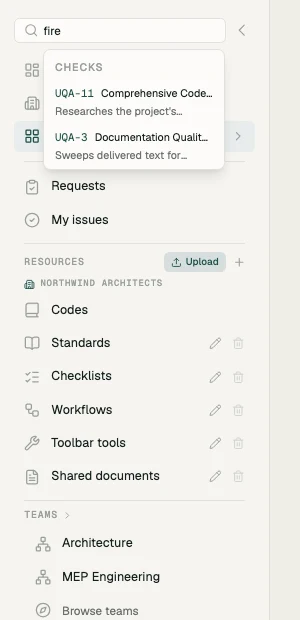
Files are matched by name among the project you're in, and each result shows the file's folder path. The other groups show up to 10 results each, and check results show the check's ID and a one-line description.
The check results are the ones people don't expect. Your library can run to hundreds of checks across nine disciplines, and typing "egress" is much faster than opening Project QAQC and browsing the groups.
Where to use it
- From inside a project, the search box acts on the project you're in. Picking a file opens it in the viewer. Picking a tool opens it in the Tools panel. Picking a check runs it right away across every document in the project, and opens Project QAQC so you can watch it. If the check doesn't apply to this project's drawings, we tell you and don't run it.
- From outside a project, search is for getting to a project. Picking a tool or a check asks you to open or create a project first.
Search vs chat
Both boxes take plain language, so it's worth being clear about which does what:
- Search finds things by name. It's instant and it doesn't read your drawings.
- Chat answers questions about the contents of your drawings, and can run work for you.
"Compare Versions" or "A-201" is a search. "What changed between rev 1 and rev 2?" is a chat.