

Beschreibung
WP Job Manager is a lightweight job listing plugin for adding job board functionality to your WordPress site. Being shortcode based, it can work with any theme (given a bit of CSS styling) and is really simple to setup.
Funktionen
- Add, manage, and categorize job listings using the familiar WordPress UI.
- Searchable & filterable ajax powered job listings added to your pages via shortcodes.
- Frontend forms for guests and registered users to submit & manage job listings.
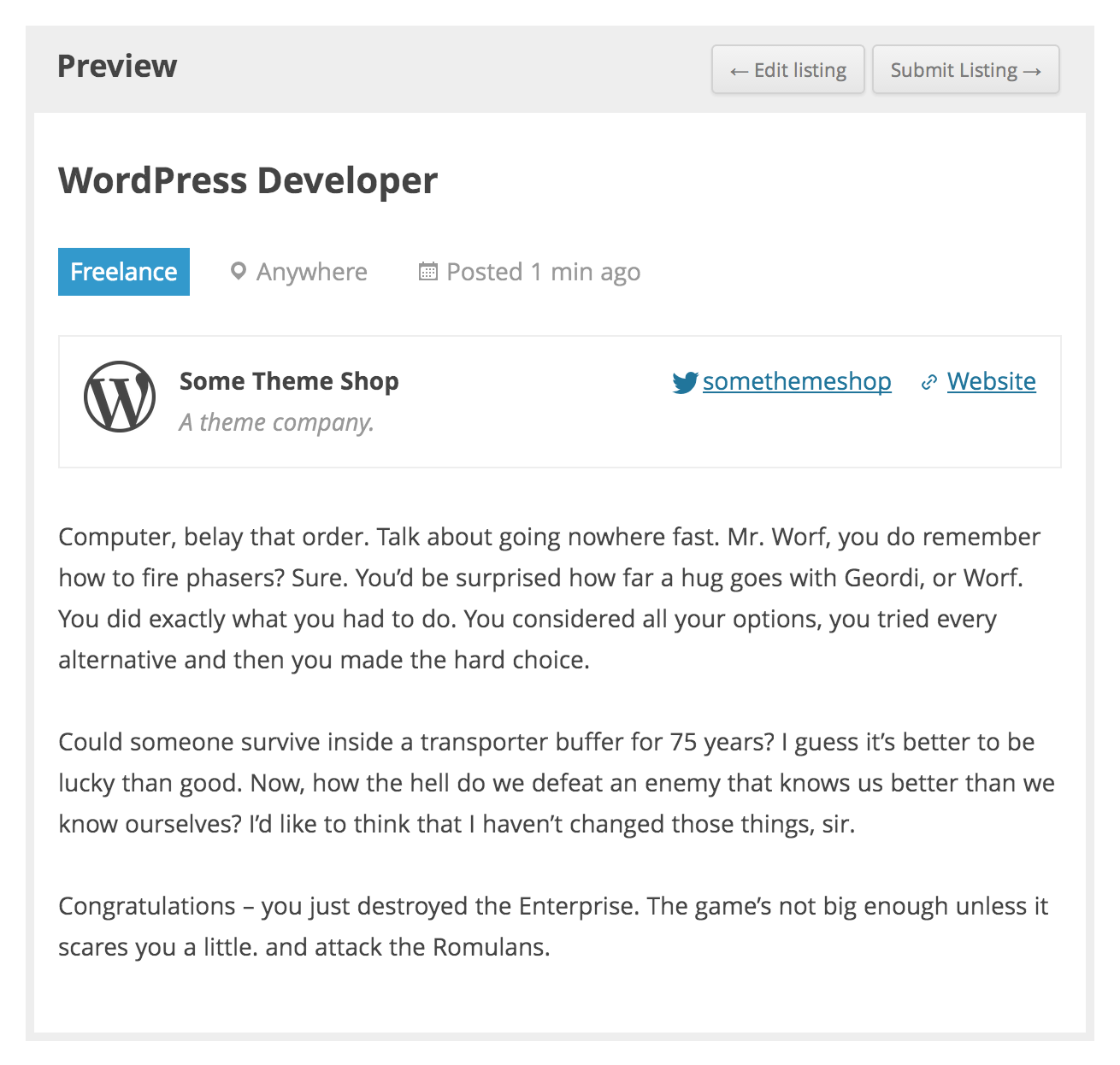
- Allow job listers to preview their listing before it goes live. The preview matches the appearance of a live job listing.
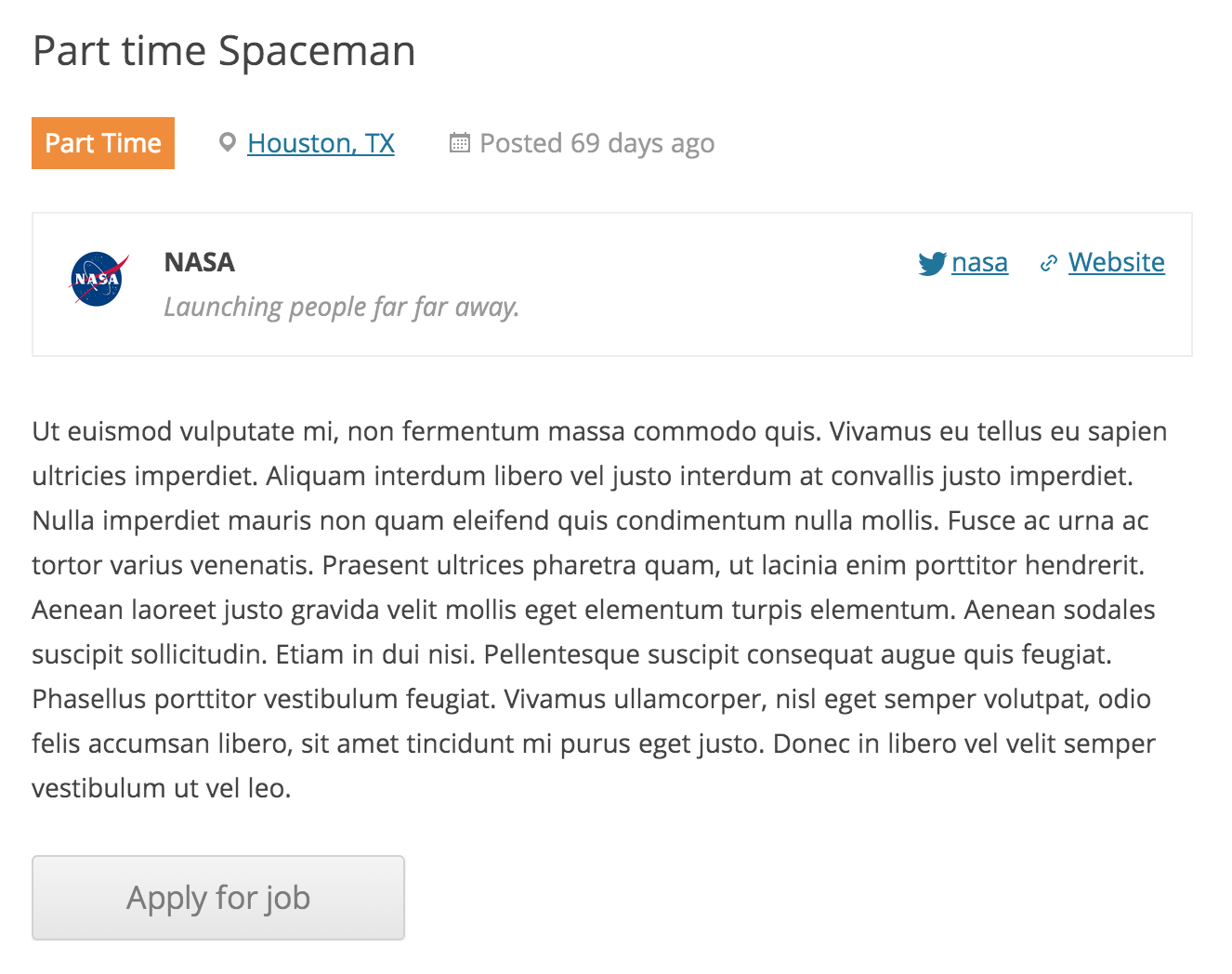
- Jeder Eintrag kann an eine E-Mail- oder Website-Adresse gebunden werden, damit Arbeitssuchende sich auf die Jobs bewerben können.
- Suchanfragen zeigen auch RSS-Links an, damit Arbeitssuchende auf neue Jobs aufmerksam gemacht werden können, die ihrer Suche entsprechen.
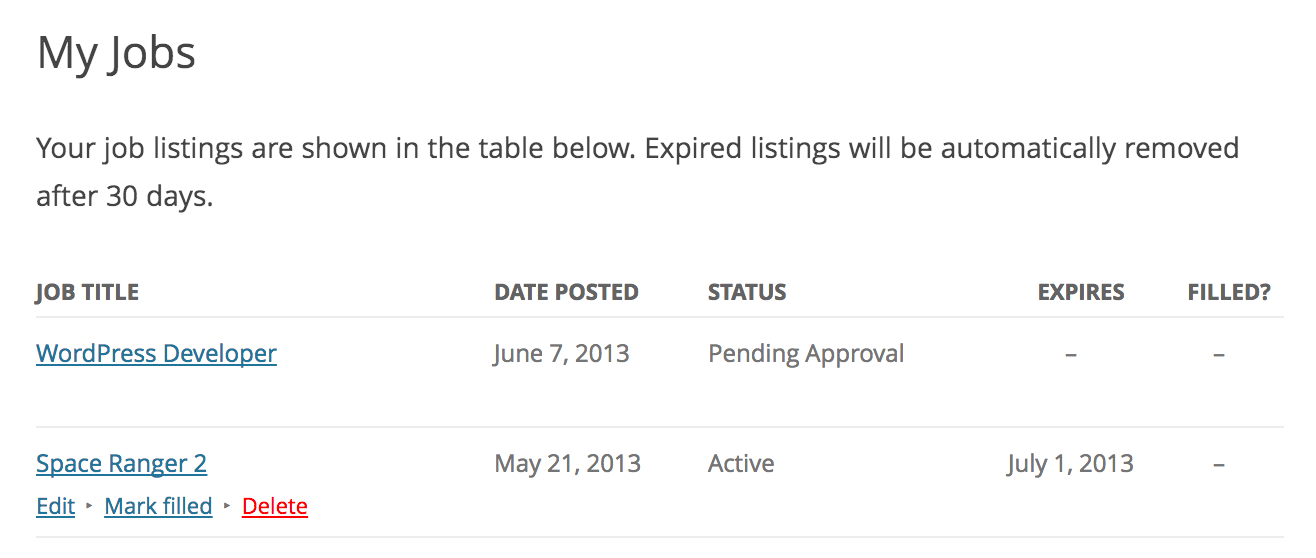
- Eingeloggten Arbeitgebern erlauben, ihre aktiven Jobauflistungen anzusehen, zu bearbeiten, zu kennzeichnen oder zu löschen.
- Job statistics for employers about job listing views and search impressions.
- Developer friendly code – Custom post types, endpoints & template files.
The plugin comes with several shortcodes to output jobs in various formats, and since its built with Custom Post Types you are free to extend it further through themes.
Read more about WP Job Manager.
Dokumentation
Documentation for the core plugin and extensions can be found on the docs site here. Please take a look before requesting support because it covers all frequently asked questions!
Demo
For a real-life example site, check out jobs.blog, built by the WP Job Manager team! To try out the plugin in an expendable demo site, click the Live Preview button above.
Erweiterungen
The core WP Job Manager plugin is free and always will be. It covers all functionality we consider ‚core‘ to running a simple job board site.
Additional, advanced functionality is available through extensions. Not only do these extend the usefulness of the core plugin, they also help fund the development and support of core.
You can browse available extensions after installing the plugin by going to Job Manager > Marketplace. Our popular extensions include:
Allow candidates to apply to jobs using a form & employers to view and manage the applications from their job dashboard.
Paid listing functionality powered by WooCommerce. Create custom job packages which can be purchased or redeemed during job submission. Requires the WooCommerce plugin.
Resume Manager is a plugin built on top of WP Job Manager which adds a resume submission form to your site and resume listings, all manageable from WordPress admin.
Registrierte Benutzer können ihre Jobsuche speichern und Benachrichtigungen erstellen, die täglich, wöchentlich oder alle zwei Wochen neue Jobs per E-Mail senden.
You can get the above extensions and several others at discount with our WPJM Pro Bundle. Take a look!
Mitwirken und Fehler melden.
You can contribute code to this plugin via GitHub: https://github.com/Automattic/WP-Job-Manager and localizations via https://translate.wordpress.org/projects/wp-plugins/wp-job-manager
Vielen Dank an alle Mitwirkenden.
Support
Use the WordPress.org forums for community support where we try to help all users. If you spot a bug, you can log it (or fix it) on Github where we can act upon them more efficiently.
If you need help with one of our extensions, please raise a ticket in our help desk.
If you want help with a customization, please consider hiring a developer! http://jobs.wordpress.net/ is a good place to start.
Screenshots



Installation
Automatische Installation
Automatic installation is the easiest option as WordPress handles the file transfers itself and you don’t even need to leave your web browser. To do an automatic install, log in to your WordPress admin panel, navigate to the Plugins menu and click Add New.
In the search field type „WP Job Manager“ and click Search Plugins. Once you’ve found the plugin you can view details about it such as the point release, rating and description. Most importantly of course, you can install it by clicking Install Now.
Manuelle Installation
The manual installation method involves downloading the plugin and uploading it to your web server via your favorite FTP application.
- Lade die Plugin-Datei auf deinen Computer herunter und entpacke sie
- Using an FTP program, or your hosting control panel, upload the unzipped plugin folder to your WordPress installation’s
wp-content/plugins/directory. - Activate the plugin from the Plugins menu within the WordPress admin.
Erste Schritte
Einmal installiert:
- Create a page called „jobs“ and inside place the
[jobs]shortcode. This will list your jobs. - Create a page called „submit job“ and inside place the
[submit_job_form]shortcode if you want front-end submissions. - Create a page called „job dashboard“ and inside place the
[job_dashboard]shortcode for logged in users to manage their listings.
Note when using shortcodes, if the content looks blown up/spaced out/poorly styled, edit your page and above the visual editor click on the ‚text‘ tab. Then remove any ‚pre‘ or ‚code‘ tags wrapping your shortcode.
Für weitere Informationen lies die Dokumentation (engl.)
FAQ
-
Wie richte ich WP Job Manager ein?
-
View the getting installation and setup guide for advice getting started with the plugin. In most cases it’s just a case of adding some shortcodes to your pages!
-
Kann ich den WP Job Manager ohne Eingabe von Frontend-Jobs verwenden?
-
Yes! If you don’t setup the [submit_job_form] shortcode, you can just post from the admin backend.
-
Wie kann ich den Bewerbungsprozess anpassen?
-
Es gibt mehrere Möglichkeiten, den Bewerbungsprozess im WP Job Manager anzupassen, einschließlich der Verwendung einiger zusätzlicher Plugins (einige sind auf WordPress.org kostenlos).
-
Wie kann ich das Bewerbungsformular anpassen?
-
Es gibt drei Möglichkeiten, die Felder im WP-Job-Manager anzupassen.
- Bei einfachen Textänderungen mit einer Lokalisierungsdatei oder einem Plugin wie https://wordpress.org/plugins/say-what/
- For field changes, or adding new fields, using functions/filters inside your theme’s functions.php file: https://wpjobmanager.com/document/editing-job-submission-fields/
- Use a 3rd party plugin such as https://plugins.smyl.es/wp-job-manager-field-editor/ which has a UI for field editing.
If you’d like to learn about WordPress filters, here is a great place to start: https://developer.wordpress.org/plugins/hooks/filters/
-
Wie kann ich per E-Mail über neue Jobs informiert werden?
-
If you wish to be notified of new postings on your site you can use a plugin such as Post Status Notifier.
-
Welche Sprachdateien sind verfügbar?
-
You can view (and contribute) translations via the translate.wordpress.org.
-
How do I add the Recent Jobs or Featured Jobs widgets on a block theme?
-
Block themes have no classic Widgets screen, but you can still add the Recent Jobs and Featured Jobs widgets through the Site Editor. Go to Appearance Editor, open a template or template part, add the Legacy Widget block from the inserter, and choose Recent Jobs or Featured Jobs. The widget’s settings and preview appear right in the editor, just as they do on a classic theme.
Rezensionen


Mitwirkende und Entwickler
„WP Job Manager“ ist Open-Source-Software. Folgende Menschen haben an diesem Plugin mitgewirkt:
Mitwirkende-
Automattic
-
Mike Jolley
-
Adam Heckler
-
Alex Sanford
-
annezazu
-
Cena (a11n)
-
Chase Livingston
-
csonnek
-
Davor
-
Donna Peplinskie (a11n)
-
Donncha O Caoimh (a11n)
-
Dan (a11n)
-
Stef (a11n)
-
Fernando Jorge Mota
-
jacobshere
-
Jake Morrison
-
Jeremy Herve
-
jenhooks
-
Greg
-
jonryan
-
Brandon Kraft
-
lamday
-
Lisa Schuyler
-
James Huff
-
Nancy
-
orangesareorange
-
rachelsquirrel
-
Renatho
-
Ryan C.
-
Richard Archambault
-
Stefan Carstocea
„WP Job Manager“ wurde in 37 Sprachen übersetzt. Danke an die Übersetzer für ihre Mitwirkung.
Übersetze „WP Job Manager“ in deine Sprache.
Interessiert an der Entwicklung?
Durchstöbere den Code, sieh dir das SVN-Repository an oder abonniere das Entwicklungsprotokoll per RSS.
Änderungsprotokoll
2.4.8 – 2026-10-07
- Fix job dashboard actions being silently ignored when the dashboard is rendered from a synced pattern, template or page builder; the configured Job Dashboard page is now honoured and declined actions show an error notice. (#3126)
- Fix the geolocation filter not being honored when importing listings. (#3112)
- Fix the reCAPTCHA deprecation notices naming a non-existent replacement method. (#3127)
- Prevent resuming another user’s job submission draft.
- Scrub unusable attachment values on the edit-job form.
- Apply the View Job Capability to taxonomy term feeds.
- Apply the browse and view capabilities to listing archive queries.
- Apply the listing capabilities to the Yoast, Jetpack and All in One SEO sitemaps.
- Align REST single-listing route matching with WordPress core and withhold the guid in restricted responses.
- Honour requested listing statuses by viewer capability in the [jobs] shortcode.
- Update developer dependencies.
2.4.7 – 2026-09-03
- Fix company logo rendering at full size in the Job Listings admin table on WordPress 7.1. (#3099)
- Indicate WordPress 7.1 compatibility. (#3097)
- Fix JobPosting structured data (JSON-LD) being HTML-escaped, so job titles and descriptions are read correctly by search engines. (#3101)
- Fix a race condition that could allow the job submission limit to be exceeded. (#3013)
- Apply the View Job Capability to the promoted-jobs REST endpoints.
- Apply the View Job Capability to sitemaps.
- Restrict frontend logo attachments to the uploads directory.
- Clear unusable attachment values before re-rendering the job submission form.
- Update developer dependencies.
2.4.6 – 2026-08-19
- Allow reusing a submitter’s saved company logo on a new listing (#3082)
- Allow reusing a listing’s existing logo on edit when authored by another user (#3060)
- Fix notice dismiss button colliding with core styles (#3036)
- Fix unreadable notice-banner button text on Settings (#3029)
- Decode HTML entities in plain-text job title contexts (#3026)
- Indicate WordPress 7.0 compatibility (#3015)
- Verify the TLS certificate on the geocoding request (#3014)
- Exclude password-protected listings from the promoted jobs feed (#3012)
- Only accept a manual listing expiry from the gated admin edit (#3011)
-
Prevent the edit-job form from creating a new listing for an unauthorized or logged-out request.
-
Enforce company-logo attachment ownership when saving a job listing as a draft.
-
Apply the post-password check to the
[job]and[job_apply]shortcodes.
2.4.5 – 2026-07-01
- Escape URLs in two sprintf href templates with esc_url() (#2996)
- Validate attachment ownership when reusing a company logo by ID (#2995)
- Honor restrictive filter_post_status=publish for logged-out visitors (#2994)
2.4.4 – 2026-06-24
- Fix: Restore the frontend styles and scripts that were missing from the 2.4.3 package. The 2.4.3 release was built without its compiled CSS and JavaScript, leaving the employer job dashboard unstyled and breaking frontend features such as the job application form. (#2990)