

Beschreibung
The easiest to use Google Maps, Leaflet and Open Layers Map Plugin (including a Map Block)!
Füge deinen WordPress-Beiträgen und/oder -Seiten schnell und einfach mit dem mitgelieferten Shortcode eine angepasste Google-Karte oder einen Store Locator hinzu. Kein Aufhebens. Keine iFrames und super einfach zu bedienen! Perfekt für Karten auf Kontaktseiten, Routen, Karten mit Liefergebieten und jede andere Verwendung, die du dir vorstellen können!
Während du mit der Gratisversion von WP Google Maps eine Karte mit unbegrenzter Anzahl and Markierungen erstellen kannst, ist mit der Pro Version noch so viel mehr möglich!
Erstelle Elementor Karten und Karten Blocks einfach mit unserer WP Google Maps Elementor Karten Block Integration ohne großen Aufwand
Do you use the classic editor? We still support map widgets for classic WordPress installations. No need to compromise, the map widget includes the same functionality as our map blocks!
Die WP Google Maps Pro Version erlaubt es dir, benutzerdefinierte Karten mit Markierungen in hoher Qualität zu erstellen, die zudem Orte, Beschreibungen, Bilder, Kategorien, Links und Richtungensanweisungen enthalten können.
Lite Version (Gratis)
- Das beliebteste Google Maps Plugin für Worpdress
- Choose between Google Maps, Leaflet, Azure Maps, Stadia Maps, Maptiler, LocationIQ, Zero Cost or Open Layers Maps
- Super einfach zu benutzen, keine Programmierkenntnisse benötigt!
- Erstelle so viele Kartenmarkierungen wie du benötigst, indem du einfach die Adresse eingibst
- Responsive Karten
- Elementor Karten Block
- Editiere deine Markierungen mit einem Klick
- Neun beliebte Kartendesigns zur Auswahl
- Erstelle dein eigenes Kartendesign oder füge es ein
- Ziehe Markierungen zu einer exakten Position
- Einen Kartenblock zu Ihrer Seite hinzufügen
- Unterstützt Google Maps Streetview
- Unterstützt UTF-8 Kodierung
- Kartensteuerelement Funktionen
- Karten-Vollansicht-Funktionalität
- Unterstützt Lokalisierung
- Wähle einen von vier Google Maps Typen: Straßenkarte, Gelände, Satellit oder Hybrid
- Definiere deine eigene Breite, Höhe und Zoomstufe für deine Karte
- Füge deinen Kartenmarkierungen Animation hinzu!
- Ladenfinderfunktion
- Schränke einen Ladenfinder auf die Suche je nach Land ein
- Füge deiner Karte Polygone hinzu
- Füge deiner Karte Polylinien und Routen hinzu
- Erstelle ein Karte in weniger als 30 Sekunden!
- Rechtsklick um eine Markierung zu deiner Karte hinzuzufügen
- Keine Werbung und keine Links
- Google Maps Autovervollständigung
- Google Maps Transportschicht
- Setze ein maximales Zoomlevel für deine Karte fest
- Gib deine Markierungen über Datenbanken oder XML-Dateien an
- Kompatibel zu Caching-Plugins
- Kompatibel mit Cloudfare
- Neueste Google Maps API
- Neueste OpenLayers API
- Latest Leaflet API
Professional Edition
- Erstelle mehrere Karten!
- Erlaube deinen Besuchern eine direkte Zielführung zu deiner Markierung.
- Erstelle Beschreibungen, Links und Bilder für deine Markierungen.
- Erstelle Kategorien für deine Kartenmarkierungen
- Sortiere Markierungen über deine Kategorien
- Zusammenstellung mehrerer Karten
- Advanced map blocks
- Store locator map block
- Directions map block
- Infowindow block
- Map block (filter)
- Füge verschiedene Markierungsicons ein, oder benutzte deine eigenen, um deine Karte besonders zu machen!
- Liste deine Kartenmarkierungen auf die vier Arten auf; Basisliste, Basistabelle, Karussell, erweiterte Tabelle
- Erlaube Besuchern ihre eigene Position als Start oder Ziel für die Zielführung zu benutzen.
- Wähle zwischen dem Standart Google Maps Infofenster und dem neuen modernen Infofenster
- Exportiere/Importiere deine Markierungen zu einer CSV-Datei, um Sie schnell bearbeiten zu können.
- Verlinke zusammengeführte Tabellen zu deinen Google Karten
- Schaue dir die Positionen deiner Besucher auf der Karte an
- Import von KML/KMZ Dateien in Deine Karte
- Erweiterte Optionen für den Ladenfinder
- Erlaube Benutzern, ihre Position für den Ladenfinder zu benutzen
- Ladenfinder nach Kategorie durchsuchen
- Verstecke alle Markierungen bis der Ladenfinder die Suche beendet hat
- Verschiebe deine Markerliste innerhalb des Kartenfensters
- Umfangreiche Kartenwidget funktionalität
- Füge Retinafähige Kartenmarkierungen hinzu
- WordPress Netzwerk freundlich
- Get the WP Go Maps Professional Edition
Übersetzungen
Bekomme WP Google Maps Pro gratis, indem du uns hilfst unser Plugin zu übersetzen!
- Englisch – Standart
- Russisch (Alexandra Bondareva)
- Deutsch
- Französisch (Arnaud Thomas)
- Polnisch (Michal Kotnowski)
- Finnisch (Johanna Joutti)
- Niederländisch (Jan Wind)
- Hebräisch (Gal Dotan)
- Dänisch (Patrick Jepsen)
- Italienisch (Tommaso Mori & Massimo Bregani)
- Kroatisch (Sven Kopun)
- Griechisch (Konstantinos Koukoulakis)
- Romänisch (Cosmin Stroe)
- Spanisch (Carmelo Villegas Cruz)
- Portugiesisch (Jose Antonio Ribeiro)
- Brasilianisch Portugiesisch (Roberto Costa)
- Türkisch (Suha Karalar)
- Schwedisch (Martin Sleipner)
- Bulgarisch (Lyubomir Kolev)
- Indonesisch (Neno)
- Litauisch
- Tschechisch^
^Sprachdateien müssen aktualisiert werden
Demos
WP Go Maps Lite
- Basiskarte von Google mit Markierungen
- Ladenfinder
- Polygone & Polylinien/Routen
- Google Maps Ebene für öffentliche Verkehrsmittel
- Google Maps Ebene für den Verkehr
- Google Maps Ebene für Fahrradwege
WP Go Maps Pro
- Google-Karte mit erweiterten Markierungen
- Marker Auflistungen – Einfach
- Marker Auflistungen – Erweitert
- Google Maps Wegbeschreibung
- Responsive Karte
- Markierungskategorien (Filterung)
- Erweiterte Händlersuche
- WP Google Maps Editor (Backend Screenshots)
- Besuchergenerierte Markierungen – (WP Google Maps VGM Add-on)
- Custom Map Styling (WP Google Maps Gold Add-on)
Dokumentation
- Installing WP Go Maps
- Creating your first map
- Adding a map block to your page or post
- Google Maps mashup (Pro)
- Exporting and importing map markers (Pro)
- Changing the Google Maps language
- Create a google map and marker using custom fields (Pro)
- View all documentation
Problembehandlung
Screenshots

Die „Lite“ Version von WP Google Maps. 
Die „Pro“ Version von WP Google Maps. 
WP Google Maps Pro Version: Besucher können eine Zielführung zu deiner Markierung erhalten. 
WP Google Maps Pro Version: Erstelle benutzerdefinierte Markierungen für deine Google Karte 
WP Google Maps Lite Version: Allgemeine Einstellungen 
WP Google Maps Pro Version: Allgemeine Einstellungen 
WP Google Maps Pro Version: InfoWindow Einstellungsseite 
WP Google Maps Pro Version: Erweiterte Google Maps Optionen. 
WP Google Maps Pro Version: Kartenmarkierungen Listenoptionen 
WP Google Maps Pro Version: Exportiere/Importiere deine Kartenmarkierungen 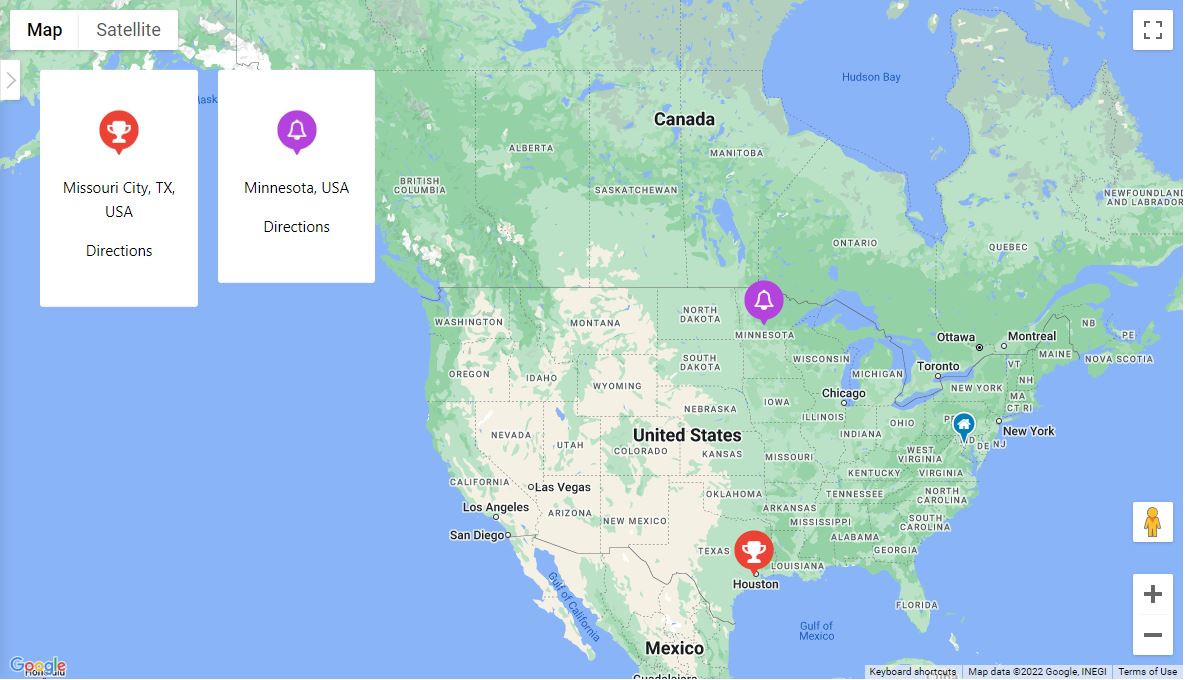
WP Google Maps Pro Version: Responsive Kartenmarkierungslisten im Karusell 
WP Google Maps Lite Version: Ladenfinder-Einstellungen 
WP Google Maps Lite Version: Ladenfinderkarte 
WP Google Maps Lite Version: Kartenwidget 
Wähle ein Theme für deine Karte aus oder wähle ein Theme aus unserer Themebibliothek
Blöcke
Dieses Plugin unterstützt 2 Blöcke.
- Map The easiest to use Google Maps plugin! Create custom Google Maps with high quality markers containing locations, descriptions, images and links. Add your customized map to your WordPress posts and/or pages quickly and easily with the supplied shortcode. No fuss.
- Store Locator WP Go Maps Store Locator block, allowing to separate your store locator from your map
Installation
Neuer WP Google Maps Benutzer
Vielen Dank, dass du WP Google Maps benutzt. Um deine erste Google Map zu erstellen, musst du das Plugin einfach nur aktivieren und im Navigationsmenü auf der linken Seite auf „Karten“ klicken.
Sobald die WP Google Maps Seite geladen wurde, kannst du die gewünschten Einstellungen für deine Map vornehmen. Danach musst die Google Karte nur noch bei gedrückter Maustaste an die gewünschte Position verschieben und auf „Karte speichern“ klicken.
Kopiere den kurzen Code und füge in in deinen Eintrag oder auf deine Seite. WP Google Maps wird die Karte dann automatisch mit den von dir vorgenommenen Einstellung erstellen.
Erstelle deine erste Kartenmarkierung
Um eine Markierung zu deiner Google Karte hinzuzufügen, scrolle runter bis zu deinem Adminbereich und gebe GPS oder Adressdaten in das Adressfeld ein. Klicke dann auf „Markierung hinzufügen“ und WP Google Maps wird die Markierung an die von dir angegebene Adresse setzen.
Erstelle einen Google Maps Ladenfinder
Damit dein WP Google Maps Ladenfinder funktioniert, musst du einfach im Bereich „Ladenfinder“ auf den Bereich „Karte erstellen“ klicken und „Ja“ auswählen.
FAQ
-
Wie kann ich WP Google Maps Pro kaufen?
-
Simply visit https://www.wpgmaps.com and purchase the WP Go Maps Professional Edition. Free updates and support included forever.
-
Ich habe das Plugin installiert. Was nun?
-
Einmal installiert und aktiviert, sollte in deinem linken Navigationsbereich ein Link zu deiner WP Administration erscheinen. Klicke auf diesen Link und befolge die Anweisungen auf dem Bildschirm.
-
Wie füge ich eine Google Map in meinen Eintrag oder meine Seite ein?
-
Um deine eigenen Google Karte in deinem Beitrag oder auf deiner Seite zu zeigen, kopiere einfach den automatisch erstellten Code und füge in auf dem entsprechenden Beitrag oder Seite ein. WP Google Maps wird die Karte automatisch und nach den von dir vorgenommenen Einstellungen erstellen.
-
How do I add a map block to my page or post?
-
It’s super easy to add a map block to your page or post. Simply add a block in the normal page editor, then type in „Map“ and you should see the map block option. For more information please review this tutorial
-
Wie füge ich ein Kartenwidget in meinen Widgetbereich ein?
-
Um die Karte zu deinem Widgetsbereich hinzuzufügen, gehe einfach in „Erscheinung – Widget“ und ziehe das WP Google Maps Widget per Drag&Drop auf deine Seiteleiste. Danach musst du das Widget nur noch entsprechend bearbeiten um die korrekte Karte anzuzeigen.
-
How can I report security bugs?
-
You can report security bugs through the Patchstack Vulnerability Disclosure Program. The Patchstack team help validate, triage and handle any security vulnerabilities. Report a security vulnerability.
Rezensionen


Mitwirkende & Entwickler
„WP Go Maps (formerly WP Google Maps)“ ist Open-Source-Software. Folgende Menschen haben an diesem Plugin mitgewirkt:
Mitwirkende


„WP Go Maps (formerly WP Google Maps)“ wurde in 23 Sprachen übersetzt. Danke an die Übersetzerinnen und Übersetzer für ihre Mitwirkung.
Übersetze „WP Go Maps (formerly WP Google Maps)“ in deine Sprache.
Interessiert an der Entwicklung?
Durchstöbere den Code, sieh dir das SVN Repository an oder abonniere das Entwicklungsprotokoll per RSS.
Änderungsprotokoll
10.0.09 – 2026-04-16
- Fixed issue where minified code base was not accurately compiled due to issue with internal build tools. Only affected pro users
10.0.08 – 2026-04-16
- Fixed issue where users on Pro below V10 would experience a DataTables V2 init failure, preventing access to the map editor and marker list. When Pro below V10 is detected, DataTables V1.12 and its Responsive extension are now loaded from CDN instead
- Fixed issue where users on Pro below V10 would see an init failure on the map editor due to the Google Drawing Manager library not being loaded. The drawing library is now injected into the Google Maps API URL via the compatibility layer when Pro below V10 is detected on the map edit page
10.0.07 – 2026-04-15
- Added methods to internal Google Drawing Manager, internalizing this feature, and allowing removal of native Google Drawing Manager. Due to upcoming deprecation
- Added scale line control support for Google Maps, Leaflet, and OpenLayers. Can be enabled on a per map basis
- Added ability to override plugin language from within the settings. Defaults to site language
- Added ability to override custom tile server token field name
- Added ability to override custom tile server type (raster or vector)
- Added native Elementor integration with Map and Store Locator widgets, mirroring the existing Gutenberg block structure
- Added ElementorModuleWidget abstract base class to provide a shared preview/render pattern for all Elementor module widgets
- Added support for WPML post type translations, ensuring integrated post type marker sources respect the active language
- Added blueprint JSON file to assets for preview mode support moving forward
- Fixed issue where script loader would throw a notice for Google vertex menu when not using Google Maps engine
- Fixed issue where Leaflet maps set to a starting zoom below 2 would cause incorrect marker placement due to EPSG3857 world-copy wrapping; a safe minZoom floor of 2 is now enforced for standard tile maps (custom tile/CRS.Simple maps are unaffected)
- Fixed issue where Astra Theme Compatibility layer may trigger an error on some environments
- Improved the language loader to ensure we don’t unexpectedly trigger a global language file due to missing files, as this leads to outdated translations
- Improved all datatables related styles to better support the V2 upgrade
- Updated FR translation files. Thanks to Madevcomfr
- Updated credits page to include new contributors and translators
- Updated internal process to ensure accurate version management (SVN)
- Updated DataTables to V2 release, and migrated core modules to support this change
- Updated WritersBlock internal library to add additional features
- Remove responsive DataTables extension as this is bundled in our V2 files
- Removed Google Drawing Manager as a dependency, in favour of internal module, which is being deprecated by Google
10.0.06 – 2026-03-17
- Fixed issue where nonce refresh actions were missing permission checks, creating an XSS vulnerability. Security issue. Thanks Nguyen Ba Hung (bashu) (KCSC) (Wordfence)
- Fixed issue where settings storage would rely purely on nonce checks, without reasserting permissions. Security issue. Thanks Nguyen Ba Hung (bashu) (KCSC) (Wordfence)
- Fixed issue where Google marker click event for AdvancedMarkerRender mode was set to ‚click‘ instead of the suggested ‚gmp-click‘
- Fixed issue where marker offset method would fail in Leaflet causing issues with NVC systems and other marker nudge modules
10.0.05 – 2026-01-14
- Fixed issue where notice actions were missing permission checks. Low level users could trigger actions like switching map engines. Security issue. Thanks Moose Love (Nagasaki Prefectural University) (Wordfence)
- Fixed issue where deferred loading with WP Rocket would lead to initialization error. We now exclude inline initializer and settings object from this system. Can be disabled in settings
- Fixed issue where batch marker loading would incorrectly trigger final shape fetch request
- Fixed issue where internal map library loaders would not respect force-load flag when enqueueing scripts
- Fixed issue with setMap calls on point labels
- Improved point label architecture to support regeneration and map ID changes if needed
10.0.04 – 2025-12-04
- Added pro features page and menu item
- Added additional page construction hooks
- Added demo list to maps view page
- Added LocationIQ to engine swap toolbar
- Improved PHP 8.5 stability & compatibility
- Fixed issue where engine swap toolbar would not set tileserver defaults for first time users
- Fixed issue where map list clicks were not being handled correctly for action buttons
- Fixed issue where PHP 8.5 would throw a deprecation warning due to an outdated switch case
- Fixed issue with our internal links, docs, site, support, forums, throughout the plugin
- Fixed issue where bulk marker selection button would not work in some environments
- Fixed issue where info-window link controls were available in basic
- Updated marker listing demo image
10.0.03 – 2025-11-27
- Added first time usage flow which opens the marker creator once for new users (UX Improvement)
- Added engine swap toolbar to map editor for first time usage, once dismissed does not show again (UX Improvement)
- Added a new setting to enable dynamic translations, as this must be an opt in for large data sites
- Updated internal CTA buttons and controls from gold to blue (UX Improvement)
- Removed a console log within the map initialization controller, it is not relevant with delayed loading
- Removed the disable dynamic translation, instead we now allow this via an opt in instead
10.0.02 – 2025-11-17
- Added shapes and overlays sub-section to map editor, moving all relevant datasets into that panel (UX Improvement)
- Added ability to click on a map from the map list to open the editor (UX Improvement)
- Added primary button color to edit map button within map list (UX Improvement)
- Added blue highlight to primary dataset creation buttons to make it clearer how to add datasets (UX Improvement)
- Added button to marker quick tip notice to jump straight to marker creation (UX Improvement)
- Added conditional checks for major version mismatches in compiler, preventing mismatched major versions from throwing build errors
- Added a one time hint tool to our internal map editor tour system, which will show helpful usage hints after the main tour is completed.
- Fixed issue where Google Maps logo would not display on some installations, within the engine selector
- Fixed issue where plugins that load bootstrap in our editor might cause editor placement issues, plugin conflict
- Fixed issue where map preview would not generate on some themes. We now generate a draft page, which is reused and pruned when new previews are created
- Moved save map notice in map editor to top anchor
- Moved add marker quick tip notice in map editor to bottom left anchor
- Removed bounds reset system when adding a marker to a map, to allow multiple markers to be added to the same region without reset
10.0.01 – 2025-11-10
- Fixed issue with compatibility layer for older versions of Pro add-on (V8 and below)
10.0.00 – 2025-11-10
- Added Leaflet engine support
- Added Azure engine, powered by Leaflet
- Added Stadia engine, powered by Leaflet
- Added Maptiler engine, powered by Leaflet
- Added LocationIQ engine, powered by Leaflet
- Added support for OpenLayers V10
- Added ability to use legacy (V6) OpenLayers, should be considered deprecated. Will be removed in the future
- Added ability to change address providers, for autocomplete and client side geocoding
- Added additional address providers including Google Maps, Azure Maps, Nominatim, LocationIQ and engine default
- Added ability to provide a supplementary address provider API key if needed
- Added ability to switch tile servers, with another from the same provider, on a per map basis
- Added additional tile server options, with providers and automated groupings
- Added ability to set line thickness on both rectangles and circles
- Added tile server previews for improved customization
- Added support for dynamic content translations with WPML
- Added Atlas Novus as the default internal build
- Added danger zone tool to reindex any spatial coordinate data for markers, where a spatial coordinate has gone missing
- Added ability to adjust rectangle boundaries with boundary input
- Added ability to bulk delete shapes
- Added ability to center on shapes and datasets within the editor
- Added dropdown context meny to shape datatables
- Added option to cachebust REST API requests
- Added improved GDPR styling, it becomes the new default
- Added quick delete button to info-window within the map editor
- Added ability to override any HTML template part via a child theme override
- Added map preview system, allowing maps to be previewed on frontpage
- Added default indexes to all tables to improve performance
- Added spatial indexes to tables where applicable to improve performance
- Added fullscreen map editor panel mode, for dataset listings, allowing more data to be viewed
- Added extended maximum zoom level (22) which is supported by all map engines
- Added mobile settings tab to editor
- Added ability to set a different map width/height for mobile devices
- Added new default engine/installer preset for zero cost mapping, for all new installations
- Added ability to reduce marker editor geocoder usage. Skips geocoding if lat/lng coordinates are present, opt in available in settings
- Added ability to select store locator button style (Icons (default), or Text) on a per map basis
- Added accessibility support, with the goal of being WCAG Level AA compliant
-
- Aria labels and roles added where needed
-
- Improved focus cues and managing of indexing
-
- Keyboard navigation added (tab, enter, space, and escape for panels)
-
- Hierarchy restructuring where needed to better support navigation
-
- Tested with various tools:
-
-
- Microsoft Accessibility Insights: Pass (FastPass)
-
-
-
- Axe DevTools: Pass (WCAG Level AA)
-
-
-
- Google Lighthouse: Pass (100% Accessible)
-
-
-
- Wave Tools: Pass
-
-
- Manual testing completed for navigation with a keyboard
-
- We will continue to improve this over time
-
- Known Issues
-
-
- Only supported on the frontend
-
-
-
- Does not allow marker selection via the map container (Marker listings supported, and encouraged for accessibility focused installations)
-
-
-
- Although a substantial rework has been implemented, this has not been verified by 3rd party compliance testers at this stage
-
-
-
-
- We know that accessibility is more nuanced than simple machine driven tests, we’d like to work with our community to ensure we improve this further
-
-
-
-
-
- Please reach out to us if you find anything that you feel should be improved as a priority!
-
-
- Improved internal autocomplete modules for better user experience and management
- Improved theme preset user interface
- Improved theme CSS editor
- Improved tile server system to handle params and authentication more efficiently
- Improved tile server system to properly attribute various service providers
- Improved settings user interface, adding sections and descriptors for better clarity
- Improved Google Maps Advanced Marker render mode support
- Improved Google Async support
- Improved zoom sliders within editor
- Improved map initialization state control
- Improved map initialization error correction
- Improved map initialization automatic delayed retry module
- Improved info-window open calls to include data-props in container for styling
- Improved styling system to allow native info-windows to inherit brand styling
- Improved open layers native info-window, now includes border radius and shadows
- Improved checkbox styling within the map viewport
- Improved available WP filters within our AjaxTable class, allowing count values to be filtered
- Improved internal shape architecture
- Improved batch loader logic and modularized method
- Improved welcome page to include new features
- Improved all option management by disabling autoloading, reducing impact on server resources
- Improved Legacy to Atlas Novus migration flow by introducing automatic map settings migration modules
- Improved DomDocument param handlers where needed
- Fixed issue where marker labels would not render & symbols correctly
- Fixed issue where major version mismatch would cause UI error to be thrown in REST API requests
- Fixed issue where shape datatables within the editor couldn’t be searched fully
- Fixed issue where touch events would not dispatch on OpenLayers shapes
- Fixed issue with error suppression in DomDocument class, added LIBXML_NOERROR when
- Fixed issue where some overlays would overlap info-windows in Open Layers (Example clusters)
- Fixed issue with clustering translations in DE language files
- Fixed issue where engine switch notice would show even if the user has already switched to Atlas Novus (manually)
- Moved build selection Danger Zone
- Moved optimization options out of beta
- Moved map mobile zoom level control to mobile panel section
- Removed Stamen Design tile servers, as they have moved to Stadia
- Removed OpenPtMap tile server due to missing SSL
- Removed duplicate map fetch methods, which were unused
- Archived V9 changelogs
For more, please view the WP Go Maps site