

Popis
Vytvářejte krásné a poutavé online kurzy, lekce a kvízy.
Sensei LMS je výkonný plugin pro správu vzdělávání od společnosti Automattic, která stojí za WordPress.com, WooCommerce a Jetpack. Ve společnosti Automattic používáme Sensei LMS k zajištění všech školení našich zaměstnanců.
Sdílejte své znalosti a učte pomocí Sensei LMS!
Výkonné funkce LMS
- Bezproblémová integrace systému Sensei LMS do vašich stránek WordPress. Sensei LMS vypadá skvěle s jakýmkoli tématem a lze jej přizpůsobit tak, aby odpovídal vaší značce a stylu.
- Vytvářejte atraktivní kurzy pomocí WordPress Block Editoru, který plně a zdarma využívá dostupnout Šablonu kurzu od Sensei.
- Povolte Režim učení pro intenzivní výuku bez rozptylování.
- Sledujte pokroky a výkony žáků pomocí podrobných zpráv.
- Vkládání videí z YouTube, Vimeo a VideoPress pro kurzy založené na videích.
- Přidat blok Seznam kurzů na libovolnou stránku nebo příspěvek pro zobrazení dostupných kurzů.
Vytváření efektivních kvízů
Kvízy jsou účinným způsobem, jak zlepšit porozumění klíčových pojmů a sledovat pokrok žáků. Vyberte si z různých typů kvízových otázek a nastavení, jako jsou například kvízy s výběrem odpovědí, vyplňování prázdných políček, pravdivé/nepravdivé, volné odpovědi, nahrávání souborů a další.
Prezentujte své kurzy
Odešlete svůj kurz do veřejné prezentace kurzů Sensei LMS na https://senseilms.com/showcase/. Veřejná prezentace kurzů Sensei LMS vám umožní oslovit nové publikum a rozšířit tak viditelnost vašeho kurzu.
Objevte možnosti Sensei Pro
Využijte plný potenciál svých kurzů pomocí aplikace Sensei Pro.
Integrace se službou WooCommerce: Nastavte cenu a prodávejte kurzy pomocí několika kliknutí. Sensei Pro dokonale integruje také s rozšířeními WooCommerce Předplatné, Platby, Členství a Partnerství.
Plánované rozkapávání obsahu: Ovládejte tempo výuky ve svých kurzech určením, kdy mohou žáci přistupovat k obsahu lekcí v pevně stanovených intervalech po zahájení kurzu nebo v určitý den.
Interaktivní bloky: Obohaťte své lekce, stránky nebo příspěvky o poutavá videa, flashkarty, obrázkové hotspoty a seznamy úkolů.
Vylepšené funkce kvízu: Nastavte časovač kvízu a zařaďte do něj typ otázky. S aplikací Sensei LMS Pro můžete jednotlivé kvízové otázky zahrnout do jakéhokoli obsahu WordPressu, nejen do kvízů.
Skupiny & Kohorty:Organizovat studenty do skupin a kohort, kvůli spravování přístupu a přizpůsobování výuky.
Období přístupu ke kurzům: Vyberte datum zahájení, datum ukončení nebo konkrétní dobu, po kterou budou kurzy žákům přístupné.
Podmíněný obsah: Přizpůsobte výukovou cestu skrytím nebo zobrazením lekcí a obsahu na základě skupin, stavu zápisu a data.
Přednostní podpora: Náš tým odborných a přátelských techniků je vždy k dispozici, aby vám poskytl pomoc a zajistil váš úspěch!
Flashcards: Na obě strany bloku typu flashcard můžete přidávat text, videa, obrázky, vložené soubory a další prvky.
Spolu-učitelé: Sdílejte vlastnictví kurzu se spolu-učiteli, kteří mohou upravovat nastavení kurzu, lekce a kvízy.
Bezplatná rozšíření
Certifikáty: Automatické generování krásných PDF certifikátů ke stažení pro žáky po dokončení kurzu.
Zjistěte více o certifikátech Sensei LMS.
Tvůrce kurzů z příspěvků: Rychle vytvářejte kurzy převedením stávajících blogových příspěvkůna lekce kurzu pomocí několika kliknutí.
Snímky obrazovky

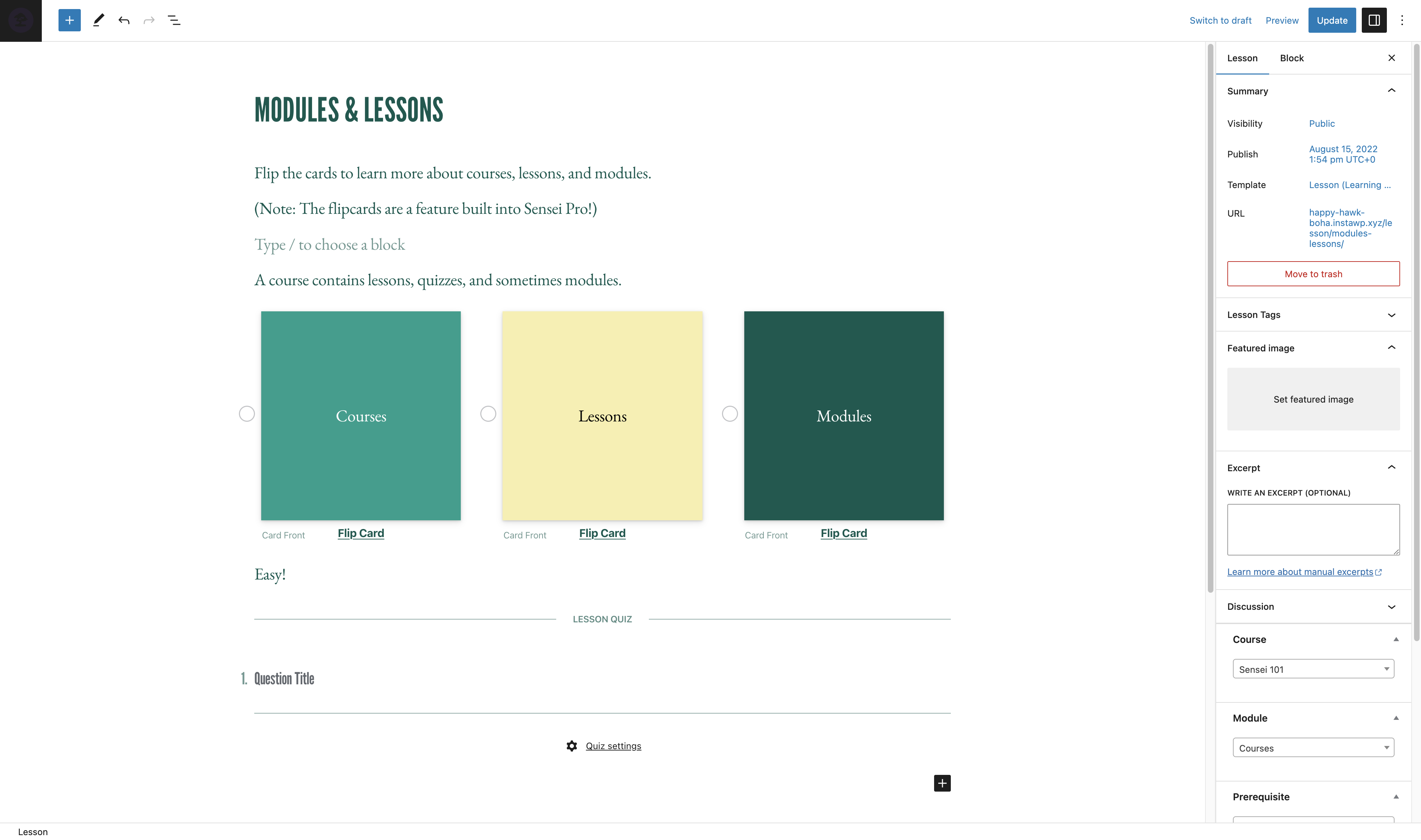
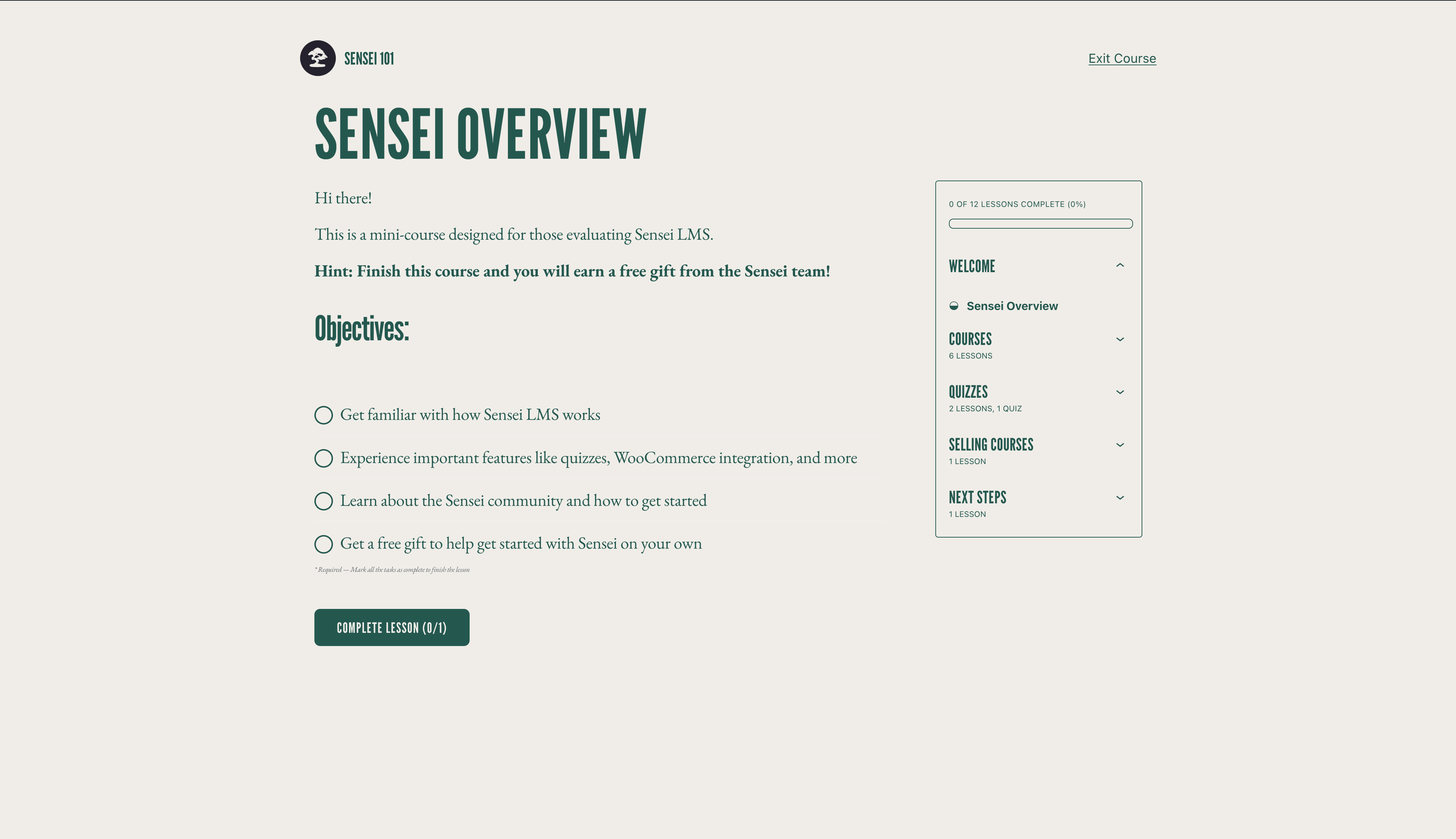

Bloky
Tento plugin poskytuje 3 bloky.
- Course Title
- Exit Course
- Course Theme Lesson Module
Instalace
Automatická instalace
- Přihlaste se do administrátorského panelu WordPress a přejděte na Pluginy > Přidat nový.
- Zadejte „Sensei LMS“ do vyhledávání.
- Jakmile naleznete plugin, klikněte na Instalovat nyní.
- Kliknout na Aktivovat.
- Uzpůsobit nastavení přechodem na Sensei LMS > Nastavení.
Manuální instalace
- Stáhněte si soubor pluginu do počítače a rozbalte jej.
- Pomocí programu FTP nebo ovládacího panelu hostování nahrajte nazasipovanou složku pluginu do seznamu WordPress instalací
wp-obsah/pluginyna servru. - Přihlaste se do administrátorského panelu WordPress a aktivujte plugin z menu Pluginy.
- Uzpůsobit nastavení přechodem na Sensei LMS > Nastavení.
Nejčastější dotazy
-
Kde mohu získat podporu pro Sensei LMS?
-
Pro bezplatný plugin použijte prosím Fóra podpory pro případné dotazy. Fóra pravidelně sledujeme a odpovíme vám, jakmile to bude možné.
Můžete se také podívat na Dokumentaci na našich webových stránkách, kde najdete dokumenty, návody a další užitečné informace.
-
Kde mohu nahlásit chyby nebo přispět k vylepšení pluginu?
-
Sensei je vyvíjen veřejně na Githubu. Vítáme každého, kdo chce nahlásit chybu, odeslat požadavek na stažení a sledovat náš pokrok.
-
funguje Sensei s členskými pluginy?
-
Sensei LMS lze používat ve spojení s Sensei Pro a WooCommerce Memberships abyste mohli prodávat kurzy jako součást členského plánu. Další podrobnosti najdete na Prodej kurzů jako členství.
-
Jak mohu sledovat nové verze a oznámení pro Sensei LMS?
-
Navštivte prosím Sensei Blog nebo se přihlaste do našeho mailového listu.
-
Jak mohu své kurzy zařadit do prezentace systému Sensei LMS?
-
Informace o tom, jak kurz do prezentace Sensei LMS přihlásit, a o požadavcích naleznete v naší dokumentaci o prezentaci kurzů.
-
Podporuje Sensei živé kurzy, integraci se službou Zoom nebo webové semináře?
-
Ano! Do lekce kurzu můžete přidat odkazy na Zoom, Google Meet nebo jakoukoli jinou platformu. Sensei navíc obsahuje rozvržení lekce pro setkání, které si můžete vybrat při vytváření nové lekce, abyste to měli ještě jednodušší.
-
Funguje Sensei v systému WordPress Multisite?
-
Sensei LMS funguje skvěle ve WordPress Multisite. Ačkoli licence Sensei Pro pokrývá pouze jeden web, plán Sensei Agency umožňuje aktivaci Sensei Pro až na 20 webech. Pokud používáte nebo plánujete používat Sensei Pro na Multisite s více než 20 weby, kontaktujte nás pro individuální ceny.
-
Jak mohu prodávat kurzy jako součást předplatného?
-
Sensei LMS je kompatibilní se Sensei Pro a WooCommerce Memberships, což vám umožní prodávat kurzy jako součást členského plánu.
Další podrobnosti najdete v Prodej kurzů jako členství.
-
Funguje Sensei v mém jazyce?
-
Členové komunity přeložili bezplatný plugin Sensei LMS do 18 jazyků, zatímco Sensei Pro byl profesionálně přeložen do 16 jazyků. Uvítáme příspěvky, které umožní ještě více vylepšení.
Recenze


Autoři
Sensei LMS – Online kurzy, kvízy, & učení je otevřený software. Následující lidé přispěli k vývoji tohoto pluginu.
Spolupracovníci


Plugin „Sensei LMS – Online kurzy, kvízy, & učení“ byl přeložen do 27 jazyků. Děkujeme všem překladatelům za jejich pomoc.
Přeložte “Sensei LMS – Online kurzy, kvízy, & učení” do svého jazyka.
Zajímá vás vývoj?
Prohledejte kód, podívejte se do SVN repozitáře, nebo se přihlaste k odběru protokolu vývoje pomocí RSS.
Přehled změn
4.26.4 – 2026-09-29
Security
- Check the destination course permissions when changing the lesson course from the bulk editor.
- Enforce course edit permissions when creating a module from the course editor.
- Enforce lesson edit permissions when saving the course structure.
- Ensure Learning Mode applies colour values without changing block markup.
- Escape the label attribute in the Exit Course block.
- Escape the teacher name and archive link rendered by the sensei_teachers shortcode.
- Improved how locked lesson content is excluded from frontend listings.
- Improved how private messages are excluded from frontend queries.
- Improved how the admin lesson and course fields are initialised so that post content cannot influence them.
- Improved the authorization of lesson completion.
- Improved the authorization of private messages sent to teachers.
- Improved the authorization of usage tracking events.
- Improved the handling of files uploaded as quiz answers.
- Improved the privacy of private messages.
- Improved the scoping of teacher comment moderation.
- Made request-input handling consistent across the admin and frontend.
- Prevent students from changing their quiz answers after the quiz has been submitted.
- Require the Order Courses capability to save the course order.
- Restrict the legacy lesson quiz save handler to the lesson being saved.
Changed
- Reports Overview Students and Courses header counts now read HPPS progress tables when High-Performance Progress Storage is enabled. #8231
- Reports Overview students per-row average grade now reads HPPS progress tables. #8205
- Reports Overview students per-row course counts now read HPPS progress tables when High-Performance Progress Storage is enabled. #8231
- Resolve HPPS storage configuration consistently across progress query services and repositories. #8248
- Update Sensei blocks to Block API version 3 so they render in the WordPress iframe block editor. #8190
- Update the Action Scheduler package to version 4.1.0. #8166
- Update the pelago/emogrifier package to version 7.3.0. #8231
Deprecated
- Deprecate the
sensei_analysis_user_lesson_gradesfilter. #8205
Fixed
- Fix a fatal error when a teacher triggers a module hierarchy rebuild.
- Fix a PHP 8 TypeError when
post_updatedfires with a null post object during autosave. #8222 - Fix a PHP 8.4 deprecation notice when exporting CSV files. #8213
- Fix a thick border showing on Course Outline modules in the editor when the module border setting is off. #8191
- Fixed a PHP deprecation notice when reviewing a grade for an unanswered True/False question. #8214
- Fixed a PHP warning when changing a course’s teacher on a course with no modules. #8225
- Fixed edits to a WPML-duplicated lesson’s quiz landing on the original language’s quiz and questions. #8220
- Fixed quiz answers, grades, resets, and lesson and course quiz surfaces breaking when the admin uses a secondary language or the lesson is translated on multilingual sites. #8130
- Fixed saving a translated course overwriting and stealing the original course’s lessons on WPML sites. #8219
- Fixed the quiz saved message not showing in Learning Mode. #8272
- Fixed the student management and grading screens showing no students when the WPML admin language is not the original one. #8224
- Fixed the text domain on the „Generate quiz questions with AI“ upsell label so it can be translated. #8230
- Fix garbled text in button blocks whose text uses non-Latin characters when the button URL is set at render time. #8226
- Fix lesson/module hamburger menu being hidden on mobile when the course title is too long. #8094
- Fix lesson order not reaching WPML translations when the translated lessons are not duplicates. #8246
- Fix lessons removed from a course staying in its WPML translations after the translation is updated. #8245
- Fix PHP 8.4 deprecation warnings from implicitly nullable function parameters. #8199
- Fix Sensei templates in the Site Editor when Gutenberg’s Template activation experiment is enabled. #8250
Development
- Refactored course report lesson metrics into dedicated progress aggregation and grading statistics services. #8249
- Remove the unused sensei_question_slug filter registration from the WPML compatibility class. #8215
4.26.3 – 2026-08-20
Security
- Scope the Students management user search to student accounts. #8174
- Require the grading capability on the lessons dropdown AJAX endpoint and scope it to the caller’s own lessons.
- Restrict adding a student to a lesson so it is only allowed through the lesson’s own course.
- Prevent a teacher from deleting another teacher’s unused module.
- Remove the admin notice that exposed the administration email address to non-administrators.
Removed
- Remove the course and lesson editor tours. #8150
Fixed
- Fix a false „already owned by another teacher“ error that blocked saving a course containing a module without a resolvable owner. #8180
- Fix course layouts and Sensei blocks not loading when Show template is enabled. #8139
- Fix quiz results and grading showing a previous attempt’s grades after a retake from another language on multilingual sites. #8125
- Fix spacing and styling of quiz question options when using the iframed block editor. #8172
- Fix the Grading screen Grade button and row titles when the admin uses a secondary language on multilingual sites. #8121
- Fix the quiz results page showing questions in the language the quiz was taken in instead of the viewer’s language on multilingual sites. #8124
- Fix lesson prerequisites pointing to the original-language lesson on WPML-translated lessons. #8132
- Fix lessons appearing out of order in translated courses when a new lesson is translated with WPML, and attach WPML lesson duplicates to the translated course. #8149
- Fix PHP 8.1 deprecation notices rendered into the quiz page for unanswered Multi Line questions. #8146
- Fix quiz question titles and answers not being translated on WPML-translated lessons. #8100
- Fix the Add Student form layout on the Students page. #8147
- Fix the misaligned Reset filter button on the Grading screen. #8122
- Fix typo in My Courses Page setting description. #8106 👏 @Hashim1999164
- WordPress 7.1 Compatibility: Course and lesson block colors match the theme in the iframed post editor. #8179
- WordPress 7.1 Compatibility: Fix a PHP notice logged by Learning Mode templates. #8179
- WordPress 7.1 Compatibility: Learning Mode and email templates appear in their own group in the Site Editor. #8179
4.26.2 – 2026-07-29
Security
- Align the sensei-messages REST endpoint results with documented message visibility. #8032
- Ensure manual quiz grading submissions respect lesson ownership. #8035
- Apply private message permissions to replies returned by the core comments REST API. #8037
- Scope the Students „load more courses“ action to courses the current teacher can manage. #8043
- Check quiz ownership in the legacy quiz-editor actions before applying changes. #8044
- Limit the modules course search to courses the current user is allowed to edit. #8049
- Only allow enrolled students to mark a course as complete. #8050
- Scope the Reports CSV export to the current teacher’s own courses, lessons and learners. #8053
- Ensure quiz resets are only allowed when retakes are enabled for the quiz. #8054
- Limit editing, deleting, and course assignment of a module to the module’s owner. #8089
Changed
- Disable the onboarding tour. #8014
- Migrate student start date editing to use progress repositories instead of direct comment meta access. #7933
- Open course outline AI upsell in a new tab. #8023
Fixed
- Fix alignment of option descriptions in the setup wizard’s purpose step. #8013
- Fix an infinite save loop when editing a lesson with a quiz block while a plugin (e.g. Polylang) injects extra fields into the REST response. #8036
- Fix duplicate frontend notices when the same keyed notice is added multiple times on classic themes. #8051
- Fix content import stalling permanently when CSVs reference many or large remote media files. #8064
- Fix PHP Fatal TypeError on PHP 8.x caused by malformed
classNameattribute definition in the Module Title block. #8093 - Fix the position of the Course(s) field description on the module add and edit screens. #8090
- Fix export and import dropping private lessons and questions. #8068
- Fix export content search missing matching lessons/courses/questions. #8048
- Fix PHP 8.4 deprecation warnings for implicitly-nullable parameters by declaring explicit nullable types. #8021
- Fix React ref warning in the quiz block toolbar by forwarding refs through the number controls. #8033
- Fix React render-phase update warning when opening Course Settings in the course editor. #8041
- Fix remote featured images with query-string URLs failing to import. #8063
- Fix translated quiz titles keeping the original-language title when using WPML. #8096
- Prevent the Welcome to Course email from being sent more than once to the same student for the same course. #8046