

描述
Site Kit 是 Google 的官方 WordPress 插件,用于分析人们如何找到和使用您的站点。Site Kit 是一种一站式解决方案,用于部署、管理和从关键的 Google 工具中获得数据,使站点在网络上取得成功。其直接在 WordPress 仪表盘中提供来自多个 Google 产品的权威、最新的数据,便于访问,且完全免费。
带来最好的工具给WordPress
Site Kit包括使用这些Google产品无缝和灵活的强大功能:
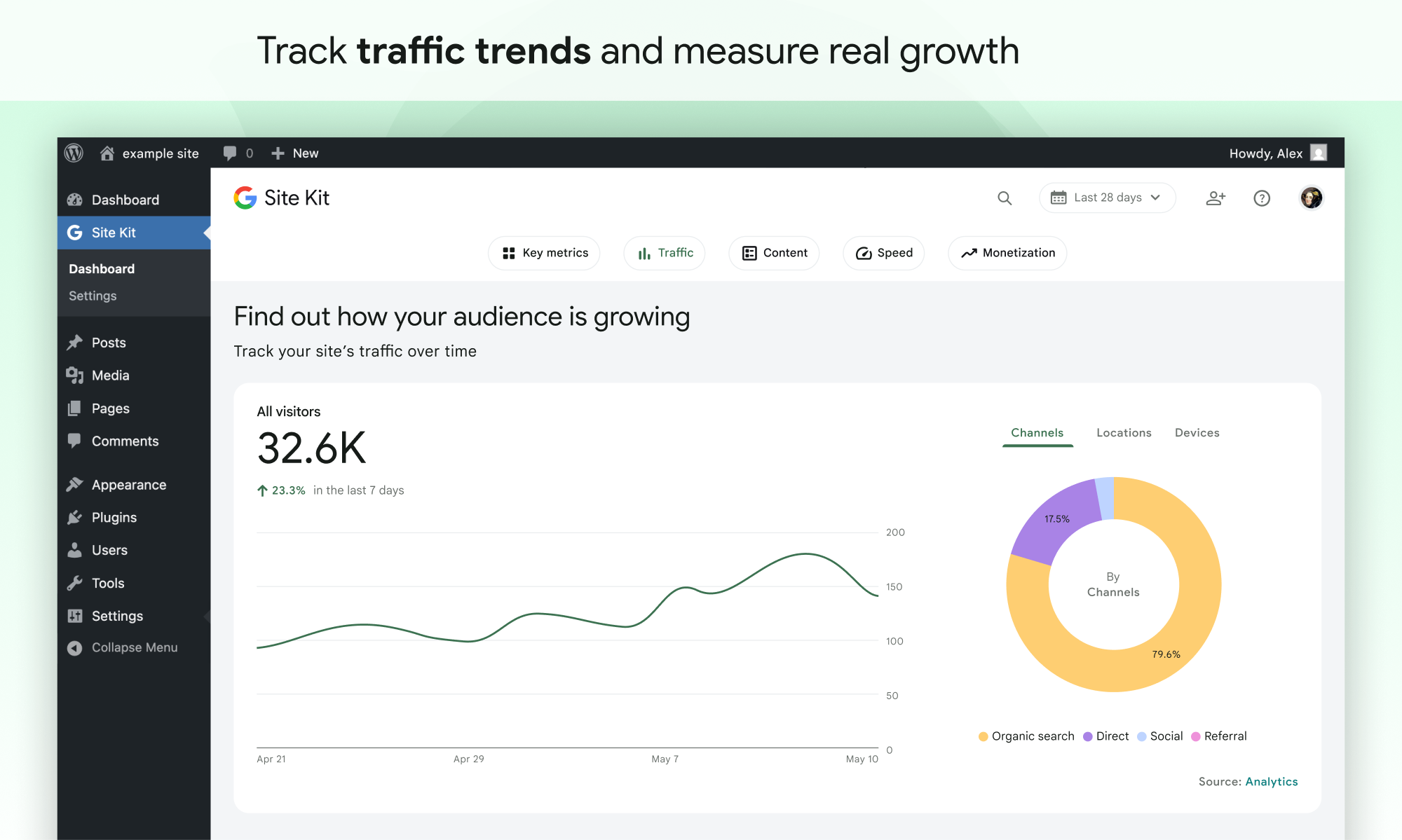
- 易于理解的统计直接在Wordpress仪表板上
- 来自多个Google Tools的官方统计数据,全部在一个仪表板中
- 无需编辑您网站的源代码“无需编辑多个Google工具的快速设置
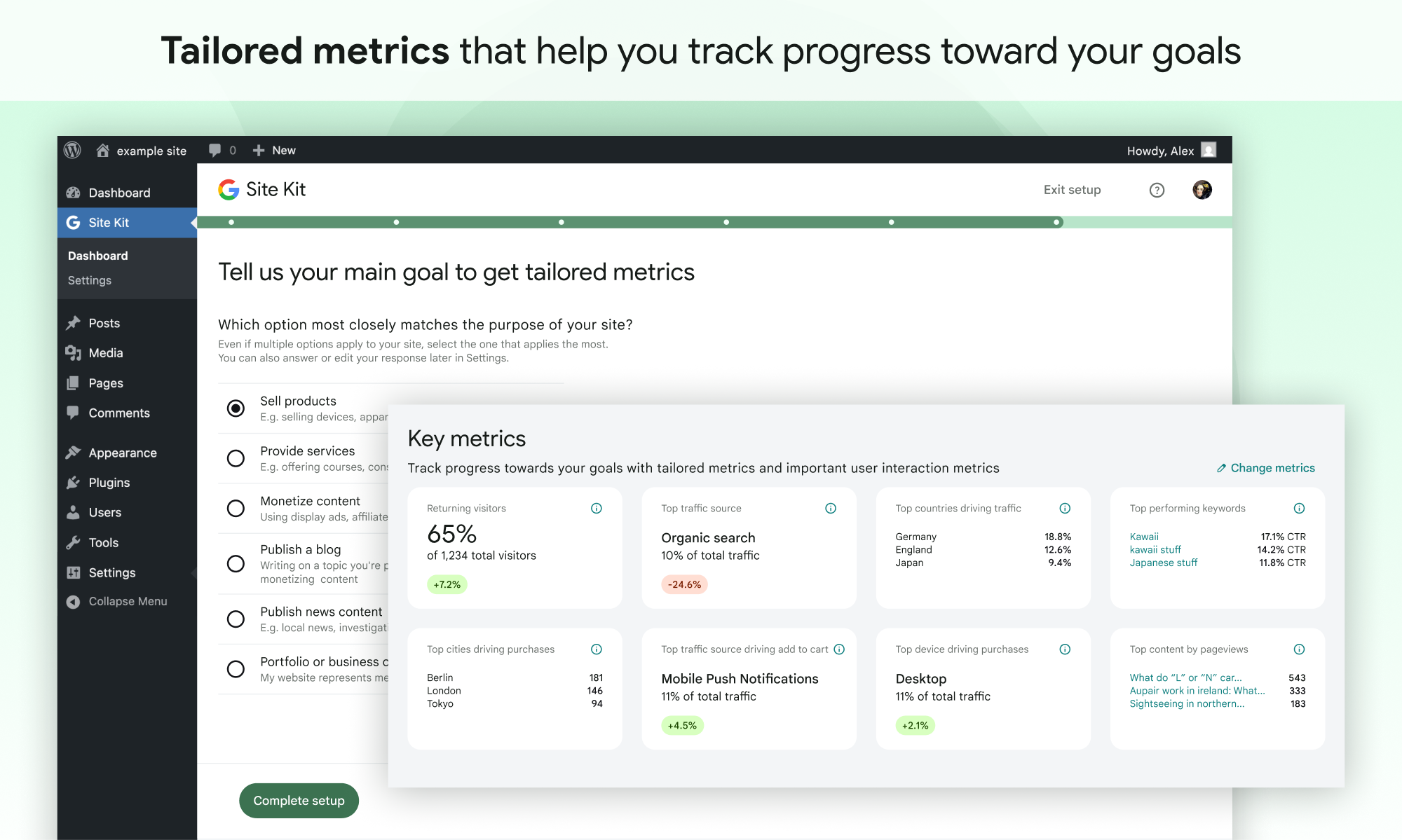
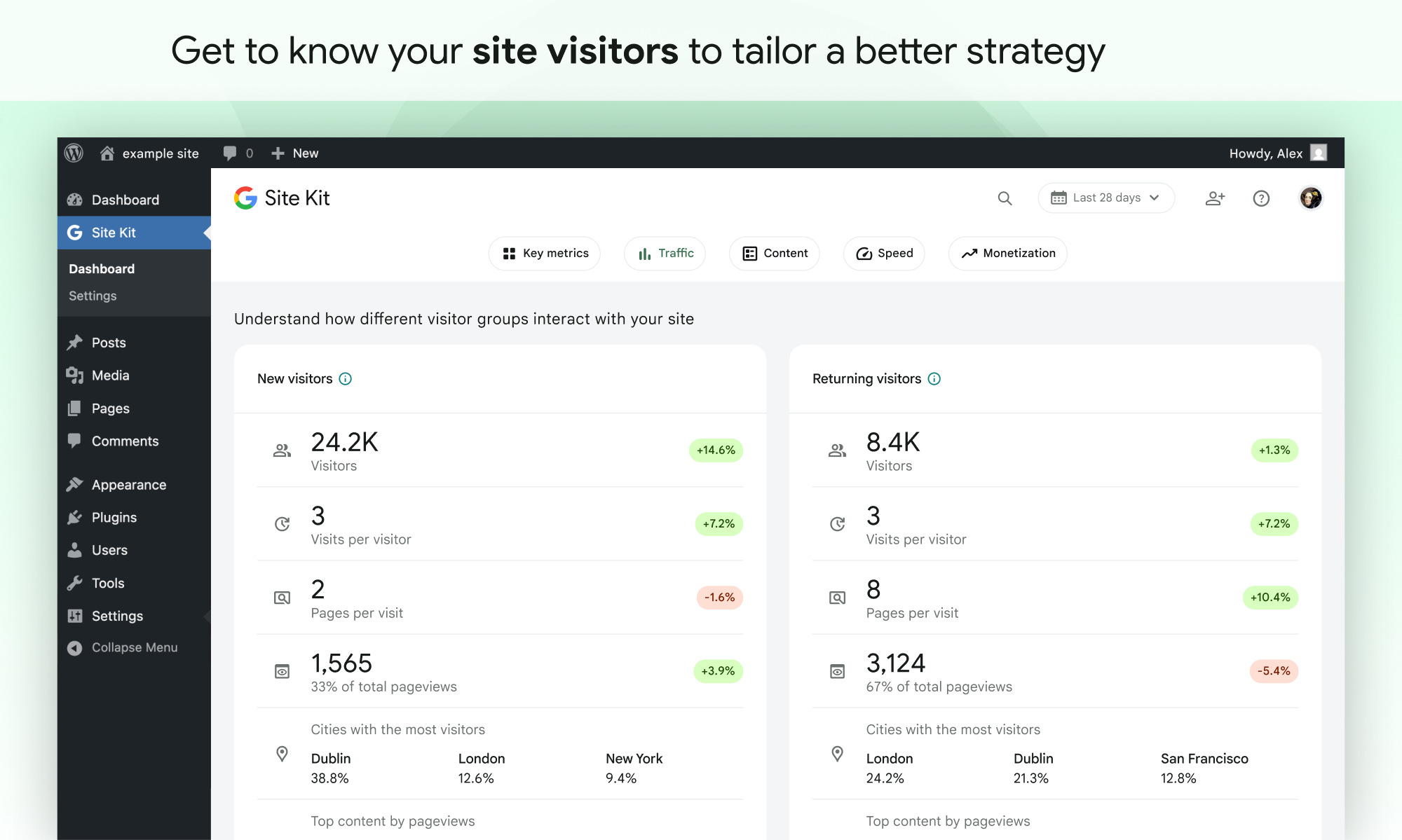
- 您的整个网站和个人帖子的指标
- 跨WordPress和不同的Google产品易于管理,粒度权限
支持的Google工具
Site Kit 显示关键指标和见解来自不同Google产品的:
- Search Console:了解Google搜索如何发现并在Google搜索中显示页面。 跟踪搜索结果中有多少人看到您的网站,以及他们用于搜索您的网站的查询。
- Analytics: 探索用户如何导航您的网站和跟踪您为用户完成的目标。
- AdSense:跟踪您的网站赚多少钱。
- PageSpeed Insights: 了解与其他现实世界的页面相比如何执行。 从Pagespeed Insights中提高可操作提示的性能。
- Tag Manager: 使用 Site Kit 来轻松的设置 Tag Manager- 无需代码. 然后在Tag Manager中管理你的标签.
- Sign in with Google: Allows visitors to sign up and log in to your site with their existing Google account.
- Reader Revenue Manager: Helps you grow, retain, and engage your site visitors via subscription, contribution, newsletters, surveys, and custom prompts.
- Ads: Get customers and sell more with targeted traffic from Google Ads.
屏幕截图


安装
Note: Make sure that your website is live. If your website isn’t live yet, Site Kit can’t show you any data. However, if you have a staging environment in addition to your production site, Site Kit can display data from your production site in the staging environment. Learn how to use Site Kit with a staging environment.
从WordPress内安装
- 访问插件 > 添加新的。
- 搜索 Site Kit by Google。
- 通过Google插件安装并激活网站套件
- 将 Site Kit 连接到您的 Google 账号。如果有多个 WordPress 管理员,请记住每个管理员必须连接其自己的 Google 账号才能访问该插件。
手动安装
- 将整个
google-site-kit文件夹上传到/wp-content/plugins/目录。 - 访问插件。
- 启用 Site Kit by Google plugin。
- 将 Site Kit 连接到您的 Google 账号。如果有多个 WordPress 管理员,请记住每个管理员必须连接其自己的 Google 账号才能访问该插件。
启用后
- 访问新的Site Kit菜单。
- 遵循配置流程中的指示。
- 转到主站点 Site Kit,该仪表板已从 Search Console 台显示密钥指标。
- Connect additional Google tools under Site Kit > Settings. Learn more about which tools are right for you.
常见问题
欲了解更多信息,请访问Site Kit 官方网站。
-
Site Kit 是免费的吗?
-
Site Kit 插件是免费且开源的,并将继续如此。Site Kit 中包含的个别 Google 产品须遵守这些产品的标准条款和费用(如果有)。
-
What are the minimum requirements for Site Kit?
-
In order to successfully install and use Site Kit, your site must meet the following requirements:
- WordPress version 5.2+
- PHP version 7.4+
- Modern browser – Internet Explorer is not supported
- Is publicly accessible – it isn’t in maintenance mode, accessible only via password, or otherwise blocked
- REST API is available – Site Kit must be able to communicate via REST API with Google services. To ensure that the REST API is available for your site, go to Tools > Site Health.
-
Why is my dashboard showing “gathering data” and none of my service data?
-
It can take a few days after connecting Site Kit to a Google service for data to begin to display in your dashboard. The “gathering data” message typically appears when you’ve recently set up a Google service (i.e. just created a new Analytics account) and/or your site is new, and data is not yet available for display.
If you are still seeing this message after a few days, feel free to get in touch with us on the support forum.
-
Why aren’t any ads appearing on my site after I connected AdSense?
-
If you’re new to AdSense when you connect via Site Kit, your new AdSense account and your site will need to be manually reviewed and approved for ads by the AdSense team. Ads will not display until your account and site have been approved. Check out this guide for more information about the approval process and timeline.
You can check your approval status in Site Kit by going to Settings > Connected Services > AdSense and clicking Check your site status. This link will direct you to AdSense. If you see “Ready,” your account and site have been approved and should be displaying ads. If you see “Getting ready…,” your account and site are still under review and your site will not display ads until they have been approved.
If Site Kit has successfully added the AdSense snippet to your site and your account and site have been approved, but your site is still not showing ads, contact the AdSense Help Center for assistance.
You can find more information on how Site Kit works with AdSense in our Managing AdSense guide.
-
Is Site Kit GDPR compliant?
-
When using Site Kit, site owners are responsible for managing notice and consent requirements – including GDPR requirements – as described in Google’s Terms of Service.
By default, Site Kit does anonymize IP addresses upon activation of the Google Analytics module. This setting can be turned off in Site Kit > Settings > Analytics > Anonymize IP addresses.
There are a number of third-party plugins that allow you to block Google Analytics, Tag Manager, or AdSense from capturing data until a visitor to the site consents. Some of these work natively with Site Kit by providing plugin-specific configurations. You can find out more about these by visiting our GDPR compliance and privacy page.
-
Where can I get additional support?
-
Please create a new topic on our WordPress.org support forum. Be sure to follow the support forum guidelines when posting.
评价


贡献者及开发者

更新日志
1.183.0
Enhanced
- Add GA event tracking for the notices displayed when the Key Metrics and Audience Segmentation widgets are re-shown. See #12972.
- Launch the Setup Flow Refresh feature by force-enabling the feature flag in the plugin. See #12966.
- Update PDF scaling to be consistent throughout plugin. See #12954.
- Update targets for “Learn more” links in the new setup flow. See #12930.
- Re-show hidden Audience Segmentation widgets, with an explanatory notice. See #12917.
- Add survey triggers for enhanced conversions notifications. See #12914.
- Fix Analytics account creation errors to redirect back to the Settings screen when initiated from there. See #12876.
- Ensure that tooltips in the dashboard tour are fully visible in all viewports. See #12873.
- Re-show hidden Key Metrics widgets, with an explanatory notice. See #12872.
- Update the copy on the splash screen for secondary admins in the new setup flow. See #12871.
- Remove feature flag for the email reporting feature, now that it is fully-deployed to all users. See #12863.
- Ask the site purpose question in the new Search Console-only setup flow. See #12817.
- Add opt-in tracking events to Site Goals interactions. See #12602.
- Implement PDF Widgets for “Speed” section. See #12549.
- Implement the
Top search queries for your sitePDF widget. See #12547. - Add support for “Search traffic over time” in PDF reports. See #12545.
- Implementing the “Your site traffic over time” PDF widget. See #12544.
- Add the Audience Segmentation setup error widget to Storybook. See #12380.
- Add the splash screen setup error notification to Storybook. See #12374.
- Handle Analytics activation errors on the new splash screen. See #12373.
- Extract inline Sign in with Google frontend JS to external script. See #11950.
- Allow per-instance width for Sign In with Google buttons, and update the width of the button shown on the WordPress login form to match the rest of the form below it. See #11949.
Fixed
- When metrics in Site Goals haven’t changed, show a “No change” badge instead of a “0%” badge. See #13002.
- Update casing of Site Goals heading. See #12981.
- Fix bug that could cause report calls to be issued twice for the same arguments. See #12806.
1.182.0
Added
- Allow existing users to link their Google accounts with their WordPress user profile using Sign in with Google. See #9994.
Enhanced
- Show error notices inline on the Key Metrics setup screen when the footer buttons are not sticky, preventing the notice from obscuring the CTA. See #12874.
- Track a GA event when the “Learn more” link for plugin conversion tracking is clicked on the Analytics settings screen. See #12868.
- Site Goals widget status are now site-wide with other settings being user-specific. See #12859.
- Update Site Goals data to render partial data badge and full breakdown data when insufficient breakdown data is available. See #12803.
- Add “Gathering data” badges to Site Goals widgets. See #12802.
- Allow creation of custom Site Goals dimensions from notices. See #12801.
- Update the view-only users splash screen to match the refreshed setup flow design. See #12791.
- Display a list of shared services on the splash screen for view-only users and secondary admins with dashboard sharing access. See #12789.
- Add thumbs up/down survey to Site Goals feature. See #12722.
- Fix a mobile overlay bug for proactive user engagment. See #12710.
- Add support for chart images in generated PDF reports. See #12629.
- Add Site Goals debug data. See #12601.
- Add Analytics events to PDF Generation. See #12563.
- Implement PDF report footer. See #12557.
- Add email reporting notice to PDF report. See #12556.
- Implement the PDF document header elements. See #12552.
- Implement the
Top content over timewidget for the PDF report. See #12548. - Add custom font to PDF reports. See #12538.
- Handle Analytics setup CTA errors in the Search Funnel widget, WordPress Dashboard and Admin Bar app. See #12378.
Fixed
- Ensure advanced data breakdowns state is reflected when changing property in Analytics. See #12892.
- Don’t load the Site Goals feature tour until the page content is consistent for the tour. See #12885.
- Fix the Back button on the Analytics setup screen not working after an account creation error occurs. See #12875.
- Prevent the “activate Analytics” notification from appearing for view-only users. See #12870.
- Fix widget/notification display issues for users with no access permissions. See #12869.
- Fix the site goals intro modal issue when the user has insufficient permissions. See #12856.
- Update site goal tiles not to display the change badge if the previous value is zero. See #12689.