Blog
Insights
13 Best AI App Builders in 2026 (Tested & Ranked)
CatDoes leads for native iOS and Android apps. We compared 13 AI app builders on what they build, App Store and Google Play publishing and year-one cost.

Nafis Amiri
Co-Founder of CatDoes
The best AI app builder in 2026 depends on what you need to ship. For a native iOS and Android app without code, CatDoes is our top pick: its AI agent builds a React Native app, sets up the backend and submits the iOS build to the App Store. For web-only apps, Lovable and Bolt.new build the frontend, backend and login from one prompt and deploy it to a URL. Cursor is the best pick for developers, and Retool for internal tools.
We built the same habit tracker app on all 13 AI app builders below. Then we re-checked every price, plan and publishing claim against each vendor's own pricing page and docs in October 2026.
TL;DR: For native mobile apps, CatDoes and FlutterFlow lead: CatDoes for people who don't code, FlutterFlow for teams that want exportable Flutter code. Lovable and Bolt.new are the top picks for web-only apps. If that web app later needs to be in the App Store, CatDoes can import it from GitHub or its URL and rebuild it as a native app. Bubble handles complex web apps and now builds native mobile apps too. Cursor gives developers full code control. Of the 13 tools, 8 can produce an app for the Apple App Store, but most still leave the Google Play upload to you. Keeping one app in both stores for a year costs $424 to $724 on these tools, including Apple's and Google's fees.
Quick answer: best AI app builder by use case (2026)
Native iOS & Android apps without code: CatDoes. The agent builds a React Native app and submits the iOS build to the App Store.
A Lovable, Bolt.new or Base44 web app that now needs to be in the app stores: CatDoes. Import it from GitHub or paste its URL, and the agent rebuilds it in React Native.
Exportable cross-platform code: FlutterFlow.
Full-stack web MVP: Lovable.
Prompt to live web app in one session: Bolt.new.
Complex web app with a mobile version: Bubble.
Developers: Cursor.
Internal tools: Retool.
Microsoft 365 companies: Power Apps.
Simple mobile MVP in a visual editor: Adalo.
Agencies shipping apps and websites for clients: CatDoes. Mobile apps and websites come from the same tool, and the Team plan includes 5 seats.
Table of Contents
How We Tested These AI App Builders
Comparison Table
Web App vs Native Mobile App: Which Do You Need?
Which AI App Builders Publish to the App Store and Google Play?
What Does It Cost to Keep One App in Both Stores for a Year?
CatDoes: Best AI App Builder for Native Mobile Apps
Lovable: Best AI App Builder for Full-Stack Web MVPs
Bolt.new: Best AI App Builder for Prompt-to-App Speed
Bubble: Best AI App Builder for Web Applications
FlutterFlow: Best AI App Builder for Cross-Platform Code Export
Cursor: Best AI App Builder for Developers
Base44: Best AI App Builder for Rapid Prototyping
Replit: Best AI App Builder for Autonomous Code Generation
v0 by Vercel: Best AI App Builder for React and Next.js
Retool: Best AI App Builder for Internal Tools
Microsoft Power Apps: Best AI App Builder for Enterprise
Glide: Best AI App Builder for Spreadsheet-Based Apps
Adalo: Best AI App Builder for Simple Mobile MVPs
How to Choose the Right AI App Builder
FAQ
Final Verdict
How We Tested These AI App Builders
We built the same app on every platform: a habit tracker with user authentication, a database, daily reminders, and a simple dashboard. This kept the comparison fair across tools with very different approaches.
We evaluated each AI app builder on five criteria:
AI output quality: How close is the first result to a usable app? Does it need 10 minutes of fixes or 10 hours?
Backend completeness: Does the platform handle authentication, database, and server-side logic, or do you need to wire those yourself?
Deployment path: Can you actually ship the result? Does the tool publish to the web, submit to the App Store and Google Play, or hand you a file to upload yourself?
Iteration stability: Does the app break when you ask the AI to change something? Some tools rewrite your entire project on every edit.
Real-world cost: Not just the sticker price, but what you pay when building a real app, including token overages, credit burn, and add-ons.
We also reviewed Reddit threads and community forums to check our findings against real user experiences. Tools that demo well but fall apart in production scored lower than tools that ship reliably.
AI app builders change their prices and features every few months. In October 2026 we re-checked every price, plan and app store claim in this post against the vendor's own pricing page and documentation. Where our earlier notes and the vendor's docs disagreed, we went with the docs.
Comparison Table
Here is a side-by-side comparison of the 13 best AI app builders in 2026: what each one builds, how it reaches the app stores, whether a backend is included, and what it costs to start.
Platform | Best For | Output Type | App Store & Google Play | Built-in Backend | Free Tier | Paid From |
|---|---|---|---|---|---|---|
CatDoes | Native mobile apps + websites | iOS + Android (React Native), web | Submits iOS; Android build you upload | Yes (CatDoes Cloud) | 15 credits, web publishing | $20/mo ($50 for stores) |
Lovable | Full-stack web MVPs | Web app | No | Yes (Lovable Cloud) | 5 credits/day | $25/mo |
Bolt.new | Prompt-to-app speed | Web + Expo mobile | You build and submit with EAS | Yes (Bolt Cloud) | 1M tokens/mo | $25/mo |
Bubble | Complex web apps | Web + native mobile | Submits iOS; Android file you upload | Yes | Build only, no live app | $32/mo ($29 yearly) |
FlutterFlow | Cross-platform code export | iOS, Android, web, desktop (Flutter) | One-click to both stores | Bring your own | 2 projects | $39/mo |
Cursor | Developers | Any (code-first) | You handle it | No | Limited requests | $8/mo (Plus) |
Base44 | Rapid prototypes | Web + WebView wrapper | Store files you upload | Yes | 25 credits/mo | $16/mo yearly |
Replit | Autonomous code generation | Web + React Native mobile | Uploads iOS; no Google Play | Yes (PostgreSQL) | Limited Agent credits | $20/mo |
v0 by Vercel | React and Next.js UIs | Web app | No | Bring your own | 7 messages/day | $30/user/mo |
Retool | Internal tools | Web + mobile (native or PWA) | Branded store apps on Enterprise | Yes (Retool Database) | Up to 5 users | $10/builder/mo yearly |
Power Apps | Enterprise tools | Web + Power Apps mobile app | Wrapped apps you sign and distribute | Yes (Dataverse) | Developer Plan only | $20/user/mo yearly |
Glide | Spreadsheet-based apps | Web app (PWA) | No | Yes (Glide Tables) | Can't publish | $25/mo (GlideOS) |
Adalo | Simple mobile MVPs | iOS + Android + web | iOS to TestFlight; Android file you upload | Yes (PostgreSQL) | Can't publish | $36/mo yearly |
Web App vs Native Mobile App: Which Do You Need?
This is the first decision to make, and it narrows the list fast. A native mobile app is installed from the Apple App Store or Google Play. It can send push notifications, use the camera and GPS, and work offline. A web app runs in the browser at a URL: it's instantly shareable, but it can't be listed in the app stores.
The AI app builders on this list fall into three groups:
Native code: CatDoes, Replit and Bolt.new (React Native with Expo), Bubble (React Native), FlutterFlow (Flutter), Adalo (native builds compiled by Adalo) and Retool (native mobile apps for internal teams).
WebView wrapper: Base44 puts your published web app inside a native shell for the stores. Power Apps can wrap a canvas app as a branded iOS or Android app that you sign and distribute yourself.
Web only: Lovable, v0 and Glide. Cursor is a code editor, so the output is whatever you write.
Factor | Web App | Native Mobile App |
|---|---|---|
Distribution | URL, shareable instantly | App Store + Google Play |
Push Notifications | Limited browser support | Full OS-level support |
Device Access | Limited (camera, GPS via browser) | Full (camera, GPS, Bluetooth, files) |
Offline Support | Minimal | Built-in |
Performance | Browser-dependent | Hardware-optimized |
AI Builders | Lovable, v0, Glide (plus the web side of most others) | CatDoes, FlutterFlow, Bubble, Replit, Bolt.new, Adalo |
If your product needs to live in the app stores, start with the native group. We compare 15 mobile-focused tools, including Rork and Thunkable, in our AI mobile app builder ranking.
Which AI App Builders Publish to the App Store and Google Play?
Eight of the 13 AI app builders here can produce an app for the Apple App Store: CatDoes, FlutterFlow, Bubble, Replit, Adalo, Bolt.new, Base44 and Retool. They differ in how much of the job they do. FlutterFlow is the only one with one-click deployment to both stores on a standard plan. Most others submit or upload the iOS build for you and hand you an Android file to upload to Google Play yourself.
Tool | Mobile App Type | Apple App Store | Google Play | Plan Needed to Publish |
|---|---|---|---|---|
CatDoes | Native (React Native + Expo) | Agent builds and submits to App Store Connect | Builds a production app; you upload it | Starter ($50/mo) |
FlutterFlow | Native (Flutter) | One-click deployment | One-click deployment | Basic ($39/mo) |
Bubble | Native (React Native) | Builds, uploads to TestFlight and submits for review | Builds an AAB file; you upload it | Paid mobile plan (from $42/mo yearly) |
Replit | Native (React Native + Expo) | Launch builds, signs and uploads to App Store Connect | Not supported yet | Not stated in docs |
Adalo | Native (compiled builds) | Builds and pushes to TestFlight; you submit | Builds an AAB file; you upload it | Starter ($36/mo yearly) |
Bolt.new | Native (Expo) | You build and submit with EAS CLI | You build and submit with EAS CLI | Needs your own Expo account |
Base44 | WebView wrapper | Generates an IPA file; you upload it | Generates an AAB file; you upload it | Builder ($40/mo yearly) |
Retool | Native or PWA | Branded store apps | Branded store apps | Enterprise |
Power Apps | Wrapped canvas app | Private distribution (Apple Business Manager, Intune) | Google Play or Intune; you sign it | Power Apps license |
Lovable | Web only | No | No | None |
v0 by Vercel | Web only | No | No | None |
Glide | Web app (PWA) | No | No | None |
Cursor | Your own code | You handle it (Xcode, EAS) | You handle it | None |
A few of these limits come straight from the vendors. Lovable's docs say it has no built-in flow that packages and submits your project to the App Store or Google Play. Replit's docs say publishing to Google Play is not yet supported. Bolt.new's Expo guide has you download the code and run Expo's EAS CLI to build and submit. Base44's store apps run your published web app inside a web view.
Whichever tool you pick, the stores charge their own fees. Apple's Developer Program costs $99 a year, and a Google Play developer account costs $25 one time.
What Does It Cost to Keep One App in Both Stores for a Year?
Keeping one app in the App Store and Google Play for a year costs $424 to $724 with the AI app builders that can publish to both, once you add Apple's $99 yearly fee and Google's $25 one-time fee. Bolt.new is the cheapest if you can run Expo's build tools yourself. CatDoes costs the most of the no-code options, and the table shows what that price covers.
Tool | Plan You Need | Year 1 Cost | Backend | What You Still Do Yourself |
|---|---|---|---|---|
CatDoes | Starter, $50/mo ($42 billed yearly) | $724 | Included (CatDoes Cloud) | Upload the Android build to Google Play |
Bubble | Starter, mobile only, $49/mo ($42 billed yearly) | $712 | Included | Upload the Android AAB file, and learn Bubble's visual editor |
Adalo | Starter, $45/mo ($36 billed yearly) | $664 | Included | Submit the iOS build in App Store Connect and upload the Android AAB file |
Base44 | Builder, $40/mo billed yearly | $604 | Included | Upload both store files. The app runs your web app in a web view |
FlutterFlow | Basic, $39/mo | $592 | Bring your own (Firebase or Supabase, billed separately) | Set up the backend, and design and connect the logic in the visual editor |
Bolt.new | Pro, $25/mo | $424 | Included (Bolt Cloud) | Download the code, then build and submit with Expo's EAS CLI |
Replit | Core, $20/mo ($18 billed yearly) | $339 (App Store only) | Included | Google Play isn't supported, and Replit's docs don't say which plan publishing needs |
Year 1 cost is 12 months of the plan on monthly billing, plus Apple's and Google's fees. For Base44 we use the billed-yearly price, the only Builder price we could confirm. The totals leave out extra credits or tokens and backend add-ons. Retool and Power Apps aren't in the table because their store apps depend on Enterprise or per-user licensing.
On CatDoes Starter, each backend (you get up to 3) covers up to 250 user accounts, a 100 MB database and 5,000 API requests a day. Cloud add-ons start at $15 a month if an app outgrows that. Starter includes 200 credits a month, and how far they go depends on the app. To stretch them, plan features with the High agent tier and build them with Low or Medium.
The price gap between the no-code tools is small. CatDoes costs $60 more than Adalo and $120 more than Base44 in year one. For that, the agent submits the iOS build to App Store Connect for you, a step Adalo and Base44 leave to you, and the app is React Native rather than Base44's web view. If you code, Bolt.new saves about $300, and you run the builds yourself.
CatDoes: Best AI App Builder for Native Mobile Apps

Verdict: CatDoes is the best AI app builder for native iOS and Android apps if you don't write code. Its AI agent builds the app, sets up the backend, and can submit the iOS build to the App Store for you.
CatDoes turns a plain-language description into a native mobile app or a website. You chat with an AI agent that plans the work, splits it across subagents and writes React Native (Expo) code for apps or React code for websites. Apps use native UI components, not a web wrapper.
In our testing, we described a habit tracker app and had a working prototype with user authentication, a database, and push notifications within 10 minutes. Every plan includes CatDoes Cloud: database, authentication, file storage, edge functions and realtime, so there is no separate backend to set up. You can preview apps in the browser or scan a QR code to open them on your phone.
When the app is ready, the agent builds it and can submit the iOS version to App Store Connect. From there you release it through TestFlight or publicly. For Android, CatDoes produces a production build that you upload to Google Play yourself. Store releases need the Starter plan, a free Expo account, and for iOS an Apple Developer account.
The free plan gives you 15 one-time credits and one project, with publishing to the web under a CatDoes badge. Core costs $20/month for web publishing. App Store and Google Play releases start on Starter at $50/month, and two-way GitHub sync and code export start on Plus at $100/month.
Pros:
Native React Native apps and websites from the same chat
Backend included on every plan (database, auth, storage, edge functions, realtime)
The agent submits iOS builds to App Store Connect for you
Review check against App Store and Google Play guidelines before you submit
Cons:
You upload Android builds to Google Play yourself
Store releases start on the $50/month Starter plan
Code export and two-way GitHub sync need Plus ($100/month)
Apps are React Native, not Swift or Kotlin
Choose CatDoes if:
You want an app in the App Store and Google Play and you don't write code.
You built a web app in Lovable, Bolt.new or Base44 and now need it in the stores. Import the code from GitHub (Core plan and up) or paste the live URL, and the agent rebuilds it as a React Native app. Use GitHub if the app has pages behind a login.
You need a mobile app and a website for the same product. One CatDoes project holds both side by side.
You build apps and sites for clients. Max and Team plans allow up to 20 domains per project.
You want to catch App Store rejection problems before you submit. Ask the agent "Is my app ready for the App Store?" and it checks the app against Apple's and Google's review guidelines.
Choose something else if:
You need Swift or Kotlin code. CatDoes apps are React Native.
You want one-click publishing to both stores and exportable Flutter code. Look at FlutterFlow.
You're building an internal tool on company data. Look at Retool or Power Apps.
You code and want the cheapest way into the stores. Bolt.new plus Expo's EAS CLI costs less, and you run the builds yourself.
Lovable: Best AI App Builder for Full-Stack Web MVPs

Verdict: Lovable is the best AI app builder for full-stack web MVPs. It builds React web apps with a backend, database and login from a prompt, but it does not build native mobile apps.
Lovable (formerly GPT Engineer) is one of the fastest-growing AI app builders: TechCrunch reported it passed $400 million in annual recurring revenue in February 2026. You describe your app in plain English, and Lovable builds the frontend, backend, database and login in one go.
New projects use TanStack Start (React), and older ones use React with Vite. The backend runs on Lovable Cloud, which is built on Supabase, or you can connect your own Supabase project. Build mode (previously Agent mode) lets the AI work through bigger changes on its own. We found it strong on complex tasks but credit-hungry: a single debugging session can use 5-10 credits.
The free plan gives you 5 build credits a day, up to 30 a month. Pro costs $25/month for 100 credits, or $21/month billed yearly. Git sync works on every plan, including Free, while editing and downloading code need Pro. Lovable builds web apps only, so getting into the app stores takes a separate step to convert a Lovable web app into a native iOS and Android app.
Pros:
Frontend, backend, database and login from one prompt
Built-in backend (Lovable Cloud) with auth and database
Git sync on every plan, including Free
Preview toolbar for quick visual edits
Cons:
Build mode burns credits fast on complex debugging
Web apps only: no native mobile output or store publishing
Editing and downloading code need Pro
Best for: Founders building web-based MVPs, internal tools, and SaaS prototypes who want clean, exportable code.
Bolt.new: Best AI App Builder for Prompt-to-App Speed

Verdict: Bolt.new is the fastest AI app builder for going from a text prompt to a deployed web app. It can also start Expo mobile apps, but you build and submit those to the stores yourself.
Bolt.new, from StackBlitz, generates, runs and deploys apps in your browser with no local setup. Bolt Cloud adds a database, authentication, file storage, server functions and hosting, so a first version can go live in one session. Two-way GitHub sync and ZIP download let you take the code elsewhere.
What sets Bolt apart is speed and iteration. The AI maintains strong context across long conversations, so you can keep refining your app without it losing track of earlier decisions.
Ask Bolt for a mobile app and it uses Expo (React Native). You can preview it on your phone with Expo Go, but publishing means downloading the code and running Expo's EAS CLI yourself. Our guide to using Bolt.new for native mobile apps walks through that path.
The free plan includes 1 million tokens a month with a 300,000 daily cap, hosting on bolt.host and a "Made in Bolt" badge. Pro costs $25/month for 10 million tokens, and unused tokens roll over. Bigger Pro tiers start at $50/month for 26 million tokens.
Pros:
Strong context handling for long, complex builds
Bolt Cloud backend with database, auth and hosting
Two-way GitHub sync and ZIP export
Generous free tier (1M tokens/month)
Cons:
No in-product App Store or Google Play submission
Free projects show Bolt branding and can't use custom domains
Token use adds up on large projects
Best for: Founders and makers who want to go from idea to a deployed web app in one session and keep the code.
Bubble: Best AI App Builder for Web Applications

Verdict: Bubble is the best AI app builder for complex web applications. Its workflow engine handles deep business logic, and it now builds native mobile apps too, at the cost of a steeper learning curve and no code export.
Bubble is one of the most established no-code platforms, and its AI app generator gives you a starting point. Describe your app, and the AI creates a database structure, page layouts, and workflows. From there, you customize everything in a visual editor with a large plugin marketplace.
Bubble now builds native iOS and Android apps with React Native from the same project, sharing one database and set of workflows. Bubble builds the iOS app, uploads it to TestFlight and submits it for review. For Android, it produces an AAB file that you upload to Google Play.
The free plan is for building only, with no live app. Starter Web costs $32/month ($29 billed yearly), and Starter Web + Mobile costs $69/month ($59 yearly). Plans also cap workload units, so heavy traffic can push you to a higher tier. Bubble apps run only on Bubble: there is no way to export them as code.
Pros:
Most mature no-code ecosystem with thousands of plugins
Handles complex multi-step business logic other builders cannot
Web and native mobile apps from one backend
Cons:
Steeper learning curve than AI-native builders (weeks, not hours)
No code export: your app stays on Bubble
Workload-unit pricing is hard to predict at scale
Best for: SaaS products, marketplaces, and custom web apps that need deep logic and a mature ecosystem.
FlutterFlow: Best AI App Builder for Cross-Platform Code Export
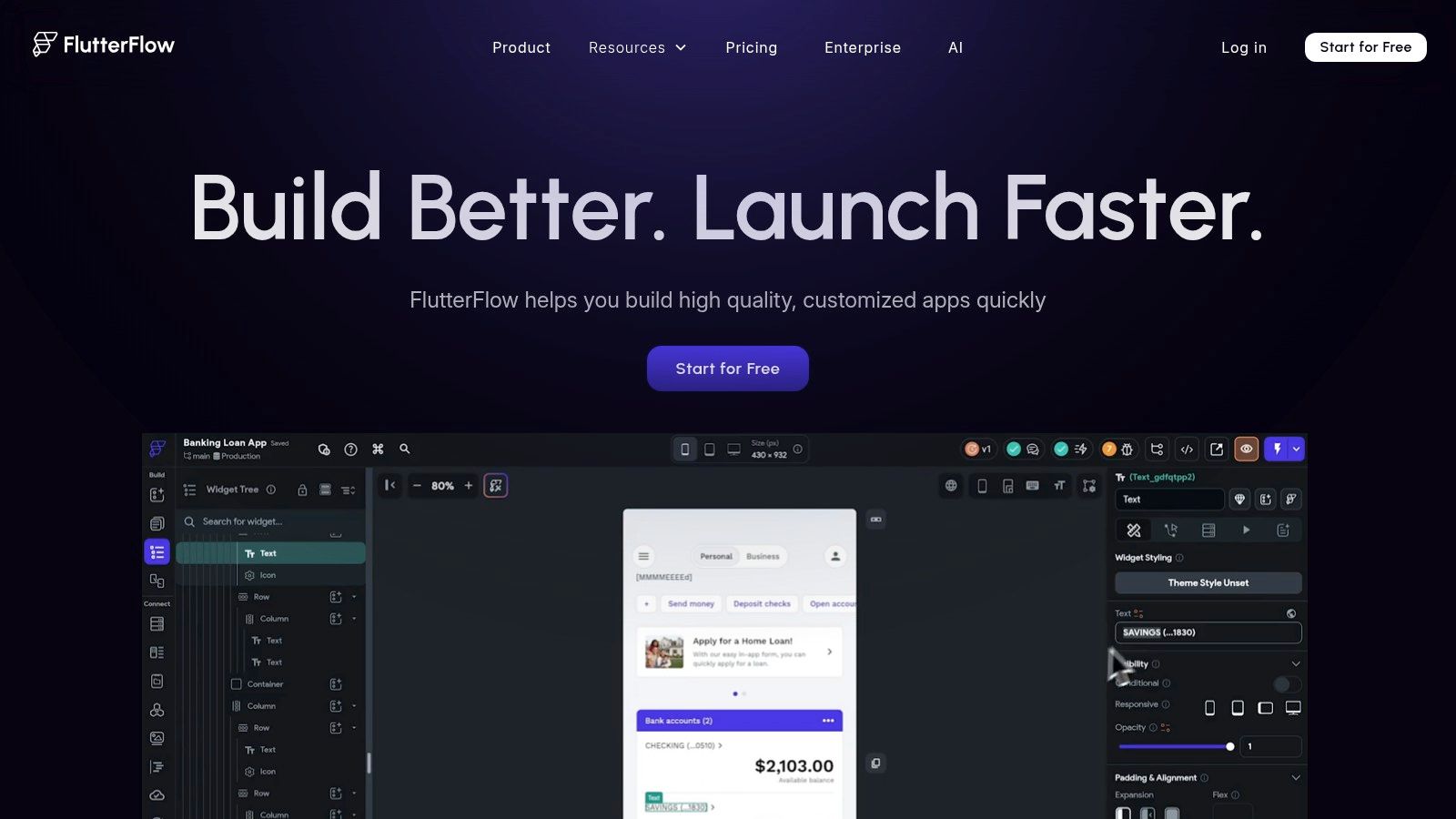
Verdict: FlutterFlow is the best AI app builder for teams that need exportable cross-platform code. It compiles to native iOS, Android, web, and desktop from one Flutter codebase you fully own.
FlutterFlow pairs Google's Flutter framework with a visual builder. Its AI generates pages, components, and app templates from text prompts. The result is natively compiled code that runs on iOS, Android, web, and desktop from a single codebase.
The biggest advantage is code ownership. FlutterFlow generates Flutter and Dart code you can download, push to GitHub, and hand to a developer. It also deploys to the App Store and Google Play in one click from inside the platform. The learning curve is steeper than prompt-first builders like CatDoes or Lovable, and you bring your own backend: Firebase or Supabase.
The free plan includes 2 projects, web publishing and 5 lifetime AI generation requests. Basic costs $39/month and adds code download and one-click store deployment. Growth ($80/month for the first seat) adds GitHub and real-time collaboration. FlutterFlow replaced its Standard and Pro plans with Basic, Growth and Business in September 2025.
Pros:
Clean, exportable Flutter code you can host anywhere
True cross-platform: iOS, Android, web, and desktop from one codebase
One-click deployment to the App Store and Google Play
Cons:
Steeper learning curve than prompt-first builders
AI is assistive, not autonomous: you still design and connect logic manually
No built-in backend: you connect Firebase or Supabase
Best for: Cross-platform MVPs, Flutter developers, and teams that need exportable source code.
Cursor: Best AI App Builder for Developers

Verdict: Cursor is the best AI app builder for developers. It is a full AI code editor with multi-file agents, not a no-code tool, so it rewards people who can read and edit code.
Cursor is not a traditional app builder. It is an AI-powered code editor built on VS Code, and SpaceX acquired the company in August 2026. Instead of generating an app in a browser, Cursor gives you an editor with AI agents that can build, refactor, and debug entire projects.
Cursor's agent is where the tool stands out. You describe a feature or bug fix in natural language, and the agent edits files across your project, runs terminal commands, and tests its own output. The trade-off is clear: Cursor requires developer skills, and hosting, backend and app store publishing are up to you.
Since October 2026, Cursor is sold through the X Subscription. Free has limited agent requests. Plus costs $8/month but only includes Grok models. Premium costs $30/month, with Super at $100 and Ultra at $200. Third-party models are billed separately by usage.
Pros:
Code stays in your own repo, with no platform lock-in
Multi-file agents that build, test, and fix code
Works with any language, framework, or stack
Cons:
Requires coding skills: not a no-code tool
Third-party models are billed on top of the plan
No built-in hosting, backend or store publishing
Best for: Professional developers and technical founders who want AI-augmented coding with full control over their stack.
Base44: Best AI App Builder for Rapid Prototyping
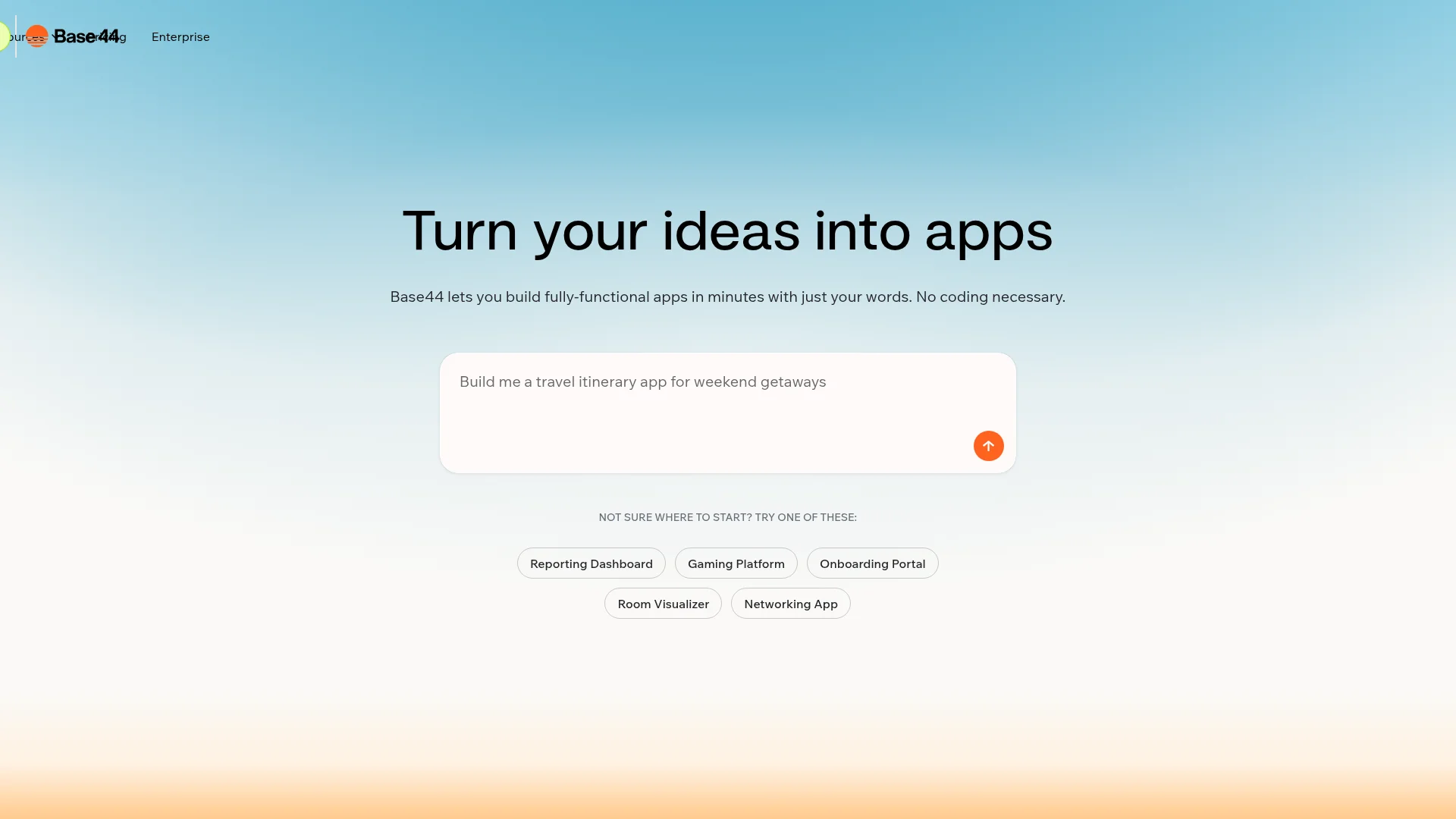
Verdict: Base44 is the best AI app builder for rapid backend-first prototyping. It sets up your data and auth for you, and it can wrap your app for the stores, but the mobile version runs in a web view rather than native code.
Base44 takes a backend-first approach to AI app building. Instead of starting with the UI, it defines your data and sets up authentication before generating the interface. Wix announced it acquired Base44 in June 2025 for about $80 million plus earn-out payments.
Since February 2026, Base44 can generate App Store and Google Play files for your app. The mobile app runs your published web app inside a native wrapper, and you upload the files in your own Apple and Google developer accounts. Downloading them needs the Builder plan.
The free plan includes 25 message credits a month (5 a day) and up to 5 apps. Starter costs $16/month billed yearly, with 100 message credits and a custom domain. Builder costs $40/month billed yearly and adds two-way GitHub sync and backend functions.
Pros:
Backend-first approach produces more stable, data-driven apps
Auth, database and storage built in on every plan
Low entry price at $16/month billed yearly
Cons:
Mobile apps are web view wrappers, not native code
Store files and GitHub sync need Builder ($40/month yearly)
Free tier limited to 5 message credits per day
Best for: Rapid prototyping, data-driven web apps, and solo makers who want an all-in-one stack without managing infrastructure.
Replit: Best AI App Builder for Autonomous Code Generation
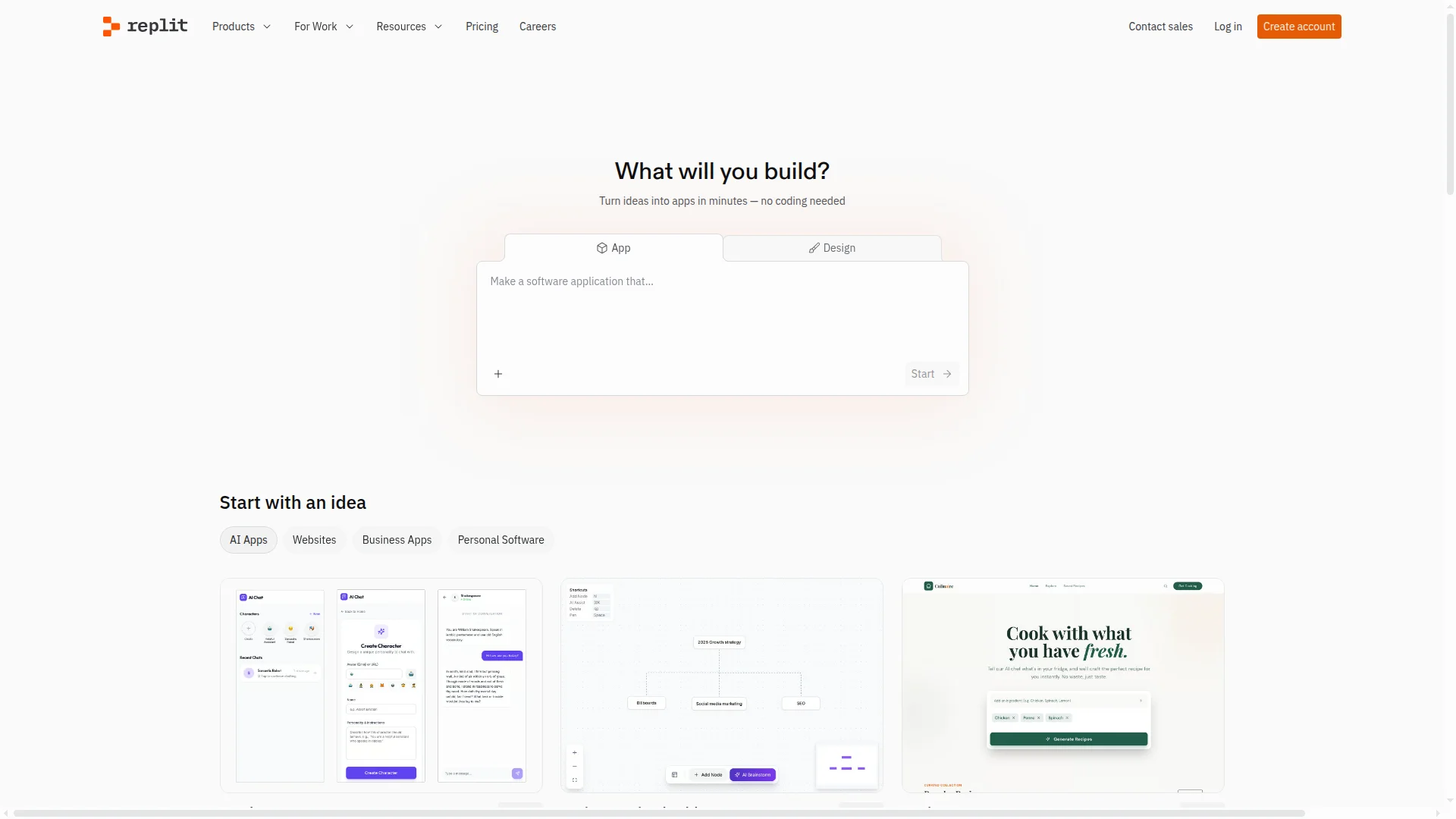
Verdict: Replit is the best AI app builder for autonomous code generation. Its Agent builds, tests and fixes full apps on its own, including mobile apps it can upload to the App Store, though Google Play isn't supported and effort-based pricing makes costs hard to predict.
Replit Agent turns natural-language descriptions into full applications. It sets up the project, writes frontend and backend code, then tests its own output in a browser and fixes bugs before handing the result back. Agent 4, released in March 2026, is the current version. Apps get a built-in PostgreSQL database, file storage and Replit Auth.
Since January 2026, Replit Agent also builds native iOS and Android apps with React Native and Expo. Its Launch feature builds, signs and uploads the iOS app to App Store Connect, where you submit it for review. Publishing to Google Play is not yet supported.
The free Starter plan includes daily Agent credits and one published app that goes down after 30 days. Core costs $20/month ($18 billed yearly) and includes $20 of usage credits. Pro costs $100/month. Agent work uses effort-based pricing billed per checkpoint, and usage past your credits is billed separately unless you set a spending limit.
Comparing Replit with tools built for mobile apps? Our roundup of Replit alternatives for mobile apps covers eight of them, including how each one gets to the App Store and Google Play.
Pros:
Most autonomous AI agent: builds, tests, and fixes code without input
Full browser-based IDE with terminal access and Git
Builds React Native apps and uploads iOS builds to App Store Connect
Cons:
Effort-based pricing makes costs unpredictable for complex tasks
No Google Play publishing yet
iOS Simulator and Android Emulator previews need Core or above
Best for: Developers and technical builders who want full-stack prototyping with direct code access in a browser IDE.
v0 by Vercel: Best AI App Builder for React and Next.js

Verdict: v0 by Vercel is the best AI app builder for React and Next.js projects. Output is always React, TypeScript, and Tailwind, which is ideal inside the Vercel ecosystem and limiting outside it.
v0 is Vercel's AI development platform. You describe a UI or full-stack feature in plain language, and v0 generates working React components, pages, or complete Next.js applications using Next.js, React, TypeScript, Tailwind CSS and shadcn/ui.
If your stack is Next.js, v0 fits right in: one-click deployment to Vercel, two-way GitHub sync and Design Mode for visual edits are all included. There is no built-in database, so you connect Neon, Supabase, Upstash or Vercel Blob through the Vercel Marketplace. v0 builds web apps only.
The free plan includes 7 messages a day and $5 of credits once. Plus costs $30 per user per month with $30 of credits. The older $20 Premium plan is being retired and is closed to new users. Business costs $100 per user per month.
Pros:
Best-in-class React and Next.js output with shadcn/ui components
One-click Vercel deployment and GitHub sync, even on Free
Design Mode for visual edits
Cons:
Locked into React and Next.js: limited value outside that stack
Web apps only: no native mobile support
No built-in database, and paid plans start at $30 per user
Best for: React and Next.js developers, UI prototyping, and teams already deploying on Vercel.
Retool: Best AI App Builder for Internal Tools
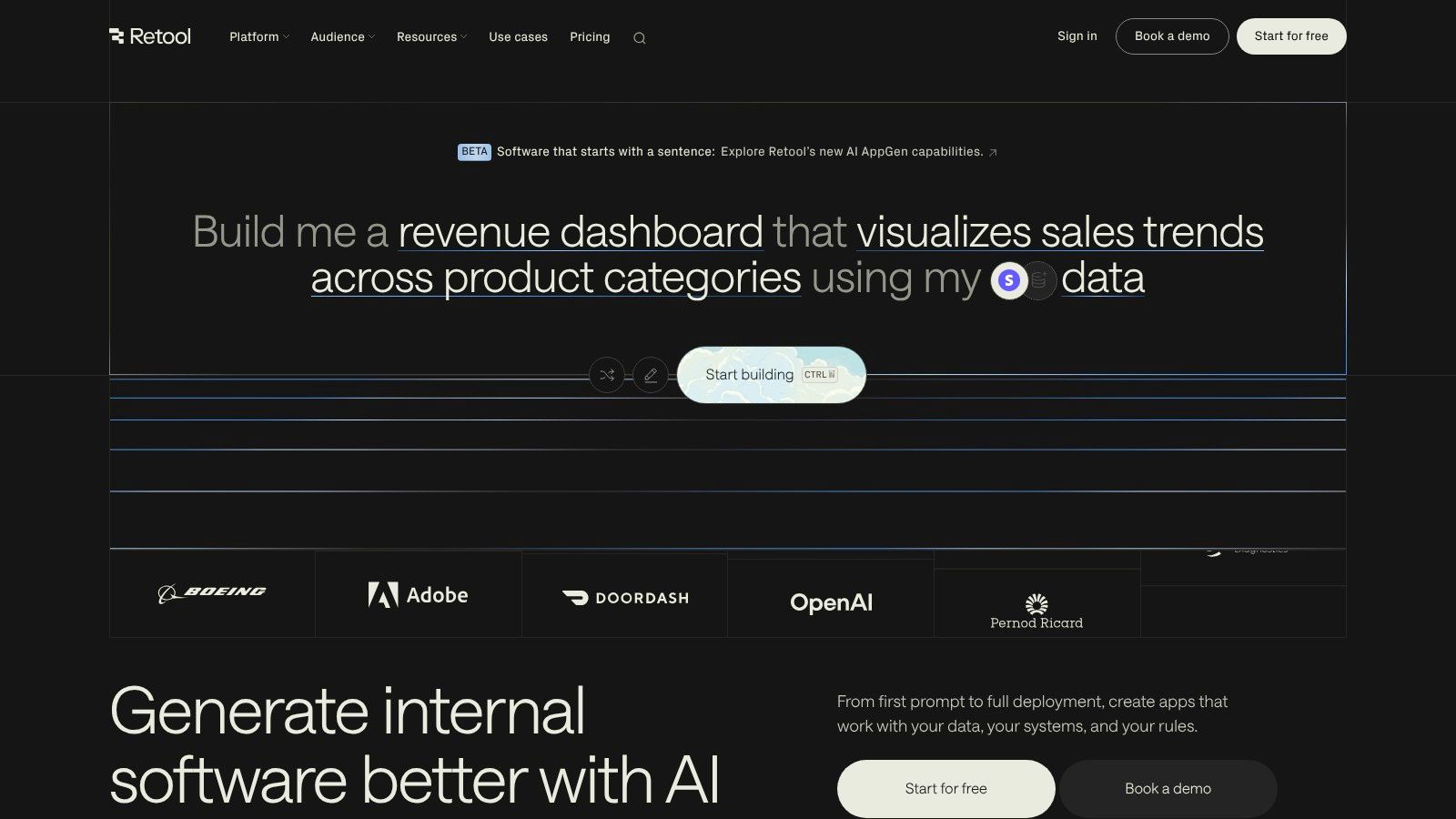
Verdict: Retool is the best AI app builder for internal tools. It generates secure, data-connected apps from a prompt, but it is not built for consumer apps.
Retool is built for internal tools. Its new app builder, launched in June 2026, generates React and TypeScript apps from a prompt and looks at your connected data sources to wire them up. Retool Agents automate work across your company's systems.
Security is the main selling point: role-based access control, single sign-on, audit trails and dozens of data source integrations. Retool can also build mobile apps for iOS and Android, or as a PWA, on every plan. Publishing a branded app to the app stores is Enterprise only.
Retool is free for up to 5 users. Team costs $10 per builder per month billed yearly ($12 monthly), plus $5 per internal user ($7 monthly). Agents are billed by the hour, with $50 of free agent usage each month.
Pros:
SSO, role-based access control and audit trails for internal tools
Deep integrations with dozens of databases and data sources
Free tier covers up to 5 users
Cons:
Not designed for consumer-facing apps
Per-user pricing gets expensive for larger teams
Branded App Store and Google Play apps need Enterprise
Best for: Operations teams, data-heavy internal tools, and companies that need SSO and audit trails.
Microsoft Power Apps: Best AI App Builder for Enterprise

Verdict: Microsoft Power Apps is the best AI app builder for enterprises already on Microsoft 365. Copilot and Dataverse integration are unmatched inside that ecosystem and limited outside it.
Power Apps brings Microsoft Copilot into a low-code builder. Describe the data you want to track, and Copilot creates tables in Dataverse and an initial app. From there, you connect to hundreds of Microsoft data sources, including SharePoint, Dynamics 365, and Azure services.
The main draw is deep Microsoft integration, managed through Microsoft's admin, security and data governance controls. Apps run on the web and in the Power Apps mobile app, and the wrap feature packages a canvas app as a branded iOS or Android app that you distribute through Google Play, Apple Business Manager or Microsoft Intune.
Power Apps Premium costs $20 per user per month, paid yearly, and pay-as-you-go costs $10 per active user per app per month. Microsoft stopped selling the $5 per-app plan to new customers through some channels on January 2, 2026. The free Developer Plan is for non-production use only, and Microsoft stops creating new unmanaged developer environments on November 15, 2026. Licensing complexity remains a common complaint.
Pros:
Deepest integration with Microsoft 365, Azure, and Dynamics
Managed with Microsoft's admin and security controls
Copilot generates apps and Dataverse tables from prompts
Cons:
No free plan for production apps
Limited value outside the Microsoft ecosystem
Licensing complexity is a common complaint
Best for: Large enterprises and IT departments already invested in the Microsoft 365 and Azure ecosystem.
Glide: Best AI App Builder for Spreadsheet-Based Apps

Verdict: Glide is the best AI app builder for turning spreadsheets into polished business apps. It is great for lightweight internal tools, but it is web-only and not built for complex logic.
Glide now sells two separate products. GlideOS, public since August 2026, builds internal business apps from a prompt, a spreadsheet or a file with the Glide Agent. Glide Classic is the original no-code builder, where AI columns run text generation and data extraction inside your app's data.
What sets Glide apart is design quality. Apps look professional out of the box, which matters for client-facing tools. Glide apps run on the web and as Progressive Web Apps, and Glide doesn't publish to the App Store or Google Play.
GlideOS starts at $25/month (Basic, monthly billing only), with Plus at $50 and Pro at $125. Glide Classic's Explorer plan costs $19/month billed yearly or $25 monthly, and its Business plan costs $199/month billed yearly or $249 monthly. Neither product's free plan can publish apps.
Pros:
Professional-looking apps out of the box with minimal design effort
Builds from a prompt, a spreadsheet or a file
AI columns add intelligence directly to your data (Glide Classic)
Cons:
Not designed for complex custom logic
No App Store or Google Play publishing
Free plans can't publish, and GlideOS and Classic need separate subscriptions
Best for: Internal tools, lightweight client portals, and turning spreadsheet data into apps fast.
Adalo: Best AI App Builder for Simple Mobile MVPs

Verdict: Adalo is the best AI app builder for simple native mobile MVPs. Its AI builder drafts an app from a description and Adalo compiles real iOS and Android builds, though backend power is limited.
Adalo focuses on getting mobile apps built and published with minimal friction. Its AI builder, Ada, uses Magic Start to turn a plain-language description into screens, a relational database and navigation, and Magic Add to add features the same way. Ada is in beta and included on every plan.
Adalo compiles native iOS and Android builds and publishes a web version from the same project. It pushes iOS builds to TestFlight and guides you through App Store Connect. For Android, it gives you an AAB file to upload in Google Play Console. Adalo says its 3.0 infrastructure, released in late 2025, made apps 3-4x faster. Complex data logic may still need an external backend like Xano.
The free plan can't publish apps. Starter costs $36/month billed yearly or $45 monthly and includes one published app on web, iOS and Android. App actions are unlimited on every plan. Code export isn't available yet.
Pros:
Native iOS and Android builds from a visual builder
Ada AI drafts the first version from a description
Guided App Store and Google Play submission
Cons:
Limited backend power for complex data logic
No code export yet
Free plan can't publish apps
Best for: First-time app builders, mobile MVPs, and small businesses that want a direct path to the app stores with a visual editor.
How to Choose the Right AI App Builder
Work through these six questions in order. Most people can cut the list to two or three tools by the third one.
What do you need to ship? For a native app in the App Store, look at CatDoes, FlutterFlow, Bubble, Replit or Adalo. Bolt.new makes Expo apps you publish yourself, and Base44 wraps a web app. For a web app, look at Lovable, Bolt.new, Base44, Replit and v0. For an internal dashboard, use Retool, Power Apps or Glide.
How does it reach each store? Check the publishing table above. Some tools submit for you, some hand you a file, and some can't publish at all.
What is your technical level? CatDoes, Lovable, Bolt.new, Base44, Glide and Adalo need no coding. FlutterFlow and Bubble take weeks to learn but give more control. Cursor, Replit, v0 and Retool suit people who read code.
Do you need a backend? CatDoes, Lovable, Bolt.new, Base44, Replit, Bubble, Adalo, Glide, Retool and Power Apps include one. With FlutterFlow, v0 and Cursor you bring your own.
What will it cost in 6-12 months? Keeping one app in both stores for a year costs $424 to $724 on the tools in the cost table above. Most AI app builders, CatDoes included, bill in credits or tokens, so heavy building costs more than the plan price. Retool and Power Apps charge per user, and Replit bills Agent work by effort.
How locked in are you? FlutterFlow exports Flutter code, and Cursor leaves the code in your own repo. Lovable, Bolt.new and v0 sync with GitHub. Base44 adds GitHub sync on Builder, and CatDoes on Plus. Bubble has no code export, and Adalo's is not available yet.
FAQ
What is the best AI app builder in 2026?
It depends on what you're building. CatDoes is the best AI app builder for native iOS and Android apps without code. Lovable and Bolt.new are best for web apps, Cursor for developers, and Retool for internal tools. Decide on the output first (native app, web app or internal tool), then compare the two or three tools in that group.
What is an AI app builder?
An AI app builder is a platform that uses AI to create software applications from a description instead of hand-written code. Some, like CatDoes, Lovable and Bolt.new, generate entire apps from a text prompt. Others, like FlutterFlow and Bubble, use AI to speed up parts of a visual builder, such as layouts or database schemas.
Which AI app builders can publish to the App Store and Google Play?
CatDoes, FlutterFlow, Bubble, Replit, Adalo, Bolt.new, Base44 and Retool can all produce an app for the Apple App Store. FlutterFlow deploys to both stores in one click. CatDoes submits iOS builds to App Store Connect for you and gives you an Android build to upload. Replit can't publish to Google Play yet, and Lovable, v0 and Glide don't publish to either store.
Can I build a real mobile app with these tools?
Yes. CatDoes, Replit and Bolt.new generate React Native apps with Expo, Bubble uses React Native, FlutterFlow uses Flutter, and Adalo compiles native builds. Base44 wraps your web app for the stores instead. Lovable, v0 and Glide produce web apps that work in a mobile browser but can't be listed in the app stores.
What is the best AI app builder for mobile apps?
For native mobile apps without code, CatDoes does the most of the work for you: you describe the app, and the agent builds it, sets up the backend and submits the iOS build to the App Store. FlutterFlow offers more control with exportable Flutter code but takes longer to learn. Adalo is a simpler visual option with its own AI builder.
What is the best AI app builder for Android in 2026?
CatDoes is the best AI app builder for Android if you don't code. It generates a native Android app from a prompt and produces the production build you upload to Google Play. FlutterFlow is the pick if you want one-click Google Play deployment and exportable code, and Adalo also builds Android apps you can upload.
What is the best AI app builder for iPhone apps?
CatDoes is the best AI app builder for iPhone apps without code, because its agent submits the iOS build to App Store Connect for you. Replit can also upload iOS builds, and FlutterFlow deploys to the App Store in one click. All of them need an Apple Developer account, which costs $99 a year.
Which AI app builder is best for beginners?
For mobile apps, start with CatDoes: you describe the app in plain language, and the agent builds it, sets up the backend and submits the iOS build for you. For web-only apps, Lovable and Bolt.new are the easiest starting points. If you may want the app in the stores later, starting in CatDoes saves a rebuild: the same project publishes to the web on the Free and Core plans and ships to the App Store and Google Play from Starter. All three have free plans.
Is there a free AI app builder?
Most AI app builders have a free plan, but with limits. CatDoes gives 15 one-time credits and free web publishing, Lovable gives 5 credits a day, and Bolt.new gives 1 million tokens a month. Publishing to the App Store or Google Play costs money everywhere: paid plans start at $36-50 a month on most builders, plus Apple's $99 yearly fee.
How much do AI app builders cost?
Most paid plans start between $16 and $40 a month: Base44 $16 (billed yearly), Replit $20, CatDoes $20, Lovable $25, Bolt.new $25 and FlutterFlow $39. App store publishing usually costs more, such as CatDoes Starter at $50. Keeping one app in both stores for a year costs $424 to $724 on the builders that can do it, including Apple's $99 and Google's $25 fees. Retool and Power Apps charge per user, and credit or token use can push real costs above the plan price.
Can I build an app without coding?
Yes. CatDoes, Lovable, Bolt.new, Base44, Glide and Adalo are built for people with no programming experience. FlutterFlow and Bubble need no code either but take longer to learn. Cursor, Replit, v0 and Retool assume you're comfortable reading code.
Can AI app builders build production-ready apps?
Yes, for many apps, if the tool includes a real backend and a way to publish. CatDoes, Bubble, Replit and FlutterFlow (with Firebase or Supabase) can all ship production apps with authentication and a database. Prompt-first tools like Bolt.new are great for MVPs, but complex products with heavy traffic may need a developer to review and optimize the code.
What is vibe coding?
Vibe coding is a term coined by AI researcher Andrej Karpathy in early 2025. It means building software by describing what you want in plain language and letting AI write the code. You guide the AI through conversation, fix bugs through prompts, and ship without touching the code directly. Bolt.new, Lovable and CatDoes are vibe coding tools.
What is the best no-code AI app builder in 2026?
For native mobile apps, CatDoes is the best no-code AI app builder in 2026: you describe your app in plain language and get a native app you can publish to the stores. For web apps, Lovable and Bolt.new are the strongest no-code options, and Glide is best for spreadsheet-driven internal tools.
Which AI app builders can build an app from a text prompt?
CatDoes, Lovable, Bolt.new, Base44, Replit, v0, Retool and Glide's GlideOS all build a working app from a text prompt. Adalo's Ada and Bubble's AI generator draft a first version you then edit visually. CatDoes, Replit, Bolt.new and Adalo can turn a prompt into a native iOS and Android app.
Final Verdict
The AI app builder market in 2026 splits into three groups: tools that ship native mobile apps, tools that generate web apps from prompts (vibe coding tools), and platforms for internal tools. The lines are blurring: Bolt.new, Replit and Bubble now build mobile apps too.
If you need an app in the Apple App Store or Google Play and don't want to code, CatDoes is the shortest path: its agent builds the app, sets up the backend and submits the iOS build for you. It isn't the cheapest: at $724 for year one on monthly billing, it tops the cost table above. The price covers work other tools leave to you, from setting up a backend (FlutterFlow) to submitting the iOS build (Adalo, Base44) and running Expo's build tools (Bolt.new). FlutterFlow suits teams that want exportable code, Bubble suits complex apps that need web and mobile from one backend, and Adalo suits simple MVPs built visually.
For web-only apps, pick Lovable or Bolt.new. If that web app later needs to be in the App Store, CatDoes can import it and rebuild it as a native app. Cursor gives the most control if you can code, and Replit and v0 are strong picks for developers who want AI-assisted prototyping. For internal tools, Retool and Power Apps remain the leaders.
No single platform is the best AI app builder for everyone. Start with the free tier of 2-3 platforms that match your use case, build the same simple app on each, and see which one gets you closest to what you need.
Ready to build your first app? Try CatDoes free and go from idea to a working mobile app in minutes, no coding required.
Nafis Amiri
Co-Founder of CatDoes