

Descrição
VulnTitan is a WordPress security plugin focused on malware scanning and removal, vulnerability detection, file integrity monitoring, firewall protection, and anti-spam controls for comments and supported forms.
Instantly scan your WordPress site for malware infections and known vulnerabilities, review detailed results, and clean or remove malware safely using a guided fix workflow with automatic backups.
VulnTitan focuses on practical protection: vulnerability detection, malware scanning and removal, file integrity monitoring, firewall protection, anti-spam defense for comments and supported forms, hidden custom login access, and a weekly executive security digest every 7 days.
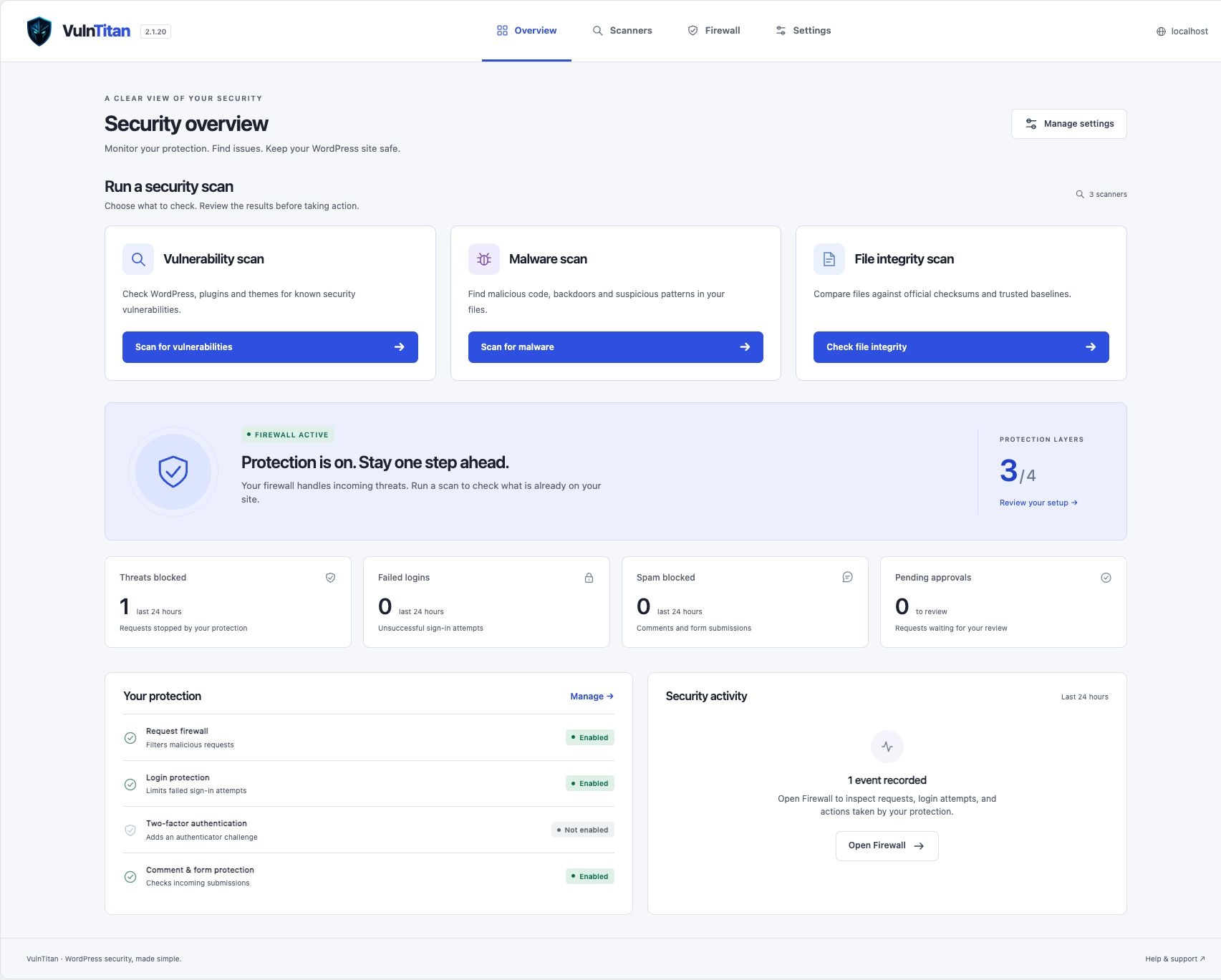
The light indigo dashboard brings malware, vulnerability, and file integrity scanners into clear view. Review live activity in Firewall and configure protection in eight organized Settings groups, with existing options and saved settings preserved when updating.
Malware Scanner
The WordPress malware scanner inspects your site files for suspicious code patterns and known malicious signatures.
- Detect malware infections in core, plugins, and themes
- Review problematic files with contextual code preview
- Safe-fix workflow with automatic backups
- Clear severity indicators and actionable recommendations
Vulnerability Scanner
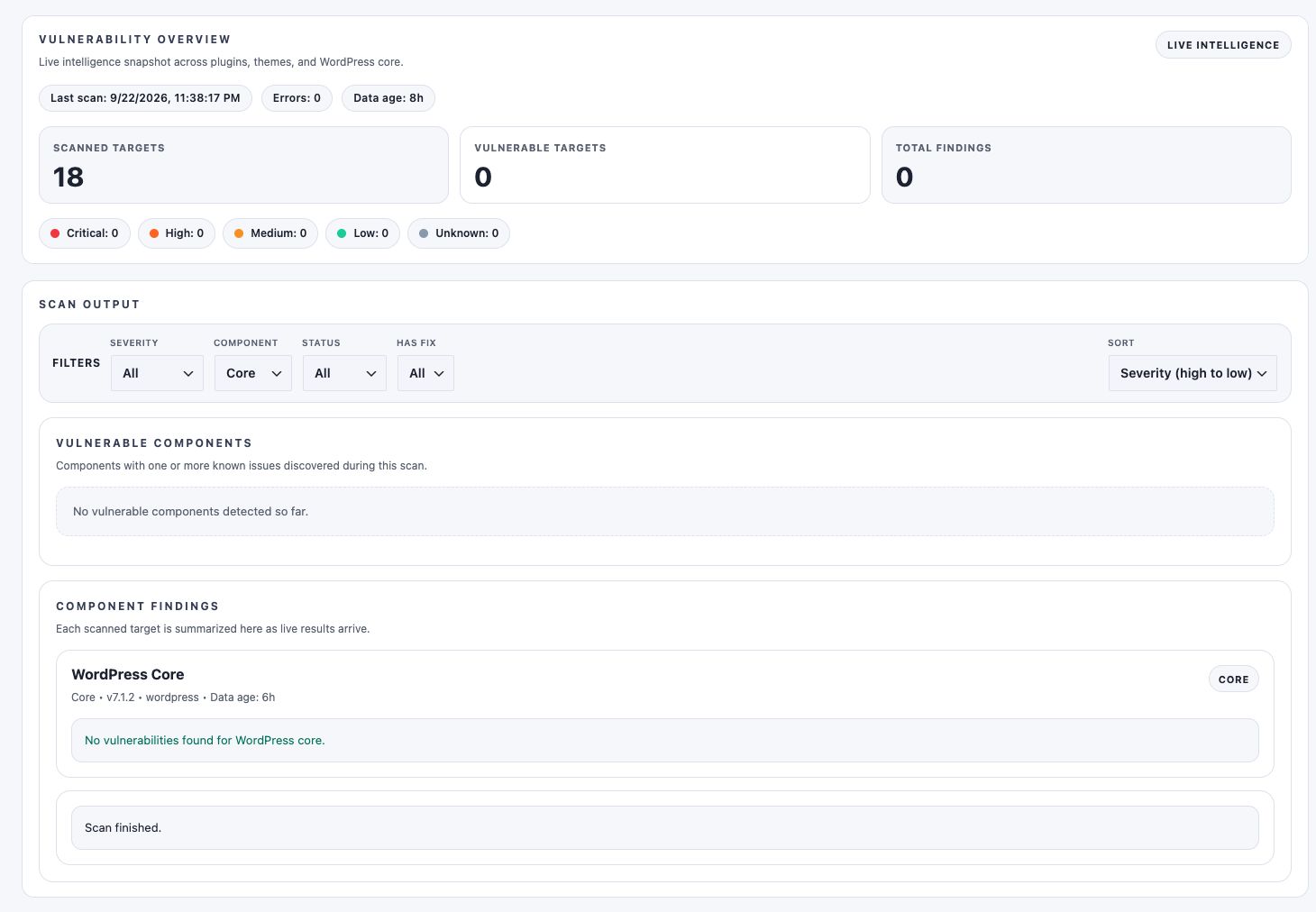
The vulnerability scanner checks your installed WordPress core, plugins, and themes against a real-time vulnerability database powered by the VulnTitan API.
- Detect vulnerable plugins and themes
- Identify outdated components with known security risks
- Real-time vulnerability intelligence
- Clear risk explanations and remediation guidance
File Integrity Scanner
Monitor unauthorized file changes and unexpected modifications.
- Baseline comparison for WordPress files
- Queue-based processing for performance safety
- Visual status legends for fast review
- Actionable next steps for suspicious changes
Firewall, Login, Comment & Form Protection
VulnTitan includes firewall, WAF, login protection, and anti-spam controls to block common attack patterns and protect WordPress login, comment, and supported form submission surfaces.
- Early MU-plugin runtime request guards
- SQL injection (SQLi) payload protection
- Command injection detection
- Suspicious path traversal blocking
- Endpoint whitelisting controls
- Login lockout protection against brute-force attacks
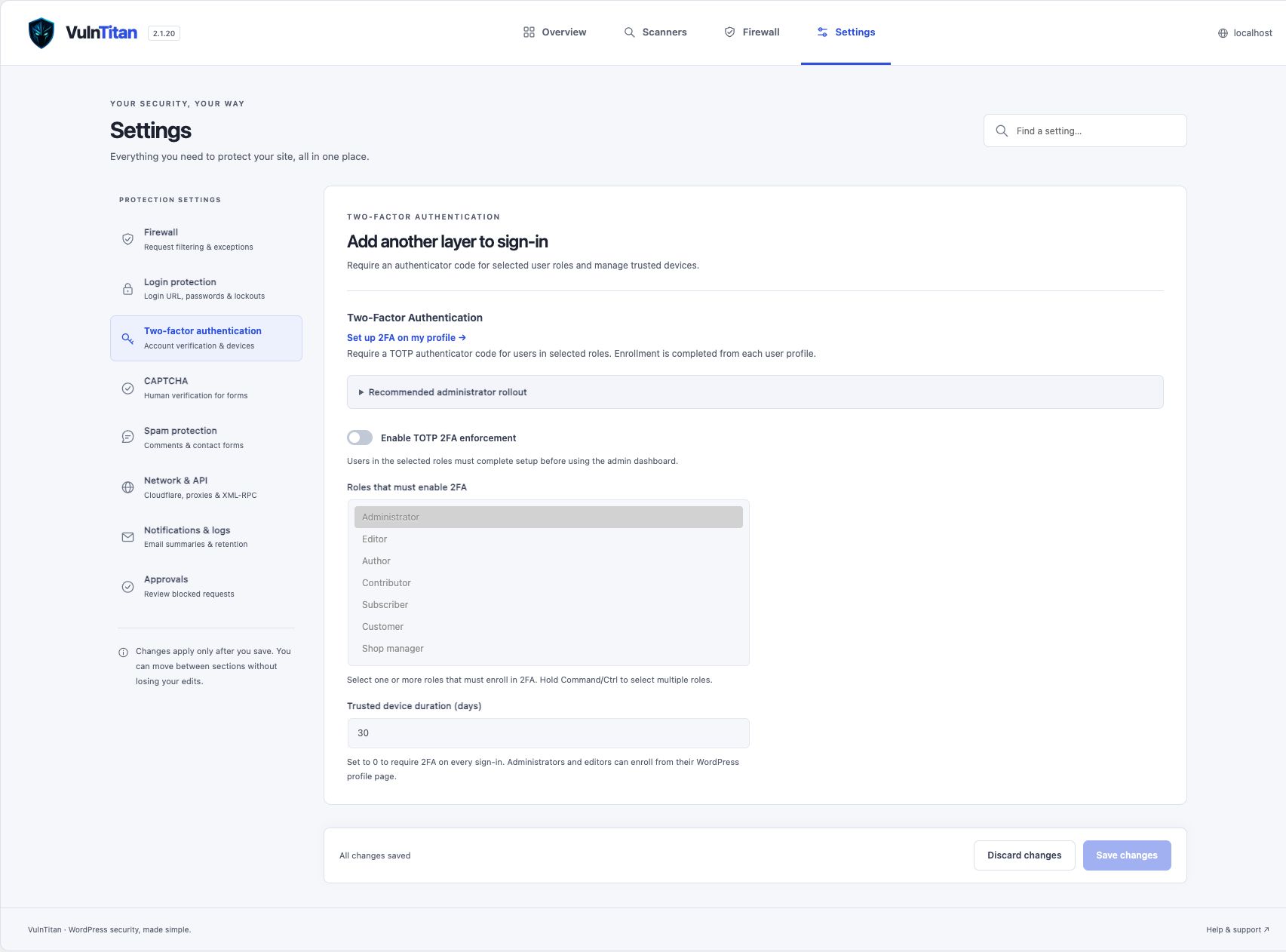
- TOTP-based two-factor authentication for selected roles
- Recovery codes and trusted-device support for enrolled accounts
- CAPTCHA protection for WordPress login/registration, WooCommerce login/registration, WordPress lost-password, and optional comment forms
- XML-RPC allow, disable, or rate-limit policy controls with IP allowlisting
- Weak-password blocking during profile updates, password resets, and compatible registrations
- Comment Shield with honeypot, signed tokens, submit-time validation, duplicate detection, guest link limits, IP rate limiting, and moderation-aware logging
- Form Shield for Contact Form 7 and Fluent Forms with honeypot, signed submit tokens, link heuristics, repeated-domain detection, and IP rate limiting
- Form spam blocks are logged in Firewall activity with provider-aware source labels for easier review
- Suspicious comments can be held for moderation or blocked immediately
- REST comments can enforce signed anti-spam tokens and CAPTCHA when anonymous REST commenting is enabled elsewhere
- Configurable custom login slug so administrators can use a private login URL instead of the default
wp-login.php - Default
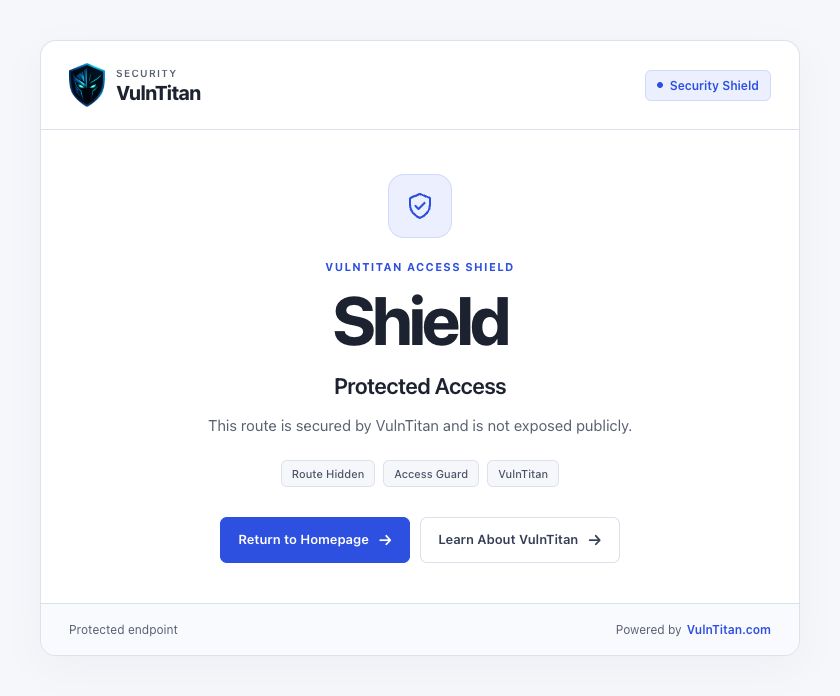
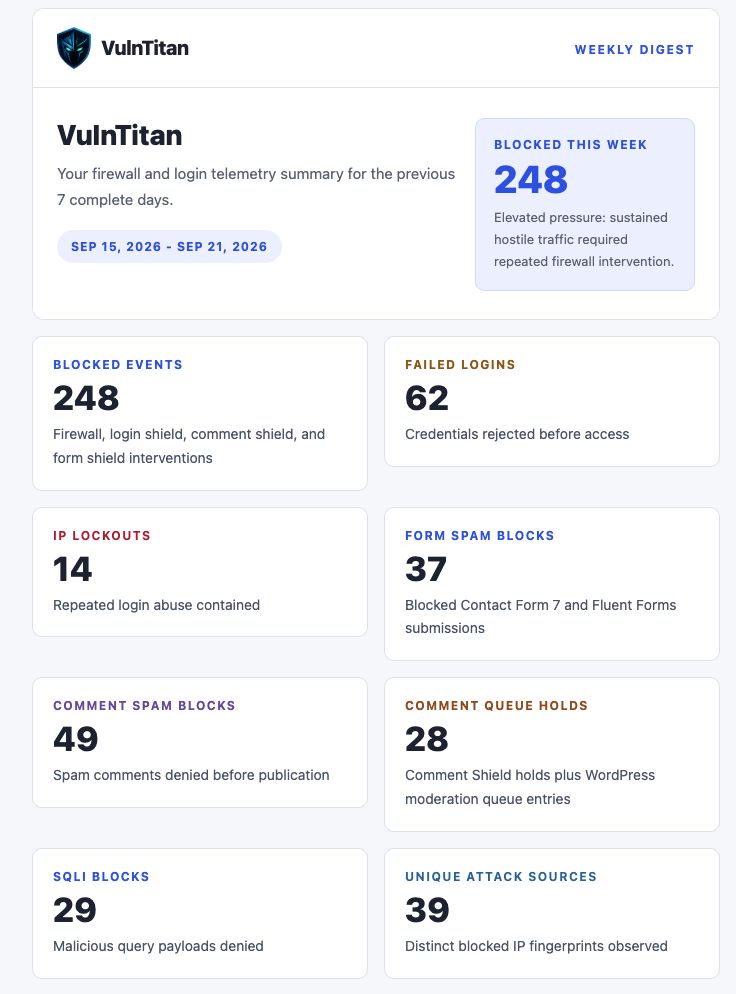
wp-login.phpand guestwp-adminaccess can be hidden behind a404response when custom login is enabled - Weekly executive security report email with 7-day firewall, login abuse, WAF, form spam, and comment moderation statistics
Security-First Architecture
- Secure storage and cleanup of scan queues and logs
- Hardened backup handling outside
ABSPATHby default - Hardened malware and integrity scan actions with stricter capability checks and in-root path validation
- Adaptive performance tuning for safe large-site scanning
WP-CLI Support
VulnTitan supports WP-CLI commands for malware, integrity, and vulnerability scans so administrators can run checks from the terminal, scripts, or server automation.
wp vulntitan scan malwarewp vulntitan scan integritywp vulntitan scan vulnerabilitywp vulntitan scan all- Optional flags:
--scope=plugins,--format=json,--fail-on-findings
External services
This plugin connects to an external API at https://vulntitan.com/api/vulnerabilities to fetch up-to-date vulnerability data for WordPress core, plugins, and themes. This data is essential for detecting known vulnerabilities during scan operations.
When a vulnerability scan is performed, the following data is sent to the VulnTitan API:
– The slug and version of each plugin
– The slug and version of each theme
– The WordPress core version
This data is transmitted only during scans initiated by the user or by scheduled scan settings. No personal, user-identifying, or sensitive site data is collected, transmitted, or stored.
The external service is provided and operated by VulnTitan.com.
- Terms of Service: https://vulntitan.com/terms
- Privacy Policy: https://vulntitan.com/privacy
Optional deactivation feedback
When you deactivate VulnTitan from its individual Deactivate link on the Plugins screen, an optional survey lets you share why you are leaving. Select Send feedback & deactivate to explicitly agree to email your selected reason, optional comment, and VulnTitan, WordPress, and PHP versions to deactivated@vulntitan.com for product improvement. The survey shows these details before sending.
Feedback uses your site’s configured WordPress mail service (wp_mail). The message body does not automatically include your site URL, administrator email, IP address, installed plugin list, or scan results. The mail service’s sender address and routing headers may identify your site; this is not an anonymous email service. Avoid entering personal information or secrets in the optional comment.
Skip & deactivate sends no feedback. Closing the survey cancels deactivation. Bulk, WP-CLI, and other programmatic deactivations do not send survey feedback. Email failures do not prevent deactivation. A short local cooldown prevents repeat submissions; no background usage tracking is added.
Privacy Policy: https://vulntitan.com/privacy
Capturas de tela



Instalação
From your WordPress dashboard
- Navigate to Plugins > Add New
- Click Upload Plugin
- Upload the downloaded ZIP file
- Click Install Now, then Activate
From FTP or File Manager
- Upload the extracted
vulntitanfolder to the/wp-content/plugins/directory - Go to your WordPress dashboard
- Navigate to Plugins > Installed Plugins
- Find VulnTitan and click Activate
Once activated
- Go to VulnTitan in your admin menu
- Choose the malware, vulnerability, or file integrity scanner from the overview, or open Scanners
- Review detected vulnerabilities, malware infections, and file integrity issues
- Apply guided safe fixes where needed
- Open Settings to configure protection, login access, spam controls, and reporting
- Open Firewall to review activity and expand an event for more details
Perguntas frequentes
-
Who owns the VulnTitan API?
-
The VulnTitan API is developed, owned, and maintained by the same team behind this plugin. It is not a third-party service. The API is operated solely to provide accurate and real-time vulnerability intelligence for WordPress sites.
-
What data does the plugin send to the API?
-
The plugin sends only non-personal technical information such as plugin slugs, theme slugs, and WordPress core version numbers. No personal data, login credentials, email addresses, or sensitive information is transmitted or stored.
-
Why is the API connection required?
-
The API provides up-to-date vulnerability data needed to detect known security issues affecting WordPress core, plugins, and themes. Without this connection, vulnerability detection would not function correctly.
-
Does VulnTitan remove malware?
-
Yes. When malware is detected, VulnTitan provides a guided safe-fix workflow with backup protection so you can review and safely remove infected files.
-
Does VulnTitan support WP-CLI?
-
Yes. VulnTitan includes WP-CLI commands for malware, integrity, vulnerability, and combined scans.
Examples:
wp vulntitan scan malwarewp vulntitan scan integritywp vulntitan scan vulnerabilitywp vulntitan scan allwp vulntitan scan malware --scope=pluginswp vulntitan scan all --format=jsonwp vulntitan scan vulnerability --fail-on-findings
-
My site is behind a proxy or CDN. How do I configure IP detection?
-
If you use Cloudflare, enable “My site uses Cloudflare” in VulnTitan > Settings > Network & API. For other reverse proxies or load balancers, add their IP addresses to “Other proxy IPs”. If your site is not behind a proxy or CDN, leave these settings disabled to avoid spoofed IP addresses in logs and lockouts.
-
Does VulnTitan protect contact forms from spam?
-
Yes. VulnTitan currently supports spam protection for Contact Form 7 and Fluent Forms, alongside native WordPress comment anti-spam controls.
Avaliações


Colaboradores e desenvolvedores
“VulnTitan – Malware Scanner, Vulnerability Scanner & Security” é um programa de código aberto. As seguintes pessoas contribuíram para este plugin.
Colaboradores
Traduzir o “VulnTitan – Malware Scanner, Vulnerability Scanner & Security” para seu idioma.
Interessado no desenvolvimento?
Navegue pelo código, consulte o repositório SVN ou assine o registro de desenvolvimento por RSS.
Registro de alterações
v2.1.23 – 2 Oct, 2026
- Split Firewall into Activity logs and IP management tabs, with themed controls and confirmations.
- Added blocked IPs with reasons and expiry, scoped login and XML-RPC whitelists, whitelist removal, and resolved lockouts.
- Show current IP status in request details and refresh actions immediately after unblocking or whitelisting, including user-specific 2FA lockouts.
- Added SQL and command injection shortcuts, filters for every block type, and detection-rule filters including secondary matches.
- Preserve settings and active lockouts on upgrade, and keep firewall tables and settings separate when switching sites on multisite.
For full release history, see CHANGELOG.md included in the plugin package.